
HP LaserJet M601 Fuser Error Troubleshooting Guide
Understanding HP LaserJet M601 Fuser Errors
A HP Laserjet M601 Fuser Error usually indicates the printer has detected a problem involving warm-up failure, thermistor readings, power delivery, pressure release systems, or internal fuser communication.
The HP LaserJet Enterprise M601, M602, and M603 printer series are high-volume monochrome business printers commonly used in accounting offices, legal firms, administrative departments, medical billing offices, warehouse environments, and commercial office settings. These printers are designed for sustained office printing, which is why fuser-related failures can create immediate workflow disruptions.
The fuser assembly is responsible for applying heat and pressure to permanently bond toner to the page. If the printer detects improper temperature readings, failed warm-up conditions, power instability, or internal communication problems, it may stop operation entirely and display a 50-series error.
For many businesses, these errors appear during startup or while large print jobs are processing. Common symptoms include:
- Printer stops during initialization
- Display panel shows a 50-series error
- Printer repeatedly asks to turn off and back on
- Jobs remain stuck in queue
- Toner does not bond correctly to paper
- Printer never reaches Ready state
- Error returns immediately after restart
Because these printers often support mission-critical office printing, recurring fuser errors should not be ignored or repeatedly bypassed through power cycling alone.

Common HP LaserJet M601, M602, and M603 Fuser Errors
The following 50-series errors commonly affect the HP LaserJet M601, M602, and M603 printer family:
- HP LaserJet M601 50.00 Fuser Error
- HP LaserJet M601 50.2 Fuser Error
- HP LaserJet M601 50.3 Fuser Error
- HP LaserJet M601 50.4 Fuser Error
- HP LaserJet M601 50.06 Fuser Error
- HP LaserJet M601 50.10 Fuser Error
- HP LaserJet M601 50.11 Fuser Error
- HP LaserJet M601 50.12 Fuser Error
- HP LaserJet M601 50.12 Fuser Error
- HP LaserJet M601 50.20 Fuser Error
- HP LaserJet M601 50.22 Fuser Error
- HP LaserJet M601 50.30 Fuser Error
- HP LaserJet M601 50.32.11 Fuser Error
- HP LaserJet M601 50.70 Fuser Error
- HP LaserJet M601 50.7F Fuser Error
- HP LaserJet M601 50.72.11 Fuser Error
Because the HP LaserJet M601, M602, and M603 series share a similar service platform, the troubleshooting flow is often similar across all three models. Many offices first notice a HP Laserjet M601 Fuser Error during startup when the printer refuses to reach Ready status.
HP LaserJet M601 50.00 Fuser Error
A 50.00 Fuser Error generally indicates the fuser failed to reach proper operating temperature during startup.
This can occur because of:
- Failed fuser heating elements
- Damaged fuser assemblies
- Unstable power delivery
- Low-voltage power supply issues
- Loose fuser connections
Recommended troubleshooting includes:
- Power the HP Laserjet printer off completely.
- Allow the printer to cool.
- Verify the printer is plugged directly into a stable wall outlet.
- Avoid extension cords or overloaded power strips.
- Remove and reinstall the rear fuser assembly.
- Restart the printer and test.
If the error returns repeatedly, the fuser assembly is commonly the next component replaced.
HP LaserJet M601 50.2 Fuser Error — Warm-Up Failure
A HP LaserJet M601 50.2 Fuser Error indicates the fuser did not warm up properly within the expected time.
For business offices, this may appear as:
- Printer stops during startup
- Printer never reaches Ready
- Error returns after restart
- No pages print
- Jobs remain stuck in queue
The recommended troubleshooting flow includes:
- Power the printer off properly.
- Allow the fuser to cool before handling.
- Open the rear fuser access area.
- Remove and reinstall the fuser.
- Verify the fuser seats correctly.
- Inspect connector J128 between the fuser and DC controller PCA.
- Restart the printer.
If the HP LaserJet M601 50 fuser error continues after reseating the fuser, replacement of the fuser assembly is often required.
If a known-good fuser still produces the same error, the low-voltage power supply may require diagnosis.
Need Help With a HP LaserJet M601, M602, or M603 Fuser Error?
When a 50-series fuser error stops your office printer, we can help diagnose the issue onsite and replace the fuser when needed using genuine HP OEM parts.
Printer Repair Experts provides same-day onsite service when available across Orange County and parts of Los Angeles County.
Call: (888) 657-0021
Email: info@printer-repair-experts.net
All service and installed parts include our 6-month, 180-day warranty.
HP LaserJet M601 50.3 and 50.4 Fuser Errors
The HP LaserJet M601 50.3 Fuser Error and 50.4 Fuser Error both involve thermistor-related temperature control problems.
50.3 Fuser Error
A 50.3 error indicates a low temperature thermistor 1 condition.
50.4 Fuser Error
A 50.4 error indicates a high temperature thermistor 1 condition.
The thermistor monitors fuser temperature during operation. If the printer detects abnormal readings outside expected ranges, it may immediately stop operation to prevent hardware damage.
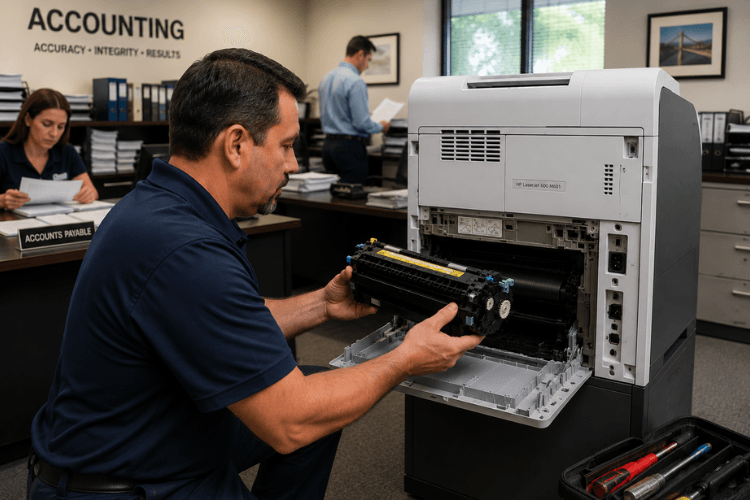
Recommended troubleshooting includes:
- Reinstall the fuser assembly.
- Inspect connector J128.
- Reconnect connector J82 on the DC controller PCA.
- Replace the fuser if the connector is damaged.
- Reconnect connector J62 on the low-voltage power supply when appropriate.
- Replace the low-voltage power supply if errors continue.
In real office environments, recurring thermistor errors are commonly associated with:
- Worn fuser assemblies
- Damaged connectors
- High-volume printing environments
- Poor ventilation around printer areas
- Inconsistent power conditions
HP LaserJet M601 50.06 Fuser Error — Drive Circuit Fault
A HP LaserJet M601 50.06 Fuser Error indicates a drive circuit fault involving the fuser control system.
This error often requires careful attention to power conditions and internal electrical connections.
Recommended troubleshooting includes:
- Confirm the printer is connected to a stable power source.
- Avoid overloaded power strips and battery backup devices.
- Reconnect connectors J51, J52, J53, and J162.
- Reconnect DC controller PCA connectors J85, J95, and J96.
- Restart the printer and retest.
- Replace the low-voltage power supply if necessary.
Large workgroup printers like the HP LaserJet M601, M602, and M603 draw significant power during warm-up cycles. A recurring HP Laserjet M601 Fuser Error involving 50.06 conditions often requires inspection of both power quality and internal electrical connections. Unstable electrical conditions can create intermittent or recurring fuser errors.
HP LaserJet M601 50.10 and 50.11 Fuser Errors
The HP LaserJet M601 50.10 Fuser Error and 50.11 Fuser Error involve thermistor 2 conditions.
50.10 Fuser Error
Indicates low temperature thermistor 2.
50.11 Fuser Error
Indicates high temperature thermistor 2.
Recommended troubleshooting includes:
- Reinstall the fuser.
- Inspect connector J128.
- Replace damaged fuser assemblies.
- Reconnect connector J62 on the low-voltage power supply PCA.
- Replace the low-voltage power supply if errors persist.
These errors often appear in older high-volume office printers where the fuser has experienced years of heavy daily operation.
Need Help With a HP LaserJet M601, M602, or M603 Fuser Error?
When a 50-series fuser error stops your office printer, we can help diagnose the issue onsite and replace the fuser when needed using genuine HP OEM parts.
Printer Repair Experts provides same-day onsite service when available across Orange County and parts of Los Angeles County.
Call: (888) 657-0021
Email: info@printer-repair-experts.net
All service and installed parts include our 6-month, 180-day warranty.
HP LaserJet M601 50.12 Fuser Error — Pressure Release Mechanism Failure
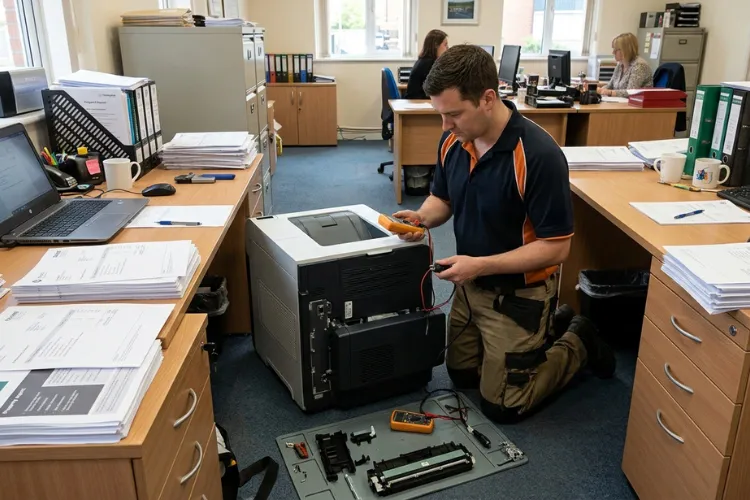
A HP LaserJet M601 50.12 Fuser Error involves the fuser pressure release mechanism.
This differs from normal warm-up or thermistor-related failures.
Recommended troubleshooting includes:
- Reconnect fuser connector J128.
- Reconnect DC controller PCA connector J62.
- Inspect the pressure release sensor flag.
- Replace damaged fuser assemblies.
- Reconnect fuser motor connector J221.
- Reconnect DC controller PCA connector J89.
- Run the component test for the fuser motor.
- Replace the fuser motor if necessary.
- Replace the fuser if errors continue.
When a HP Laserjet M601 Fuser Error involves the pressure release mechanism, simple restart attempts rarely provide a permanent solution.
A 50.12 error usually requires more detailed inspection than simple power cycling.
HP LaserJet M601 50.20 Fuser Error
A 50.20 Fuser Error usually indicates a specific malfunction within the fuser assembly itself.
This can involve:
- Internal sensor failures
- Fuser component communication issues
- Mechanical fuser faults
Recommended troubleshooting includes:
- Power cycle the printer.
- Remove and reinstall the fuser.
- Verify the correct fuser is installed.
- Inspect the rear fuser connectors.
- Replace the fuser if the issue remains.
HP LaserJet M601 50.22 Fuser Error
A 50.22 Fuser Error generally points to sensor-related failures within the fuser assembly.
Possible causes include:
- Incorrect thermistor readings
- Failed internal fuser sensors
- Intermittent electrical connections
Recommended troubleshooting includes:
- Power cycle the printer.
- Allow the printer to cool fully.
- Reinstall the fuser.
- Inspect fuser connectors.
- Replace the fuser if the issue continues.
HP LaserJet M601 50.30 Fuser Error
A 50.30 Fuser Error typically indicates overheating associated with fuser temperature regulation.
Recommended troubleshooting includes:
- Power off the printer.
- Allow at least 30 minutes for cooling.
- Verify proper ventilation around the printer.
- Reduce excessive continuous print loads temporarily.
- Replace the fuser if overheating returns repeatedly.
Commercial office environments with poor airflow around high-volume printers can contribute to recurring overheating conditions.
HP LaserJet M601 50.32.11 Fuser Error
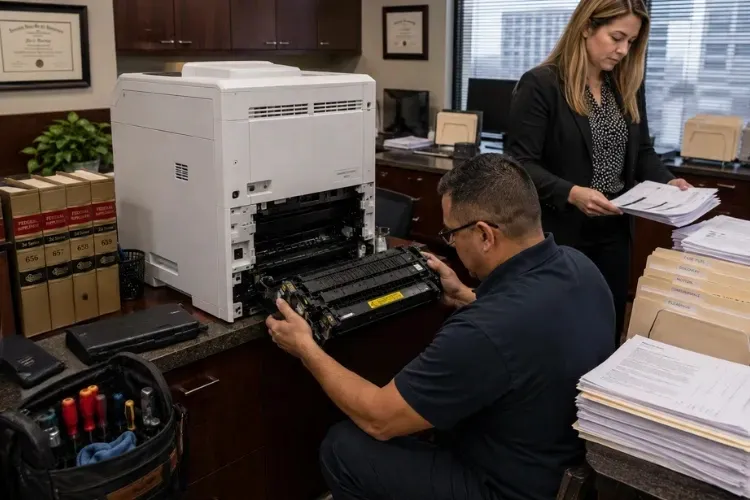
A 50.32.11 Fuser Error generally points to communication or control circuit failures involving the fuser assembly.
Recommended troubleshooting includes:
- Restart the printer.
- Reinstall the fuser assembly.
- Inspect related connectors.
- Replace the fuser if communication errors persist.
Persistent 50.32.11 errors may involve the printer’s internal control circuitry and may require additional service diagnosis.
HP LaserJet M601 50.70 Fuser Error
A 50.70 Fuser Error often indicates the installed fuser does not match the printer configuration or is not being recognized correctly.
Possible causes include:
- Incorrect replacement fuser
- Incompatible fuser assembly
- Failed fuser identification circuitry
- Damaged connectors
Recommended troubleshooting includes:
- Verify the correct HP fuser is installed.
- Remove and reinstall the fuser.
- Restart the printer.
- Reset the printer if appropriate.
- Replace the fuser if recognition issues continue.
Using genuine HP fusers is strongly recommended for these printers.
HP LaserJet M601 50.7F Fuser Error
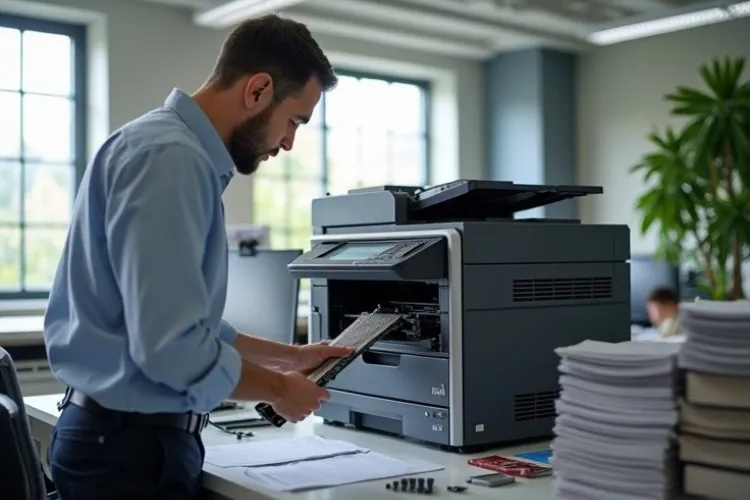
A 50.7F Fuser Error is commonly associated with firmware communication issues involving the fuser.
Possible causes include:
- Corrupted firmware
- Failed firmware updates
- Fuser communication errors
- Internal control conflicts
Recommended troubleshooting includes:
- Restart the printer.
- Verify current firmware version.
- Update firmware when appropriate.
- Inspect the fuser installation.
- Replace the fuser if communication errors remain.
Firmware-related issues should be approached carefully in office environments where multiple users depend on the printer daily.
Need Help With a HP LaserJet M601, M602, or M603 Fuser Error?
When a 50-series fuser error stops your office printer, we can help diagnose the issue onsite and replace the fuser when needed using genuine HP OEM parts.
Printer Repair Experts provides same-day onsite service when available across Orange County and parts of Los Angeles County.
Call: (888) 657-0021
Email: info@printer-repair-experts.net
All service and installed parts include our 6-month, 180-day warranty.
HP LaserJet M601 50.72.11 Fuser Error
A 50.72.11 Fuser Error usually indicates sensor or hardware communication failures within the fuser assembly.
Recommended troubleshooting includes:
- Power cycle the printer.
- Remove and reinstall the fuser.
- Inspect for damaged connectors or wiring.
- Replace the fuser if necessary.
If the error persists after installing a known-good fuser, additional diagnosis involving the printer’s controller or power systems may be necessary.
Repair Versus Replacement for HP LaserJet M601 Printers
Many businesses continue using HP LaserJet M601, M602, and M603 printers because they remain reliable workgroup printers with strong paper handling and commercial printing capability.
Repair often makes sense when:
- The printer remains mechanically reliable
- Print quality is still good
- The issue is isolated to the fuser system
- Monthly print volume justifies continued operation
- For many organizations, repairing a HP Laserjet M601 Fuser Error is more practical than replacing an otherwise dependable workgroup printer.
- The office already maintains toner inventory and workflows for the device
Replacement may make more sense when:
- Multiple major assemblies are failing simultaneously
- Extremely high page counts exist
- Parts availability becomes limited
- The printer has repeated formatter, power, feed, and fuser problems together
For many businesses, repairing a HP Laserjet M601 Fuser Error is significantly more practical than replacing an otherwise reliable workgroup printer.
Preventative Maintenance for HP LaserJet M601 Fuser Systems
Preventative maintenance can reduce unexpected downtime involving HP LaserJet fuser systems. Routine maintenance can reduce repeat HP Laserjet M601 Fuser Error conditions in high-volume office environments.
Recommended maintenance practices include:
- Installing genuine HP OEM maintenance kits
- Replacing worn fusers before catastrophic failure
- Keeping printers in ventilated environments
- Avoiding unstable power sources
- Performing regular cleaning and inspection
- Monitoring recurring paper jams or temperature-related symptoms
High-volume printers operating daily in commercial office environments benefit significantly from proactive maintenance scheduling. Preventative maintenance can reduce recurring HP Laserjet M601 Fuser Error conditions in high-volume office environments.
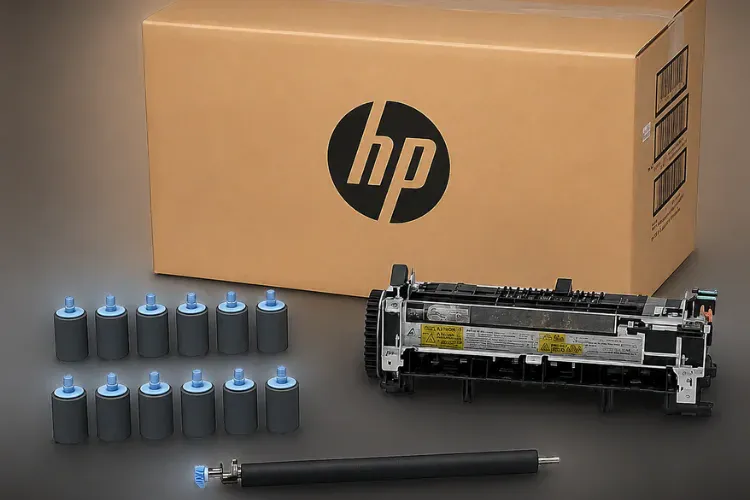
Scheduling Onsite HP LaserJet Fuser Error Service
Printer Repair Experts provides onsite commercial HP LaserJet repair throughout Orange County and parts of Los Angeles County.
We specialize in:
- HP LaserJet Printers
- HP Color LaserJet Printers
- HP LaserJet Multifunction Printers
- HP Color LaserJet Multifunction Printers
- Fuser error repair
- Paper jam repair
- Maintenance kit installation
- Print quality troubleshooting
For HP LaserJet M601, M602, and M603 fuser errors, our onsite service process commonly includes:
- Confirming the exact 50-series error code
- Inspecting rear fuser access areas
- Verifying power conditions
- Reseating or replacing the fuser
- Inspecting related connectors and control systems
- Testing printer operation after repair
- Verifying final print quality and reliability
We stock many HP LaserJet fusers and maintenance kits for same-day installation.
All service and installed parts are backed by our 6-month, 180-day warranty.
High-quality third-party toner supplies are also available and backed by a 1-year, 365-day warranty.
Need Help With a HP LaserJet M601, M602, or M603 Fuser Error?
When a 50-series fuser error stops your office printer, Printer Repair Experts can help diagnose and repair the issue onsite.
We provide same-day commercial HP LaserJet printer Repair service throughout Orange County and parts of Los Angeles County when scheduling and parts availability allow.
We use High Quality HP parts for repairs and maintenance kit installations.
Phone: (888) 657-0021 Email: info@printer-repair-experts.net
Service and installed parts include our 6-month, 180-day warranty.
Our technicians routinely diagnose HP Laserjet M601 Fuser Error conditions involving warm-up failures, thermistor problems, rear fuser assemblies, and power-related faults.
Need Help With a HP LaserJet M601, M602, or M603 Fuser Error?
If your office is dealing with a recurring HP Laserjet M601 Fuser Error, our technicians can provide onsite troubleshooting and repair.
Printer Repair Experts provides same-day onsite service when available across Orange County and parts of Los Angeles County.
Call: (888) 657-0021
Email: info@printer-repair-experts.net
All service and installed parts include our 6-month, 180-day warranty.
FAQ's - Frequently Asked Questions
A: A 50 Fuser Error on your HP LaserJet M601 indicates a problem with the printer’s fuser assembly. This error usually means the fuser is either not heating up properly, is overheating, or is failing to maintain the correct temperature. The fuser is crucial for bonding toner to paper, and this error can halt printing operations.
A: The lifespan of a fuser in an HP LaserJet M601 can vary based on printing volume, paper type, and printer settings, but it typically lasts for about 100,000 pages. Signs it might be time to replace the fuser include persistent fuser error messages, poor print quality with marks or incomplete prints, and unusual noises during printing. Regular maintenance and inspection can help identify when it’s time for a replacement.
Replacement fusers for the HP LaserJet M601 can be purchased from Printer Repair Experts Call our Customer Care Group at (888) 276-4666. They will be happy to ship a fuser to you or schedule a technician to go out and install the fuser for you. All HP Laserjet M601 Fusers are in stock and ready for immediate delivery and or installation. All our fusers we sell come with a 180 days (6 months) Warranty. All our HP Laserjet M601 Fuser Assemblies are specifically designed for your printer model to avoid compatibility issues and ensure optimal performance.
a: Replacement fusers for the HP LaserJet M601 can be purchased from Printer Repair Experts Call our Customer Care Group at (888) 276-4666. They will be happy to ship a fuser to you or schedule a technician to go out and install the fuser for you. All HP Laserjet M601 Fusers are in stock and ready for immediate delivery and or installation. All our fusers we sell come with a 180 days (6 months) Warranty. All our HP Laserjet M601 Fuser Assemblies are specifically designed for your printer model to avoid compatibility issues and ensure optimal performance.
HP Laserjet M601 Fuser Error can result from warm-up failures, thermistor problems, connector issues, unstable power delivery, firmware communication faults, or worn fuser assemblies.