
HP Laserjet Printer Maintenance Kits: Matching the Right Kit to Your Model
HP Laserjet Printer Maintenance Kits are matched to a specific printer family and a specific line voltage, so choosing one starts with the full model name on your printer, not with the wording of a maintenance alert. Get the model and voltage right and the HP LaserJet maintenance kit part number usually follows; get either one wrong and the kit may not fit, or it may replace parts the printer never asked for.
We wrote this guide for the people who order and approve these parts: office managers, IT support staff, fleet administrators, and purchasing teams responsible for HP LaserJet Enterprise M607, M608, M609, M610, M611, M612, M604, M605, M606, M601, M602, and M603 printers, along with the legacy P4014, P4015, and P4515. Kit identification comes first, followed by what HP Laserjet Printer Maintenance Kits actually replace, how to read the alert, and when a smaller repair is the better call.
Preview Snapshot
- Identify the kit by full model, voltage, and part number, in that order. For the M607, M608, and M609, HP lists L0H24A for 110 V and L0H25A for 220 V.
- HP rates the L0H24A at up to 225,000 pages for the M60X series; real-world life moves up or down with page coverage, media, and duty cycle.
- The contents of HP Laserjet Printer Maintenance Kits differ by family and kit version, so check the packing list rather than assuming every kit carries the same rollers.
- A maintenance reminder and an active fault are different events; the affected tray, the jam location, and the print itself tell you which one you have.
- Reset the maintenance counter only after the work is done, using the method documented for that exact printer family.
1. How to Identify HP Laserjet Printer Maintenance Kits by Model, Part Number, and Voltage
Three facts decide which kit belongs in a printer: the exact model, the electrical supply it runs on, and the part number HP assigns to that pairing. Collect all three before anyone orders HP Laserjet Printer Maintenance Kits for a single printer or a whole floor.
Start with the full model name
Read the model from the product label or the printer’s configuration page. An “M608dn” and an “M608x” share the same maintenance platform, but the suffix still tells you how many trays are installed, which matters when you count tray rollers later. Avoid ordering HP Laserjet Printer Maintenance Kits from an invoice description or an asset tag that only says “HP LaserJet.”
Confirm the voltage
The fuser is a heating assembly built for one supply voltage. In North America, the printers we service run on 110 V circuits, so the 110 V kit is the one we expect to see. A 220 V kit installed in a 110 V printer is the wrong part, regardless of how similar the box looks.
Match the part number to both
HP pairs each printer family with a 110 V kit and a 220 V kit, each with its own part number, and that pairing is how HP Laserjet Printer Maintenance Kits are catalogued. Write the model, voltage, and part number on the purchase request together; that one line prevents most of the ordering mistakes we see.
HP LaserJet Maintenance Kit Compatibility Across the Enterprise Families
HP LaserJet maintenance kit compatibility follows the printer platform, not the age of the printer or the alert text. The table below lists the 110 V and 220 V HP Laserjet Printer Maintenance Kits for the monochrome families this page covers.
HP Laserjet Printer Maintenance Kits
HP Printer Models
Description
HP Part Number
Canon Part Number
Canon Printer Model
HP Laserjet P3015
Maintenance Kit 120V
CE525-67901
Not Applicable
Not Applicable
HP Color Laserjet M451
HP Color Laserjet M475
HP Color Laserjet M476MFP
Maintenance Kit 120V
RM2-5177-000CN
RM2-5476-000CN
RM1-8054-000CN
RM1-8061-000CN
Not Applicable
Not Applicable
HP Color Laserjet M377
HP Color Laserjet M452
HP Color Laserjet M454
HP Color Laserjet M455
HP Color Laserjet M477
HP Color Laserjet M479
HP Color Laserjet M480
Maintenance Kit 120V
RM2-6460-KIT (Duplex)
RM2-6418-KIT (Duplex)
RM2-6431 (Simplex)
RM2-1833 (Simplex)
Not Applicable
Not Applicable
HP Laserjet 4100
HP Laserjet 4101
Maintenance Kit 120V
C8057A
C8057-67903
C8057-69003
C8057-69001
C8057-67901
Not Applicable
Not Applicable
HP Laserjet P4014
HP Laserjet P4015
HP Laserjet P4515
Maintenance Kit 120V
CB388A
CB388-67903
CB388-67901
Not Applicable
Not Applicable
HP Laserjet 4200
Maintenance Kit 120V
HP Q2429-67905
Q2429-67904
Q2429-67903
Q2429-69005
Q2429-67902
Q2426-69001
Q2429A
Not Applicable
Not Applicable
HP Laserjet 4240
HP Laserjet 4250
HP Laserjet 4350
Maintenance Kit 120V
Q5421A
Q5421-67903
Q5421
Q5421-69007
Not Applicable
Not Applicable
HP Laserjet 4300
Maintenance Kit 120V
Q2436-69007
Q2436-67905
Q2436-67903
Not Applicable
Not Applicable
HP Laserjet 4555 MFP
Maintenance Kit 120V
CE731A
Not Applicable
Not Applicable
HP Laserjet 501
HP Laserjet 506
HP Laserjet 507
HP Laserjet M527 MFP
HP Laserjet M528 MFP
HP Laserjet M528
E52545
E52645
E50145
E50045
Maintenance Kit 120V
RM2-5679
RM2-2585
FM1-V151
RM2-5679
RM2-2585
FM1-V151
Canon imageCLASS D1620
Canon imageCLASS D1650
Canon imageCLASS LBP312
Canon imageCLASS LBP325
Canon imageRUNNER 1643
HP Laserjet M521
HP Laserjet M525
Maintenance Kit 120V
CF116-67903
Not Applicable
Not Applicable
HP Laserjet 501
HP Laserjet 506
HP Laserjet 507
HP Laserjet M527 MFP
HP Laserjet M528 MFP
HP Laserjet M528
E52545
E52645
E50145
E50045
Maintenance Kit 120V
RM2-5679
RM2-2585
FM1-V151
RM2-5679
RM2-2585
FM1-V151
Canon imageCLASS D1620
Canon imageCLASS D1650
Canon imageCLASS LBP312
Canon imageCLASS LBP325
Canon imageRUNNER 1643
HP Color Laserjet M551
HP Color Laserjet M570
HP Color Laserjet M575
HP Color Laserjet CM3525
HP Color Laserjet CM3530
Maintenance Kit 120V
CE484A,
RM1-4955-000
CC519-6790,
CC519-6791,
CF081-67905
CD644-67906
RM1-8154-000
Not Applicable
Not Applicable
HP Laserjet M5025 MFP
HP Laserjet M5035 MFP
Maintenance Kit 120V
Q7832A
Q7832-67901
Not Applicable
Not Applicable
HP Laserjet 5200
Maintenance Kit 120V
Q7543-67909
Not Applicable
Not Applicable
HP Laserjet 601
HP Laserjet 602
HP Laserjet 603
Maintenance Kit 120V
CF064-67902
CF064-67901
CE988-67901
CF064-67902
CF064-67901
CE988-67901
Not Applicable
HP Laserjet N604
HP Laserjet M605
HP Laserjet M606
Maintenance Kit 120V
F2G76-67901
F2G76A
Not Applicaable
Not Applicable
HP Laserjet M607
HP Laserjet M608
HP Laserjet M609
HP Laserjet M610
HP Laserjet M611
HP Laserjet M612
HP Laserjet M631 MFP
HP Laserjet M632 MFP
HP Laserjet M633 MFP
HP Laserjet M634 MFP
HP Laserjet M635 MFP
HP Laserjet M636 MFP
HP Laserjet E62655 MFP
Maintenance Kit 120V
L0H24-67903
LJ887A
L0H24A
L0H24-67901
J8J87-67903
J8J87-67901
Not Applicable
Not Applicable
HP Laserjet Enterprise Flow MFP M630
HP Laserjet Enterprise M630
Maintenance Kit 120V
B3M77A
B3M77-67902
Not Applicable
Not Applicable
HP Laserjet M712
HP Laserjet M725
Maintenance Kit 120V
CF249A
CF235-67907
Not Applicable
Not Applicable
HP Laserjet M806
HP Laserjet M830
Maintenance Kit 120V
C2H67A
C2H67-67901
Not Applicable
Not Applicable
HP Color Laserjet Enterprise Flow M880 MFP
HP Color Laserjet Enterprise M855
Maintenance Kit 120V
C1N54A
C1N54-69002
Not Applicable
Not Applicable
HP Laserjet Printer Maintenance Kits
HP Printer Models
Description
HP Part Number
Canon Part Number
Canon Printer Model
HP Laserjet P3015
Maintenance Kit 120V
CE525-67901
Not Applicable
Not Applicable
HP Color Laserjet M451
HP Color Laserjet M475
HP Color Laserjet M476MFP
Maintenance Kit 120V
RM2-5177-000CN
RM2-5476-000CN
RM1-8054-000CN
RM1-8061-000CN
Not Applicable
Not Applicable
HP Color Laserjet M377
HP Color Laserjet M452
HP Color Laserjet M454
HP Color Laserjet M455
HP Color Laserjet M477
HP Color Laserjet M479
HP Color Laserjet M480
Maintenance Kit 120V
RM2-6460-KIT (Duplex)
RM2-6418-KIT (Duplex)
RM2-6431 (Simplex)
RM2-1833 (Simplex)
Not Applicable
Not Applicable
HP Laserjet 4100
HP Laserjet 4101
Maintenance Kit 120V
C8057A
C8057-67903
C8057-69003
C8057-69001
C8057-67901
Not Applicable
Not Applicable
HP Laserjet P4014
HP Laserjet P4015
HP Laserjet P4515
Maintenance Kit 120V
CB388A
CB388-67903
CB388-67901
Not Applicable
Not Applicable
HP Laserjet 4200
Maintenance Kit 120V
HP Q2429-67905
Q2429-67904
Q2429-67903
Q2429-69005
Q2429-67902
Q2426-69001
Q2429A
Not Applicable
Not Applicable
HP Laserjet 4240
HP Laserjet 4250
HP Laserjet 4350
Maintenance Kit 120V
Q5421A
Q5421-67903
Q5421
Q5421-69007
Not Applicable
Not Applicable
HP Laserjet 4300
Maintenance Kit 120V
Q2436-69007
Q2436-67905
Q2436-67903
Not Applicable
Not Applicable
HP Laserjet 4555 MFP
Maintenance Kit 120V
CE731A
Not Applicable
Not Applicable
HP Laserjet 501
HP Laserjet 506
HP Laserjet 507
HP Laserjet M527 MFP
HP Laserjet M528 MFP
HP Laserjet M528
E52545
E52645
E50145
E50045
Maintenance Kit 120V
RM2-5679
RM2-2585
FM1-V151
RM2-5679
RM2-2585
FM1-V151
Canon imageCLASS D1620
Canon imageCLASS D1650
Canon imageCLASS LBP312
Canon imageCLASS LBP325
Canon imageRUNNER 1643
HP Laserjet M521
HP Laserjet M525
Maintenance Kit 120V
CF116-67903
Not Applicable
Not Applicable
HP Laserjet 501
HP Laserjet 506
HP Laserjet 507
HP Laserjet M527 MFP
HP Laserjet M528 MFP
HP Laserjet M528
E52545
E52645
E50145
E50045
Maintenance Kit 120V
RM2-5679
RM2-2585
FM1-V151
RM2-5679
RM2-2585
FM1-V151
Canon imageCLASS D1620
Canon imageCLASS D1650
Canon imageCLASS LBP312
Canon imageCLASS LBP325
Canon imageRUNNER 1643
HP Color Laserjet M551
HP Color Laserjet M570
HP Color Laserjet M575
HP Color Laserjet CM3525
HP Color Laserjet CM3530
Maintenance Kit 120V
CE484A,
RM1-4955-000
CC519-6790,
CC519-6791,
CF081-67905
CD644-67906
RM1-8154-000
Not Applicable
Not Applicable
HP Laserjet M5025 MFP
HP Laserjet M5035 MFP
Maintenance Kit 120V
Q7832A
Q7832-67901
Not Applicable
Not Applicable
HP Laserjet 5200
Maintenance Kit 120V
Q7543-67909
Not Applicable
Not Applicable
HP Laserjet 601
HP Laserjet 602
HP Laserjet 603
Maintenance Kit 120V
CF064-67902
CF064-67901
CE988-67901
CF064-67902
CF064-67901
CE988-67901
Not Applicable
HP Laserjet N604
HP Laserjet M605
HP Laserjet M606
Maintenance Kit 120V
F2G76-67901
F2G76A
Not Applicaable
Not Applicable
HP Laserjet M607
HP Laserjet M608
HP Laserjet M609
HP Laserjet M610
HP Laserjet M611
HP Laserjet M612
HP Laserjet M631 MFP
HP Laserjet M632 MFP
HP Laserjet M633 MFP
HP Laserjet M634 MFP
HP Laserjet M635 MFP
HP Laserjet M636 MFP
HP Laserjet E62655 MFP
Maintenance Kit 120V
L0H24-67903
LJ887A
L0H24A
L0H24-67901
J8J87-67903
J8J87-67901
Not Applicable
Not Applicable
HP Laserjet Enterprise Flow MFP M630
HP Laserjet Enterprise M630
Maintenance Kit 120V
B3M77A
B3M77-67902
Not Applicable
Not Applicable
HP Laserjet M712
HP Laserjet M725
Maintenance Kit 120V
CF249A
CF235-67907
Not Applicable
Not Applicable
HP Laserjet M806
HP Laserjet M830
Maintenance Kit 120V
C2H67A
C2H67-67901
Not Applicable
Not Applicable
HP Color Laserjet Enterprise Flow M880 MFP
HP Color Laserjet Enterprise M855
Maintenance Kit 120V
C1N54A
C1N54-69002
Not Applicable
Not Applicable
For the M610 series, HP’s L0H24A listing names M610, M611, and M612 models in its extended model list but not in its main compatibility specification. That inconsistency is reason enough to confirm the exact model before buying, and our HP LaserJet M610, M611, and M612 maintenance guidance walks through what to check on that family.
Owners of the M604 series should also confirm by model rather than by message. The alert reads much the same across generations, yet the M604 family uses a different kit and a different reset method, which we cover in Perform Printer Maintenance on the HP LaserJet M604, M605, and M606.
The older Enterprise 600 generation follows its own pattern again. If you are comparing requirements across older platforms, our HP LaserJet M601, M602, and M603 maintenance guidance explains what the M601 family expects, and readers still running legacy units can review HP LaserJet P4014, P4015, and P4515 maintenance messages.
HP Color LaserJet and LaserJet MFP equipment sits outside this table. Their fusers, transfer components, and roller sets are different parts from the HP Laserjet Printer Maintenance Kits listed here, so verify each one separately against the exact model.
3. Worked Example: L0H24A or L0H25A for the M607, M608, and M609?
The M607, M608, and M609 make a clean example because HP publishes the kit pairing plainly: L0H24A for 110 V printers and L0H25A for 220 V printers. HP rates the kit at up to 225,000 pages for the M60X series under its own test conditions, and up to 247,000 pages for certain HP LaserJet Managed E600-series models.
Treat 225,000 as a planning figure for HP Laserjet Printer Maintenance Kits, not a promise. Heavy toner coverage, label stock, envelopes, heavier paper, and humid storage rooms all shorten roller and fuser life, while light text printing on standard paper tends to stretch it.
Here is how we would choose between the two HP Laserjet Printer Maintenance Kits for a typical floor printer:
- Print the configuration page and confirm the model reads M607, M608, or M609.
- Confirm the circuit is 110 V, which points to L0H24A.
- Check the page count against the 225,000-page planning figure.
- Note how many trays are installed so you know how many roller sets to have on hand.
- Compare the kit’s packing list with what the printer needs before scheduling the installation.
After a maintenance alert appears on these printers, our page on HP LaserJet M607, M608, and M609 maintenance messages explains what the printer is tracking and what to check first. HP’s own product listing for the L0H24A 110 V maintenance kit confirms the 110 V pairing, the 225,000-page rating, and the compatible M607, M608, and M609 models.
$69.99 Onsite Visit for Your HP LaserJet
Our $69.99 Onsite Printer Repair Promotion covers one printer per visit; HP Laserjet Printer Maintenance Kits and other parts are separate. Call (888) 657-0021 or email info@printer-repair-experts.net. Limitations may apply.
4. What Comes in an HP LaserJet Maintenance Kit, and What Each Part Does
What comes in an HP LaserJet maintenance kit depends on the family and, sometimes, on the version of the kit. HP’s L0H24A listing names a 110 V fuser unit in the box and describes refreshing pick rollers, while HP describes the CB388A for the P4014, P4015, and P4515 as a fuser assembly, transfer roller, tray pickup rollers, and gloves. With HP Laserjet Printer Maintenance Kits, always open the packing list before you schedule labor.
Fuser assembly
The fuser uses heat and pressure to bond toner to paper. As its rollers and sleeve wear, toner may rub off, pages may wrinkle, or the printer may report a fuser fault. Printer Repair Experts does not rebuild fusers onsite; when a fuser is worn or failed, we replace the entire assembly.
Pickup, feed, and separation rollers
These rubber rollers lift one sheet from a tray and keep a second sheet from following it. Once the surface glazes or hardens, the symptoms are misfeeds, double feeds, and jams that start near the tray. Each tray has its own set, so a printer with four trays carries four sets.
Transfer roller, where applicable
The transfer roller helps pull toner from the imaging drum onto the page. Not all HP Laserjet Printer Maintenance Kits include one; HP lists a transfer roller in the CB388A, and HP describes the CF064A for the M601, M602, and M603 as containing a fuser assembly, transfer roller, and feed and pickup rollers.
Full kit, standalone fuser, or tray roller set
A full kit packages the wear items HP schedules together. A standalone fuser or a single tray roller set addresses one known failure without replacing parts that may still have life left. HP Laserjet Printer Maintenance Kits make sense at the scheduled interval; individual parts make sense when diagnosis isolates one component.
Many offices buy HP Laserjet Printer Maintenance Kits a full set at a time even when only one part has failed. That approach sometimes works out, but it often spends money on rollers that still have plenty of life.
5. Reading the HP LaserJet Perform Printer Maintenance Message
The HP LaserJet Perform Printer Maintenance message is a scheduled reminder, not a fault code. It tells you the printer’s counter has reached the page interval for its wear components; the printer usually keeps printing normally while the message is showing.
The exact wording varies by generation and firmware, and so does which parts of HP Laserjet Printer Maintenance Kits the counter tracks. On the M607 family, published service references tie the reminder to the fuser assembly, which is why replacing only the tray rollers does not clear it. On the M604 and M601 families, the counter is reset through a control-panel menu after the kit is installed.
A maintenance reminder alone does not tell you that print quality has dropped or that a part has failed. If output looks clean and paper feeds reliably, you have time to compare HP Laserjet Printer Maintenance Kits, order the correct one, and schedule installation instead of reacting.
The picture changes when the reminder arrives together with jams, smearing, or an error code. In that case, the reminder and the symptom may be unrelated, and the symptom deserves its own diagnosis before any HP Laserjet Printer Maintenance Kits are ordered. Section 6 walks through how we separate the two.
Not Sure the Kit Is the Fix?
A worn tray roller, a fuser fault, and a scheduled reminder can look alike. We confirm the model, voltage, and cause before recommending HP Laserjet Printer Maintenance Kits or a single part.
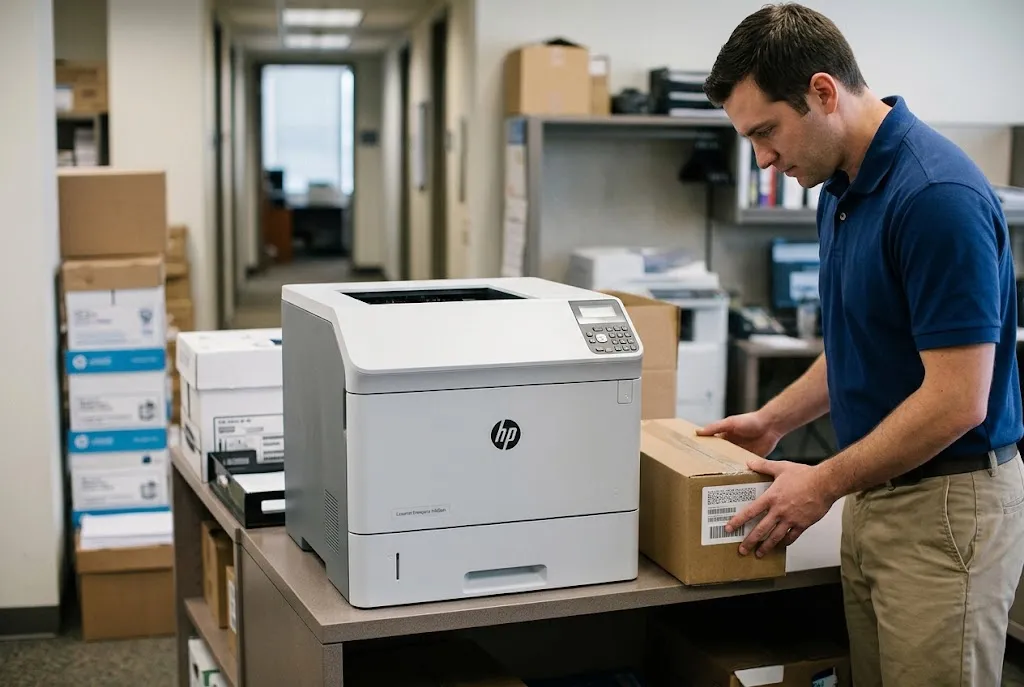
6. Scheduled Kit, Tray Rollers, or a Fuser Fault? Sorting the Symptoms
Choosing among HP Laserjet Printer Maintenance Kits, a tray roller set, and a fuser diagnosis comes down to evidence. One symptom rarely proves that a full kit is required, so we work each case from symptom to service decision.
Misfeeds or jams from one tray only
- Symptom: Jams or “no paper picked” events when printing from Tray 3, while Tray 2 and Tray 1 feed normally.
- Root cause: Worn pickup, feed, or separation rollers in that tray, or a damaged tray guide.
- Diagnosis: Run the same job from each tray and note where the jam occurs. Problems isolated to one tray point at that tray’s feed path.
- Remedy: Replace that tray’s roller set and inspect the tray itself.
- Repair component: The tray’s pickup, feed, and separation rollers.
- When we recommend service: When new rollers do not stop the jams, or when jams appear inside the printer rather than at the tray.
This is the core of HP LaserJet tray roller replacement vs. full maintenance kit: if only one tray misbehaves and the printer is well short of its interval, a roller set is usually the proportionate fix. Our article on HP LaserJet M608 feed and separation roller life covers expected roller life on that platform. Recurring paper jams on the HP LaserJet M607, M608, and M609 explains how the affected tray and jam location narrow the cause before you order parts.
Toner that rubs off, wrinkles, or a fuser error
- Symptom: Toner smears under a fingertip, pages wrinkle, or the control panel reports a fuser-related error.
- Root cause: A worn or failed fuser, or a media-type setting that does not match the paper loaded.
- Diagnosis: Confirm the tray’s paper type matches the stock, test with standard paper, and record any error message exactly as shown.
- Remedy: Correct the media setting if that fixes the print; otherwise, replace the fuser assembly.
- Repair component: The fuser assembly.
- When we recommend service: When an error code returns after a restart, or when smearing continues on standard paper with the correct setting.
Weighing HP LaserJet fuser replacement vs. full maintenance kit depends on the page count. A fuser fault at 60,000 pages calls for the fuser alone; the same fault near the scheduled interval may justify one of the full HP Laserjet Printer Maintenance Kits instead. Our guide to HP LaserJet M607, M608, and M609 fuser error diagnosis helps distinguish a fuser fault from a scheduled maintenance alert.
A reminder with clean output and reliable feeding
Nothing is failing yet. Confirm which of the HP Laserjet Printer Maintenance Kits fits, order it, plan the installation for a low-volume window, and keep printing. Routine cleaning and inspection are separate from scheduled replacement of wear components; Routine HP printer maintenance explains where that line sits.
7. When to Replace an HP LaserJet Maintenance Kit on Your Schedule
When to replace an HP LaserJet maintenance kit depends on page count first and symptoms second. For the M607 family, the counter and HP’s 225,000-page rating give you the replacement schedule for HP Laserjet Printer Maintenance Kits; symptoms that show up earlier deserve diagnosis rather than an automatic kit order.
Fleet administrators can plan HP Laserjet Printer Maintenance Kits the same way they plan toner: track page counts from configuration pages or fleet reports, flag printers within about 10 percent of the interval, and order kits before the reminder appears. That keeps the purchase on your timeline instead of the printer’s.
Print volume shapes the calendar for HP Laserjet Printer Maintenance Kits. A busy accounting department printer can reach its interval far sooner than a low-traffic printer in a satellite office, even when both are the same M608 model and were installed on the same day.
Duty also matters. Envelopes, labels, card stock, and heavy duplex use add wear that a plain page count does not fully show, so printers running those jobs may need rollers before HP Laserjet Printer Maintenance Kits are due.
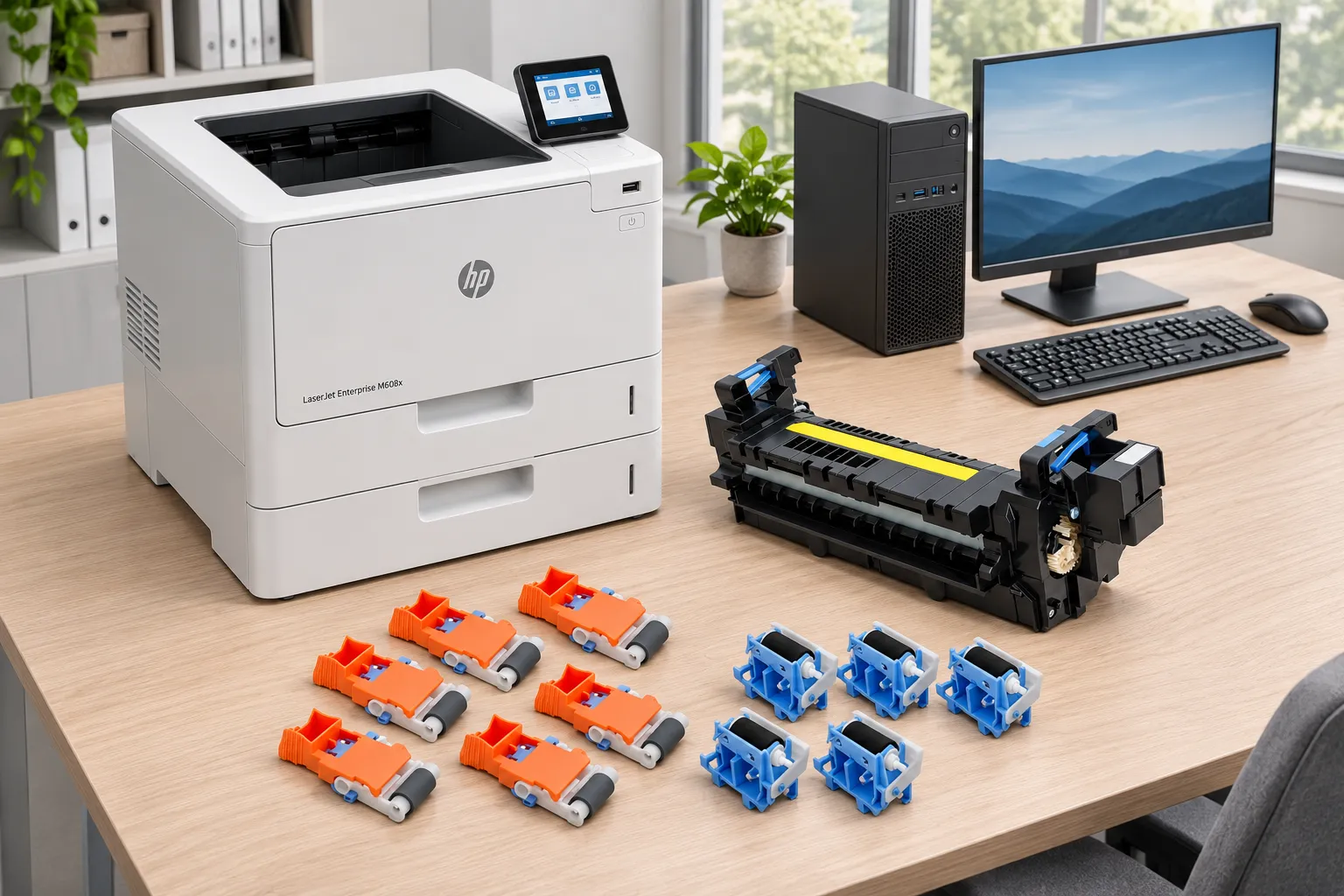
Right Kit, Installed and Verified
20+ years with HP LaserJet Enterprise printers, HP Parts, and a 6-month / 180-day warranty on service and installed parts. Same-day service may be available. Call (888) 657-0021.
8. After Installation: Feed, Print Quality, and the HP LaserJet Maintenance Kit Counter Reset
Installing HP Laserjet Printer Maintenance Kits is only half the job. Before anyone signs off, the printer should feed cleanly from every tray, print clean pages, and report the correct maintenance status.
Post-installation checks
- Feed a short run from every installed tray, including Tray 1, and watch for skew or double feeds.
- Print a text page and a page with solid fill, then rub the toner lightly to confirm it is fused.
- Check that the paper type set for each tray matches the stock loaded.
- Print a configuration or supplies status page and confirm the maintenance status.
The counter reset depends on the family
An HP LaserJet maintenance kit counter reset should happen only after the maintenance has been completed, and the method is family-specific. On the M607, M608, and M609, published service references indicate there is no menu reset; the counter resets on its own after roughly 100 pages print on the new fuser.
The M601 through M606 families use a control-panel path: Administration, Manage Supplies, Reset Supplies, then New Maintenance Kit. For the legacy P4014, P4015, and P4515, follow the procedure in that model’s HP user guide. Resetting a counter without installing HP Laserjet Printer Maintenance Kits only hides the reminder until something fails.
If the status page still shows the old condition after the expected number of pages, two explanations are worth checking before ordering anything else: a fuser that is not the correct part for that printer, or an assembly that is not fully seated.
9. Choosing HP Laserjet Printer Maintenance Kits With Confidence, and When to Call Us
The order of decisions matters more than any single part number: confirm the full model, confirm the voltage, match the kit, then compare its packing list with the printer’s actual needs. Follow that sequence and HP Laserjet Printer Maintenance Kits become a planned purchase instead of a guess made under pressure.
Installing some HP Laserjet Printer Maintenance Kits is better handled onsite, especially on printers with several trays. If your team wants a technician to confirm compatibility, sort a scheduled reminder from an active fault, or install the appropriate components, our Onsite printer repair service covers HP LaserJet printers throughout Orange County, including Irvine, Santa Ana, Anaheim, and Huntington Beach, as well as approved portions of Los Angeles County.
We have more than 20 years in the office equipment industry, and we install HP Parts, High Quality Parts, or Premium Parts as the repair calls for. Service and installed parts carry a 6-month / 180-day warranty, and same-day service may be available when scheduling allows.
A dedicated page on onsite HP LaserJet maintenance kit installation is planned. Until then, call (888) 657-0021 or email info@printer-repair-experts.net with the printer model and page count, and we will help you work out the right next step.
FAQ's - Frequently Asked Questions - HP Laserjet Printer Maintenance Kits
Usually not. Stock by printer family and voltage instead, and only for families with units close to their interval. That keeps HP Laserjet Printer Maintenance Kits from sitting on a shelf while still covering the printers most likely to need one.
Usually not within the same family, because the M608n, M608dn, and M608x share a maintenance platform. The suffix does change the number of installed trays, which affects how many roller sets the printer needs.
We do not install or warranty customer-supplied parts, and the onsite promotion does not cover them. We supply HP Parts, High Quality Parts, or Premium Parts so the installation and parts are covered by our 6-month / 180-day warranty.
No. The fuser is built for one supply voltage, so a 220 V kit such as L0H25A is the wrong part for a 110 V M607, M608, or M609. Confirm the circuit before ordering.
The contents of HP Laserjet Printer Maintenance Kits vary by printer family and sometimes by kit version. Compare the packing list with the printer’s tray count and needs rather than assuming two kits with similar names contain the same parts.
No. Color and MFP models use their own fusers, transfer components, and roller sets. Verify each replacement part against the exact model number before ordering.
Not always. On these HP LaserJet Enterprise models, the imaging drum is part of the toner cartridge, so streaks and fading are often cartridge-related. We check the cartridge and print path before recommending a kit.
Yes. Send the models and current page counts and we can help you sort which printers are near their interval for HP Laserjet Printer Maintenance Kits. If two or more printers need service during the same visit, the single-printer promotion does not apply.