
HP Laserjet M601 M602 M603 Printer Repair:
Onsite Service Backed by a 6-Month Warranty
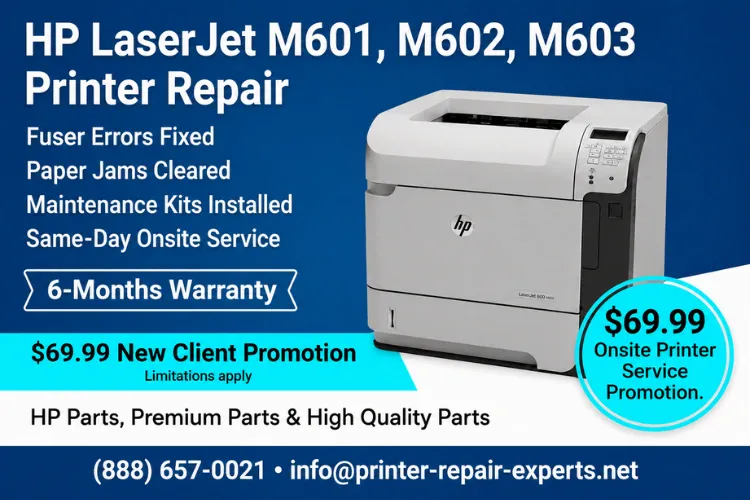
HP Laserjet M601 M602 M603 Printer Repair is the service call our team at Printer Repair Experts handles more often than almost any other. These Enterprise 600 series workhorses have been printing in Southern California offices since 2011, and most refuse to quit — they just need honest maintenance and the occasional fuser. This service page explains the failures we see in the field, what each control panel message means, and when repair beats replacement.
What This Page Covers
- The real causes behind fuser errors, repeat jams, and print-quality defects on the 600 series
- What the maintenance messages mean, and the 225,000-page interval behind them
- Practical repair-versus-replace math for aging M601, M602, and M603 fleets
- What to expect from a same-day onsite visit, our 6-month warranty, and the $69.99 new-client promotion
- Related service for the newer M604 through M612 monochrome families
Ready to Get Your HP LaserJet Working Again?
How Do You Know When Your HP LaserJet M601, M602, or M603 Needs Professional Service?
The short answer: when jams, error codes, or print defects start repeating. A one-off jam is normal in any busy office. A printer that jams every morning, throws the same error twice a week, or sends out invoices with gray streaks is telling you a wear component has reached the end of its life.
Whether the machine needs HP LaserJet M601 Printer Repair, HP LaserJet M602 Printer Repair, or HP LaserJet M603 Printer Repair, the underlying platform is nearly identical. The M601 prints at 45 pages per minute on letter paper, the M602 at 52, and the M603 at 62, but all three share the same fuser design, roller set, and toner cartridge family. That commonality keeps parts availability strong and repair costs predictable. Recommended Authority: HP Customer Support
The symptoms that most often trigger a service call include:
- 50.2, 50.3, and other 50.x fuser error codes
- 13.xx jam codes and repeated misfeeds from Tray 2
- Faded, streaked, splotchy, or smeared pages
- Maintenance warnings that never clear from the display
- Repeating marks or ghost images down the page
- A printer that keeps dropping off the network
Professional Laser Printer Repair is worth a call once any of these symptoms repeats. In our field experience, ignoring them rarely ends well. A worn feed roller eventually shreds a sheet deep in the paper path, and a tired fuser tends to quit at 4:55 PM on invoice day.
What Causes a Fuser Error on the M601, M602, and M603?
Nine times out of ten, a 50.x code means the fuser is failing. The fuser is the heated assembly that bonds toner to paper, and on this series it is rated for roughly 225,000 pages. Heat, pressure, and a decade of duty cycles wear it out — that is physics, not a defect.
Search traffic for HP LaserJet M601 Fuser Error, HP LaserJet M602 Fuser Error, and HP LaserJet M603 Fuser Error stays consistently high because many of these printers are now on their second or third fuser. The most common codes we see are 50.2 (fuser warm-up failure) and 50.3 (high fuser temperature), though any 50.x code points to the fusing system.
A power cycle sometimes clears the code temporarily. If it returns, the practical fix is a fuser replacement — HP’s newer engines even display a plain Replace Fuser Kit instruction on screen. Owners tracking a Fuser Kit percentage on the supplies status page often search phrases like HP LaserJet M601 Fuser Kit Low, HP LaserJet M602 Fuser Kit Low, or HP LaserJet M603 Fuser Kit Low while deciding how long they can wait.
Our answer: not long, if uptime matters. Our technicians stock fusers for this series, so most fuser swaps — including cleanup and test pages — are finished onsite in under an hour.
Why Does Your 600 Series Printer Keep Jamming?
Repeated jams almost always trace back to worn rubber. Pickup, feed, and separation rollers harden and glaze with age, and once they lose grip the printer either grabs nothing or grabs two sheets at once. Paper feed problems like these account for a large share of our service calls on this platform.
We approach an HP LaserJet M601 Paper Jam, HP LaserJet M602 Paper Jam, or HP LaserJet M603 Paper Jam complaint the same way: find where the lead edge of the sheet stops, then inspect every component in that zone. The usual culprits are:
- Tray 2 pickup and feed rollers — the most frequent offender by far
- The Tray 1 (multipurpose tray) roller and separation pad
- Accordion jams at the fuser and rear output door
- Duplexer misfeeds on duplex-equipped models
- The paper itself — curled, humid, or pallet-stored stock
One field observation worth sharing: fresh reams matter. We have cleared “printer jams” in Santa Fe Springs warehouse offices that were really moisture-swollen paper stored too close to a loading dock. Try a fresh, properly stored ream before assuming the printer is at fault.
If jams continue after fresh paper and a roller cleaning, the rollers are done. At that point a full Maintenance kit installation usually makes more sense than replacing rollers piecemeal, which brings us to the maintenance messages.
What Do the Maintenance Kit Low and Perform Printer Maintenance Messages Mean?
These messages mean the printer’s internal page counter has reached its service interval — nothing is broken yet. HP rates the 600 series maintenance kit (CF064A for 110-volt units) at approximately 225,000 pages. As the interval approaches, the display posts Maintenance Kit Low, then escalates to a Perform Printer Maintenance or Replace Maintenance Kit prompt.
Owners searching HP LaserJet M601 Maintenance Kit Low, HP LaserJet M602 Maintenance Kit Low, or HP LaserJet M603 Maintenance Kit Low often ask whether the warning can be ignored. It can — briefly. Feed reliability and print quality decline steadily past the interval, so we recommend scheduling the work within a few weeks of the first warning. Wording varies by HP family — some displays show a Perform Preventive maintenance prompt — but the meaning is identical.
A genuine HP Laserjet Printer Maintenance Kit for this series includes a fuser, a transfer roller, and a complete set of tray rollers, restoring the entire paper path in a single visit. That is the heart of Preventive printer maintenance on this platform: one planned hour of downtime instead of a month of random jams and quality complaints.
After installation, our Printer service technician resets the maintenance counter, runs cleaning pages, and verifies feeding from every tray. Thorough HP Printer Maintenance also includes vacuuming loose toner and inspecting the transfer area while the covers are open. Disciplined HP LaserJet Maintenance on this schedule is the reason we still see 2011-vintage M603s running strong in 2026.
Fuser Error Won't Go Away?
How Can You Fix Poor Print Quality, Streaks, and Toner Smearing?
Start by isolating the cause: cartridge, fuser, or environment. Poor print quality on the 600 series falls into a handful of recognizable patterns, and each pattern points to a specific component:
- Toner smearing, or toner that rubs off the finished page — the fuser is not reaching or holding temperature
- Splotchy or blotchy coverage — often a failing cartridge or a contaminated transfer roller
- Vertical lines or streaks — typically wear inside the toner cartridge
- Marks repeating at a fixed interval down the page — we measure the spacing to identify which roller is damaged
- Overall faded output — toner level, transfer roller condition, or density settings
On HP LaserJet MFP and HP Color LaserJet MFP models, we also resolve lines in scanned and copied pages, which usually trace to a contaminated scan strip rather than the print engine. Bringing both symptoms to one visit saves a second service call.
Toner reliability matters here more than most offices expect. Bargain-bin cartridges cause a surprising share of the quality complaints we diagnose. We install HP Parts, Premium Parts, or High Quality Parts, and the high-quality toner we supply is backed by a 1-year warranty.
Before replacing expensive components, Printer Repair Experts performs a complete diagnosis to verify the actual cause of the failure. Swapping parts on guesswork is how a modest roller problem turns into a needlessly large invoice.
What Should You Do About Network Printing Issues and Connectivity Problems?
First, determine what changed — the printer or the network. Most Network printing issues we see on the 600 series appear right after an office change: a new firewall, a new server, a different DHCP scope, or an IT cleanup that quietly removed a print queue.
Network Connectivity Problems on these printers usually involve one of the following:
- An IP address change that broke existing print queues — we set a static IP or DHCP reservation
- Outdated or corrupted drivers, especially after workstation updates
- Sleep and power settings that interrupt connectivity on some networks
- Old firmware missing fixes HP released later in the product’s life
Firmware updates matter more than most offices realize. HP published multiple firmware releases for this series over its long life, and running the earliest versions invites problems that later releases already solved. We check the installed version during service and update it when appropriate.
Every onsite visit includes real Printer diagnostics: configuration pages, event log review, and test prints from multiple workstations. We also handle driver installation and can set the printer up on company or home networks, so the job is finished when everyone can print — not merely when the panel says Ready. Methodical HP LaserJet Troubleshooting beats rebooting things and hoping.
Should You Repair or Replace an Aging M601, M602, or M603?
In most cases, repair wins — and it is not close. These engines were built for monthly volumes that typical offices never approach, and every major wear component remains available. Run the math the way an IT manager would:
- A maintenance kit plus labor costs a fraction of a comparable new Enterprise-class printer
- Replacement brings new drivers, new print queues, new toner stock, and staff retraining
- Toner for the 600 series is plentiful and economical, protecting your supply budget
- A repair means about an hour of downtime; a fleet migration can consume days
Fleet reliability is the other half of the equation. Offices running five or ten identical M602s enjoy one toner SKU, one driver package, and interchangeable trays. Breaking that standardization carries a productivity cost that never appears on the purchase order. Consistent HP Printer Service across an existing fleet usually beats piecemeal replacement.
We also recommend replacement honestly when it is warranted: cracked frames, repeat formatter failures, or a parts list that exceeds the machine’s remaining value. Good HP LaserJet Service should extend the life of solid hardware, not prop up hardware that is genuinely finished. We will tell you which situation you are in before any money changes hands.
Poor Print Quality Doesn't Usually Fix Itself
When Should You Schedule HP Laserjet M601 M602 M603 Printer Repair?
Schedule service at the first repeat of any symptom — and same-day if the printer is down. Printer Repair Experts provides same-day onsite HP Laserjet M601 M602 M603 Printer Repair throughout Orange County and much of Los Angeles County, and we stock fusers and maintenance kits for this series so many repairs are completed in a single visit.
Here is what an onsite visit looks like:
- When you call, we ask for the model, the error code or symptom, and the page count if available
- The technician arrives with parts for this series already on the truck
- Diagnosis comes first; you approve the work before we replace anything
- Completed repairs carry a 6-month (180-day) warranty on service and installed parts
New clients qualify for our $69.99 flat-labor onsite special on one qualifying HP LaserJet or HP Color LaserJet repair visit; the promotion is subject to limitations. Companies searching for Printer Repair Anaheim CA or Printer Repair Commerce CA sit squarely inside our regular coverage area, as does most of the surrounding region from Fullerton to Whittier.
Downtime is the real cost of a dead printer. When the invoice printer in a Cerritos distribution office stops, shipping paperwork stops with it — which is exactly why down units get same-day priority on our schedule.
Do We Also Repair the Newer HP LaserJet 600-Series Models?
Yes — we service the entire monochrome Enterprise lineage that followed these printers. That includes HP Laserjet M604 M605 M606 Printer Repair, HP LaserJet M607 M608 M609 Printer Repair, and HP Laserjet M610 M611 M612 Printer Repair, along with the broader HP LaserJet and HP Color LaserJet families.
The newer engines inherit familiar failure patterns, even where part numbers changed. We regularly resolve HP Laserjet M607 M608 M609 Fuser Error codes and HP LaserJet M610 M611 M612 Fuser Error faults, and we clear an HP LaserJet M607 M608 M609 Paper Jam or HP LaserJet M610 M611 M612 Paper Jam using the zone-by-zone method above. If your fleet mixes generations, one service partner covering HP LaserJet M604 M605 M606 Printer Repair alongside the original 600 series keeps maintenance simple.
Beyond this lineup, our team provides HP Laserjet Printer Repair and HP Color Laserjet Printer Repair for supported single-function and MFP models across our service area. We do not service OfficeJet, DeskJet, Envy, Smart Tank, DesignJet, or other inkjet families — the HP LaserJet platform is our specialty, and we prefer to stay excellent at it.
Conclusion
The HP LaserJet Enterprise 600 series earned its reputation one ream at a time, and with sensible upkeep these printers have working years left. Whether you are staring at a fuser error, chasing intermittent jams, or clearing a maintenance message, the fix is usually routine for technicians who work on this platform every week.
Printer Repair Experts brings over 20 years of office equipment experience to every visit, installs HP Parts, Premium Parts, or High Quality Parts, and stands behind the work with a 6-month warranty on service and installed parts. Same-day onsite service is available for many issues, and new customers can use our $69.99 onsite repair promotion — subject to limitations, and applicable only to qualifying HP LaserJet and HP Color LaserJet printers.
Call (888) 657-0021 or email info@printer-repair-experts.net to schedule service for your M601, M602, or M603 — or for any supported HP LaserJet model in your fleet. One planned visit now is almost always cheaper than an unplanned outage later.
FAQ's - Frequently Asked Questions - HP Laserjet M601 M602 M603 Printer Repair
HP LaserJet issues we offer same-day onsite service throughout Orange County and much of Los Angeles County. When you call (888) 657-0021, tell us the model and the symptom or error code — down printers that are blocking invoices or shipping get priority scheduling, and we stock fusers and maintenance kits for the 600 series so most visits finish the same day they start.
Our 180-day warranty covers both the service work performed and the parts we install during that repair. If a component we installed fails or the original symptom returns within the warranty period, contact us and we will make it right. Toner we supply carries its own longer coverage — a full 1-year warranty.
The $69.99 flat labor rate applies to one qualifying HP LaserJet or HP Color LaserJet repair visit and is limited to new customers; the promotion is subject to limitations. OfficeJet, DeskJet, Envy, Smart Tank, DesignJet, and non-HP LaserJet models are excluded. When you call, we can confirm in about a minute whether your machine and situation qualify.
Both. We stock high-quality toner for the 600 series and other supported HP LaserJet models, backed by a 1-year warranty. Because low-grade cartridges cause a meaningful share of print-quality complaints, having your service provider supply warranted toner removes an entire category of future problems.
The job is not done until your people can print. Our visits include driver installation, print queue checks from actual workstations, and network setup on company or home networks when needed — including static IP or DHCP reservation configuration so the printer does not vanish from queues the next time your network hands out addresses.
We serve businesses throughout Orange County — including Anaheim, Fullerton, Irvine, Santa Ana, and Huntington Beach — and a broad portion of Los Angeles County, including Commerce, Santa Fe Springs, Cerritos, Whittier, Downey, and Long Beach. If you are near but not in one of these cities, call us; coverage questions are answered on the spot.
