
HP LaserJet M607 M608 M609 Fuser Error: Meanings and Remedies for Every 50.X Code
An HP LaserJet M607 M608 M609 Fuser Error is one of the few faults that takes these printers completely offline until the underlying problem is corrected. The 50.X message family points to the fusing system — the heated assembly that bonds toner to paper — and each suffix identifies a different failure mode. In this guide, our technicians explain what every code from 50.00 through 50.90 means, then walk through the remedies we actually apply on service calls, verified against HP’s Control Panel Message Documentation for this series.

What This Guide Covers
- The meaning of every 50.X code, from 50.00 through 50.90
- Field-tested remedies for each error, in the order we apply them
- A five-minute reseat test that clears many errors without new parts
- Why a brand-new fuser sometimes will not reset, and where the DC controller fits in
- Repair-versus-replace guidance for offices that cannot afford downtime
- Preventative maintenance steps that stop repeat failures
HP LaserJet M607 M608 M609 Fuser Error: What the Message Really Tells You
When one of these printers posts a 50.X code, the firmware has detected the fusing system operating outside safe limits and has shut the print engine down to prevent damage. That protective lockout is why the message will not disappear by canceling the job or tapping through the panel. Whether the display reports an HP LaserJet M607 fuser error, an HP LaserJet M608 fuser error, or an HP LaserJet M609 fuser error, the fusing architecture — and the diagnostic path — is essentially identical across the series.
The suffix matters more than many owners realize. A 50.20 warm-up failure frequently traces back to power delivery, while a 50.50 means an incompatible fuser is installed — two very different remedies. Reading the complete code before ordering parts saves both money and downtime.
Printer Repair Experts diagnoses an HP LaserJet M607 M608 M609 50 error nearly every week somewhere in our service area. These machines anchor accounting departments, shipping stations, and central print rooms, so when one locks up, work stacks up behind it fast.
Inside the Fuser: Why This Assembly Fails First
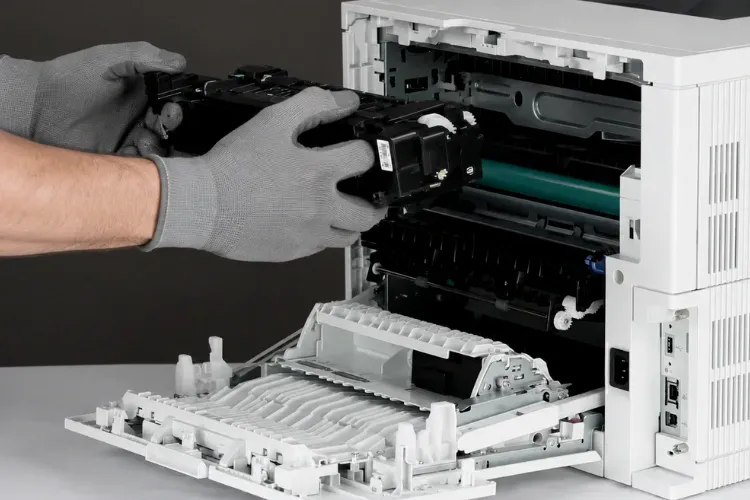
The HP LaserJet fuser assembly bonds toner into the paper using a heated film sleeve pressed against a pressure roller. Thermistors sample sleeve temperature continuously while the DC controller adjusts power to the heating element in real time. All of this happens at several hundred degrees, thousands of times a day.
That thermal workload is exactly why HP treats the fuser as a consumable rather than a lifetime component. HP’s service documentation for this series lists the 110-volt fuser as part number RM2-1256, and a busy office should plan on installing more than one across the printer’s working life.
Our technicians frequently encounter fusers pushed well past their service interval in offices running heavy card stock, labels, or envelopes. Specialty media accelerates film sleeve wear, and a worn sleeve produces exactly the temperature faults behind most 50.X events.
Every 50.X Code Explained: From 50.00 to 50.90
Each code below reflects a specific condition the printer detected in its fusing system. Here is what the printer is reporting:
| Error Code | What It Means |
|---|---|
| 50.00 | Generic fuser error — a fusing fault without a more specific classification |
| 50.10 | Low fuser temperature reported by thermistor 2 |
| 50.20 | Warm-up failure — the fuser takes too long to reach operating temperature |
| 50.30 | High fuser temperature — the fuser is overheating |
| 50.40 | Drive circuit or thermistor 1 fault |
| 50.50 | Incorrect or incompatible fuser installed |
| 50.60 | Open fuser circuit — a break in the heating element’s electrical path |
| 50.70 | Fuser pressure-release mechanism failure |
| 50.80 | Low sub-thermistor temperature |
| 50.90 | High sub-thermistor temperature or fuser drive error |
A closely related message, 50.7F.00, flags the same pressure-release system and follows the 50.70 diagnostic path. HP also recommends updating the printer firmware to the latest version as a standard step for any error in this family.
Remedies for Every 50.X Code, in the Order We Apply Them
In our field experience — and consistent with HP’s own service documentation — the fuser itself is the culprit in the overwhelming majority of 50.X events. Even so, each code has its own smart first move before any part is ordered.
- HP LaserJet 50.00 fuser error — Power the printer off for a full 60 seconds, inspect the fuser for damage or obstructions, reseat it, and restart, also attempt to update the printer’s firmware. If the generic fault returns, replace the fuser; move to the fuser power supply only after a known-good fuser still fails.
- HP LaserJet 50.10 fuser error — Reseat the fuser and confirm its connector is clean, undamaged, and fully engaged. A fuser that cannot reach temperature needs replacement; HP lists the low-voltage power supply as the next component if the error survives a new fuser.
- HP LaserJet 50.20 fuser error — Plug the printer directly into a wall outlet, never a power strip or UPS, because starved current slows warm-up. If the failure repeats on clean wall power, replace the fuser.
- HP LaserJet 50.30 fuser error — Power down, then check for media wrapped around the film sleeve. HP also directs technicians to verify the paper type setting matches the loaded media, since a mismatch drives fusing temperature too high; replace the fuser if the fault continues.
- HP LaserJet 50.40 fuser error — Confirm the printer is the only device on its circuit and the supply voltage is stable, because out-of-spec power disrupts fuser temperature control. Then replace the fuser, followed by the low-voltage power supply if needed.
- HP LaserJet 50.50 fuser error — Verify the installed fuser matches the printer’s voltage and model family; a 220-volt fuser in a 110-volt machine triggers this code instantly. Installing the correct assembly resolves it.
- HP LaserJet 50.60 fuser error — Remove the fuser and inspect the connector on the fuser and inside the printer for bent pins or debris, then reinstall firmly. If the open circuit remains, the heating element has failed and the fuser must be replaced.
- HP LaserJet 50.70 fuser error — This is a mechanical fault in the pressure-release system. Inspect the fuser’s sensor flag for damage; HP’s diagnostics include a pressure-release motor component test, and a failed test points to the fuser drive motor assembly rather than the fuser itself.
- HP LaserJet 50.80 fuser error — Follow the same path as 50.10: reseat the fuser, verify outlet power quality, and replace the assembly if the low sub-thermistor reading returns.
- HP LaserJet 50.90 fuser error — Reseat, then replace the fuser. If a known-good fuser still faults, check the fuser connections at the DC controller and move to the power supply or controller with a proper diagnosis.
Before replacing expensive components, Printer Repair Experts performs a complete diagnosis to verify the actual cause of the failure. That habit has saved our clients from a lot of unnecessary board swaps over the years.
The Five-Minute Reseat Test Before You Order Parts
If the printer was recently moved, shipped, or had its fuser changed, the tabs that secure the assembly can work loose. Before you type HP LaserJet replace fuser into a search bar, run this quick test:
- Turn the printer off and unplug it from the wall.
- Open the rear door, remove the fuser, and reinstall it, pressing inward until it clicks on both sides. Use caution — the fuser may still be hot.
- Gently rock the fuser to confirm it is fully seated.
- Plug the printer directly into a wall socket.
- Power the printer back on.
Reseating and rebooting often allows the fusing system to reset itself. If the same 50.X code returns after a proper reseat on clean wall power, you are looking at a genuine hardware failure rather than a loose connection.
When a New Fuser Will Not Reset: The DC Controller Question
The DC controller coordinates the printer’s electrical systems, including fuser power delivery and the fuser maintenance count. When a fresh fuser is installed but the printer refuses to reset that count, the controller enters the conversation.
Our diagnostic rule of thumb after years on this platform: when the first replacement fuser fails to reset the count, the odds still strongly favor a defective fuser. When a second fuser also fails to reset, the odds flip, and the DC controller becomes the likely culprit.
Controller replacement is more involved and more costly than a fuser swap, which is exactly why guessing gets expensive. This is where professional HP LaserJet printer repair earns its keep — confirming the failed component with testing before any board is ordered.
Repair or Replace? Weighing Downtime Against Cost
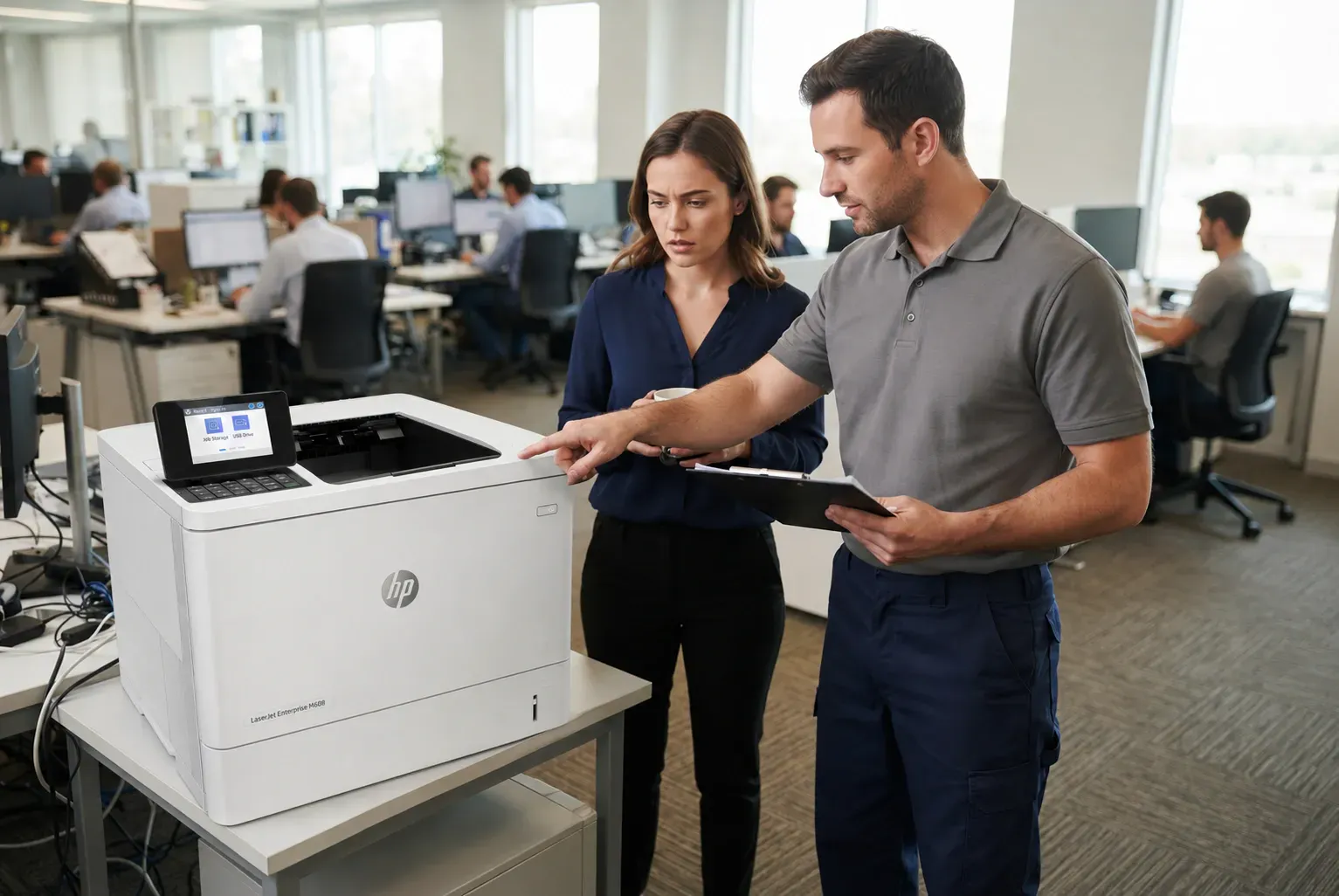
For a printer that anchors daily operations, the real cost of a fuser fault is measured in stalled invoices, shipping labels, and reports — not just the part. A same-day fuser installation almost always beats the procurement cycle for a new machine, and the M607, M608, and M609 remain thoroughly worth repairing.
We complete every job using HP Parts, Premium Parts, or High Quality Parts, and we back both the service and the installed parts with a 6-month warranty. Offices in our area most often book:
- HP Laserjet M607 Printer Repair
- HP Laserjet M608 Printer Repair
- HP Laserjet M609 Printer Repair
Older fleets stay on our schedule too. Resolving an HP Laserjet M601 Fuser Error or handling an HP Laserjet P3015 Printer Repair call remains routine work for our technicians, which helps companies keep mixed-age fleets running to one standard.
Toner reliability belongs in this conversation as well. Marginal cartridges can streak, smear, and shed debris that shortens fuser life, so we supply high-quality third-party toner backed by a full 1-year warranty.
Maintenance Kits, Paper Jams, and Preventing the Next Failure
An HP Laserjet Printer Maintenance Kit for this series bundles a new fuser with fresh feed and pickup rollers. Installing the kit at the recommended interval replaces the fusing system before it fails — on your schedule instead of the printer’s.
When the panel displays the HP Laserjet M608 Perform Maintenance message, the printer has reached that interval. Ignoring it invites more than fuser codes. Worn rollers sit behind most HP Laserjet M607 Paper Jam, HP Laserjet M608 Paper Jam, and HP Laserjet M609 Paper Jam calls we receive.
A practical example: an accounting office we service in Irvine ran four months past the maintenance prompt, then lost an entire morning to back-to-back jams and a 50.20 fault during quarter close. One scheduled kit installation would have prevented the whole episode.
Same-Day Onsite Service Across Orange County and Los Angeles County
Because we stock many fusers and maintenance kits for this series, Onsite Printer Repair with same-day installation is available for many offices in our coverage area. A typical visit runs about an hour: verify the code, test power delivery, install the correct assembly, confirm the maintenance count resets, and print test pages before we pack up.
Companies searching for HP Laserjet Printer Repair Orange County reach us from Irvine, Santa Ana, Fullerton, Huntington Beach, and neighboring cities. Requests for HP Printer Repair Anaheim are especially common given the concentration of offices near the resort and stadium districts. We also cover a wide stretch of Los Angeles County, from Long Beach and Lakewood up through Downey, Whittier, and Pasadena.
If your team has been typing Printer Repair Near Me or HP Laserjet Printer Repair Near Me while staring at a 50.X code, a phone call is faster. We can usually confirm same-day availability on the spot.
The Bottom Line on 50.X Fuser Errors
Most 50.X events end with a properly installed replacement fuser, and many clear with nothing more than a careful reseat on clean wall power. The exceptions — wrong-voltage fusers, power-delivery problems, and failing DC controllers — are exactly where an accurate diagnosis protects your budget.
If a fuser code has one of your printers down, we can help today. Call Printer Repair Experts at (888) 657-0021 or email info@printer-repair-experts.net, and ask about our $69.99 new client promotion for qualifying repairs (limitations apply).
FAQ's - Frequently Asked Questons - HP LaserJet M607 M608 M609 Fuser Error
Sometimes, yes. If the printer was recently moved or the fuser was recently changed, powering down, reseating the fuser until it clicks on both sides, and plugging directly into a wall outlet clears a meaningful share of these errors. If the code returns after that, a component has genuinely failed.
The fuser draws significant current during warm-up, and power strips, surge protectors, and UPS units can starve it, triggering warm-up and temperature faults. HP also notes that power outside the printer’s frequency requirements disrupts fuser temperature control, which is why we always test on direct wall power first.
Usually, but not always. In the large majority of cases the fuser has reached the end of its life, which is why it is sold as a consumable. A smaller share of warm-up failures trace to the power source or, more rarely, the low-voltage power supply, so we verify before replacing anything.
Two possibilities: the new fuser is defective or incorrectly seated, or the fault lies upstream in the low-voltage power supply or DC controller. If a second known-good fuser also fails — or the printer will not reset the fuser maintenance count — the DC controller becomes the prime suspect and should be professionally diagnosed.
The fuser is designed to be replaced multiple times over the printer’s life, normally as part of a scheduled maintenance kit. When the control panel shows the maintenance message, the printer has reached HP’s recommended interval, and replacing the kit at that point prevents most fuser errors and feed problems before they start.
Yes. We stock many fusers and maintenance kits for the M607, M608, and M609 series along with older HP LaserJet models, which is what makes same-day onsite repair realistic for most offices in our Orange County and Los Angeles County coverage area.
Our service and installed parts carry a 6-month (180-day) warranty. The high-quality third-party toner we supply is backed separately by a 1-year (365-day) warranty.