
HP LaserJet M604 M605 M606 Fuser Error: Every 50.x Code Explained and Fixed
When an HP LaserJet M604 M605 M606 Fuser Error hits the control panel, the printer stops cold and stays stopped until the underlying fault is addressed. Below is every documented HP LaserJet M604 M605 M606 Fuser Error code — 50.10 through 50.9X — with what each means and the exact remedy HP publishes in its troubleshooting documentation. We have organized the codes the way a technician actually works them, starting with the fixes you can safely try yourself.

Preview Snapshot:
- The complete 50.WX.YZ code table for the M604, M605, and M606, verified against the HP service manual
- Plain-English causes: thermistors, warm-up timeouts, pressure release faults, and drive circuit problems
- Step-by-step remedies for the 50.2, 50.22, 50.3, 50.4, 50.10, 50.11, 50.12, 50.6, 50.7, and 50.9 codes
- Which connectors (J128, J62, J82) matter and when they implicate the power supply instead of the fuser
- Fuser replacement versus full maintenance kit — how to decide
- Prevention tips and the point where professional help saves money
Why Is Your HP LaserJet M604 M605 M606 Fuser Error Stopping Every Print Job?
Your HP LaserJet M604 M605 M606 Fuser Error stops every job because the fuser is the last safety-critical stage of printing. This heated assembly bonds toner to paper at high temperature, and the DC controller monitors it constantly through thermistors, a pressure release sensor, and drive circuit feedback. The moment any reading leaves its safe window, the engine shuts down and posts a 50.WX.YZ code.
The three models share one engine platform, so an HP LaserJet M604 Fuser Error, an HP LaserJet M605 Fuser Error, and an HP LaserJet M606 Fuser Error all use identical codes and identical remedies. The printer sits in an HP LaserJet M604 M605 M606 Not Ready condition until the fault clears, which is what turns a small component issue into a department-wide bottleneck.
Printer Repair Experts services this series constantly across Orange County and nearby Los Angeles County communities, and most HP LaserJet M604 M605 M606 Fuser Problems we diagnose end at the fuser assembly itself. The power supply and DC controller cause the rest — and telling them apart is how an HP LaserJet M604 M605 M606 Fuser Error gets fixed on the first visit.
How Do You Read a 50.WX.YZ Code Before Calling for Service?
Read the whole code, not just the “50.” Every HP LaserJet M604 M605 M606 50 Error encodes four pieces of information: W and X identify the fault (and on most codes, the active fuser mode), Y records the previous sleep state, and Z records the next sleep state. Those sleep digits are diagnostic gold — an HP LaserJet M604 M605 M606 Fuser Error that only appears on wake-up usually points at power delivery rather than the fuser.
Here is every HP LaserJet M604 M605 M606 Fuser Error in the 50.x family, per the official service manual — the complete set of HP LaserJet M604 M605 M606 Error Codes:
| Code | Meaning |
|---|---|
| 50.10.YZ | Low temperature, thermistor 2 |
| 50.11.YZ | High temperature, thermistor 2 |
| 50.12.YZ | Fuser pressure release mechanism failure |
| 50.2X.YZ | Fuser warm-up failure |
| 50.22.YZ | Warm-up failure in a specific fuser mode |
| 50.3X.YZ | Low temperature, thermistor 1 |
| 50.4X.YZ | High temperature, thermistor 1 |
| 50.6X.YZ | Fuser drive circuit fault |
| 50.7X.YZ | Fuser pressure release failure |
| 50.9X.YZ | Low fuser temperature 2 error |
Write the full HP LaserJet M604 M605 M606 50.x Error code down before you power cycle. Once the panel clears, that code is the only record of what actually failed, and it tells a technician which part to bring on the first visit.
What Is the Fastest Way to Clear a 50.2 or 50.22 Warm Up Failure?
Start with power, not parts. The HP LaserJet M604 M605 M606 50.2 Error means the fuser never reached target temperature in time, and the HP LaserJet M604 M605 M606 50.22 Error is the same warm-up failure flagged in a specific fuser mode. This HP LaserJet M604 M605 M606 Warm Up Error is the code we clear most often, and HP’s documented sequence is:
- Turn the printer off, then back on.
- If the error returns, remove the printer from any power strip or UPS and plug it directly into a wall outlet.
- If it returns again, power off and let the fuser cool completely.
- Remove the fuser and inspect for damage or obstructions; reinstall or replace as needed.
- Check connector J128 between the fuser and the DC controller PCA.
- If the HP LaserJet M604 M605 M606 Fuser Error persists, replace the fuser — and if the fuser was already replaced, replace the power supply unit.
Step 2 solves more of these than any other step. A fuser lamp draws serious current during warm-up, and shared power strips and undersized UPS units starve it. If pages were coming out cold and smeared before the code appeared — the classic HP LaserJet M604 M605 M606 Printer Not Heating symptom — the fuser was already losing the battle. That is an HP LaserJet M604 M605 M606 Fuser Error announcing itself early. HP’s official guidance on the 50.22 fuser error
What Should You Check When a 50.3 or 50.4 Thermistor Code Appears?
Check the fuser seating and connector J128 first. The HP LaserJet M604 M605 M606 50.3 Error reports low temperature on thermistor 1, and the HP LaserJet M604 M605 M606 50.4 Error reports high temperature on that same primary sensor. HP’s remedy chain is nearly identical for both:
- Reinstall the fuser and inspect connector J128; if it is damaged, replace the fuser.
- Reconnect connector J82 on the DC controller PCA.
- Replace the fuser.
- For 50.3 codes where W = 2, also reconnect connector J62 on the low-voltage power supply PCA.
- If the HP LaserJet M604 M605 M606 Fuser Error persists, replace the power supply unit.
A field note from our bench: a high-temperature 50.4 fault deserves respect. It means the control loop lost the ability to regulate heat, and repeatedly power cycling through it stresses the fuser sleeve. Two strikes on a 50.4-class HP LaserJet M604 M605 M606 Fuser Error and we stop cycling and start diagnosing.
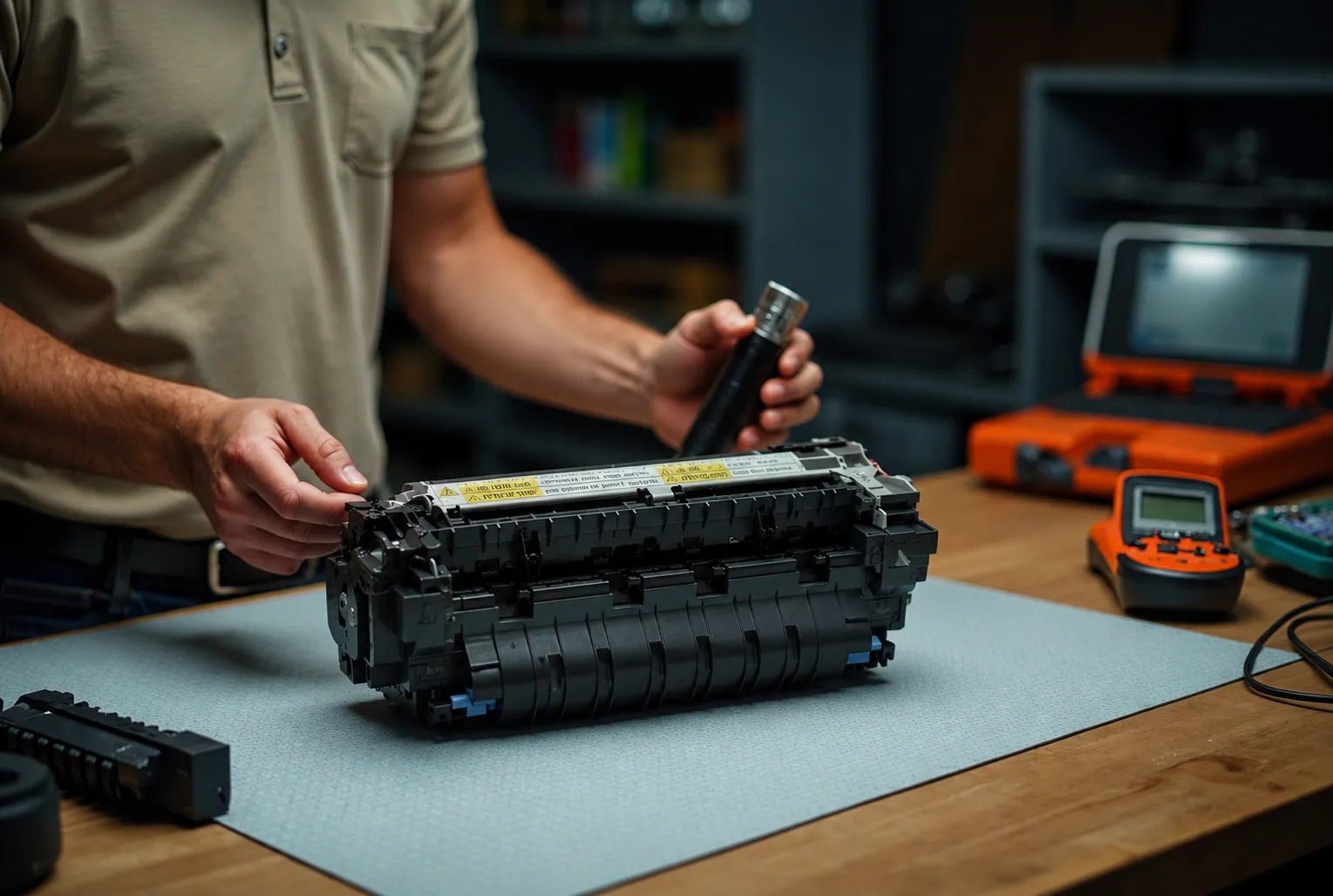
Why Do 50.10, 50.11, and 50.12 Codes Point to Thermistor 2 and the Pressure Release?
Because these codes come from the fuser’s second monitoring circuit. The 50.10 code flags low temperature on thermistor 2, and the HP LaserJet M604 M605 M606 50.11 Error flags high temperature on the same sensor. HP’s remedy for both: reinstall the fuser and inspect connector J128 (replace the fuser if the connector is damaged), reconnect connector J62 on the low-voltage power supply PCA, and replace the power supply unit if the fault continues.
This is also where the HP LaserJet M604 M605 M606 50.1 Error searches land. There is no standalone 50.1 code on this engine — panels reporting “50.1” are showing a 50.10 or 50.11 sub-code, so the thermistor 2 procedure above is the correct fix for that HP LaserJet M604 M605 M606 Fuser Error report.
The HP LaserJet M604 M605 M606 50.12 Error is different: a pressure release mechanism failure. HP’s sequence runs deeper into the machine:
- Reconnect fuser connector J128 and DC controller connector J62.
- Inspect the fuser pressure release sensor flag; replace the fuser if the flag is damaged or misbehaving.
- Reconnect fuser motor connector J221 and DC controller connector J89.
- Run the fuser motor Component test from the Troubleshooting menu; replace the fuser motor if it fails.
- Replace the fuser if the HP LaserJet M604 M605 M606 Fuser Error still returns.
What Makes 50.6, 50.7, and 50.9 Errors Different From the Rest?
Each one implicates something beyond a simple temperature reading. The 50.6X code is a drive circuit fault, and HP specifically warns that a power source outside the 40–70 Hz frequency requirement prevents proper fuser temperature control and triggers this HP LaserJet M604 M605 M606 Fuser Error. Verify the power source first, then reconnect connectors J51, J52, J53, and J162 along with DC controller connectors J85, J95, and J96, and replace the power supply unit if the fault persists.
The HP LaserJet M604 M605 M606 50.7 Error is a pressure release failure with a gentler script: power cycle, resend the job, let the fuser cool, remove and inspect it for damage or obstructions, reinstall and test, and replace the fuser assembly if the code returns.
The 50.9X “low fuser temp 2” code carries the longest chain in the family. Confirm the media type and fuser mode actually match the loaded paper — a mismatch is a common trigger — then cool, inspect, and reseat the fuser. If the error survives all that, HP’s order of replacement is fuser first, power supply second, DC controller board last.
Is It Time for a Fuser Replacement or a Full Maintenance Kit?
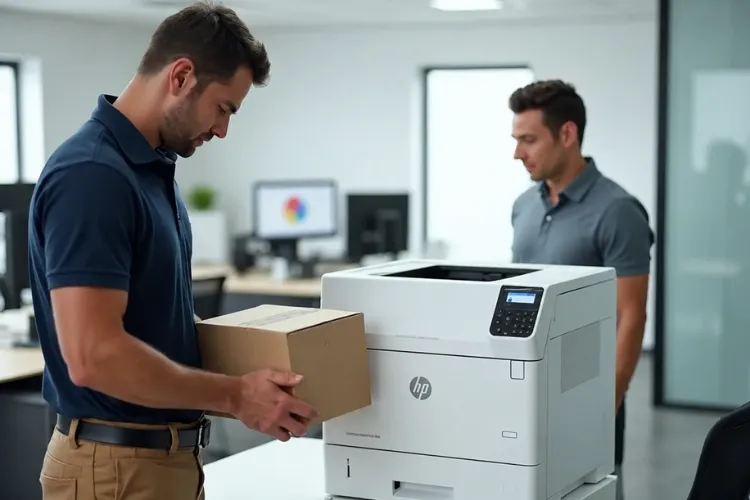
If the HP LaserJet M604 M605 M606 Fuser Error keeps returning after clean connector checks, yes — and page count decides which. A straight HP LaserJet M604 M605 M606 Fuser Replacement makes sense on a lower-mileage engine where the rollers still have life. Past roughly 225,000 pages, the smarter money is on an HP LaserJet M604 M605 M606 Maintenance Kit, which bundles the fuser with fresh feed and transfer rollers so you are not chasing jam codes a month later.
The engine will often tell you itself. An HP LaserJet M604 M605 M606 Maintenance Required message — or its HP LaserJet M604 M605 M606 Perform Printer Maintenance counterpart — appearing alongside recurring fuser codes means the wear parts are done as a set. Correct HP LaserJet M604 M605 M606 Maintenance Kit Installation finishes with a maintenance counter reset, so the reminder clears and the next interval tracks accurately.
Choosing the right HP Laserjet Printer Maintenance Kit for the exact engine matters, because kits are not interchangeable between series. The same rule follows the newer platforms we service: an HP Laserjet M608 Perform Maintenance prompt means that engine’s wear parts are due as a set too.
Parts quality determines whether the fix holds. In our service history, an HP LaserJet M604 M605 M606 Fuser Failure repaired with a bargain fuser is the repair most likely to reappear, which is why Printer Repair Experts installs only HP Parts, Premium Parts, and High Quality Parts — with many fusers and kits for this series stocked for same-day installation.
How Can You Prevent the Next Fuser Failure?
Give the printer clean power, correct media settings, and quality consumables. Plug these machines directly into a wall outlet rated for their draw — every HP LaserJet M604 M605 M606 Fuser Error tied to a power strip or small UPS is preventable. Match the tray’s configured media type to the paper actually loaded, because a wrong fuser mode drives both 50.9 faults and premature sleeve wear.
Toner matters more than most owners expect. Poorly formulated toner fuses inconsistently and bakes contamination onto the fuser sleeve, quietly shortening its life. The high-quality toner we supply carries a 1-year warranty because reliable fusing chemistry is part of preventing the next code.
Finally, treat the maintenance interval as a schedule, not a suggestion. Fleets that plan kit installations around their own calendar almost never call us with emergency fuser downtime; fleets that run to failure always do.
When Does Professional Onsite Repair Make More Sense Than DIY?
The moment the remedy chain reaches connectors behind panels, the power supply, or the DC controller. Reseating a fuser is a user-level task; chassis work near high-voltage components is not, and a misdiagnosed board swap costs more than a service call for an HP LaserJet M604 M605 M606 Fuser Error that was never a board problem.
Before replacing expensive components, Printer Repair Experts performs a complete diagnosis to verify the actual cause — that discipline is the heart of good HP LaserJet M604 M605 M606 Service.
Our Onsite Printer Repair coverage — including HP LaserJet M604 M605 M606 Onsite Repair — spans Orange County and nearby Los Angeles County cities. Companies looking for Printer Repair Anaheim CA coverage, or Printer Repair Commerce CA get the same stocked-truck advantage: same-day HP LaserJet M604 M605 M606 Fuser Repair is available for many calls. Every visit is backed by our 6-month warranty on service and installed parts.
And if you landed here searching HP Laserjet Printer Repair Near Me, know that the technicians who clear an HP LaserJet M604 M605 M606 Fuser Error handle the successor platforms too — from HP LaserJet M607 M608 M609 Printer Repair to HP Laserjet M610 M611 M612 Printer Repair — so a mixed fleet needs only one number.
For organizations weighing response options, dependable HP LaserJet M604 M605 M606 Business Printer Repair is ultimately a downtime calculation: an idle M606 at month-end costs more in lost output than the repair itself. The same math applies to HP LaserJet M604 M605 M606 Office Printer Repair for smaller teams that depend on a single machine.
Conclusion
Every HP LaserJet M604 M605 M606 Fuser Error resolves to one of four documented causes — a thermistor out of range, a warm-up timeout, a pressure release fault, or a drive circuit problem — and each has a published remedy sequence. Work the steps in HP’s order: power cycle, direct wall power, cool and inspect, reseat J128, then escalate component by component. Record the full 50.WX.YZ code before it clears, because that number is your diagnosis.
When the HP LaserJet M604 M605 M606 Fuser Error outlasts your patience or your comfort inside the chassis, professional HP LaserJet M604 M605 M606 Printer Repair is one call away. Printer Repair Experts brings 20+ years of HP LaserJet experience, stocked parts, and a 6-month warranty to every visit — call (888) 657-0021 or email info@printer-repair-experts.net, and have that code handy.
FAQ's - Frequently Asked Questions -
We do not recommend it. A code that clears and returns means a component is drifting out of spec — usually a thermistor or the fuser heater — and it will eventually fail mid-job. Scheduling a repair while the printer still works lets you pick the downtime instead of the printer picking it for you.
It depends on the root cause. A connector reseat or power configuration fix is inexpensive, a fuser replacement is a mid-range repair, and a full maintenance kit costs more but resets all wear parts at once. Because these printers are far cheaper to repair than to replace, a fuser-level repair almost always makes financial sense. Our new-client $69.99 flat labor promotion (limitations apply) can reduce the first visit cost further.
When we install a fuser or maintenance kit, both the part and the labor are covered by our 6-month (180-day) warranty. If a related fault reappears inside that window, we come back and make it right.
Low-grade fusers are a common source of repeat 50.2 and 50.3 codes in our service history. We install HP Parts, Premium Parts, and High Quality Parts specifically because a fuser that holds accurate temperature is what keeps these codes from returning.
Yes. Poorly formulated toner fuses at inconsistent temperatures, smears, and contaminates the fuser sleeve over time, which shortens fuser life. The high-quality toner we supply is backed by a 1-year warranty for exactly this reason.
The Y and Z digits in the 50.WX.YZ code record sleep-state transitions, and wake-only faults frequently point to power delivery — a shared power strip, a small UPS, or a marginal power supply unit. Try a dedicated wall outlet first; if the fault continues, the low-voltage power supply becomes the leading suspect.
When the diagnosis is confirmed and the part is on the truck, a fuser or maintenance kit swap on these models is typically well under an hour, including test prints and resetting the maintenance counter. Board-level repairs take longer because verification testing matters more.
Usually not. The M604, M605, and M606 are durable platforms with excellent parts availability, and a maintenance kit restores another full service interval for a fraction of a new unit’s cost. We recommend replacement only when the engine has multiple failing boards or the total repair cost approaches replacement cost.
