
HP Laserjet 4240 4250 4350 Fuser Error:
Complete 50.X Diagnostic and Repair Guide
An HP Laserjet 4240 4250 4350 Fuser Error appears on the control panel as a numbered 50.X message, and it means the printer has stopped printing to protect itself from a fusing-system fault. The fuser is the heated assembly that bonds toner permanently to paper, and when it fails, the printer will not print a single page until the problem is corrected. This guide explains what each 50.1 through 50.9 code means on the HP LaserJet 4240, HP LaserJet 4250, and HP LaserJet 4350, how to diagnose it step by step, and how we repair it onsite.

Quick Preview of What This Guide Covers:
- What every 50.X fuser code means on the HP LaserJet 4240, 4250, and 4350
- Step-by-step diagnostics and remedies for codes 50.1 through 50.9
- Early warning symptoms such as smearing, wrinkling, and toner that rubs off
- Fuser replacement versus full maintenance kit installation
- Repair-versus-replace reasoning for aging LaserJet fleets
- Preventative maintenance that keeps these printers running for years
HP LaserJet 4240, 4250 & 4350 Fuser Error?
What Does the HP Laserjet 4240 4250 4350 Fuser Error Actually Mean?
The HP Laserjet 4240 4250 4350 Fuser Error is the printer’s way of reporting that the fusing assembly failed a temperature, timing, or identification check. These three models share the same engine platform and the same fuser design, so the error behavior is nearly identical across the family. When the formatter detects a fusing fault, it halts the engine immediately to prevent heat damage.
On the display, the fault shows up as a two-part code. You may see an HP LaserJet 4240 Fuser Error, an HP LaserJet 4250 Fuser Error, or an HP LaserJet 4350 Fuser Error written as 50.1, 50.2, 50.3, and so on. The number after the decimal identifies the specific failure mode, which is why writing down the full code before power-cycling matters.
Older documentation sometimes labels the same fault differently. Technicians and HP manuals may refer to an HP LaserJet 4240 50 Service Error, an HP LaserJet 4250 50 Service Error, or an HP LaserJet 4350 50 Service Error, but these terms describe the same fusing-system failure family. In every case, the sub-code tells us where to start the diagnosis.
Printer Repair Experts routinely diagnoses this fault family in office environments across Orange County and Los Angeles County. In our field experience, roughly nine out of ten 50.X events on these models trace back to the fuser itself, while the remainder involve power delivery or the low-voltage power supply.
What Does the Fuser Do, and Why Does It Fail on These Printers?
The fuser melts toner onto the page using a heating element wrapped in a film sleeve, pressed against a rubber pressure roller. Every sheet the printer produces passes through this assembly at roughly 400 degrees Fahrenheit. Because it cycles from cold to hot thousands of times, the fuser is a consumable part with a finite service life.
On the 4240, 4250, and 4350 platform, HP rates the fuser and maintenance kit for approximately 225,000 pages, though heavy labels, cardstock, and recycled paper shorten that interval. Thermistors monitor sleeve temperature continuously. When a thermistor reads out of range, or the element cannot reach temperature on schedule, the engine posts a 50.X code.
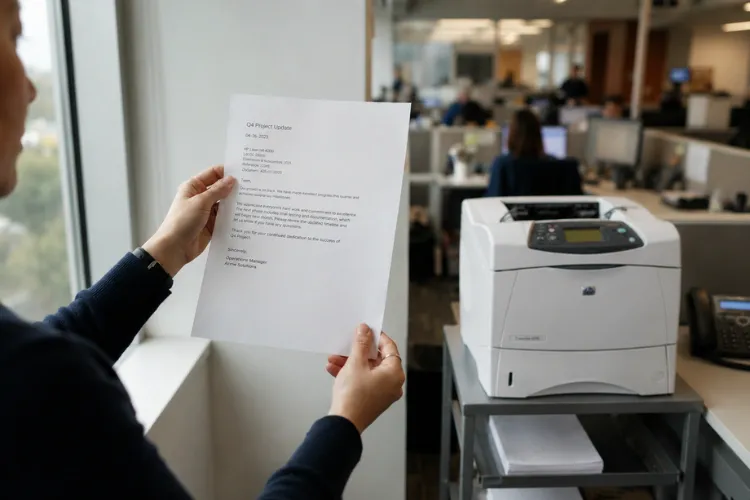
Failure is not always dramatic. A worn fuser can produce an HP Printer Not Heating condition where pages exit cool and gray, or a partial failure where print looks fine in the morning and degrades by afternoon. Toner Not Fusing to Paper is the classic early complaint we hear from office managers before any code ever appears.
Which Symptoms Point to a Failing Fuser Before an Error Code Appears?
A fuser rarely dies without warning, and recognizing the early signs lets a business schedule service before the printer hard-stops. The most common symptom is Toner Smearing on Paper, where text rubs off under a thumb or transfers onto the next sheet in the output tray. That smearing means the sleeve is no longer reaching or holding fusing temperature evenly.
Watch for these additional warning signs on this printer family:
- HP Printer Wrinkled Paper exiting with accordion folds or creases, usually from a worn pressure roller or degraded fuser entry guide
- Repeating marks or lines every 3 to 4 inches down the page, matching the circumference of a damaged fuser sleeve
- Faded bands or gloss variation across the page, especially on envelopes and cardstock
- A grinding or squealing noise from the right rear of the printer as the fuser gears wear
Model-specific complaints follow the same pattern. An HP Laserjet 4240 Not Fusing Toner report, an HP Laserjet 4250 Not Fusing Toner call, or an HP Laserjet 4350 Not Fusing Toner ticket almost always ends with the same finding: a fuser at or beyond its service interval. Addressing it early is far cheaper than emergency downtime, and it usually resolves the related HP Printer Print Quality Repair complaints in the same visit.
How Do We Diagnose and Fix Each 50.X Fuser Error Code?
Each sub-code isolates a different failure mode, and each has its own diagnostic path. Before any procedure below, follow two universal safety steps. HP Customer Support First, power the printer off and let the fuser cool for at least 20 minutes, because the assembly retains dangerous heat. Second, record the exact code, since repeated power cycling can mask the original sub-code.
50.1 Fuser Error — Low Fuser Temperature
The HP LaserJet 50.1 Fuser Error means the main thermistor reports the fuser running below its target temperature during operation. The usual causes are a worn heating element, a failing thermistor, or low line voltage starving the element.
- Power off, wait 30 seconds, and power back on to clear a transient reading.
- Confirm the printer is plugged directly into a wall outlet, not a power strip shared with heaters or copiers.
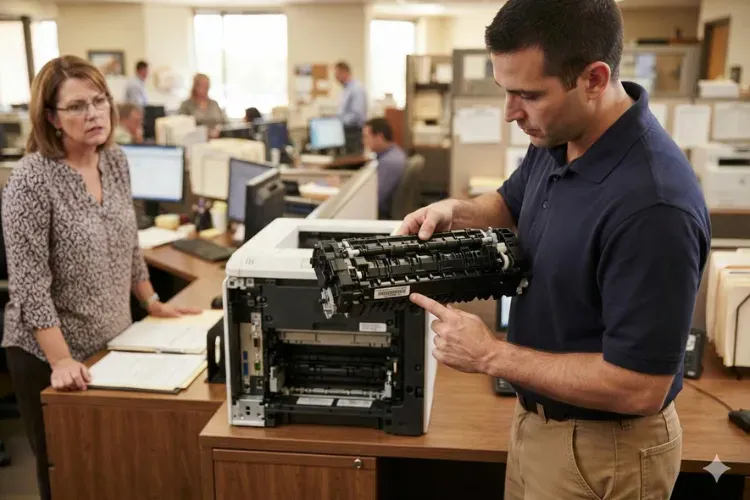
- Remove the fuser (open the rear output door, squeeze the two blue tabs, and slide it out) and inspect for jammed paper or debris on the sleeve.
- Reinstall firmly until both side latches click, then test.
- If the code returns, replace the fuser. If a new fuser still posts 50.1, the low-voltage power supply or DC controller requires bench-level diagnosis.
50.2 Fuser Error — Fuser Warm-Up Failure
The HP LaserJet 50.2 Fuser Error is a timing fault: the fuser did not reach operating temperature within the allowed warm-up window at power-on. A tired heating element that warms too slowly is the leading cause, followed by loose fuser latches after the printer has been moved.
- Power off and let the unit cool completely.
- Remove the fuser and press each blue side latch inward to verify both are fully seated; latches dislodge easily during shipping or office moves.
- Reinstall, plug directly into the wall, and power on.
- If the error repeats, the element can no longer meet the warm-up curve and the fuser needs replacement.
- If a known-good fuser also fails warm-up, we test the low-voltage power supply before condemning any other part.
50.3 Fuser Error — High Fuser Temperature
The HP LaserJet 50.3 Fuser Error reports the opposite problem: the thermistor detects temperature above specification. Causes include a shorted or contaminated thermistor, a fuser that is not locked in evenly, or a control-circuit fault that leaves the element driven too long.
- Power off and allow a full cool-down; never remove a fuser posting an over-temperature code while hot.
- Reseat the fuser, confirming both latches snap in; an unevenly seated fuser can produce this code or a grinding noise.
- Power on and run 20 to 30 test pages, since over-temperature faults often appear mid-job rather than at startup.
- If the code returns, replace the fuser. Persistent 50.3 events after replacement point to the DC controller.
50.4 Fuser Error — Line Voltage or Faulty Fuser
The HP LaserJet 50.4 Fuser Error indicates the printer detected a line-voltage problem, and in our field experience it is the code most often caused by the building rather than the printer. UPS battery backups, surge strips, and extension cords cannot deliver the inrush current the fuser element demands.
- Unplug the printer from any UPS, surge protector, or power strip.
- Plug the power cord directly into a dedicated wall outlet and power on.
- If the office recently rearranged, verify the outlet is not on a circuit shared with space heaters, refrigerators, or large copiers.
- If the error persists on clean wall power, replace the fuser.
- A repeat failure after fuser replacement means the low-voltage power supply is misreading line frequency and needs replacement.
50.5 Fuser Error — Incorrect Fuser Installed
The HP LaserJet 50.5 Fuser Error is an identification fault: the printer detects a fuser that does not match the model or voltage. The 4200, 4300, and 4240/4250/4350 fusers look nearly identical from the outside, but their internal wiring differs, and they are not interchangeable.
- Power off, cool down, and remove the fuser.
- Read the part number on the fuser’s barcode label. The 4240, 4250, and 4350 require the RM1-1082 fuser (110V); a 4200-series RM1-0013 or 4300-series RM1-0101 will trigger this code.
- Verify voltage as well; a 220V fuser in a 110V printer posts the same fault.
- Install the correct fuser and test. This code appears almost exclusively right after someone installs the wrong replacement part.
50.6 Fuser Error — Open Fuser Circuit
The HP LaserJet 50.6 Fuser Error means the engine detects an open heating circuit; current is not flowing through the element at all. A blown thermal fuse, a broken element, or a damaged connector at the rear of the fuser cavity are the usual culprits.
- Power off, cool, and remove the fuser.
- Inspect the connector blades on the fuser and the mating connector inside the printer for bent pins, toner contamination, or heat discoloration.
- Reinstall and test once; a poorly seated connector can mimic an open circuit.
- If the code returns, replace the fuser, because an open element or thermal fuse is not field-repairable.
- If burn damage exists on the printer-side connector, that harness must be repaired before installing a new fuser, or the new unit will fail the same way.
50.7 Fuser Error — Pressure Release Mechanism Failure
The HP LaserJet 50.7 Fuser Error reports that the fuser pressure-release mechanism failed to operate. This system relieves roller pressure to help clear jams, and its failure is mechanical rather than thermal, involving the pressure-release motor, gears, or linkage.
- Power off, cool, and remove the fuser.
- Inspect the fuser drive gears and the swing-plate gear behind the fuser cavity for stripped or shiny worn teeth; a worn swing plate destroys new fusers quickly.
- Check for broken linkage pieces or paper-clip debris blocking the mechanism.
- Reinstall and test. If the code persists, replace the fuser, and if it continues afterward, the pressure-release motor assembly requires replacement.
50.8 Fuser Error — Sub-Thermistor Reads Low
The HP LaserJet 50.8 Fuser Error mirrors the 50.1 fault but originates at the secondary (sub) thermistor that monitors the edge of the fusing sleeve. Low readings here usually mean the sleeve is heating unevenly, a signature of end-of-life wear.
- Power off, cool down, and reseat the fuser to rule out a connector issue.
- Confirm clean wall power with no UPS or strip in the circuit.
- Print a supplies status page and note the maintenance count; a fuser far past its 225,000-page interval with this code is simply worn out.
- Replace the fuser if the error returns. Sub-thermistor faults rarely involve the power supply, so replacement resolves nearly all cases we see.
50.9 Fuser Error — Sub-Thermistor Reads High
The HP LaserJet 50.9 Fuser Error is the high-temperature counterpart at the same sub-thermistor, indicating the sleeve edge exceeded specification. Contaminated thermistors, narrow-media overuse, and control faults are the common causes.
- Power off and allow an extended cool-down before handling anything.
- Ask what was printing when the code appeared; long runs of envelopes or narrow media overheat the sleeve edges and can trigger this fault on an otherwise healthy fuser.
- Reseat the fuser and retest with standard letter paper.
- If the code returns during normal printing, replace the fuser. Continued 50.9 events afterward call for DC controller diagnosis, which is uncommon.
Don't Replace Your Printer Until We Inspect It.
Should You Replace Just the Fuser or Install a Complete Maintenance Kit?
If the printer is anywhere near its maintenance interval, install the full kit rather than the fuser alone. An HP LaserJet Maintenance Kit for these models includes the fuser plus the transfer roller, tray pickup rollers, and separation pads, and the whole set wears on the same schedule. Replacing only the fuser on a 200,000-page machine usually means a second service call for pickup jams within months.
A standalone HP LaserJet Fuser Replacement makes sense when the maintenance count is low and the fuser failed early, for example after a 50.5 wrong-part installation or connector damage. In that scenario, paying for rollers with plenty of life left adds no value. We check the maintenance count on the configuration page before recommending either path.
Proper HP Maintenance Kit Installation also includes resetting the maintenance counter, which many offices miss. On the 4250 and 4350, the reset is performed by holding the checkmark button during the memory count at power-on until the three control-panel LEDs illuminate. Skipping the reset leaves a permanent PERFORM PRINTER MAINTENANCE nag on the display and throws off future service planning.
Part quality matters more on this platform than most. We install HP Parts, Premium Parts, or High Quality Parts because bargain rebuilt fusers frequently arrive with worn sleeves and fail within weeks. A quality HP Printer Fuser Replacement on these models routinely runs its full rated life, which is why we back our installed parts with a 6-month warranty.
Is It Worth Repairing an HP LaserJet 4240, 4250, or 4350 in 2026?
For most offices, yes, and the math is straightforward. These printers were built as workhorses, with metal frames and a simple, proven engine that many newer models do not match for durability. A fuser or maintenance kit repair costs a fraction of a comparable new mid-volume device, and it typically buys another 150,000 to 225,000 pages of service.
Repair stops making sense in a few specific situations. If the DC controller and power supply have both failed, if the frame is damaged, or if the office needs duplexing, scanning, or modern security features the platform cannot provide, replacement wins. We give a straight answer on this during diagnosis, because reviving a printer that will strand the client in six months helps no one.
Fleet reliability is the other consideration. Companies running several of these units benefit from keeping them standardized, since one stocked fuser model and one toner cartridge, the Q5942A or high-yield Q5942X, covers the whole fleet. Reliable, warrantied toner matters here too; low-grade cartridges leak, contaminate fusers, and cause the very smearing complaints that trigger service calls. Professional HP LaserJet Printer Repair paired with quality toner keeps these fleets productive well past their expected retirement.
How Can Preventative Maintenance Stop Fuser Errors Before They Start?
Most 50.X events on this platform are predictable, which makes them preventable. The single most effective habit is tracking the page count on the configuration page and scheduling maintenance kit service as the counter approaches the rated interval, instead of waiting for the PERFORM PRINTER MAINTENANCE message or a hard failure during payroll week.
Power and placement come next. Keep the printer on a dedicated wall outlet, never on a UPS, and away from drafts that force extra warm-up cycles. Feed it media within specification; a steady diet of heavy labels through the straightest paper path, the rear door, rather than the top output bin, dramatically extends sleeve life.
Our technicians frequently find preventable damage during onsite service calls: label adhesive baked onto sleeves, staples pulled through the paper path, and swing-plate gears run dry. A brief annual inspection catches these before they kill a fuser. Downtime is the real cost of neglect; when the only printer in accounting hard-stops with a fuser code, invoices, checks, and shipping labels stop with it.
Restore Your HP LaserJet for Just $69.99 Onsite*
What Should You Expect From an Onsite Fuser Repair Visit?
Expect a same-day or next-day appointment, a diagnosis at your printer rather than a drop-off counter, and in most cases a completed repair in a single visit. We stock fusers and maintenance kits for the 4240, 4250, and 4350 on our service vehicles, so Onsite HP Printer Repair for a 50.X code usually takes under an hour once we arrive. Same-day onsite service is available for many of these repairs throughout our coverage area.
Before replacing anything, our HP Printer Technician verifies the actual failure. Printer Repair Experts performs a complete diagnosis first, because a 50.4 caused by a UPS or a 50.5 caused by a mislabeled part does not need a new fuser, and we would rather find that out before you pay for one. The visit ends with test pages, a maintenance counter reset when a kit is installed, and a clear record of the work.
Every repair carries our 180-day warranty on service and installed parts. New clients can take advantage of our $69.99 onsite repair promotion, a flat labor rate for one qualifying HP LaserJet or HP Color LaserJet repair visit; the promotion is subject to limitations. Call (888) 657-0021 or email info@printer-repair-experts.net to schedule.
Which Other HP LaserJet Models and Service Areas Do We Support?
Fuser faults did not retire with this printer family, and neither did we. We provide HP Laserjet M601 M602 M603 Printer Repair for the platform that replaced the 4250 line, along with HP LaserJet M604 M605 M606 Printer Repair, HP LaserJet M607 M608 M609 Printer Repair, and HP Laserjet M610 M611 M612 Printer Repair for the newer Enterprise families. Across all of them we remedy fuser errors, paper jams, and every numerical error code.
Our service scope goes beyond fusers. We handle software and firmware upgrades, network connectivity and printer setup on company networks, driver installation, splotchy print, lines in scanned pages, and all poor print quality issues. Color devices are covered as well through our HP Color Laserjet Printer Repair service, and general HP Laserjet Printer Repair support covers single-function and MFP models alike.
Geographically, we cover Orange County and much of Los Angeles County with the same onsite model. Businesses searching for Printer Repair Anaheim CA, Printer Repair Commerce CA, or Printer Repair City of Industry CA are inside our standard coverage area, as are offices needing HP Laserjet Printer Repair Orange County wide, from Fullerton and Santa Ana to Irvine and Huntington Beach.
Conclusion
An HP Laserjet 4240 4250 4350 Fuser Error is disruptive, but it is one of the best-understood failures in office printing, and every 50.1 through 50.9 code has a clear diagnostic path. Safe first steps, checking power delivery, verifying the correct part number, and respecting the maintenance interval resolve the majority of cases. When the fuser itself is done, a quality replacement or full maintenance kit restores the printer for years of additional service.
If your team would rather have it handled, Printer Repair Experts brings over 20 years of office equipment experience, stocked parts, and a 180-day warranty to your door. Call (888) 657-0021 or email info@printer-repair-experts.net, and ask about the $69.99 new client onsite promotion, subject to limitations, when you schedule.
FAQ's - Frequently Asked Questions -
Cost depends on whether the fix is a reseat, a fuser only, or a full maintenance kit, so we always diagnose before quoting parts. Labor is straightforward: qualifying new clients pay our $69.99 flat onsite labor rate, subject to limitations, and every repair includes our 180-day warranty on service and installed parts.
Briefly, sometimes — but a 50.X code that clears on restart almost always returns, often mid-job. Running a marginal fuser also risks toner contamination and jams inside the hot section, so treat a recurring code as a schedule-service-now signal rather than a fluke.
All three use the same 110V fuser, part number RM1-1082, which is also included in the maintenance kit for this family. Installing the visually identical 4200 (RM1-0013) or 4300 (RM1-0101) fuser triggers a 50.5 error, so always verify the barcode label before installation.
The error itself will not, because the printer shuts down specifically to prevent damage. However, printing through a dying fuser can bake loose toner onto rollers and guides, and a worn swing-plate gear can destroy a brand-new fuser, which is why we inspect that gear during every fuser replacement.
The most common reasons we see are a wrong or mislabeled part triggering a 50.5, side latches not fully clicked in, a damaged printer-side connector, or a worn swing-plate gear chewing up the new unit. Budget rebuilt fusers with tired internal components are another frequent cause of early failure.
We come to you. These are heavy workgroup printers that do not travel well, and virtually every fuser-related repair on this family can be completed at your location in a single visit, usually with parts already on the truck.
Yes, with one firm rule: power the printer off and let it cool for at least 20 minutes first, because the fuser operates near 400 degrees Fahrenheit. Reseating the fuser and checking the part number are reasonable in-house steps; anything involving the power supply or DC controller should be left to a trained technician.
