
HP LaserJet Printer Repair Los Angeles:
Reading the Control Panel Before Anyone Opens the Printer
HP LaserJet Printer Repair Los Angeles work is, almost always, one of three things: a paper-path failure, a fuser failure, or an imaging failure. The control panel usually names which one before a technician ever touches the machine. Printer Repair Experts built its HP LaserJet Printer Repair Los Angeles process around that fact, so the diagnosis starts on the phone and the correct part is already on the van.
This page walks through what those codes mean and what a business should expect from HP LaserJet Printer Repair Los Angeles service. Here is the short version before the detail:
- How 13.xx jam codes map to exact locations in the HP LaserJet paper path
- What each 50.x fuser sub-code means — and which ones do not require a new fuser
- When one maintenance kit closes three open tickets at once
- How to read lines, streaks, faded output, and repetitive defects
- What a same-day onsite visit actually includes, and what it costs to start
$69.99 Onsite Printer Repair
Take advantage of our $69.99 Onsite Printer Repair Promotion. No travel charge, flat labor rate, and professional onsite printer repair. Parts are additional if needed. Other limitations may apply.
What Separates HP LaserJet Printer Repair Los Angeles from a Generic Break-Fix Call?
The difference is the diagnosis, not the toolbox. A generic HP Printer Repair Los Angeles vendor swaps the part the error code names. HP LaserJet Printer Repair Los Angeles done properly asks why the code appeared, because on the M601 through M612 families the named component is frequently the victim rather than the cause.
A 13.B9 jam at the fuser is the clearest example. The fuser gets replaced, the code returns in nine days, and the actual culprit was a worn separation roller feeding two sheets at once. We see this pattern constantly in LaserJet Printer Repair Los Angeles calls across Downtown, the Westside, and the Mid-Wilshire corridor.
Downtime is the real cost. A single stalled HP LaserJet M608 in a 40-person office does not stop one person — it stops the invoicing run, the closing packet, and the shipping labels. That is why HP LaserJet Printer Repair Los Angeles response time matters more than the price of any individual component.
What Is the Control Panel Actually Telling You When a 13.xx Code Appears?
Every 13.xx code is a jam code. The digits after the 13 identify where the sheet stopped and which sensor reported it. On FutureSmart models such as the M607, M608, and M609, the format is 13.WX.YZ — the middle pair is the paper-path location, the trailing pair is the sensor or condition detail.
Here are the codes documented for the M607–M612 family that come up most often in HP LaserJet Printer Repair Los Angeles service:
| Code | What HP documents it as | What it usually means in the field |
|---|---|---|
| 13.00.00 | Generic jam event code | A jam was logged without a specific location |
| 13.A1 | Jam error at the Tray 1 feed sensor | Tray 1 pickup roller wear or media out of spec |
| 13.B2 | Jam in the rear door / registration area | Feed or registration roller wear, mid-path obstruction |
| 13.B9 | Jam in the rear door and fuser area | Worn fuser, or sheets arriving late and skewed |
| 13.FF.FF | Power-on residual paper jam | Paper still sitting on a sensor at power-up or door close |
| 13.WX.EE | Jam caused by a door opened during printing | Operator interruption, or a door sensor reporting falsely |
HP Customer Support — Official HP Support Document
One nuance worth knowing: HP notes that the displayed code for a residual jam is always 13.FF.FF, while the specific 13.WX.FF detail is recorded only in the event log. Pulling that log is a standard step in HP LaserJet Paper Jam Repair and it frequently reveals a pattern the front panel hides.
If a code clears and stays gone, it was a sheet. If it returns within days, a wear part is failing and needs measurement, not another reboot.
Why Do Rollers Fail Long Before Anything Else in the Paper Path?
Rollers are rubber consumables doing a friction job millions of times. Pickup rollers lift the top sheet, feed rollers move it forward, separation rollers hold back the sheets underneath, and the registration assembly squares it before imaging. Each wears at a different rate, and each produces a different symptom.
Glazed pickup rollers cause misfeeds and “tray empty” complaints on a full tray. Worn separation rollers cause multi-feeds — two sheets enter, and the printer reports a jam somewhere downstream. Registration wear produces skew, which shows up as crooked printing and repeat 13.B2 events.
Paper path sensors deserve equal attention during HP LaserJet Printer Repair Los Angeles diagnostics. Most are optical sensors read through a small mechanical flag. A cracked, bent, or toner-caked flag reports a phantom jam on a completely clear path, and no amount of clearing paper will fix it.
Our technicians check flag movement by hand before condemning any roller. It is a thirty-second test that has saved a lot of Los Angeles customers an unnecessary part.
Same-Day HP LaserJet Repair
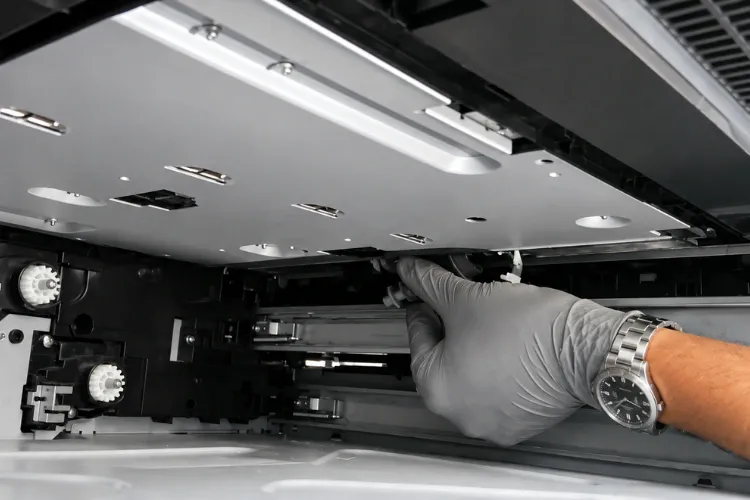
Printer problems disrupting your business? Get professional onsite HP LaserJet printer repair in Los Angeles with same-day service available.
How Should a 50.x HP LaserJet Fuser Error Be Diagnosed Before Ordering Parts?
Start by reading the sub-code, because the fuser is the failed part in only some of these cases. A HP LaserJet Fuser Error in the 50 family always points at the fusing system, but the digit after the decimal identifies the failure mode — and two of them are power problems, not printer problems.
| Sub-code | Documented meaning |
|---|---|
| 50.1 | Low fuser temperature |
| 50.2 | Fuser warm-up service (fuser did not reach temperature in time) |
| 50.3 | High fuser temperature |
| 50.4 | Faulty fuser / drive or line-voltage fault, depending on model |
| 50.5 | Inconsistent fuser — wrong model or wrong voltage installed |
| 50.6 | Open fuser (thermal cutoff or heater circuit open) |
| 50.7 | Fuser pressure release mechanism failure |
| 50.8 | Low sub-thermistor temperature |
| 50.9 | High sub-thermistor temperature |
Sub-code definitions vary somewhat between HP LaserJet generations, so we verify the exact meaning against the control-panel messages document for the specific model before quoting a repair. That verification step is not optional on a 50.4, where some families define it as a drive fault and others as a line-voltage condition.
The field sequence we follow is consistent. Power the printer directly into a wall outlet rather than a surge strip or UPS, cold-boot it, reseat the fuser until both sides click, and confirm the installed fuser is the correct model and the correct voltage. A 50.5 in a Los Angeles office is very often a 220V fuser ordered by mistake.
If the code survives all of that, the fuser, the fuser power supply, or the DC controller is genuinely failing, and it should be replaced in that order of likelihood.
When Does an HP LaserJet Maintenance Kit Close Several Tickets at Once?
When the jam codes are scattered rather than repeating in one location. Scattered codes across trays and the fuser area mean general paper-path wear, and that is exactly what a kit addresses. Good HP LaserJet Maintenance is a scheduled replacement, not an emergency response.
HP publishes a kit for each family, and using the correct one matters:
| Printer family | 110V maintenance kit | Notable contents |
|---|---|---|
| M601 / M602 / M603 | CF064A | RM1-8395 fuser, RM1-8491 transfer roller, tray feed and separation rollers |
| M604 / M605 / M606 | F2G76A | RM2-6308 fuser, transfer roller, tray rollers |
| M607 – M612 | L0H24A | RM2-1256 fuser, RM2-6800 transfer roller, RM2-6772 separation rollers, RM2-1275 pickup rollers |
The L0H24A carries a rated yield of roughly 225,000 pages on the M60X series. That number is the planning tool. A department printing 20,000 pages a month reaches it in under a year, and treating it as a calendar item removes most emergency HP LaserJet Repair Los Angeles calls from the schedule entirely.
Two details get missed constantly. The maintenance counter must be reset after installation or the printer keeps reporting the condition, and older LaserJet families surface this as a “Perform Printer Maintenance” message while the M60X and M61X families report it as a maintenance-kit status item. We handle both during HP LaserJet Printer Service Los Angeles visits.
We stock these kits, fuser assemblies, and roller kits, which is what makes same-day installation realistic rather than aspirational.
What Do Lines, Streaks, Faded Print, and Repetitive Defects Actually Indicate?
Each defect has a signature, and the pattern narrows the cause faster than any parts swap. A defect that repeats at a fixed interval down the page is a rotating component, and the distance between the marks identifies which one by circumference.
- Sharp vertical lines — usually a scratched or contaminated drum surface, or debris against the cleaning blade
- Broad vertical streaking — often uneven toner distribution or a failing cartridge
- Overall faded output — low toner, an incorrect density setting, or a transfer roller losing charge
- Toner that smears or rubs off — a fusing failure, and a strong signal to inspect the fuser before a 50.x code ever appears
- Repetitive dots or bands at fixed pitch — measure the interval and match it to a roller circumference
That last symptom, toner rubbing off finished pages, is the one we most want customers to report early. It means fusing temperature or pressure is already marginal. Catching it during routine Laser Printer Repair Los Angeles service is far cheaper than catching it after the fuser fails mid-run.
Toner quality drives a real share of these calls. Thin or inconsistent third-party toner produces faded output and background haze that mimics hardware failure. We supply a third-party toner we have tested in the field and back with a one-year warranty, which removes the consumable as a variable during diagnosis.
Color units follow the same logic with more variables, since four stations and a transfer belt each contribute. HP Color Laserjet Printer Repair starts with calibration and a print-quality troubleshooting page before any component is condemned.
Get Your LaserJet Working Again
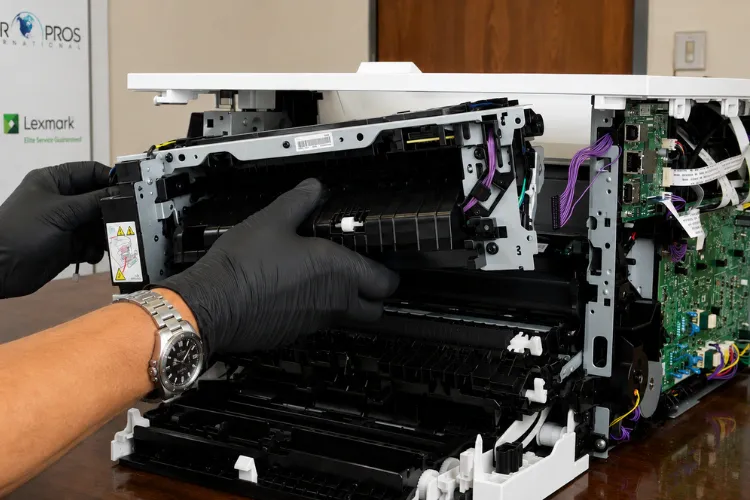
Paper jams, fuser errors, maintenance issues, or poor print quality? We diagnose and repair HP LaserJet printers onsite, backed by our 6-month service and parts warranty.
Repair or Replace: How Should a Business Decide on an Aging HP LaserJet?
Compare the repair against the remaining service life, not against the price of a new printer. An HP LaserJet M605 with 400,000 pages on it and a failed fuser is usually worth the kit, because the chassis, the formatter, and the laser scanner are nowhere near end of life on these machines.
The calculation changes when several major assemblies are failing at once, when the model is far enough back that parts availability is thinning, or when the device no longer matches the department’s volume. A 45-page-per-minute M609 handling 800 pages a month is the wrong deployment, and no amount of Printer Repair Service Los Angeles work fixes a fleet placement problem.
Parts quality belongs in that math. We use HP Parts wherever the repair calls for them, and select high quality parts and premium parts where they are proven equivalents in the field. Paired with our 180-day warranty on service and installed parts, that keeps the repair-versus-replace decision grounded in service life rather than guesswork.
Fleet reliability is the quieter half of the question. Standardizing on one or two HP LaserJet families lets a business stock one maintenance kit and one toner SKU, and it makes every future service call faster.
What Should You Expect from Onsite HP LaserJet Printer Repair Los Angeles on the Day of the Call?
Expect the diagnosis to start before the visit. We ask for the exact control-panel code, the model number from the label, and roughly how many pages the device runs monthly. That is usually enough to load the right fuser or kit, which is the entire point of Onsite HP LaserJet Printer Repair Los Angeles rather than a depot repair.
Onsite matters more in this city than most. Boxing an 80-pound M609 and shipping it out of a Downtown high-rise or a Westside suite means days of lost productivity plus freight damage risk. Onsite Printer Repair keeps the machine where it lives and the department printing the same afternoon.
The visit itself follows a set order: verify the reported symptom, pull the event log, inspect the paper path and sensor flags, test the suspect assembly, then repair. We finish by printing a configuration page and a print-quality page so the customer can see the result rather than take our word for it.
For new customers, our Commercial Printer Repair Los Angeles service starts at a $69.99 flat labor rate for one qualifying HP LaserJet or HP Color LaserJet repair visit. The promotion is subject to limitations, applies to qualifying HP LaserJet and HP Color LaserJet models only, and excludes OfficeJet, DeskJet, Envy, Smart Tank, DesignJet, and non-HP LaserJet devices. Same-day HP Printer Service Los Angeles dispatch is available for many common failures.
Which Habits Keep a Print Fleet Out of Emergency Mode Entirely?
Track pages, not months. Every HP LaserJet reports its page count on the configuration page, and comparing that against the maintenance kit’s rated yield tells you when service is due long before a code appears. Most emergency Printer Repair Los Angeles calls we take were predictable weeks earlier.
A few habits do most of the work:
- Store paper sealed and off the floor — coastal humidity swings cause curl, and curl causes jams
- Fan and square each ream before loading, and never fill above the tray fill line
- Vacuum toner with a toner-rated vacuum only; standard shop vacuums spread fine particulate through the machine
- Keep FutureSmart firmware current, since HP advises updating firmware as part of troubleshooting many error families
- Log every code before clearing it, so patterns are visible
Network and driver issues account for more “printer is broken” tickets than most managers expect. A device that drops off the network after a DHCP lease change, or a driver mismatch after a Windows update, presents identically to a hardware fault. We handle network setup, driver installation, and firmware upgrades on the same visit as mechanical work.
Our coverage extends well past the city line, which is why so many multi-site businesses use us as a single vendor. Beyond Office Printer Repair Los Angeles service, we cover HP Laserjet Printer Repair Orange County along with Printer Repair Santa Fe Springs CA, Printer Repair South El Monte CA, and Printer Repair Santa Ana CA — which is what most managers are hoping to find when they search Printer Repair Near Me for a multi-location fleet.
Conclusion
The control panel is the most underused diagnostic tool in the average office. A 13.xx code names a location, a 50.x code names a failure mode, and a print-quality defect names a component — and each one narrows the repair before a technician arrives.
That is the principle behind how Printer Repair Experts approaches HP LaserJet Printer Repair Los Angeles: verify the cause, carry the correct part, and fix it in one visit. With over 20 years in the office equipment industry, stocked fusers, maintenance kits, and roller kits, and a 180-day warranty on service and installed parts, most HP LaserJet Printer Repair Los Angeles calls close the same day.
To schedule HP LaserJet Printer Repair Los Angeles service, call (888) 657-0021 or email info@printer-repair-experts.net. Have your model number and control-panel code ready, and we can usually tell you what the repair involves before we arriv
Commercial Areas We Provide Onsite Printer Repair Services – Los Angeles County
Alhambra
Arcadia
Artesia
Azusa
Baldwin Park
Bell
Bell Gardens
Bellflower
Carson
Cerritos
Commerce
Compton
Covina
Cudahy
Diamond Bar
Downey
Duarte
El Monte
Gardena
Glendora
Hawaiian Gardens
Hawthorne
Huntington Park
Industry
Inglewood
Irwindale
La Habra Heights
La Mirada
La Puente
Lakewood
Long Beach
Los Angeles
Lynwood
Maywood
Monrovia
Montebello
Monterey Park
Norwalk
Paramount
Pasadena
Pico Rivera
Rosemead
San Gabriel
San Marino
Santa Fe Springs
Signal Hill
South El Monte
South Gate
South Pasadena
Temple City
Vernon
Walnut
West Covina
Whittier
FAQ's - Frequently Asked Questions -
Same-day onsite service is available for many common HP LaserJet failures, depending on the time of the call and where the office sits. Give us the model number and the exact control-panel code when you call, and we can usually confirm whether the needed part is already stocked before dispatch.
Usually yes, if the failure is a wear item. The M601 through M612 families were built for high duty cycles, and their chassis, formatters, and laser scanners routinely outlast several fusers and roller sets. Replacement makes more sense when several major assemblies fail at once or when the device no longer matches the department’s actual volume.
We tell you what the visit will cost before we dispatch, and we tell you what the repair will cost before we perform it. If a device is not economically repairable, you get that assessment plus a recommendation, not a surprise invoice.
Our 6-month (180-day) warranty covers both the labor performed and the parts we install. Toner we supply is covered separately under a 1-year (365-day) warranty. If a covered part fails inside that window, the return visit is not a new service call.
Go by page count rather than the calendar. The M607–M612 kit is rated at roughly 100,000 to 200,000 pages on the M60X series, so a department running 20,000 pages a month reaches it in under a year. Print a configuration page, check the current count, and schedule from there.
Quality varies enormously, and that variance is the real issue — thin or inconsistent toner causes faded output, background haze, and excess waste that ends up in the paper path. The toner we supply is a product we have tested in the field and back with a one-year warranty.
Both, and often on the same visit. Devices that drop off the network after a DHCP change or stop responding after a driver update present exactly like hardware faults. We handle network setup, driver installation, and firmware upgrades alongside mechanical work.
No. We specialize in HP LaserJet and HP Color LaserJet printers and MFPs, including the M601 through M612 families. OfficeJet, DeskJet, Envy, Smart Tank, DesignJet, and other inkjet devices fall outside what we service and outside the promotional rate.
