
How To Fix Fuser Error on HP Printer Hardware:
A Complete Troubleshooting Guide
Learning how to fix fuser error on HP printer hardware starts with one safe step: turn the printer off, let it cool, and turn it back on. If the message clears and never returns, the printer most likely hit a temporary startup or power condition. If it comes back, something in the fusing system needs real diagnosis.
We repair HP LaserJet, HP Color LaserJet, and HP LaserJet MFP equipment every working day, and an HP printer fuser error is one of the most common reasons an office calls us. This guide covers what the fuser does, what the 50.x messages mean, and which checks are safe for your own staff.
Anyone responsible for a print fleet should understand how to fix fuser error on HP printer units well enough to make one decision: keep troubleshooting, or stop and schedule service. Getting that call right is what keeps a small fault from becoming an expensive one.
Preview Snapshot
- The first move in how to fix fuser error on HP printer hardware: power off, let the HP LaserJet fuser assembly cool, restart.
- One clean restart that holds usually means a transient condition; a persistent fuser error usually means hardware.
- Plug the printer directly into a wall outlet, because a strip or surge protector can starve the fuser during warm-up.
- The 50.x messages are a family, and the subcodes do not carry identical meaning across every HP LaserJet generation.
- Toner that rubs off, smearing, wrinkling, and repeating defects are the everyday signs of a failing HP LaserJet fuser.
- Fusers operate at high temperature, so we replace applicable assemblies rather than rebuilding them in the field.
1. First Response: The Safe Restart Sequence Every Office Should Run
The symptom is simple enough to describe. The control panel posts a fuser-related warning, often a 50 service message, and usually asks you to turn the printer off and then on. Printing stops until the condition clears.
The root cause at this stage is still unknown, and that is exactly the point. A cold start can clear a transient sensing or power condition with no parts involved at all. HP’s guidance for 50.xx messages is to switch the printer off at the power switch, wait at least 30 seconds, then switch it on and let it initialize fully.
The Only Reset Your Staff Should Attempt
- Turn the printer off at its power switch and leave it off for at least 30 seconds. Ten to fifteen minutes is better, because the fuser needs time to cool.
- Keep hands away from the rear door and the fusing area. Fusing temperatures are high, and the assembly stays hot well after shutdown.
- Move the power cord off any surge protector, power strip, or UPS and plug it straight into a wall outlet.
- Confirm the printer is not sitting in front of an air vent, an open window, or a propped exterior door.
- Power the printer on and let it finish its entire startup routine before sending a job.
- Print several pages and watch closely for whether the message returns.
That sequence is what most people mean by an HP printer fuser error reset, and it is the only reset an untrained user should perform. There is no hidden menu that repairs a failed heating element. Anything past this point belongs to a technician.
The remedy divides cleanly from here. A message that clears and stays gone through a normal week of volume points to a transient condition. A message that returns the same day is a hardware fault, and repeated power cycling only postpones the repair.
That sequence is the whole of how to fix fuser error on HP printer equipment at the user level. Everything after it requires tools, documentation, and a technician who works on these machines regularly.
2. What the HP LaserJet Fuser Assembly Does and Why Printers Report Fuser Errors
Toner leaves the imaging system as loose powder. The HP LaserJet fuser assembly is the last stop in the paper path, where heat and pressure melt that powder and bond it permanently into the sheet. That is why pages are still warm when they reach the output bin.
To do that safely, the printer has to know the fuser’s temperature at every moment. Thermistors report temperature back to the control circuitry, a thermal cut-off guards against runaway heating, and a drive train keeps the fuser turning. Firmware constantly compares what it measures against what it expects to see.
When the measured temperature falls outside the expected window at the expected moment, the printer halts and posts an HP LaserJet fuser error. That is a protective response rather than a random glitch. An HP LaserJet fuser problem caught early is far cheaper than one left to damage the components around it.
Two broad conditions produce most of these messages. Either the fuser fails to reach temperature on schedule, and an HP printer fuser not heating properly is the most common version of that, or the fuser heats past its safe limit because something in the control path has failed.
Fusers are also consumables. They wear with page volume and sit at the center of the maintenance kit for most HP LaserJet models, so replacement across a printer’s service life is expected rather than exceptional.
Fuser Diagnosis Under Our $69.99 Onsite Printer Repair Promotion
We come to your office, confirm whether the fuser assembly has actually failed, and tell you exactly what the repair takes. Call (888) 657-0021 or email info@printer-repair-experts.net to book an onsite visit. Limitations may apply.
3. How To Fix Fuser Error on HP Printer Hardware When the Message Keeps Returning
A persistent fuser error changes the conversation entirely. Once a message survives a proper cool-down, a clean wall-outlet power source, and a full restart, the printer is telling you a component has drifted out of specification. The useful question stops being how to clear the message and becomes which part failed.
Put plainly, how to fix HP LaserJet fuser error conditions permanently comes down to identifying the failed component rather than repeating the reset. Every additional power cycle at this stage buys a few pages and costs a little more wear.
Diagnosis means checking what can actually be verified. That includes reading the exact code and subcode from the panel, reviewing the event log where the model supports one, comparing the page count against the maintenance-kit interval, and confirming that the installed fuser is the correct part and the correct voltage for that printer.
The repair component is most often the fuser assembly itself, though not always. Power supply, drive, and controller faults produce the same family of messages on many models. A new fuser fitted to chase a control-circuit problem tends to fail again quickly, which is the expensive version of this mistake.
This is where we recommend service. A recurring message usually indicates a hardware failure that warrants professional HP LaserJet printer repair rather than another restart. Our onsite printer repair technicians diagnose the printer where it already sits, so the machine never leaves your office.
4. Reading the HP Printer 50.x Fuser Error Family
Most fusing faults on HP LaserJet equipment surface as a 50-series message. The digit after the decimal narrows the condition considerably, which is why an HP printer 50.x fuser error is worth reading carefully instead of writing off as “the fuser.”
Reading that subcode is the part of how to fix fuser error on HP printer equipment that most quick guides skip entirely. It is also the part that decides whether the next step costs a service call or a wasted part.
The table below reflects meanings documented for a number of HP LaserJet families. Treat it as orientation rather than a universal decoder.
| Message | Condition documented on many HP LaserJet families |
|---|---|
| 50.1 | Low fuser temperature reported by the main thermistor |
| 50.2 | Warm-up failure; operating temperature not reached within the expected window |
| 50.3 | High fuser temperature reported by the main thermistor |
| 50.4 | Fault associated with the fuser drive circuit or with incoming AC power |
| 50.8 | Low temperature reported by the sub-thermistor |
| 50.9 | High temperature reported by the sub-thermistor |
What the Individual Subcodes Usually Indicate
A 50.1 fuser error generally reports a low reading from the main thermistor, and an HP LaserJet 50.1 fuser error on a heavily used machine often traces back to a worn heating element. A 50.2 fuser error points to warm-up that never completed in time, which is why an HP LaserJet 50.2 fuser error sometimes appears after a printer has been moved or plugged into a weak circuit.
A 50.3 fuser error reports the opposite condition, a temperature above the expected range, and an HP LaserJet 50.3 fuser error should never be answered by simply fitting another fuser. A 50.4 fuser error is documented on several families as a drive-circuit or AC-power fault, so an HP LaserJet 50.4 fuser error deserves a look at the outlet and the branch circuit before any part is ordered.
Two cautions matter more than the table itself. HP’s own troubleshooting article for these messages states plainly that it does not list every possible fuser code, so no short summary can be called complete. Subcode meanings also differ between generations, and an HP LaserJet 50.x error on one family may not mean the same thing on another.
Newer HP LaserJet Enterprise and HP Color LaserJet Enterprise models running FutureSmart firmware complicate this further. They present extended fuser messages in a longer form such as 50.WX.YZ, where the individual characters carry model-specific meaning defined in that printer’s control panel message documentation.
For the underlying first-response steps, HP’s official troubleshooting guidance for 50.xx fuser failure messages is the right reference to start from. It confirms the power-cycle and direct-wall-outlet checks, and states that a message still present afterward means the fuser needs to be replaced.
5. Power, Voltage, and Placement Problems That Imitate a Failed Fuser
Fusers draw a heavy burst of current during warm-up. Anything that limits or destabilizes that supply can produce a message indistinguishable from a true HP printer fuser failure, which is exactly why we check power before ordering parts.
Power belongs in any honest account of how to fix fuser error on HP printer hardware. We have cleared more than a few of these messages by moving one cord.
Conditions We Check First
- Surge protectors and power strips. HP’s guidance is explicit: remove the surge protector and plug the printer directly into the wall socket.
- Shared branch circuits. Space heaters, laminators, and break-room equipment can pull voltage down at exactly the wrong moment.
- Generators and line conditioners. Power outside the printer’s stated specification interferes with fuser temperature control.
- Drafts. HP documents cool air from a vent or window as real interference with the fuser’s ability to reach temperature.
- Fuser voltage. A 220-volt assembly in a 110-volt market, or the reverse, will not behave correctly and can damage the printer.
The correct fuser assembly for the exact model, in the correct voltage specification, is not a detail worth approximating. We verify the part against the printer before installation, because the wrong assembly can produce a fresh fault the moment power is applied.
When power and placement both check out and the message still returns, diagnosis moves inside the machine. That boundary is where safe user troubleshooting ends and technician-level work begins.
Stop Replacing Fusers That Were Never the Problem
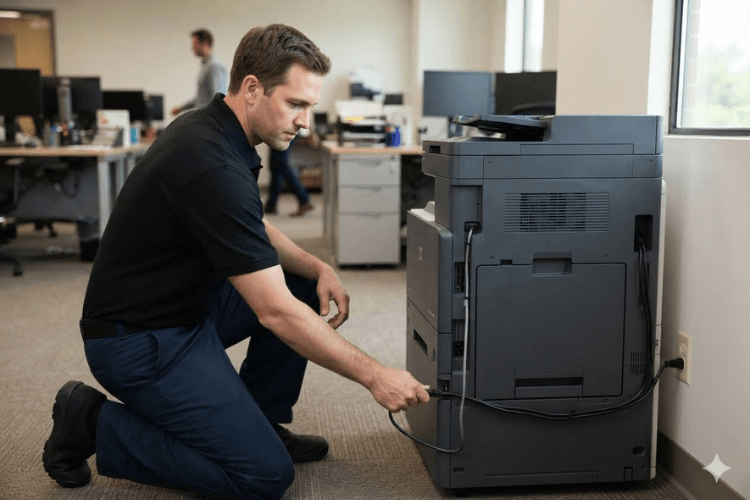
A 50.x message can come from the fuser, from the power feeding it, or from the circuit that controls it. Our technicians isolate the real failure before any part is installed, so you pay for the repair your printer actually needs.
6. Warning Signs That Appear Before the Error Does
Fusing problems rarely announce themselves with an error code first. They show up in the output, often for days or weeks beforehand, and offices that recognize them can schedule service instead of losing a printer mid-shift.
Managing how to fix fuser error on HP printer fleets efficiently really means learning to spot a fuser going bad before the control panel says a word about it.
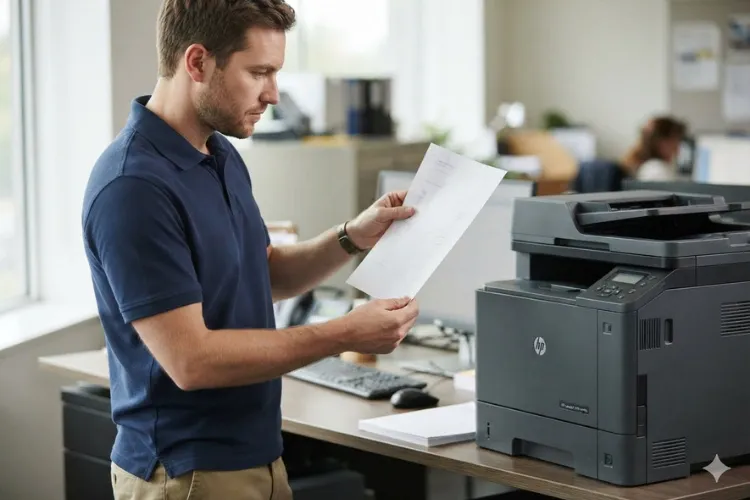
The clearest early indicator is toner that has not bonded. Rub a cooled printed page with a thumb, and if the image smears or lifts, the fuser is already failing to do its job even though the printer has not complained yet.
What to Watch For
- Toner that smudges or rubs off after the page has fully cooled.
- Smearing or ghosting that repeats at a consistent interval down the page.
- Wrinkled, creased, or heavily curled sheets arriving at the exit.
- Grinding, squealing, or rhythmic noise from the rear of the printer.
- Jams that concentrate in the fusing area rather than in the trays.
- Occasional 50.x messages that clear on restart and then come back.
Taken together, these are the recognized signs of a failing HP LaserJet fuser. A repeating defect at fixed spacing is especially telling, because that interval often corresponds to the circumference of a roller inside the assembly.
Acting on these signs is a business decision as much as a technical one. Replacing a declining fuser during a scheduled visit costs a fraction of what an unplanned outage costs a busy accounting, shipping, or medical records department.
7. Model-Specific Fuser Errors Across the HP LaserJet Enterprise Lineup
Fuser design, part numbers, and diagnostic procedure all change from one HP LaserJet generation to the next. A procedure written for one Enterprise family can be simply wrong for the family that replaced it, so we maintain separate model-specific references rather than one generic answer.
If you already know which family is in front of you, start with its own page:
- HP LaserJet M601 M602 M603 fuser error — earlier Enterprise monochrome models, where extended fuser messaging became common.
- HP LaserJet M604 M605 M606 fuser error — the following Enterprise generation, with its own fuser assembly and maintenance-kit interval.
- HP LaserJet M607 M608 M609 fuser error — high-volume Enterprise units HP documents with specific fuser conditions such as 50.7F.00.
- HP LaserJet M610 M611 M612 fuser error — current Enterprise families, where confirming the correct assembly matters before any part is fitted.
The same pattern holds across HP Color LaserJet and HP Color LaserJet MFP equipment. Color models carry an additional consideration, because the toner layers are heavier and a marginal fuser reveals itself in color output before it shows up in black-and-white work.
None of this means an office needs service manuals on a shelf. It does mean the model number belongs in the first sentence of any service request, because the model determines which documentation actually applies.
Model variation is also why how to fix fuser error on HP printer equipment has no single universal procedure. The first three steps are shared; everything past them is model-specific.
Two Decades of HP LaserJet Fuser Work, Warranted in Writing
We service HP LaserJet, HP Color LaserJet, and MFP models across Orange County and approved portions of Los Angeles County using HP Parts and premium parts. Every repair and installed part carries our 6-month / 180-day warranty, and same-day service may be available. Call (888) 657-0021 to schedule onsite diagnosis.
8. What Professional Diagnosis and Fuser Replacement Involve
At this stage, how to fix fuser error on HP printer hardware becomes a question of diagnosis rather than a checklist. Professional HP fuser error troubleshooting starts with the printer’s own evidence. We read the exact message and subcode, review the event log where the model provides one, compare page counts against the maintenance interval, and inspect the fusing area and its connections before touching a part.
Careful HP LaserJet fuser troubleshooting also separates the fuser from what feeds and controls it. Power supply and controller faults can produce the same messages, and establishing which one is actually at fault is what prevents a second visit for the same complaint.
Once failure is confirmed, the remedy is HP LaserJet fuser replacement using the correct assembly for that exact model and voltage. We do not rebuild fusers onsite. Applicable assemblies are replaced as complete units, which is both safer and more reliable than field repair of a component that operates at fusing temperatures.
We fit HP Parts and high quality parts, and every repair and installed part carries our 6-month / 180-day warranty. When a printer is already near its maintenance-kit interval, installing the kit during the same visit usually makes better sense than replacing the fuser on its own.
Repair the Printer, or Replace It?
For most HP LaserJet Enterprise machines the arithmetic clearly favors repair. These printers are built for high duty cycles, and a fuser replacement on a mechanically sound unit costs well under what a comparable replacement printer costs.
The calculation shifts when a printer has accumulated several unrelated failures, when parts availability has thinned for an older family, or when the device no longer matches the volume the department actually produces. We will say so plainly when that is what we find.
9. Returning an HP LaserJet to Production With Confidence
Almost every fuser message follows the same path: power the printer down, let it cool, restore clean power, restart, and watch. If the message clears for good, the printer had a transient condition. If it returns, a component needs to be identified and replaced.
What matters between those two outcomes is accuracy rather than persistence. Knowing how to fix fuser error on HP printer equipment safely means knowing where user troubleshooting ends, and calling for diagnosis before a marginal fuser damages what surrounds it.
We have spent more than twenty years in the office equipment industry working on HP LaserJet, HP Color LaserJet, and MFP hardware. We serve Orange County cities including Anaheim, Irvine, Santa Ana, Fullerton, Huntington Beach, Tustin, and Orange, along with approved portions of Los Angeles County.
If the message on your panel has already come back after a restart, call (888) 657-0021 or email info@printer-repair-experts.net and tell us the exact code and model. We will explain what we expect to find and schedule an onsite visit, and same-day service may be available.
FAQ's - Frequently Asked Questions - HP Printer Fuser Errors
No, and any guide that offers one is oversimplifying. The first three steps are shared across the whole HP LaserJet line: cool the printer, restore clean wall power, restart. Past that, the subcode meaning, the fuser part number, and the diagnostic procedure are all specific to the printer family in front of you.
For light use over a short period, usually yes. But a message that has appeared once will normally appear again, and each cycle runs the fuser closer to the edge of its specification. We recommend printing a short test run, watching the output for smearing, and arranging diagnosis rather than waiting for the printer to stop during a deadline.
HP’s guidance is a minimum of 30 seconds off before restarting. In practice we suggest ten to fifteen minutes when a heat-related message is showing, because that gives the assembly time to settle to a normal temperature. Do not open the rear door to speed cooling along.
Rarely. On HP LaserJet Enterprise hardware the fuser is a serviceable assembly with a defined replacement interval, and swapping it on a mechanically sound printer is routine work. Replacement of the printer becomes worth discussing only when several unrelated components have failed or parts availability has become a problem.
On some models the assembly is designed for straightforward removal, but we do not recommend it as an office task. The area runs at fusing temperatures, the correct part number and voltage have to be confirmed first, and an incorrect assembly can cause immediate damage. Our technicians handle the verification and the installation together.
This usually means the fuser was not the failing component, or the assembly fitted was not correct for that model and voltage. Control-circuit and power-supply faults reproduce the identical message and will damage a new fuser as readily as the old one. The next step is diagnosis of what surrounds the fuser, not another assembly.
Yes. Service and installed parts carry a 6-month / 180-day warranty. We install HP Parts and high quality parts, and we do not install or warrant customer-supplied parts.
We schedule onsite visits throughout Orange County and approved portions of Los Angeles County, and same-day service may be available depending on the day and the routing. Telling us the exact error code and model when you call lets us arrive with the right expectation of what the printer needs.
