
HP LaserJet M610 M611 M612 Fuser Error
Introduction
When an HP LaserJet M610 M611 M612 Fuser Error appears, your printer can stop without warning, bringing productivity to a halt. Whether you’re printing invoices, legal documents, shipping labels, patient records, or financial reports, a 50.xx fuser error often means your office can’t continue working until the problem is resolved.
The HP LaserJet Enterprise M610, M611, and M612 are high-performance business printers designed for demanding commercial environments. While these printers are exceptionally reliable, the fuser assembly is a high-wear component that eventually requires service after prolonged use. In some cases, however, a 50.xx error may also be caused by issues involving the Low Voltage Power Supply (LVPS), DC Controller PCA, damaged connectors, or other electrical components. Proper diagnosis is essential before replacing parts.
At Printer Repair Experts, we’ve spent more than 20 years repairing HP LaserJet printers for businesses throughout Orange County and parts of Los Angeles County. Our technicians diagnose the root cause of the error and use high-quality HP replacement parts to restore reliable printer performance while minimizing costly office downtime.
Quick Overview
By the end of this guide, you’ll learn:
- What causes HP LaserJet M610 M611 M612 fuser errors.
- What the most common 50.xx error codes mean.
- Basic troubleshooting steps you can safely perform.
- Why some 50.xx errors involve more than just the fuser assembly.
- When professional onsite service is the fastest and most cost-effective solution.
What Is the Fuser and Why Is It So Important?
The fuser is one of the most critical assemblies inside every laser printer.
After toner is transferred onto the paper by the imaging system, the toner still sits loosely on the sheet. Without heat and pressure, the image would simply wipe away with your finger.
The fuser permanently bonds toner to the paper using two primary components:
A heated upper roller or film assembly
A pressure roller
Together, these components apply controlled heat and pressure that melts the toner particles into the fibers of the paper.
Every document produced by your HP LaserJet M610, M611, or M612 passes through the fuser before leaving the printer.
Because it operates at temperatures approaching 400°F, the fuser experiences constant thermal stress. Thousands of heating and cooling cycles eventually wear internal components, including:
Heating elements
Thermistors
Pressure rollers
Bushings
Drive gears
Bearings
Electrical connectors
Over time, these parts naturally wear and can trigger a 50.xx error.
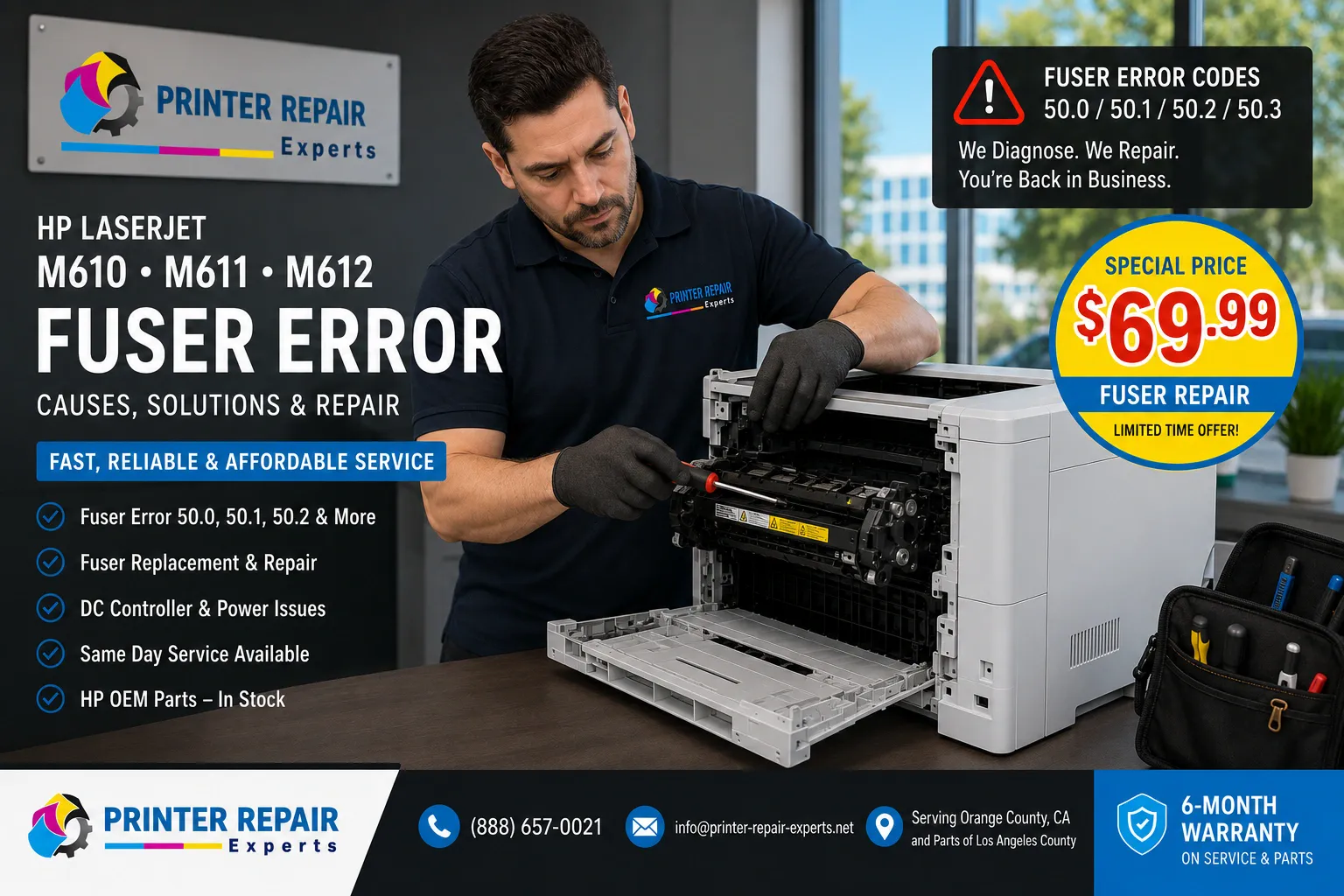
Understanding HP 50.xx Fuser Errors
One mistake we frequently see is treating every 50.xx message as the same problem.
They are not.
While every 50-series error involves the fuser system, each code identifies a different operating condition.
Common examples include:
50.00
Generic fuser error indicating the printer detected an abnormal operating condition.
50.1
Low fuser temperature.
The printer expected the fuser to reach operating temperature within a specified time but detected insufficient heat.
Possible causes include:
- Aging fuser
- Failed thermistor
- Damaged heating element
- Loose electrical connection
50.2
Slow warm-up error.
The fuser eventually heats, but not quickly enough for normal operation.
Often caused by:
- Worn heating components
- Electrical resistance
- Aging fuser assembly
50.3
High temperature condition.
Rather than failing to heat, the printer detects excessive heat and shuts itself down to prevent damage.
Possible causes:
- Faulty thermistor
- Control circuit failure
- Internal fuser malfunction
50.4
Drive circuit fault.
This indicates the printer cannot properly rotate or monitor the fuser drive mechanism.
Possible causes include:
- Damaged gears
- Binding fuser
- Mechanical failure
50.5 / 50.6
Thermistor failures.
The thermistor continuously monitors fuser temperature.
If the printer receives invalid readings, operation immediately stops.
50.7 through 50.9
Pressure-release mechanism problems.
These typically involve:
- Pressure sensors
- Release mechanisms
- Mechanical positioning
- Internal fuser movement
Although less common than temperature faults, these errors generally require closer inspection of the complete fuser assembly.
Why These Errors Occur in Commercial Offices
The HP LaserJet Enterprise M610 family was designed for extremely high monthly print volumes.
Ironically, the offices that benefit most from these printers also create the most demanding operating conditions.
We commonly service printers in:
Accounting firms during tax season
Law offices producing large case files
Medical offices printing patient records
Schools generating classroom materials
Distribution centers producing shipping documents
During busy periods, printers may operate continuously for hours.
That constant production accelerates wear on the heating components.
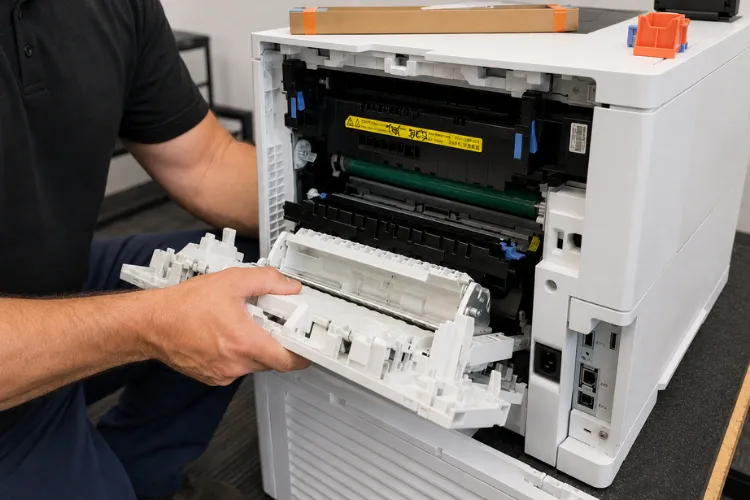
Additional factors include:
- Heavy cardstock
- Labels
- Envelopes
- Improper paper settings
- Dust accumulation
- Poor ventilation
- Power fluctuations
Each of these conditions forces the fuser to work harder than normal.
Eventually, the printer’s onboard diagnostics recognize the abnormal operating condition and generate a 50.xx error before permanent damage occurs.
In many cases, this protective shutdown prevents much more expensive repairs.
First Steps Before Calling for Service
Not every HP LaserJet M610 M611 M612 Fuser Error requires immediate replacement of the fuser.
Several simple inspections should be completed first.
Restart the Printer
Power the printer completely off.
Wait approximately one minute before restarting.
Temporary electrical faults occasionally clear during a full reboot.
Allow the Printer to Cool
The printer may have experienced a temporary overheating condition.
Allowing the machine to cool naturally before restarting sometimes clears intermittent high-temperature faults.
Inspect the Rear Door
Open the rear access door.
Look for:
- Jammed paper
- Torn labels
- Foreign material
- Damaged media
Small scraps of paper trapped inside the fuser can interfere with sensors and airflow.
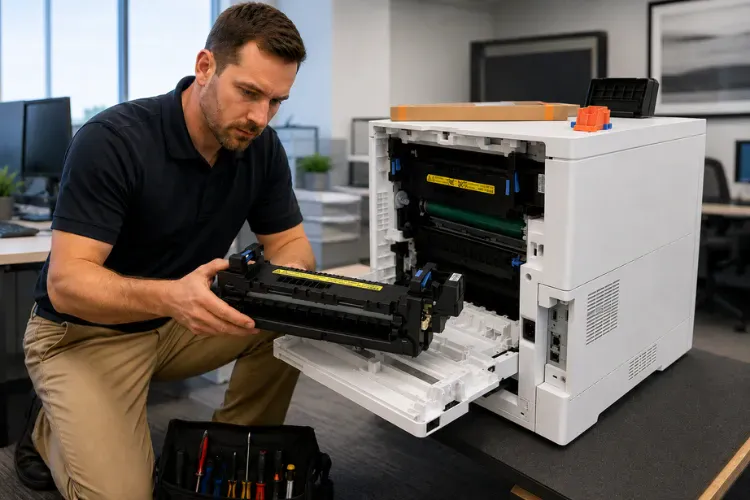
Reseat the Fuser
After allowing the printer to cool:
- Remove the fuser.
- Inspect for damage.
- Verify connectors are clean.
- Reinstall securely.
An improperly seated fuser can produce several different 50.xx error messages.
Verify Power Quality
Commercial printers should ideally be connected directly to a properly grounded outlet.
Avoid:
- Overloaded power strips
- Shared circuits with heavy equipment
- Inexpensive extension cords
Low voltage conditions sometimes create symptoms that resemble failing fuser assemblies.
Verify the printer firmware is up to date.
When the Fuser Needs Replacement
One question we hear regularly is:
“Can we keep using the printer until it completely stops?”
Technically, sometimes yes.
Practically, we don’t recommend it.
A worn fuser often begins showing symptoms before a complete failure.
These may include:
- Toner rubbing off pages
- Wrinkled paper
- Glossy streaks
- Repeating marks
- Random paper jams
- Intermittent 50.xx errors
- Longer warm-up times
If these symptoms are ignored, the printer may eventually shut down completely.
Replacing the fuser before catastrophic failure often prevents secondary damage and reduces unexpected downtime.
Our technicians install high-quality HP replacement fusers specifically designed for the HP LaserJet Enterprise M610, M611, and M612 printer family. Because these models share many internal components, carrying the correct replacement parts allows us to resolve many fuser-related problems during the initial onsite visit.
Another consideration is maintenance interval. If the printer has already accumulated hundreds of thousands of printed pages and is approaching its recommended service interval, replacing the fuser as part of a complete HP Laserjet Printer Maintenance Kit service is often the most cost-effective solution. Preventive maintenance restores print quality, improves paper handling, and helps reduce unexpected breakdowns that interrupt business operations.
Professional Troubleshooting for HP LaserJet M610 M611 M612 Fuser Errors
When our technicians arrive onsite for an HP LaserJet M610 M611 M612 Fuser Error, replacing the fuser is never the first step. While the fuser is responsible for many 50.xx errors, professional diagnosis helps prevent unnecessary parts replacement and ensures the actual cause of the problem is corrected.
Our troubleshooting process typically follows a logical sequence.
Step 1: Verify the Error Code
The first step is confirming the exact error displayed on the printer’s control panel. Although all 50.xx messages involve the fuser system, each code points toward a different condition such as low temperature, excessive heat, drive mechanism failure, or sensor problems.
Understanding the specific code helps narrow the troubleshooting process before any parts are removed.
Step 2: Inspect the Fuser Assembly
After allowing the printer to cool, we remove the fuser and perform a visual inspection.
Common issues include:
- Damaged pressure roller
- Torn fuser film
- Heat discoloration
- Broken drive gears
- Bent connectors
- Excess toner buildup
- Torn label adhesive wrapped around rollers
Many fusers show obvious signs of wear after several hundred thousand printed pages.
Step 3: Inspect Electrical Connections
The electrical contacts between the printer and the fuser must provide a clean, reliable connection.
Loose, damaged, or contaminated contacts can interrupt communication between the printer and the fuser assembly, producing intermittent 50.xx errors that may appear to come and go without warning.
Step 4: Verify the Power Source
Commercial printers should always receive stable power.
We occasionally find printers connected to overloaded power strips shared with shredders, coffee makers, portable heaters, or other office equipment. Voltage fluctuations can interfere with proper fuser warm-up and produce misleading error messages.
Step 5: Replace the Fuser When Necessary
If testing confirms the fuser has failed, replacing it with a high-quality HP replacement fuser is usually the fastest and most reliable solution.
Because we stock many common HP LaserJet parts, same-day repairs are often possible, allowing businesses to resume printing with minimal interruption.
Repair or Replace the Printer?
One of the most common questions office managers ask is whether they should repair the printer or purchase a new one.
In most cases, the answer depends on three factors:
Age of the Printer
The HP LaserJet Enterprise M610, M611, and M612 series remain outstanding commercial printers. Even after years of service, these models continue to outperform many newer desktop printers in speed, reliability, and monthly duty cycle.
Overall Printer Condition
If the printer has been maintained properly and the only major issue is a worn fuser, repairing it is usually the most economical decision.
However, if the printer has multiple worn components, extensive physical damage, or has exceeded several maintenance cycles without service, a broader evaluation may be appropriate.
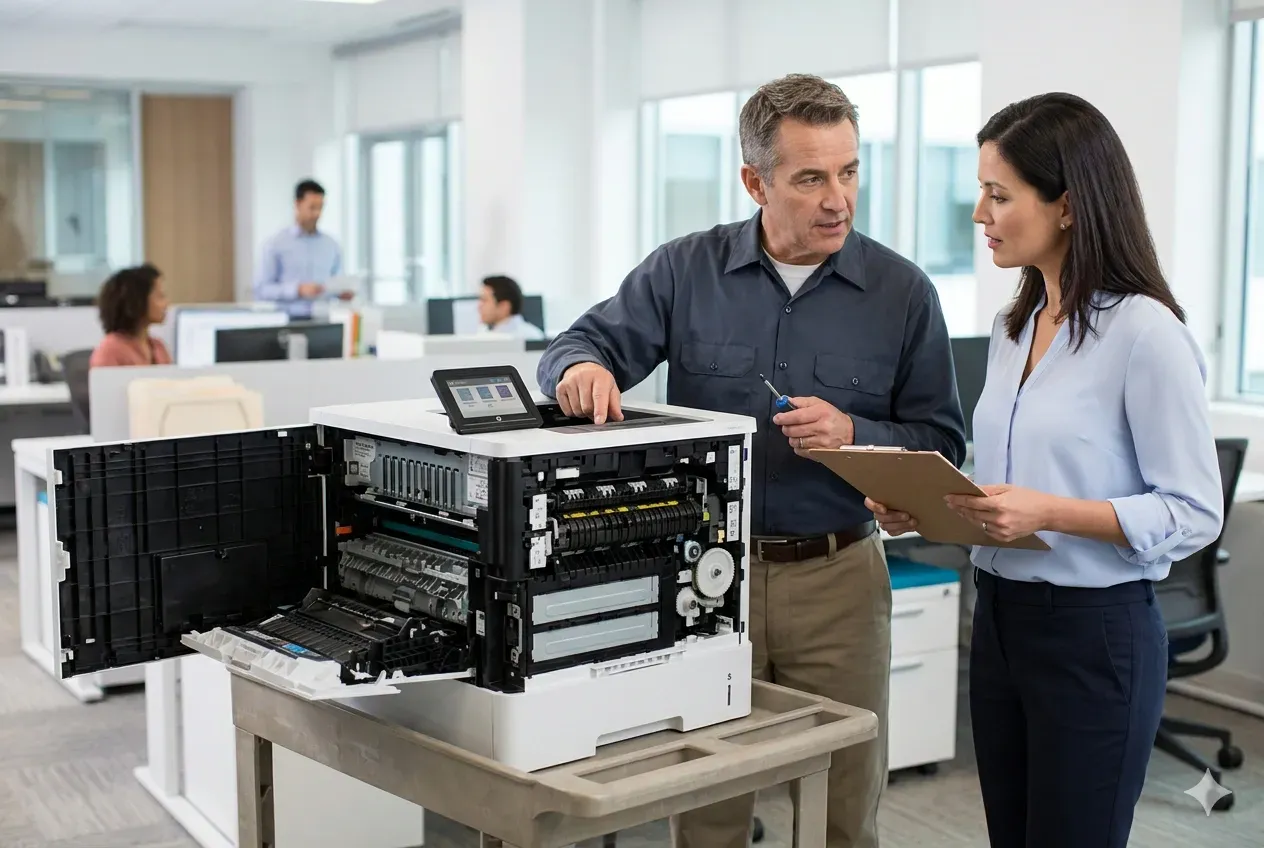
Cost of Downtime
For many businesses, the cost of employees waiting for documents far exceeds the cost of repairing the printer.
We’ve worked with law firms preparing court filings, medical offices printing patient records, and accounting firms processing tax returns where even a few hours of printer downtime created significant workflow disruptions.
Prompt repair often proves far less expensive than lost productivity.
Preventing Future Fuser Errors
Although no fuser lasts forever, several maintenance practices can significantly extend its service life.
Use Proper Paper
Always select the correct media type in both the print driver and the printer menu.
Heavy paper, labels, and envelopes require different temperature settings than standard office paper.
Incorrect settings place unnecessary stress on the heating system.
Perform Scheduled Maintenance
Replacing worn maintenance components before they fail helps maintain consistent print quality and reduces unexpected service calls.
Installing a HP Laserjet Printer Maintenance Kit at the recommended service interval also protects surrounding components from excessive wear.
Keep the Printer Clean
Dust, paper debris, and adhesive residue can accumulate around the paper path over time.
Routine cleaning helps improve airflow and reduces contamination around sensitive sensors.
Avoid Cheap Consumables
Poor-quality toner can produce symptoms that resemble a failing fuser, including:
- Toner smearing
- Poor adhesion
- Repetitive image defects
- Excess toner contamination
Using quality supplies helps maintain consistent print quality and reduces unnecessary troubleshooting.
Don’t Ignore Early Warning Signs
Small problems rarely become smaller.
If the printer begins displaying intermittent 50.xx errors, unusual noises, wrinkled paper, or inconsistent print quality, scheduling service early often prevents a complete printer shutdown. we offer HP Laserjet Printer Repair in Orange County and Los Anglees County.

Professional HP LaserJet M610 M611 M612 Fuser Error Repair
An HP LaserJet M610 M611 M612 Fuser Error should never be ignored. While some errors result from temporary operating conditions, many indicate that the printer requires professional attention before additional components are affected.
Our technicians have more than twenty years of experience repairing commercial HP LaserJet printers throughout Orange County and parts of Los Angeles County.
Whether your printer displays a 50.10 low-temperature error, a 50.20 warm-up error, a 50.30 over-temperature condition, or another 50.xx fault, we perform a systematic diagnosis to identify the actual cause rather than simply replacing parts.
Using high-quality HP replacement parts, we help restore dependable printer operation while minimizing downtime for your business.
If your office depends on reliable printing every day, prompt service is usually the fastest path back to productivity.
Need Help with an HP LaserJet M610 M611 M612 Fuser Error?
A persistent 50.xx error rarely improves on its own. If your HP LaserJet M610, M611, or M612 has stopped printing, our experienced technicians can diagnose the problem and recommend the most cost-effective repair.
Printer Repair Experts provides:
- Same-day onsite service in many areas
- Over 20 years of commercial HP LaserJet experience
- High-quality HP replacement parts
- High-quality HP maintenance kits
- 180-day warranty on installed parts and labor
Call: (888) 657-0021
Email: info@printer-repair-experts.net
We help businesses get their printers back in service quickly so employees can get back to work instead of waiting around a printer that’s decided today was the perfect day for an existential crisis.
FAQ's - Frequently Asked Questons - HP LaserJet M610 M611 M612 Fuser Error
Most 50.xx errors occur because the printer detects an abnormal condition within the fuser assembly, such as improper temperature, a failed thermistor, worn heating components, or a mechanical problem.
In most cases, no. The printer intentionally stops printing to prevent additional damage to the fuser assembly or surrounding components.
No. While many 50.xx errors are caused by a worn fuser assembly, some are related to the Low Voltage Power Supply (LVPS), DC Controller PCA, damaged connectors, power quality, or wiring. Proper diagnosis helps determine the actual cause before replacing parts.