
HP Laserjet M527MFP M528MFP Printer Repair for Offices in Orange County
HP Laserjet M527MFP M528MFP Printer Repair is what we schedule when an office’s HP LaserJet Enterprise MFP M527 or M528 stops printing cleanly, jams repeatedly, or starts producing streaked or faded output. We handle the diagnosis and the repair onsite, so the printer stays in your office instead of a shipping box.
Most calls fall into one of five patterns: paper feed and jam problems, fuser-related errors, print quality defects, document feeder or scanning trouble, and routine maintenance that has been skipped for too long. This page walks through each of those, then covers what HP Laserjet M527MFP M528MFP Printer Repair actually looks like once a technician is standing in front of the machine.
Preview Snapshot
- How to tell a paper-feed jam apart from a fuser-related jam on the M527 and M528
- What a fuser error message does and does not confirm about the fuser itself
- How faded printing, streaks, and document-feeder problems get isolated before parts are replaced
- What the $69.99 Onsite Printer Repair Promotion covers, and what it does not
- Which Orange County and Los Angeles County service areas we currently cover
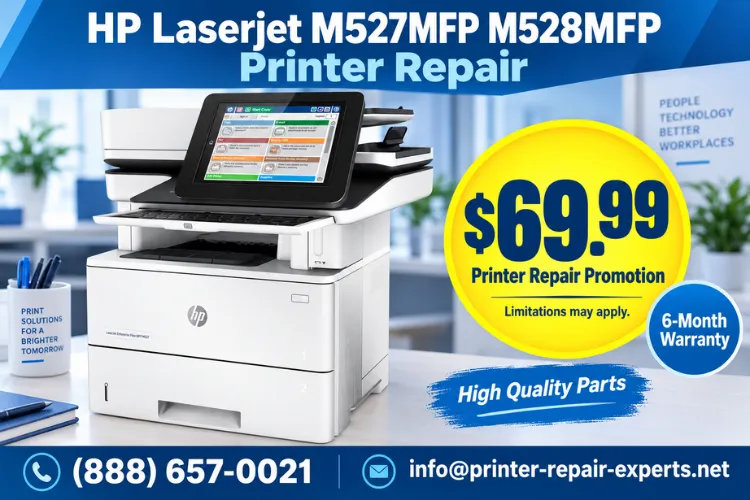
The $69.99 Visit That Starts Every M527 and M528 Repair
Schedule the $69.99 Onsite Printer Repair Promotion and a technician diagnoses your HP LaserJet Enterprise MFP M527 or M528 at your office. Limitations may apply. Call (888) 657-0021 or email info@printer-repair-experts.net to set up a visit.
1. What HP Laserjet M527MFP M528MFP Printer Repair Covers
HP Laserjet M527MFP M528MFP Printer Repair covers the HP LaserJet Enterprise MFP M527 family and the HP LaserJet Enterprise MFP M528 family, including the corresponding Flow configurations where equipped. Both share the same monochrome MFP platform, so most repair procedures apply to either model once the exact configuration is confirmed.
We treat an HP LaserJet printer repair request for these two families as a model-specific job rather than a generic printer visit. That means checking the display panel for an exact error message, comparing an internal test page against a computer-generated print job, and reviewing the scanned output separately before deciding what is actually wrong.
A technician arrives with the tools and commonly needed parts to diagnose paper feed problems, fuser conditions, print quality defects, and document feeder or scanning issues in the same visit. HP LaserJet Enterprise MFP M527 repair and HP LaserJet Enterprise MFP M528 repair both start from that same initial diagnosis step.
2. Signs Your HP LaserJet Enterprise MFP M527 or M528 Needs Service
A few patterns show up again and again on these machines. Paper that jams in the same tray, prints that fade from one side of the page to the other, an automatic document feeder that pulls in two sheets at once, and a fuser error that reappears within a day of being cleared are the four we hear about most.
None of those symptoms point to a single cause by themselves. A faded print could be a low or unevenly seated toner cartridge, a worn transfer roller, or a fuser pressure problem, and only a physical inspection tells you which. HP’s own M527 and M528 troubleshooting resources covers the same first-response logic: rule out the simple causes before assuming a component has failed.
If a symptom is new, intermittent, or only affects one function (printing but not scanning, or one tray but not another), that detail narrows the diagnosis considerably. Note it before the service call so the technician can start there.
3. HP M527 M528 Paper Feed Problems and Recurring Paper Jams
HP LaserJet M527 M528 Paper Jam Repair
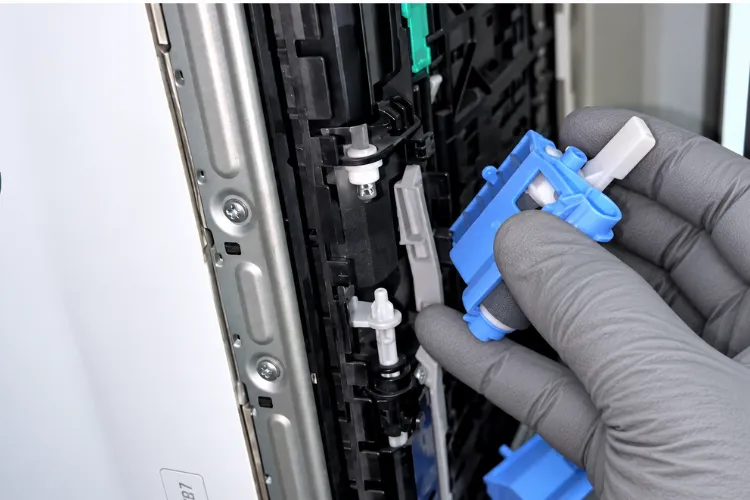
This starts with figuring out where the jam actually occurs: at pickup from the tray, partway through the paper path, in the duplexer, or right before the output bin. Each location points toward a different worn or dirty component.
Symptom: paper fails to pick up, feeds multiple sheets at once, or jams repeatedly from one tray. Root Cause: worn pickup or separation rollers, a dirty separation pad, damaged paper guides, or media that is out of specification for the tray. Diagnosis: a technician runs test prints from each tray and the duplex path, then physically inspects the rollers and guides for wear or debris.
Remedy and Repair Component: cleaning resolves debris-related jams; consistent multi-sheet feeding or a worn separation pad typically calls for pickup, feed, or separation roller replacement once confirmed. When We Recommend Service: if the jam returns after reloading paper correctly and checking for obvious obstructions, onsite diagnosis is the next step rather than repeated manual clearing.
HP M527 M528 paper feed problems are also one of the more common reasons why printers keep jamming becomes a recurring complaint rather than a one-time inconvenience, especially in offices printing high volumes of mixed paper stock.
Not Sure If It's the Fuser or a Feed Roller?
A fuser error, a recurring jam, and a worn feed roller can look identical from the control panel. We isolate the actual component before recommending a repair, so you’re not replacing parts by guesswork.
4. HP M527 M528 Fuser Replacement and Fuser Error Diagnosis
HP LaserJet M527 M528 Fuser Error Repair
This is one of the more misunderstood service calls we take, because a displayed fuser error and an actually failed fuser assembly are not automatically the same thing. HP’s diagnostic messaging on this platform typically separates fuser conditions from paper-path jam codes and general firmware faults.
Symptom: a fuser-related error on the control panel, toner that smears or rubs off the page, or repeated jams concentrated around the fusing area near the output side of the printer. Root Cause: a confirmed failed fuser component, a paper jam inside the fuser area triggering the message, or a firmware-level fault unrelated to the physical fuser.
Diagnosis: before assuming fuser failure, a technician checks for jammed media inside the fusing area, reviews the exact error and any subcode against fuser errors on HP printers, and confirms the condition repeats after a controlled power cycle. Remedy: a cleared paper jam or a firmware-related condition may resolve without parts. Repair Component: when the fuser assembly itself is confirmed failed, we replace the fuser rather than attempt an onsite rebuild.
When We Recommend Service: repeated fuser errors, poorly bonded or smearing toner, or jams that keep returning to the same area near the fuser all justify onsite diagnosis rather than continued manual clearing. HP M527 M528 fuser replacement is only recommended once the failed component has actually been confirmed.
5. HP M527 M528 Print Quality Repair: Faded Prints, Streaks, and Splotches
HP LaserJet M527 M528 Faded Printing
This is usually the first print-quality symptom an office notices, often followed by streaking, splotches, or repeating marks spaced evenly down the page.
Symptom: output that fades across the page, vertical streaks, smudged toner, or a defect that repeats at a consistent interval. Root Cause: a low, expired, or unevenly seated toner cartridge, a worn transfer roller, or a fuser condition affecting how toner bonds to the page. A repeating defect at a fixed interval often points to a specific roller in the print path rather than the cartridge itself.
Diagnosis: HP M527 M528 print quality repair starts by swapping in a known-good cartridge and printing a diagnostic page to compare the defect pattern against known roller intervals. Remedy and Repair Component: a supplies issue resolves with a cartridge change; a repeating mechanical defect usually calls for replacing the specific roller identified by the interval measurement.
When We Recommend Service: if a new cartridge does not resolve the defect, or the pattern repeats at a measurable interval, onsite diagnosis identifies the actual component rather than guessing through supplies one at a time.
6. HP M527 M528 Document Feeder Repair and Scanning Problems
HP LaserJet M527 M528 Document Feeder Not Feeding
This is a separate issue from a print-engine paper jam, even though both involve paper moving through rollers. The document feeder has its own pickup and separation components that wear independently of the main paper path.
Symptom: the automatic document feeder skips pages, feeds multiple sheets into a single scan, or refuses to pull paper at all. Root Cause: worn feeder pickup or separation rollers, or a feeder sensor that isn’t registering paper correctly. HP M527 M528 document feeder repair addresses the feeder mechanism specifically rather than the printer’s main paper path.
HP LaserJet M527 M528 Lines When Scanning
This is a different symptom with a different cause: a thin, consistent line running the length of a scanned page almost always traces back to debris or a scratch on the scanning glass or the feeder’s scan strip, not the print engine. Diagnosis: comparing a flatbed scan against a feeder scan isolates which surface is affected.
HP LaserJet MFP scanning problems and HP M527 M528 duplex printing problems both deserve the same distinction: confirm which path (feeder, flatbed, or duplexer) is actually causing the defect before replacing anything. When We Recommend Service: feeder jams that continue after cleaning, or scan lines that persist across multiple documents, are worth an onsite look rather than repeated manual workarounds.
20+ Years With HP LaserJet Enterprise MFPs
Every M527 and M528 repair is backed by a 6-month / 180-day warranty on service and installed parts, using HP Parts, High Quality Parts, or Premium Parts as appropriate. Reach us at (888) 657-0021 or info@printer-repair-experts.net.
7. HP LaserJet M527 M528 Maintenance Service and Maintenance Kits
HP LaserJet M527 M528 Maintenance Service
This is preventative work performed before a component fails outright, and it’s the single biggest factor in how often these MFPs need an unplanned repair visit.
HP LaserJet M527 M528 maintenance service typically covers pickup, feed, and separation rollers along with other high-wear paper-path components, since those parts see the most physical contact of anything in the printer. We verify the exact M527 or M528 configuration before specifying HP LaserJet printer maintenance kits contents, since kit composition varies by the specific model and duplex configuration.
Offices that print high volumes, especially accounting, legal, and medical practices running daily reports and scanned records, tend to need this service on a shorter interval than a low-volume office. Skipping it is the most common reason a jam or feed problem becomes recurring instead of a one-time event.
8. What Onsite HP M527 M528 Printer Repair Looks Like
Onsite HP M527 M528 printer repair means a technician diagnoses and repairs the printer at your location instead of requiring you to box it up and ship it out, which keeps the machine and your documents in your office throughout the visit.
A typical onsite printer repair visit starts with the reported symptom, moves through the diagnostic steps outlined above for the affected system (paper feed, fuser, print quality, or document feeder), and ends with a repair recommendation before any parts are ordered or installed.
After a repair, we test the affected trays, duplex operation, printing, and document feeding as applicable, so the visit doesn’t end until the original symptom is confirmed resolved. Same-day service may be available depending on scheduling and parts availability, though we never guarantee same-day availability in advance.
9. HP M527 M528 Repair Service in Orange County and Los Angeles County
HP M527 M528 repair Orange County service currently includes Anaheim, Brea, Buena Park, Cypress, Fountain Valley, Fullerton, Garden Grove, Huntington Beach, Irvine, La Habra, La Palma, Los Alamitos, Orange, Placentia, Santa Ana, Seal Beach, Stanton, Tustin, and Westminster.
HP M527 M528 repair Los Angeles County service is limited to the established portions of Los Angeles County we currently cover, in addition to the same approved territory used for HP LaserJet printer repair in Orange County, rather than countywide service. If your office falls outside the current service area, contact us directly and we’ll confirm whether coverage applies before scheduling a visit.
Office managers, IT staff, and administrative teams responsible for HP LaserJet Enterprise MFP M527 or M528 printers in accounting firms, law offices, and medical offices are exactly who this service is built around, since interrupted printing, scanning, or document feeding tends to affect an entire office’s workflow at once, not just one desk.
FAQ's - Frequently Asked Questions - HP LaserJet M527 & M528 Printer Repair
They share the same monochrome MFP platform, so most paper-path, fuser, and document-feeder repairs apply the same way to both. The differences are mainly in speed rating and configuration, which is why we confirm the exact model before ordering any parts.
We use HP Parts, High Quality Parts, or Premium Parts depending on the component and availability. We don’t install customer-supplied parts, and any installed part carries the same 6-month / 180-day warranty.
It depends on the diagnosis and whether a part needs to be ordered. Many paper-feed and roller repairs are completed in a single visit; a confirmed fuser replacement sometimes requires a short return visit once the part arrives, with no second labor charge for that follow-up install.
In most cases repair is the more cost-effective option, especially for a confirmed roller, feeder, or fuser issue. A technician will tell you plainly if a printer’s condition makes replacement the more sensible choice.
Same-day service may be available depending on scheduling and parts on hand, but we never guarantee same-day availability in advance. Calling early in the day improves the chances of same-day scheduling.
Service and installed parts carry a 6-month / 180-day warranty. The $69.99 Onsite Printer Repair Promotion itself covers the visit and diagnosis, not the parts installed during a repair.
It can, particularly if the cartridge is poorly manufactured or physically damaged. We use high-quality third-party toner backed by a 1-year / 365-day warranty when a customer needs a replacement cartridge as part of a service visit.
We cover the established portions of Los Angeles County approved for our service area in addition to Orange County. Contact us to confirm whether your specific location is currently covered before scheduling.
