
Where Can I Get My Printer Fixed?
Where can I get my printer fixed? If your HP LaserJet, HP Color LaserJet, or HP LaserJet MFP is jamming, throwing a fuser error, or printing streaks, Printer Repair Experts sends a technician directly to your business to diagnose and repair supported models onsite.
We have spent more than 20 years working on HP LaserJet office equipment, and most office managers searching for where can I get my printer fixed really want two things confirmed before they call: does the company work on their exact printer, and does it serve their location. This page walks through both, along with what to expect once you request service.
Preview Snapshot
- Onsite diagnosis and repair for supported HP LaserJet and HP Color LaserJet printers, including MFP models
- New client $69.99 Onsite Printer Repair Promotion on an eligible repair visit; limitations apply
- Service available throughout Orange County and approved portions of Los Angeles County
- 6-month warranty on service and installed parts, using HP Parts, High Quality Parts, or Premium Parts as appropriate
- Same-day service may be available depending on the day and your location
- No walk-in shop, drop-off counter, or mail-in repair; every repair happens at your business
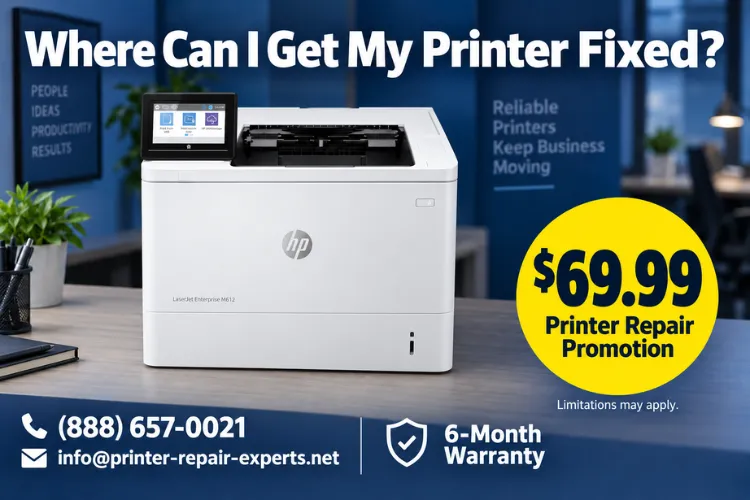
$69.99 Gets a Technician to Your Door
New clients receive the $69.99 Onsite Printer Repair Promotion on an eligible HP LaserJet or HP Color LaserJet repair visit. Limitations may apply. Call (888) 657-0021 or email info@printer-repair-experts.net to check eligibility for your model.
1. Where Can I Get My Printer Fixed? Start With the Provider, Not the Symptom
Where can I get my printer fixed is really a provider-selection question, not a repair question by itself. Before anything else, confirm two things: does the company repair your exact printer, and does it serve your address. Printer Repair Experts focuses on HP LaserJet, HP Color LaserJet, HP LaserJet Enterprise, HP Color LaserJet Enterprise, and their MFP counterparts, and we send a technician to the printer instead of asking you to bring it anywhere.
Reviewing printer repair service options usually comes down to those two filters, since a provider that cannot name your printer family, or that cannot confirm your ZIP code is inside its service area, is not ready to fix your printer yet.
Finding a printer repair technician who can speak to your exact HP LaserJet model, rather than printers in general, is worth the extra few minutes on the phone. The next sections cover equipment eligibility, service location, and what information speeds up the process once you decide to request service.
2. Is My HP LaserJet or HP Color LaserJet Printer a Supported Model?
We repair HP LaserJet, HP Color LaserJet, HP LaserJet Enterprise, HP Color LaserJet Enterprise, HP LaserJet MFP, and HP Color LaserJet MFP printers. People asking who repairs HP LaserJet printers are often trying to rule out unsupported categories first: we do not service HP OfficeJet, HP DeskJet, HP ENVY, HP Smart Tank, HP DesignJet, HP PageWide, other consumer inkjet printers, or copiers.
If you know your printer is a monochrome model, our HP LaserJet printer repair page describes that service in more detail. If it prints in color, our HP Color LaserJet printer repair page is the better starting point. Confirming the exact model number before you call is the fastest way to find out where to get an HP LaserJet printer fixed.
3. Onsite Printer Repair vs. Taking Your Printer Somewhere Else
Printer Repair Experts performs onsite printer repair: a technician travels to your business, diagnoses the printer where it sits, and completes most repairs in a single visit. We do not operate a walk-in repair counter, accept printer drop-offs, or offer mail-in repair, so there is no packing, shipping, or loaner equipment involved.
This matters most for HP LaserJet Enterprise and MFP models, which are heavy, networked, and disruptive to disconnect. Choosing a printer repair service that comes to you also means your network settings, drivers, and stored print jobs stay exactly where they are during the repair.
Confirm Your Exact HP LaserJet Model First
Our technicians confirm your exact HP LaserJet or HP Color LaserJet model before dispatch, then diagnose the paper path, rollers, or fuser onsite. Call (888) 657-0021 to describe your symptoms and confirm coverage for your location.
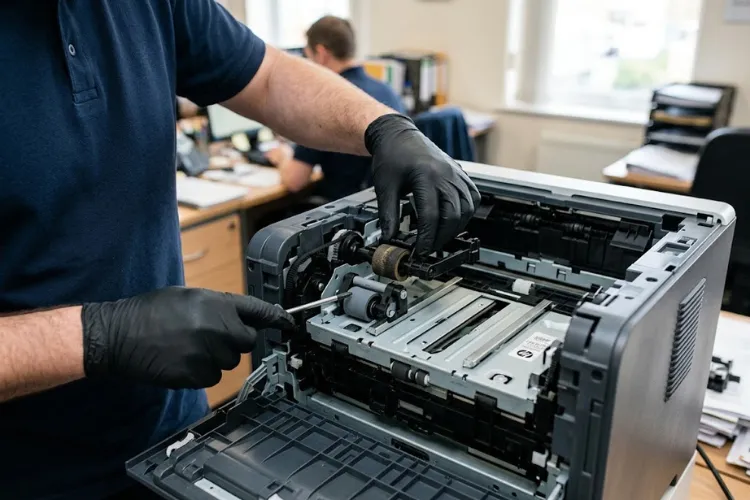
4. Common HP LaserJet Problems That Usually Justify a Repair Call
Most calls start with a familiar symptom: recurring paper jams, a paper tray that will not pick up sheets, loose or smeared toner, streaking or repeating marks on the page, or a fuser-related error message. A maintenance alert on the control panel is also common, especially on higher-volume Enterprise models approaching their service interval.
Any of these can indicate a printer hardware fault rather than a print-queue, connection, or computer-specific issue, though not always. Professional help for a broken laser printer starts with distinguishing the two before parts are ever discussed.
HP LaserJet Print Quality Problems
Streaks, splotches, faded pages, toner smearing, and repeating image defects usually trace back to the paper path, a worn roller, or the fuser rather than a settings problem. A print sample and the affected tray help us narrow this down before a technician arrives.
Is My HP LaserJet Printer Worth Repairing?
Repair suitability depends on the printer’s condition, usage, parts availability, and the severity of the fault. We cover the fuller repair-versus-replacement comparison on a dedicated page; for now, know that most Enterprise-class HP LaserJet printers are worth repairing when parts are available.
5. How We Diagnose an HP LaserJet Before Recommending Any Repair
Diagnosis starts with the printer’s own error history and an internal test page when the printer can produce one, since that isolates a true hardware fault from a driver, connection, or computer-specific issue. HP’s own printer troubleshooting guidance explains this same first step: if the test page prints correctly, the issue is likely software-related rather than a hardware failure. From there, a technician inspects the paper path, pickup and separation rollers, and fuser assembly when the symptom points that direction.
We replace failed assemblies or components once the cause is confirmed; we do not rebuild fusers onsite. When a fault is confirmed, we explain the proposed repair scope, including which component is involved, before any work begins.
6. What Information Helps Us Get Your Printer Fixed Faster
Before arranging an HP LaserJet repair appointment, it helps to note the exact error message displayed, which paper tray or area is affected, how often the problem happens, and whether you can keep a sample of the bad print. This information does not replace an onsite diagnosis, but it lets us bring the right maintenance kit, roller set, or fuser assembly on the first visit.
What Information Should I Provide When Requesting Printer Repair
The most useful details are the printer model, the displayed error code or message, the affected tray, and whether the printer can still produce an internal test page. A photo of a bad print sample also helps a technician prepare before dispatch.
How to Prepare an HP LaserJet Printer for a Service Visit
You do not need to disassemble anything. Simply keep a sample print if the problem is visual, avoid repeated power cycling if a fuser error is displayed, and make sure a technician can physically reach the printer at your scheduled time.
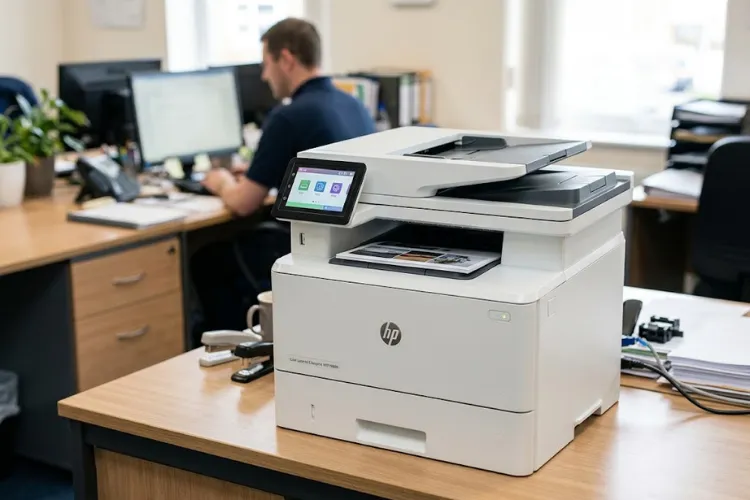
20+ Years Fixing HP LaserJet Printers Onsite
Every repair we complete carries a 6-month warranty on service and installed parts, using HP Parts, High Quality Parts, or Premium Parts as needed. Same-day service may be available. Email info@printer-repair-experts.net or call (888) 657-0021 to arrange your appointment.
7. Finding Printer Repair Near Your Orange County or Los Angeles County Office
Once you know your printer is a supported HP LaserJet or HP Color LaserJet model, the next step is confirming coverage for your address. We serve businesses throughout Orange County and approved portions of Los Angeles County, and our printer repair near me page is a useful starting point once you know your equipment category.
If your office is in Orange County, our HP LaserJet repair in Orange County page covers that service area in more detail. Los Angeles County businesses can review our HP LaserJet repair in Los Angeles page, though we recommend confirming coverage for your specific location by phone, since not every part of the county is included.
8. What to Expect When You Request Service
When you call or submit a service request, expect us to ask for your printer’s exact model, a description of the symptom, and your business address to confirm coverage. It is reasonable to ask what the visit includes, how labor is charged, what parts terminology we use, and whether same-day service may be available for your day and location.
We install HP Parts, High Quality Parts, or Premium Parts depending on what your printer needs, and every repair carries a 6-month warranty on service and installed parts. Same-day service may be available, though we never guarantee a specific response time. For most businesses, getting an office printer repaired this way takes one scheduled visit rather than a drop-off and a wait for return shipping.
9. Getting Your HP LaserJet Printer Fixed: Next Steps
So, where can you get your printer fixed? For a supported HP LaserJet or HP Color LaserJet printer in Orange County or an approved part of Los Angeles County, Printer Repair Experts sends a technician to your location instead of asking you to bring the printer anywhere.
Confirm your printer’s exact model, note the symptom and any error message, and call (888) 657-0021 or email info@printer-repair-experts.net to check coverage for your address. New clients can also ask about the $69.99 Onsite Printer Repair Promotion for an eligible repair visit; limitations apply.
Frequently Asked Questions
No. Every repair happens at your business. We do not operate a walk-in counter, accept drop-offs, or offer mail-in repair for HP LaserJet or HP Color LaserJet printers.
Check the model number printed on the front or top of the printer and read it to us when you call. We only service HP LaserJet and HP Color LaserJet families, including Enterprise and MFP models, not HP OfficeJet, DeskJet, ENVY, Smart Tank, DesignJet, or PageWide printers.
Call (888) 657-0021 or email info@printer-repair-experts.net with your business address. We serve Orange County and approved portions of Los Angeles County, and we can confirm coverage before scheduling a visit.
Have your printer’s model number, the displayed error message if any, the affected paper tray, and a sample print if the problem is visual. This information helps us bring the right maintenance kit or replacement component.
New clients can ask about the $69.99 Onsite Printer Repair Promotion for an eligible HP LaserJet or HP Color LaserJet repair visit; limitations apply and parts are not included.
Yes. We service HP Color LaserJet MFP and HP LaserJet MFP printers, including their scanner and document-feeder assemblies, in addition to single-function models.
Every repair carries a 6-month, 180-day warranty on the service performed and any parts we install. Toner we supply carries a separate 1-year, 365-day warranty.
Yes, tell us your preferred day when you call or submit a request. Same-day service may be available depending on your location and the day you call, though it is never guaranteed.
