
HP LaserJet M4555 MFP Printer Repair
HP LaserJet M4555 MFP Printer Repair is what an HP LaserJet Enterprise multifunction printer needs once jams, fuser faults, or document feeder errors start interrupting a working day. We are Printer Repair Experts, and we have spent more than 20 years repairing HP LaserJet equipment onsite. This page explains how we approach HP LaserJet M4555 MFP Printer Repair on the M4555, M4555h, M4555f, and M4555fskm.
Most M4555 machines we are called to have already printed hundreds of thousands of pages. The faults that bring us out are wear faults, not random ones, which makes HP LaserJet M4555 MFP Printer Repair predictable work rather than guesswork.
Preview Snapshot
- All four M4555 configurations share one print engine, so most of the repair is identical across the family.
- Repeating jams trace to a specific paper-path location, not to the printer as a whole.
- Pickup, feed, and separation rollers are the highest-frequency wear parts on this platform.
- Poor toner fixing, wrinkled sheets, and jams at the rear of the path point toward the fusing assembly.
- Copy-only defects and feeder skew are scanner faults, not print-engine faults.
- Preventive maintenance and single-component HP LaserJet M4555 MFP Printer Repair are different jobs.
1. What HP LaserJet M4555 MFP Printer Repair Covers Across the Model Family
HP built four configurations here: the M4555 MFP (CE502A), M4555h MFP (CE738A), M4555f MFP (CE503A), and M4555fskm MFP (CE504A). All four share one print engine, a 100-sheet Tray 1, a 500-sheet Tray 2, and a 50-sheet document feeder over a flatbed scanner.
What changes is everything around that engine. The f adds a 500-sheet feeder in a storage cabinet, the fskm adds three feeders and a 900-sheet stapling mailbox, and the h, f, and fskm carry an encrypted hard disk. Fax hardware appears on the f and fskm.
Configuration changes the service call. HP LaserJet Enterprise M4555 MFP Repair on a base unit is a two-tray diagnosis, while the same complaint on an fskm involves Trays 3 through 5, a lower right door, and an output accessory with its own paper path.
So we establish which machine we are standing in front of first. HP LaserJet M4555 MFP Printer Repair on an fskm can begin and end at the stapling mailbox, with nothing in the print engine touched at all.
We service the wider family too. One visit may cover general HP LaserJet printer repair alongside the M4555, and we handle other Enterprise multifunction families such as HP LaserJet M527 and M528 MFP printer repair.
Newer equipment belongs in the same conversation. Offices retiring an M4555 often move to the platforms covered under HP LaserJet M631 M632 M633 MFP repair, which keeps fleet planning and HP LaserJet M4555 MFP Printer Repair in one discussion.
2. Recurring Jams and What They Reveal About the M4555 Paper Path
Symptom. Sheets stop part way through, the panel reports a jam, and the complaint returns within a few reams. Staff start loading half a ream at a time to keep the machine moving.
Root cause. A repeating jam is positional. HP documents jam locations at the document feeder, output bin area, top cover, right door, Tray 1, Trays 2 through 5, lower right door, fuser, and registration area, and each fails for its own reasons.
Diagnosis. We record where the leading edge stopped, which tray fed, whether duplex was active, and what the panel reported. Recurring HP LaserJet M4555 MFP 13.xx Paper Jam Errors help, because the code family separates a delay at a feed sensor from a jam at the duplex switchback.
Remedy. Clearing the sheet is not the repair. HP LaserJet M4555 MFP Paper Jam Repair means restoring the station that released late — a roller set, a registration component, a guide, an output assembly — then running a repeat feed test.
Repair component. Tray feed failures point to pickup, feed, and separation rollers. Registration delays point to registration components. Late sheets at the rear of the path point to the fusing assembly or duplex path.
When we recommend service. When one location keeps returning after paper and loading are ruled out, a component has worn past tolerance. Those locations are documented in the official HP LaserJet Enterprise M4555 MFP user guide, and they are where HP LaserJet M4555 MFP Printer Repair starts. The wider pattern sits in our note on why an HP printer keeps jamming.
Put a Technician in Front of Your M4555
Our $69.99 Onsite Printer Repair Promotion covers the onsite visit for one HP LaserJet M4555 MFP, so a jam or feed complaint gets looked at by someone holding the machine open. Call (888) 657-0021 or email info@printer-repair-experts.net to book HP LaserJet M4555 MFP Printer Repair. Limitations may apply.
3. Rollers Are the Most Common HP LaserJet M4555 Paper Feed Problem
Symptom. Tray 2 takes three attempts to pick a sheet. Two sheets travel through together. Tray 1 refuses stock it handled without complaint last year.
Root cause. Rubber hardens and polishes with use. A glazed HP LaserJet M4555 Pickup Roller loses the grip to start a sheet, a worn HP LaserJet M4555 Feed Roller cannot hold speed, and a tired HP LaserJet M4555 Separation Roller stops holding back the sheet underneath.
Diagnosis. We inspect roller surfaces for glazing and flat spots, compare behavior between trays, and test the suspect tray with paper from a sealed ream. When one tray misfeeds and the others do not, the tray is the problem rather than the media.
Remedy and repair component. We replace the worn roller set for that tray. Rollers are consumable wear parts, and this is the least invasive HP LaserJet M4555 MFP Printer Repair we perform.
When we recommend service. Multi-sheet feeding and repeated pick failures on one tray make the clearest case for professional HP LaserJet M4555 MFP Printer Repair, because the correction is a defined part replacement with a predictable result.
4. Fuser Symptoms, and Why HP LaserJet M4555 MFP Printer Repair Means Replacement
Symptom. Toner rubs off under a fingernail. Output arrives wrinkled or curled. Jams cluster at the rear of the paper path, or the panel reports an HP LaserJet M4555 MFP Fuser Error.
Root cause. The fusing assembly bonds toner with heat and pressure. As the HP LaserJet M4555 MFP Fuser ages, its sleeve and pressure roller lose surface condition, heating becomes uneven, and paper stops releasing cleanly.
Diagnosis. We separate poor fixing from low toner and paper mismatch, check whether defects repeat at a fixed interval down the page, and confirm whether jams concentrate at the fuser entrance or exit. Panel history and HP LaserJet M4555 MFP Fuser Error Codes help confirm a thermal fault rather than a mechanical one.
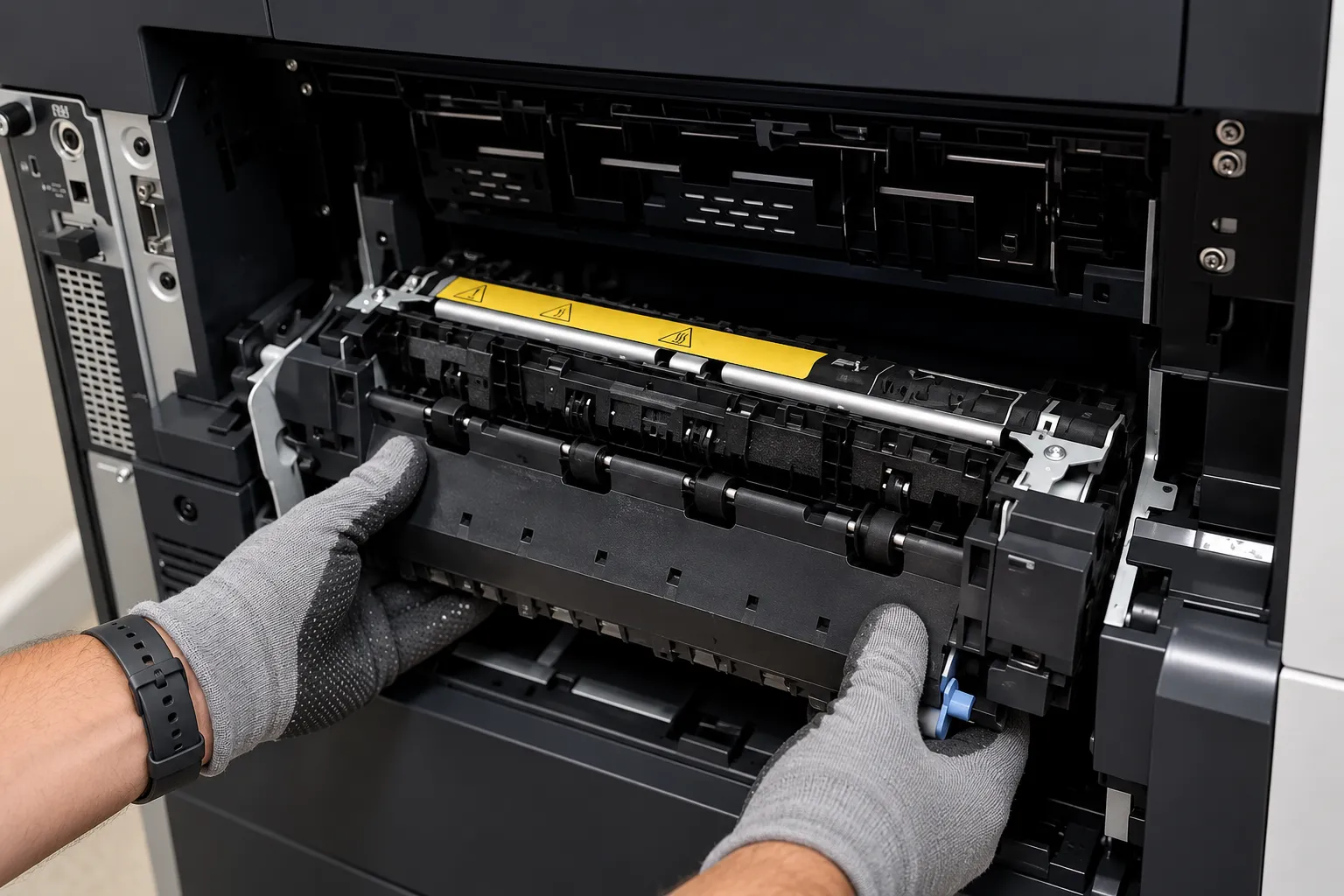
Remedy and repair component. We do not rebuild fuser assemblies in the field. HP LaserJet M4555 Fuser Replacement means installing a complete replacement fusing assembly, and the machine normally returns to service the same visit when the part is on hand.
When we recommend service. A fuser runs hot and is not a part for untrained hands, which is why this symptom set most often becomes scheduled HP LaserJet M4555 MFP Printer Repair. Background sits in our pages on HP LaserJet MFP fuser error repair and how to fix a fuser error on an HP printer.
5. Reading HP LaserJet M4555 Print Quality Problems Before Replacing Parts
Symptom. Pale output, dark banding, smearing, vertical lines, repeating marks, or ghosted images carried from the previous page.
Root cause. Different components leave different signatures. Toner supply, transfer roller, fusing assembly, paper stock, and print-engine components each produce defects that look distinct once you know what to compare.
Diagnosis. We work from the printed evidence. A defect repeating at fixed spacing points to a rotating component, smearing that wipes away points to fixing, and a defect on copies but not prints belongs to the scanner side. HP LaserJet M4555 MFP Print Quality Problems are diagnosed from the page.
Remedy and repair component. The correction follows the evidence: cartridge, transfer roller, fusing assembly, or a change of paper. We inspect and replace the transfer roller when its condition explains the defect, and we say so plainly when the paper is the real cause.
When we recommend service. Call when output has changed and a new cartridge did not fix it. That is where HP LaserJet M4555 Print Quality Problems stop being a consumables question and become HP LaserJet M4555 MFP Printer Repair.
A Repeating Jam Has a Location. We Find It.
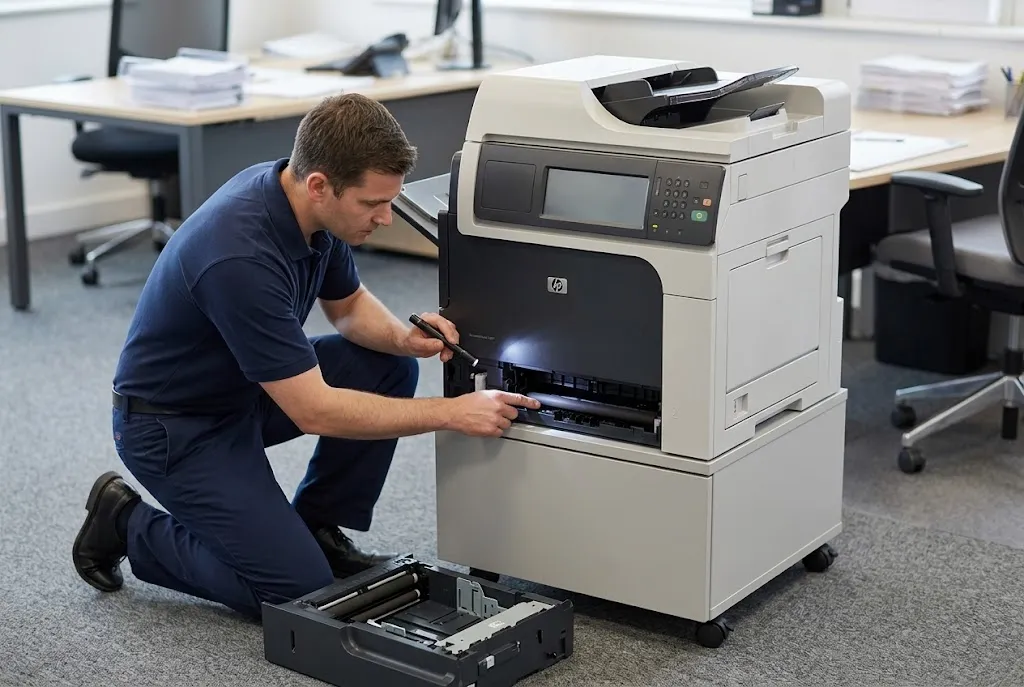
Rollers, registration components, and fusing assemblies all cause jams, and they do not cause the same jam. We diagnose which station on your M4555 releases sheets late, then repair that station instead of clearing paper again. That is what HP LaserJet M4555 MFP Printer Repair should mean. Call (888) 657-0021 to schedule a diagnosis.
6. Scanner and Document Feeder Faults on the M4555 MFP
Symptom. Originals skew in the feeder, two sheets pull through as one, copies show a straight line down the page, or the feeder stops mid-stack.
Root cause. The 50-sheet document feeder has its own pickup and separation components, and they wear the way tray rollers do. HP LaserJet M4555 Scanner Problems also include debris on the scan glass or the narrow feeder scan strip.
Diagnosis. We compare a flatbed copy against a feeder copy. A line only on feeder copies puts the fault at the scan strip or feeder path; a line on both points at the flatbed glass or the scanner assembly.
Remedy and repair component. HP LaserJet M4555 ADF Problems caused by wear are corrected with the document feeder maintenance kit (CE248A), which carries the feeder pickup and separation parts. Optical faults are corrected by cleaning or by servicing the scanner assembly.
When we recommend service. Once a feeder misfeeds often enough that staff go back to the flatbed, the MFP has lost the function it was bought for. HP LaserJet M4555 MFP Scanner Repair and HP LaserJet M4555 MFP ADF Repair are contained jobs inside routine HP LaserJet M4555 MFP Printer Repair when handled early.
7. Maintenance Kits, Wear Counters, and Preventive Work
The M4555 tracks its own wear. The maintenance kit is CE731A for 110V machines and CE732A for 220V machines, rated at roughly 225,000 pages, and it bundles the fusing assembly with transfer and paper-handling components.
A kit is preventive work, not a repair. An HP LaserJet M4555 Maintenance Kit resets the wear clock across several components at once, which suits a machine approaching rated life. Ignoring an HP LaserJet M4555 MFP Perform Maintenance prompt does not stop the wear; it only removes the warning.
That distinction matters commercially. One failed roller on one tray does not call for a full HP LaserJet M4555 MFP Maintenance Kit, and we will not sell one on that basis. Most HP LaserJet M4555 MFP Printer Repair is component-level work.
HP LaserJet M4555 Preventive Maintenance also covers small things: paper storage, sealed reams, clean trays, and replacing a glazed roller before it double-feeds. The same reasoning applies fleet-wide, which we cover in our page on regular HP printer maintenance.
After a kit or feeder kit is installed, the counter is reset from the Administration menu under Manage Supplies. Skipping that step leaves the machine reporting a supply state that no longer matches the parts inside it, which distorts the next HP LaserJet M4555 MFP Printer Repair decision.
20+ Years on HP LaserJet Enterprise MFPs
Two decades of onsite HP LaserJet MFP work stand behind every HP LaserJet M4555 MFP Printer Repair we book, using HP Parts and premium parts covered by a 6-month, 180-day warranty on service and installed parts. Same-day service may be available. Reach us at (888) 657-0021 or info@printer-repair-experts.net.
8. Control-Panel Messages, Firmware, and Network Questions
HP LaserJet M4555 Error Codes are a starting point, not a verdict. The code family tells us which subsystem reported the condition — a jam sensor, a supply memory tag, a fuser kit life threshold — and the diagnosis still has to confirm which component is at fault.
We do not invent meanings for codes. When a message is not documented for this platform, we say so and diagnose from observed behavior. That discipline is the point of HP LaserJet M4555 MFP Troubleshooting on a machine carrying this much history.
Not every complaint is mechanical. Jobs that never arrive, a device missing from a print queue, or a driver mismatch after a workstation refresh are configuration problems rather than HP LaserJet M4555 MFP Printer Repair. We handle firmware, connectivity, and driver work when it is materially relevant, and that work sits outside our onsite promotion.
Customers often arrive with questions before booking anything, and our collection of HP printer repair questions answers many of them without a phone call.
9. Repair or Replace, and How Onsite HP LaserJet M4555 MFP Printer Repair Works
A maintained M4555 is usually worth repairing. Roller sets, fusing assemblies, and feeder parts are defined components with defined costs, and the platform runs well past the point where a lighter machine would be retired.
Replacement becomes the better answer when several major assemblies fail at once, page count sits far beyond rated duty life, and the machine has already had its maintenance kit and feeder kit. We tell you which side of that line your machine falls on after looking at it.
Our HP LaserJet M4555 MFP Printer Repair work is onsite. We bring HP Parts and high quality parts to the machine rather than pulling it out of service, and installed parts and labor carry a 6-month, 180-day warranty. Same-day service may be available depending on schedule and parts.
We provide onsite HP LaserJet MFP Repair for businesses throughout Orange County and nearby Los Angeles County communities. That includes printer repair in Anaheim CA, printer repair in Santa Ana CA, and Brea, along with printer repair in La Mirada CA and printer repair in Santa Fe Springs CA.
If your M4555 jams every ream, drops toner off the page, or refuses to feed originals, book a visit. HP M4555 MFP Repair is a defined job on a well-documented platform, and HP LaserJet M4555 MFP Service done properly buys years of further use.
HP LaserJet Enterprise M4555 Printer Repair starts with one call. HP LaserJet M4555 Repair handled early is always the cheaper repair, and HP LaserJet M4555 MFP Printer Repair is what we do all week on machines exactly like yours.
FAQ's - Frequently Asked Questions - HP LaserJet M4555 MFP Printer Repair
Most single-component work on this platform finishes in one visit once the part is on hand. Roller sets and fusing assemblies are designed to be serviced in the field, so the machine normally returns to production the same day rather than leaving your site.
Both. Service and installed parts carry a 6-month, 180-day warranty. If the same component fails inside that window, the return visit to install the approved replacement part does not carry a second labor charge.
Yes. The M4555 was a high-volume HP LaserJet Enterprise platform, and fusing assemblies, roller sets, transfer components, and feeder kits remain available for HP LaserJet M4555 MFP Printer Repair. We bring HP Parts and high quality parts to the visit.
Yes. The 900-sheet stapling mailbox has its own paper path, output bins, and staple cartridge door, and jams there are diagnosed separately from engine jams. We service the accessory as part of the same HP LaserJet M4555 MFP Printer Repair visit.
We do not install or warrant customer-supplied parts. Parts we install are covered by our warranty, which is only possible when we control the source and condition of the component going into your machine.
A low kit warning is a wear threshold, not a shutdown. The machine keeps printing, but output quality and jam frequency usually decline from that point, which is the practical reason to schedule HP LaserJet M4555 MFP Printer Repair rather than dismiss the message.
They can be scheduled together, and that is usually the efficient approach. The onsite promotion applies to one printer per visit; when two or more printers need service during the same visit, the standard flat labor rate applies instead.
We are a mobile onsite operation rather than a storefront, and we do not maintain branch locations in the cities we serve. Technicians travel to your site for HP LaserJet M4555 MFP Printer Repair throughout Orange County and approved portions of Los Angeles County.
