
HP LaserJet M607 M608 M609 50.2 Fuser Error Diagnosis and Repair Guide
An HP LaserJet M607 M608 M609 50.2 fuser error means the printer tried to bring its fuser up to printing temperature and the heat did not arrive the way the DC controller expected. HP lists the condition as 50.2X.YZ, a fuser warm-up error, and the M607, M608, or M609 will not print until it clears.
This guide follows the warm-up from the moment the power button is pressed, shows where the 50.2 check happens, and then climbs HP’s documented repair sequence one rung at a time. Each rung rules out one piece of the heating circuit, so an HP LaserJet M607 M608 M609 50.2 fuser error gets narrowed to a specific part instead of a guess.
Preview Snapshot
- 50.2X.YZ is HP’s fuser warm-up error for this family; 50.2F.00 is the version most people type into a search bar.
- Safe first steps: power off, unplug, let the fuser cool, connect straight to a wall outlet, then reseat the fuser through the rear door.
- HP’s escalation order: reseat the fuser, inspect the fuser connectors, check J401 and J402 on the DC controller, replace the fuser, then replace the low-voltage power supply.
- Resetting the fuser kit counter does not repair a heating failure.
- U.S. printers use the 110V fuser (RM2-1256-000CN) and 110V LVPS (RM2-6797-000CN); 220V configurations use different part numbers.
1. What the HP LaserJet M607 M608 M609 50.2 Fuser Error Is Reporting
Every 50-series message on these printers points at the fuser system, but each sub-family names a different failure. In HP’s control panel message documentation for the M607, M608, and M609, 50.1 is a low fuser temperature failure, 50.3 is high fuser temperature, 50.4 is a drive circuit fault, and 50.6 is an open fuser circuit. The 50.2 entry sits among them as the fuser warm-up error.
What Does a 50.2 Fuser Error Mean
Put plainly, the fuser did not reach its expected condition within the warm-up window. The stop can happen during power-on initialization, while the printer wakes from sleep, or when a job calls for heat. HP does not publish a decoder for the X, Y, and Z characters on the 50.2 entry, so we treat the trailing digits as a record to keep rather than a clue to interpret on their own.
That is why an HP LaserJet 50.2 fuser error and an HP 50.2 fuser error describe the same family-wide condition, even when the last characters on two printers differ. Write the complete code down before anyone restarts the printer. A technician can then compare it with the printer’s event log to see whether the failure is new or repeating.
The 50.2F.00 Code Versus 50.7F.00
HP lists 50.2F.00 inside the 50.2X.YZ entry as a search reference, so an HP LaserJet 50.2F.00 error belongs to the same warm-up failure. The similar-looking 50.7F.00 is a different problem: HP defines it as a fuser pressure-release mechanism failure, which is mechanical rather than thermal. Our separate guide to the HP LaserJet M607 M608 M609 50.7F fuser error covers that sensor, flag, and motor path.
2. How the M607, M608, and M609 Heat Their Fuser During Warm-Up
The fuser bonds toner to paper with heat and pressure. HP describes this platform as using instant-on fusing built around a thin fuser film, which is what lets the printer come to temperature quickly. The printer watches that temperature continuously and stops when the readings do not match what it expects.
| Component | Role in the warm-up |
|---|---|
| Fuser assembly | Removable unit behind the rear door that carries the heaters, fuser film, and pressure roller |
| Fuser heaters (H1, H2) | Heat the center of the fuser film assembly |
| Fuser film | Thin heated sleeve that contacts the page and melts the toner |
| Pressure roller | Driven by the fuser motor; presses the paper against the heated film |
| Main thermistor (TH1) | Detects the center temperature of the fuser heater |
| Sub-thermistors (TH2, TH3) | Additional temperature-sensing points HP lists in the fuser component table |
| Fuser heater safety circuit | Thermal protection that works with the heater control circuit to prevent excessive temperature rise |
| Low-voltage power supply (LVPS) | Converts AC from the wall outlet and sits in the power path to the heaters |
| DC controller | Controls fuser temperature, detects fuser failures, and coordinates printer initialization |
During warm-up, the DC controller directs the heater circuit to apply power, reads the thermistors, and compares the rise with its expectations. When the expected heating condition is not satisfied, the controller halts the engine and posts the message staff see as an HP LaserJet M607 M608 M609 50.2 fuser error. The code describes what the printer measured, so it points to the heating circuit without naming the failed part.
3. What Causes an HP LaserJet M607 M608 M609 50.2 Fuser Error
A 50.2 fuser warm-up error has several possible sources, and each is a diagnostic possibility rather than a verdict. Any of the following can produce an HP LaserJet fuser warm-up failure on the M607, M608, or M609:
- A defective fuser assembly, including an HP LaserJet fuser heating failure in the heater itself.
- Damaged or poorly seated connections on the fuser or on the printer-side connector it plugs into, the classic HP LaserJet fuser connection problem.
- Temperature-sensing faults involving the main thermistor or sub-thermistors, an HP LaserJet fuser temperature problem that corrupts the readings the controller relies on.
- Electrical supply problems, from a shared or unstable outlet circuit to an HP LaserJet low voltage power supply failure.
- Faults in the fuser heating-control circuitry that switches power to the heaters.
- DC controller connection problems at J401 and J402, the connections HP calls out in its fuser procedures.
Why Does an HP LaserJet M609 Display a 50.2 Fuser Error?
The M609 is the fastest of the three, yet HP documents a single 50.2X.YZ procedure for the whole M607, M608, and M609 family, so the possible causes match. A fuser that has carried a heavy page count is an obvious suspect on high-volume units. Even so, an HP LaserJet M609 50.2 fuser error can come from a loose connector or a power supply just as easily, which is why the documented order tests the inexpensive possibilities first.
The same reasoning applies to an HP LaserJet M607 50.2 fuser error on a lower-volume department printer or an HP LaserJet M608 50.2 fuser error in a busy print room. Page count raises the odds of fuser wear, but it does not prove it.
One Visit to Trace the 50.2 Warm-Up Fault
Our $69.99 Onsite Printer Repair Promotion brings a technician to diagnose one HP LaserJet M607, M608, or M609 at your location; parts are separate. Call (888) 657-0021 or email info@printer-repair-experts.net. Limitations may apply.
4. First Response: Safe Checks Before Opening the Printer
Most offices want to know how to fix HP 50.2 fuser error messages without waiting for a service call, and a few safe checks are worth doing first. HP’s fuser guidance for this family starts with power and placement rather than parts. For HP LaserJet fuser troubleshooting across other printer families, our article on how to fix a fuser error on an HP printer is a broader reference.
- Turn the printer off with the power button on the front.
- Disconnect the power cord from the rear of the printer.
- Give the fuser time to cool; it can be hot enough to cause burns.
- Reconnect the cord directly to a wall outlet. Avoid power strips, surge protectors, and extension cords while troubleshooting a power-related fuser problem.
- If the printer sits near a vent, window, or other source of moving cool air, relocate it; HP notes drafts can interfere with the fuser’s ability to heat.
- Turn the printer on and watch the control panel through initialization.
If the printer reaches Ready and prints normally, the earlier fault may have been a temporary condition. A restart can clear a passing initialization problem, but it cannot repair a heater, thermistor, connector, or power supply that has actually failed. If the HP LaserJet M607 M608 M609 50.2 fuser error returns during warm-up, move on to the reseat procedure below.
How Do You Fix a 50.2 Fuser Error on an HP LaserJet M608?
The M608 follows the same path as its siblings: restart on direct wall power, reseat the fuser, and escalate through HP’s documented sequence if the code returns. There is no separate M608 procedure. Be cautious with forum advice written for older LaserJet 600-series printers, whose fuser codes and parts differ from this platform.
5. Removing and Reseating the Fuser Through the Rear Door
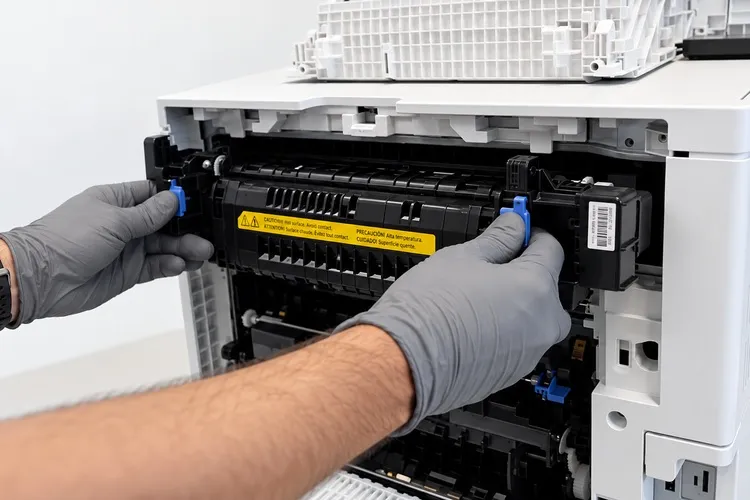
Reseating is the first technician-level step for an HP LaserJet M607 M608 M609 50.2 fuser error in HP’s 50.2X.YZ procedure, and on these printers it is also a reasonable task for a careful staff member. The fuser is designed to come out by hand, without tools. HP publishes illustrated fuser reseating steps for the M607–M609 family as part of its fuser error support article.
Safety warning: the fuser can stay hot well after printing stops. Unplug the printer before reaching into the rear door, and never open or dismantle the fuser assembly itself.
- Turn the printer off and disconnect the power cord.
- Allow adequate cooling time.
- Open the rear door.
- Locate the fuser assembly just inside the door opening.
- Grasp the blue handles on both sides of the fuser.
- Pull the assembly straight out, keeping it level.
- Check the fuser and the opening for residual paper or obvious physical obstructions.
- Look over the accessible connector surfaces for bent, broken, or discolored contacts without probing them.
- Slide the fuser straight back in until it seats securely.
- Close the rear door, reconnect power, and turn the printer on to test it.
Paper fragments found during this check should come out, but a paper jam is a separate problem and does not by itself explain a 50.2 heating failure. If scraps keep turning up, our HP LaserJet M607 M608 M609 paper jam repair guide covers the paper path.
If a connector looks damaged, or the HP LaserJet M607 M608 M609 50.2 fuser error comes back after a clean reseat, stop at this point. Everything past this step involves electrical inspection inside the printer.
Fuser, Connector, or Power Supply?
An HP LaserJet M607 M608 M609 50.2 fuser error can start in the fuser, its connections, or the low-voltage power supply. We work through HP’s documented sequence onsite so the part we replace is the part that failed. Call (888) 657-0021 to schedule a diagnosis.
6. HP’s Escalation Sequence for a Persistent 50.2X.YZ Error
When a reseat does not clear the HP LaserJet M607 M608 M609 50.2 fuser error, HP’s documented procedure moves through the heating circuit in a fixed order. Each step answers one question, and the next step only makes sense once the previous one is ruled out.
| Step | HP-documented action | What it rules out | Who performs it |
|---|---|---|---|
| 1 | Remove and reinstall the fuser; check for residual paper | Poor seating or debris | Staff or technician |
| 2 | Inspect the fuser’s own connector; replace the fuser if it is damaged | Damaged fuser-side contacts | Technician |
| 3 | Inspect the printer-side fuser connector and check J401 and J402 on the DC controller PCA | Wiring and connection faults between the fuser and the controller | Technician |
| 4 | Replace the fuser if it has not already been replaced | Failed heater, film, or sensing inside the fuser | Technician |
| 5 | Replace the low-voltage power supply if the error persists | Faults in the power feeding the heaters | Technician |
Checking the Fuser Connector and the Printer-Side Connector
Symptom: the 50.2 code returns after a correct reseat. Root cause: a damaged contact on the fuser or in the printer can interrupt heater power or thermistor signals. Diagnosis: with the fuser removed, the technician inspects both connector halves for bent, discolored, or recessed pins. Remedy: HP calls for a new fuser when its own connector is damaged, while printer-side damage is escalated for further repair.
J401 and J402 on the DC Controller
HP’s 50.2 procedure names two connections on the DC controller PCA: J401 and J402. Reaching them means removing covers near energized circuitry, so we reserve this check for trained technicians. The goal is to confirm both connectors are fully seated and undamaged, which is a different task from replacing the DC controller.
On an HP LaserJet M607 M608 M609 50.2 fuser error, the check takes little time, and a partially seated harness can produce the same symptom as a failed part. Finding one here can spare a business the cost of a fuser or power supply it never needed.
HP LaserJet Fuser Assembly Replacement
If the connections check out and the original fuser is still installed, HP’s next step for a recurring HP LaserJet M607 M608 M609 50.2 fuser error is a new fuser. HP’s documentation lists these assemblies for the M607, M608, and M609:
- 110V fuser assembly: RM2-1256-000CN
- 220V fuser assembly: RM2-1257-000CN
Printers configured for the United States normally take the 110V assembly. HP’s parts listings also show revision and service numbers for this fuser, so we confirm the exact printer configuration before ordering. Professional HP LaserJet fuser replacement means installing a complete assembly; we do not rebuild fusers onsite.
This page is not an HP LaserJet M607 M608 M609 fuser replacement guide, since the replacement itself follows HP’s repair service manual. What matters here is the timing: a new fuser belongs at step four, after the connections are cleared.
7. When the Low-Voltage Power Supply or DC Controller Is Involved
An HP LaserJet M607 M608 M609 50.2 fuser error that survives a new, correctly seated fuser points away from the fuser and back toward the power feeding it. HP’s instruction for that case is direct: if the error persists, replace the low-voltage power supply.
HP LaserJet M607 M608 M609 Low Voltage Power Supply Failure
Symptom: the HP LaserJet M607 M608 M609 50.2 fuser error persists with a new fuser and verified connections. Root cause: the LVPS converts wall AC for the printer and sits in the path that delivers energy to the fuser heaters, so a failing supply can starve the heaters. Remedy: HP’s documented next step is LVPS replacement, using these parts:
- 110V LVPS: RM2-6797-000CN
- 220V LVPS: RM2-6798-000CN
Power supply replacement involves high-voltage circuits, so it is technician work only. We never ask customers to open the printer, remove the supply, or test exposed energized circuits. As with the fuser, we verify the current part number for the printer’s configuration before ordering.
HP LaserJet M607 M608 M609 DC Controller Troubleshooting
The DC controller runs the warm-up. It commands the heater, reads the thermistors, detects fuser failures, coordinates initialization, and communicates with the power supply and other engine components. That central role makes it an easy target for blame.
HP’s 50.2 sequence, however, asks only that J401 and J402 be checked, not that the board be replaced. We consider DC controller replacement only after the documented 50.2 steps are complete and further testing supports it.
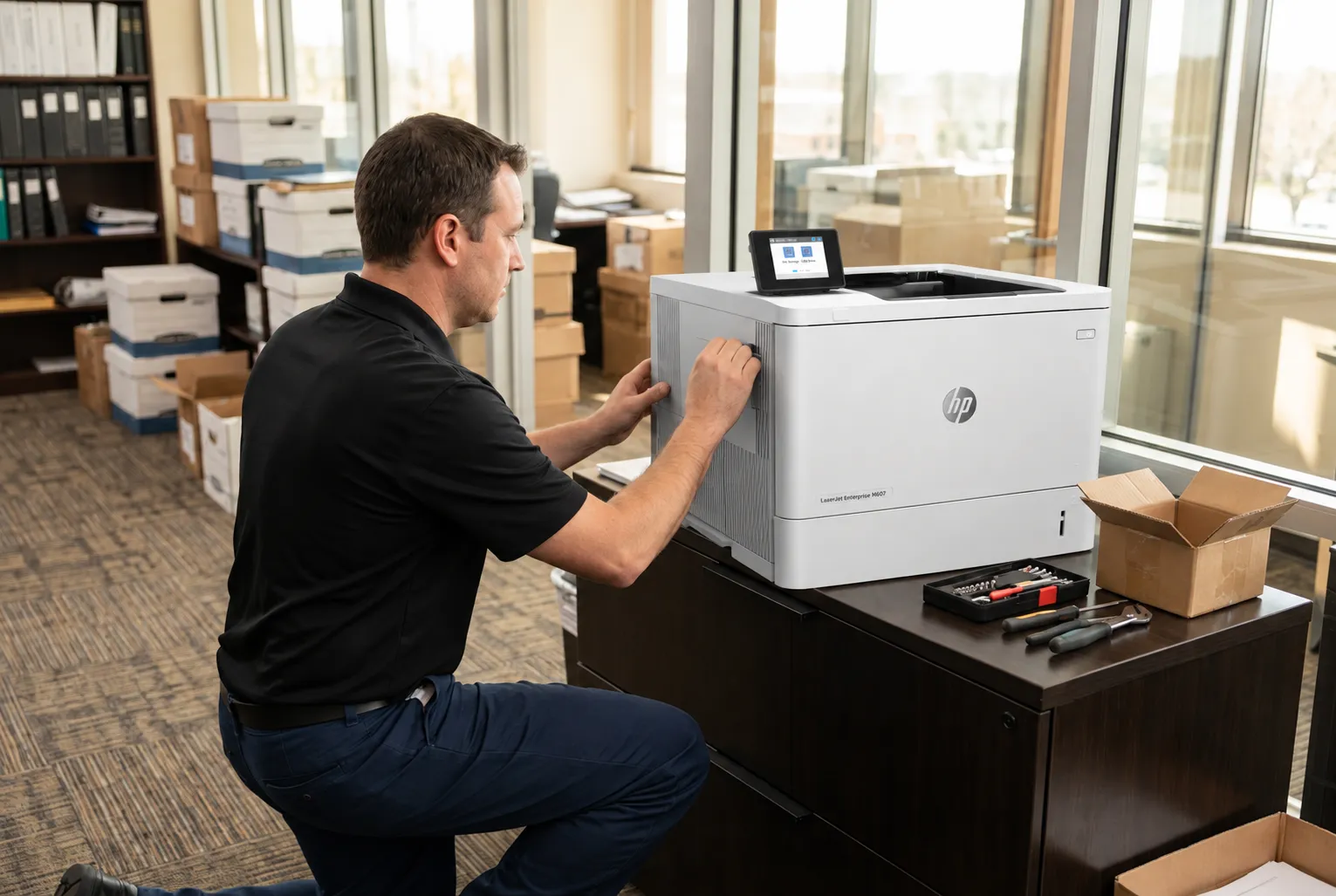
M607–M609 Heating Repairs, Warranted 180 Days
Our 20+ years with HP LaserJet Enterprise printers go into every fuser and power supply repair across Orange County and approved areas of Los Angeles County. Installed HP Parts and our service carry a 6-month / 180-day warranty, and same-day service may be available. Email info@printer-repair-experts.net or call (888) 657-0021.
8. Restarts, Counter Resets, and Related 50-Series Codes
Several actions get mistaken for a repair of the HP LaserJet M607 M608 M609 50.2 fuser error. Restarting the printer gives a temporary initialization problem a chance to clear. Resetting a maintenance counter only tells the printer a new fuser kit was installed. Replacing a defective fuser assembly fixes the heating circuit only when the fuser was the failed part.
The Fuser Kit Counter Is a Separate System
HP tracks fuser life with maintenance messages such as 10.23.60 Fuser Kit low and 10.23.70 Replace Fuser Kit. Resetting that counter does not touch the heaters, thermistors, or power supply, so it cannot resolve an actual 50.2 heating failure. Our HP LaserJet M607 M608 M609 maintenance service page explains how scheduled kit replacement works.
Factory resets and firmware changes are not remedies for a hardware warm-up failure either. HP’s 50.2X.YZ procedure does not include them, and we do not present them as guaranteed fixes for an HP LaserJet M607 M608 M609 50.2 fuser error.
Other Fuser Codes on the Same Platform
Recognizing neighboring codes helps avoid the wrong repair. An HP LaserJet M607 M608 M609 50.3 fuser error reports high fuser temperature, while an HP LaserJet M607 M608 M609 50.4 fuser error reports a drive circuit fault whose HP procedure adds a check of the printer’s power source. A fuser that stays cold is the typical HP LaserJet M607 M608 M609 fuser not heating case, and 50.2 is one of the codes it can produce.
Our broader page on HP LaserJet M607 M608 M609 fuser error repair covers the full 50-series family on this platform. Related printers carry their own designs: see HP LaserJet M610 M611 M612 fuser error repair for that monochrome family, and HP LaserJet M631 M632 M633 fuser error repair for the multifunction models, whose fuser sits behind the right door instead of the rear door.
9. Getting the HP LaserJet M607 M608 M609 50.2 Fuser Error Repaired Onsite
Professional service for an HP LaserJet M607 M608 M609 50.2 fuser error is the right call once any of these applies:
- The 50.2 message returns after a restart on wall power.
- The fuser is correctly installed but still cannot warm up.
- A fuser or printer-side connector shows damage.
- A replacement fuser did not resolve the error.
- Further electrical diagnosis is needed.
- The business cannot keep printing without the unit.
For onsite HP LaserJet fuser repair, our technician follows the HP-documented order described above, confirms the failed assembly, and replaces it with HP Parts or High Quality Parts matched to the printer’s voltage. Our HP LaserJet M607 M608 M609 printer repair page covers the wider range of work on this family, and our HP LaserJet printer repair services extend HP LaserJet fuser error repair to the rest of the lineup.
The $69.99 Onsite Printer Repair Promotion covers the service visit for one printer, and replacement parts are priced separately. When two or more printers need service during the same visit, our standard flat labor rate applies instead. Limitations may apply.
If you decide not to proceed after diagnosis, the promotional service charge still applies. A return visit to install approved parts does not add a second labor charge, and we do not install customer-supplied parts.
We provide onsite printer repair across Orange County, including Anaheim, Irvine, Santa Ana, Fullerton, and Huntington Beach, as well as approved portions of Los Angeles County. Offices comparing HP LaserJet printer repair Orange County options can visit our HP LaserJet printer repair in Orange County page. Teams checking HP LaserJet printer repair Los Angeles coverage can confirm their area through HP LaserJet printer repair in Los Angeles.
Our HP LaserJet Enterprise printer repair work carries a 6-month / 180-day warranty on service and installed parts, and same-day service may be available. A 50.2 code is a measured heating fault with a documented repair order, so the methodical route is usually the fastest one. Call (888) 657-0021 or email info@printer-repair-experts.net with the complete code from the control panel.
FAQ's - Frequently Asked Questions - HP LaserJet M607 M608 M609 50.2 Fuser Error
Sometimes, when the HP LaserJet M607 M608 M609 50.2 fuser error came from a temporary condition during initialization. If the code returns on the next warm-up, the restart only postponed it, and the fuser, its connections, or the power supply needs attention.
No. HP’s procedure places reseating and connector checks ahead of fuser replacement, and it ends with the low-voltage power supply when a new fuser does not help. Replacing the fuser without those checks can mean paying for a part that was never the problem.
Yes. The low-voltage power supply sits in the path that powers the fuser heaters, and HP lists LVPS replacement as the final step when an HP LaserJet M607 M608 M609 50.2 fuser error persists after a new fuser. Test on a direct wall outlet first.
The DC controller manages fuser temperature and failure detection, so a fault there can affect heating. For a 50.2 code, though, HP’s documented step is checking connections J401 and J402, not replacing the board, and we follow that order.
Warning signs include a damaged fuser connector, a 50.2 that returns after a clean reseat on wall power, or toner that smears because it is not bonding. Confirmation comes after the connection checks are complete and the error still follows the original fuser.
No. The counter tracks fuser kit life for maintenance messages. An HP LaserJet M607 M608 M609 50.2 fuser error is triggered by temperature measurements during warm-up, which the counter does not influence.
Our service and the parts we install carry a 6-month / 180-day warranty. We do not install or warranty customer-supplied parts.
Call once the HP LaserJet M607 M608 M609 50.2 fuser error returns after a restart and a reseat, or as soon as a connector looks damaged. Connector repair, J401 and J402 checks, and fuser or LVPS replacement all involve work inside the printer. Reach us at (888) 657-0021.
