
HP Color LaserJet M552, M553, M554 Printer Repair:
Onsite Service Organized Around How These Printers Are Built
HP Color LaserJet M552, M553, M554 Printer Repair means restoring three closely related HP Color LaserJet Enterprise families that share one print engine yet tend to fail in a handful of predictable places. We perform HP Color LaserJet M552, M553, M554 Printer Repair onsite, at your location, and this page walks through the machine the way a technician does: door by door, tray by tray.
Our company has worked in the office equipment industry for more than 20 years. This page is one branch of our wider HP Color LaserJet printer repair service, written for the office managers, IT departments, schools, medical offices, law offices, and accounting firms that depend on an M552, M553, or M554 every day.
Preview Snapshot
- The M552, M553, and M554 families are single-function color printers built on a shared platform, so most repair areas are common to all three.
- Every serviceable area is reached through one of four places: the tray stack, the right door, the front door, or the rear toner-collection-unit door.
- HP documents 13.A3, 13.A4, and 13.A5 jams for the optional 550-sheet trays and 13.B2, 13.B4, and 13.B9 jams for the right-door and fuser area.
- We replace failed fuser assemblies, transfer components, and roller sets with HP Parts or High Quality Parts; we do not rebuild fusers onsite.
- Every HP Color LaserJet M552, M553, M554 Printer Repair visit is backed by a 6-month / 180-day warranty on service and installed parts.
1. HP Color LaserJet M552, M553, M554 Printer Repair Begins With the Model Label
Before we talk about symptoms, we ask which model is sitting in your office. The answer tells us which control panel we will be reading, how many paper sources may be involved, and which HP documentation applies. Accurate HP Color LaserJet M552, M553, M554 Printer Repair depends on that detail.
| Family | Models | What matters for repair |
|---|---|---|
| M552 | M552dn | 4-line display with keypad; Tray 1 and Tray 2 standard; accepts one optional 550-sheet feeder. |
| M553 | M553n, M553dn, M553x | 4-line display on the n and dn; color touchscreen on the M553x; supports up to three optional 550-sheet feeders. |
| M554 | M554dn | Color graphical display with keypad; automatic duplexing; supports up to three optional 550-sheet feeders. |
M552: The Entry Point of the Platform
A call for HP Color LaserJet Enterprise M552 Printer Repair usually involves the M552dn. With only one optional feeder possible, tray-related faults on this model narrow quickly to Tray 1, Tray 2, or a single Tray 3, which makes HP M552 Printer Repair a comparatively short diagnostic exercise.
M553: The Most Varied Family
HP Color LaserJet Enterprise M553 Printer Repair covers the widest spread of configurations. An M553n prints one side at a time, an M553dn duplexes, and an M553x adds a touchscreen. For HP M553 Printer Repair we always confirm how many feeders are stacked beneath the printer, because a tall stack changes where a sheet can stall.
M554: The Newer Generation
HP Color LaserJet Enterprise M554 Printer Repair centers on the M554dn. Its display and menus differ from the earlier families, yet HP lists the same kinds of replaceable assemblies for it: fuser, transfer belt and roller, tray rollers, and toner-collection unit. HP M554 Printer Repair therefore follows the same physical logic described below.
2. Four Doors, Four Diagnoses: How the Platform Is Laid Out
HP designed this platform so that each group of components has its own access point. During HP Color LaserJet M552, M553, M554 Printer Repair we use that layout as a diagnostic map, since the location of a problem is usually the fastest clue to its cause.
- Tray stack: Tray 1, the 550-sheet Tray 2, and any optional 550-sheet feeders, along with their pickup, feed, and separation rollers.
- Right door: the route paper takes toward the fuser, and the access HP provides to the fuser itself.
- Front door: the four toner cartridges in black, cyan, yellow, and magenta.
- Rear door: the toner-collection unit.
This is also where HP Color LaserJet Enterprise Printer Repair differs from work on a monochrome machine. Four cartridges and an intermediate transfer belt mean a color defect can originate in several places, so we avoid ordering parts until the zone is confirmed. Readers comparing platforms may also want our page on HP Color LaserJet M452 M477 M479 printer repair, a smaller family with a different layout.
$69.99 Onsite Printer Repair Promotion for Your M552, M553, or M554
One promotional labor charge brings a technician to your office for HP Color LaserJet M552, M553, M554 Printer Repair, one printer per visit. Parts are additional. Call (888) 657-0021 or email info@printer-repair-experts.net. Limitations may apply.
3. Paper Feed Faults in HP Color LaserJet M552, M553, M554 Printer Repair: The Tray Stack
Most HP Color LaserJet M552 M553 M554 Paper Feed Problems announce themselves the same way. The printer tries to pick a sheet, hesitates, and either reports a jam or pulls several sheets at once. Which tray was feeding at that moment is the first fact we collect.
What the Tray Codes Tell Us
HP assigns 13.A3, 13.A4, and 13.A5 jam conditions to the optional 550-sheet trays, which are numbered Tray 3, Tray 4, and Tray 5. A code that always names the same tray points to that tray’s rollers or its paper. Codes that wander between trays suggest something further along the shared path.
From Symptom to Roller Replacement
Worn or glazed pickup, feed, and separation rollers are the documented wear items behind misfeeds and multi-feeds. We diagnose by feeding test pages from each source in turn, inspecting roller surfaces, and checking that guides and paper match the tray settings. The remedy is installing the roller set for the affected tray; HP supplies separate kits for Tray 1 and for the 550-sheet trays.
A single HP Color LaserJet M552 M553 M554 Paper Jam caused by damp or curled paper is not a repair call. We recommend HP Color LaserJet M552, M553, M554 Printer Repair once jams return after the paper has been changed and the tray reloaded.
Our article on why printers keep jamming covers the general causes, so here we stay with what is specific to this platform. HP Color LaserJet M552 M553 M554 Paper Jam Repair, in our hands, means finding the one component responsible instead of clearing sheets indefinitely.
4. The Right Door: 13.B2, 13.B4, and 13.B9 Jams Near the Fuser
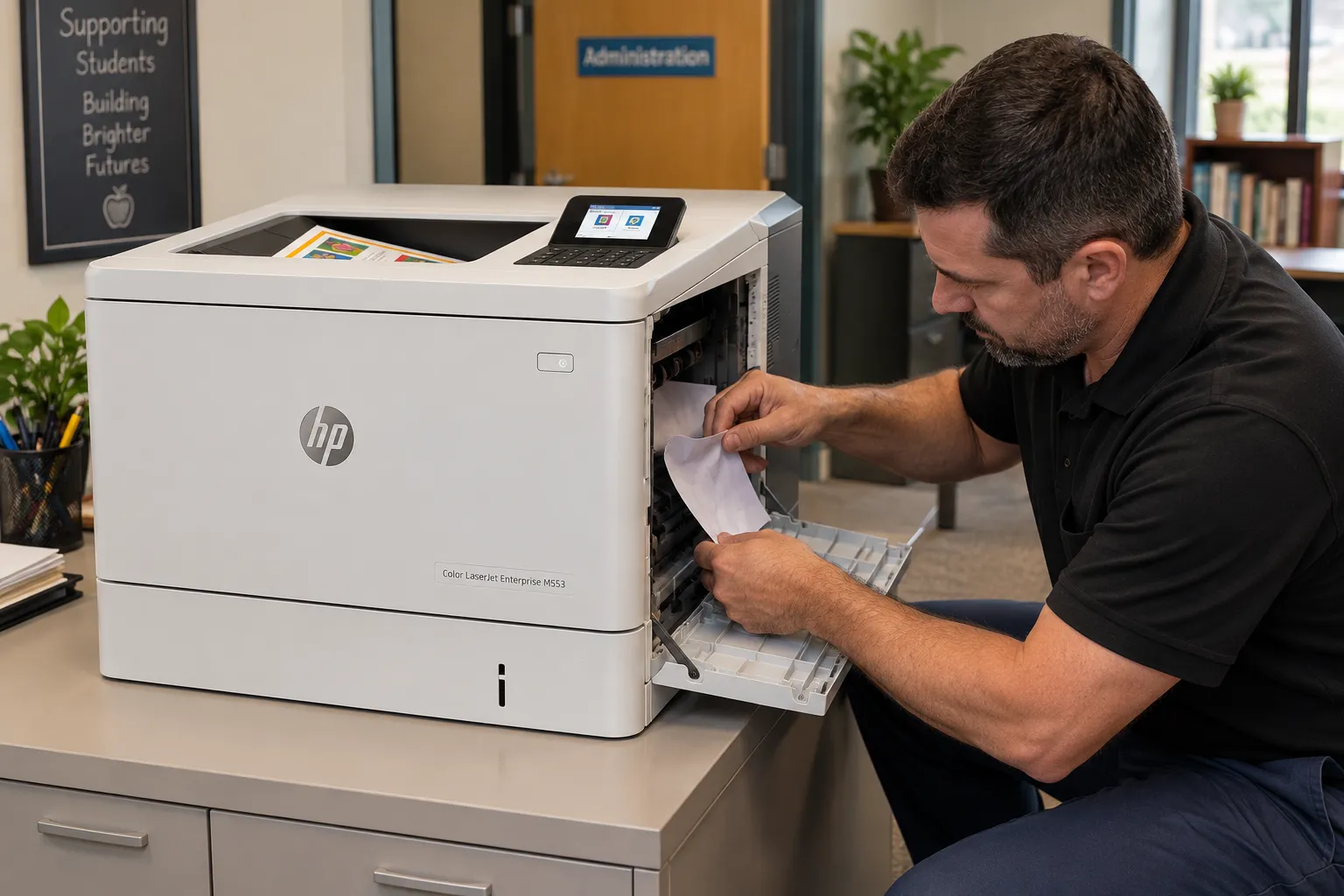
Open the right door and you are looking at the last stretch of the paper path before the fuser. HP groups 13.B2, 13.B4, and 13.B9 jams in this right-door and fuser area for the whole family, and the HP support document on 13.B2, 13.B4, and 13.B9 jams in the right door and fuser area describes the clearing procedure users can follow safely.
Clearing the sheet is step one. Step two is asking why it stopped there. Paper that arrives late from a tray with tired rollers can trigger a right-door jam even though the right door itself is healthy. So can torn fragments left behind from an earlier jam, or a fuser that no longer moves paper through cleanly.
This is the point where HP Color LaserJet M552, M553, M554 Printer Repair becomes detective work, and our diagnosis separates those possibilities. We look at the jammed sheet’s position and condition, check the path for debris, run pages from different trays, and examine the fuser.
The remedy follows the finding: rollers for a feed delay, debris removal for an obstruction, or a fuser assembly for a fuser fault. We recommend scheduling HP Color LaserJet M552, M553, M554 Printer Repair as soon as a 13.B jam repeats after being cleared correctly.
5. Fuser Repair or Fuser Replacement? How We Settle Fixing Defects
The fuser bonds toner to the page with heat and pressure, so its failures show up as fixing defects. Toner rubs off under a thumb. A faint shadow or offset copy of the image appears further down the sheet. Pages may also exit wrinkled or stall at the right door.
Customers arranging HP Color LaserJet M552, M553, M554 Printer Repair often ask specifically about HP Color LaserJet M552 M553 M554 Fuser Repair, and we want to be plain about what that means. We do not rebuild fusers onsite. When diagnosis confirms the fuser is at fault, HP Color LaserJet M552 M553 M554 Fuser Replacement is the repair, because HP supplies the fuser for this platform as a complete kit in 110-volt and 220-volt versions.
Confirming the fault comes first. Paper type settings that do not match the loaded stock can produce poor fusing on a perfectly good fuser, so we verify settings and test with known paper before condemning the assembly.
A control-panel message is a separate matter; an HP Color LaserJet M552 M553 M554 Fuser Error should be recorded exactly as displayed and reported to us. For the general background, see our guide on how to fix a fuser error on an HP printer.
Find the Failed Assembly Before Buying Parts
Fuser, transfer kit, rollers, or a cartridge? On this platform the symptoms overlap. Our onsite diagnosis identifies the one component that needs replacing, which is the practical value of professional HP Color LaserJet M552, M553, M554 Printer Repair. Call (888) 657-0021.
6. Transfer Belt, Transfer Roller, and Toner Collection Unit
Between the cartridges and the paper sits the intermediate transfer belt, or ITB. Each cartridge lays its color onto the belt, and the secondary transfer roller then moves the combined image onto the sheet. Because every page depends on these two parts, a fault here affects every job and every color, and both receive close attention during HP Color LaserJet M552, M553, M554 Printer Repair.
Symptoms That Point to Transfer Components
A worn HP Color LaserJet M552 M553 M554 Transfer Belt can produce defects that repeat at a fixed interval or marks that appear in all colors at once. A failing HP Color LaserJet M552 M553 M554 Transfer Roller tends to show as weak or uneven transfer of the whole image. HP’s troubleshooting manual provides a repetitive-defect ruler for exactly this purpose: we measure the spacing between marks to identify which assembly is responsible.
HP sells the belt and roller together as a transfer kit. When measurement and inspection confirm the cause, HP Color LaserJet M552 M553 M554 Transfer Belt Replacement is the remedy, and we install the matching roller during the same visit. We recommend HP Color LaserJet M552, M553, M554 Printer Repair by a technician instead of user replacement here, since the belt surface is easily damaged by handling.
The Rear Door and the Toner-Collection Unit
Waste toner from the imaging process is routed to the HP Color LaserJet M552 M553 M554 Toner Collection Unit behind the rear door. The control panel warns when the unit is nearly full and stops printing when it is full. HP lists the unit as part B5L37A for these families.
HP Color LaserJet M552 M553 M554 Toner Collection Unit Replacement is normally a simple swap. It becomes a matter for HP Color LaserJet M552, M553, M554 Printer Repair when the message persists with a new unit installed, when toner dust is visible inside the printer, or when the unit fills far sooner than expected. In those cases we inspect the unit’s seating and the surrounding area before replacing anything else.
7. Reading Color Print-Quality Problems on the Page
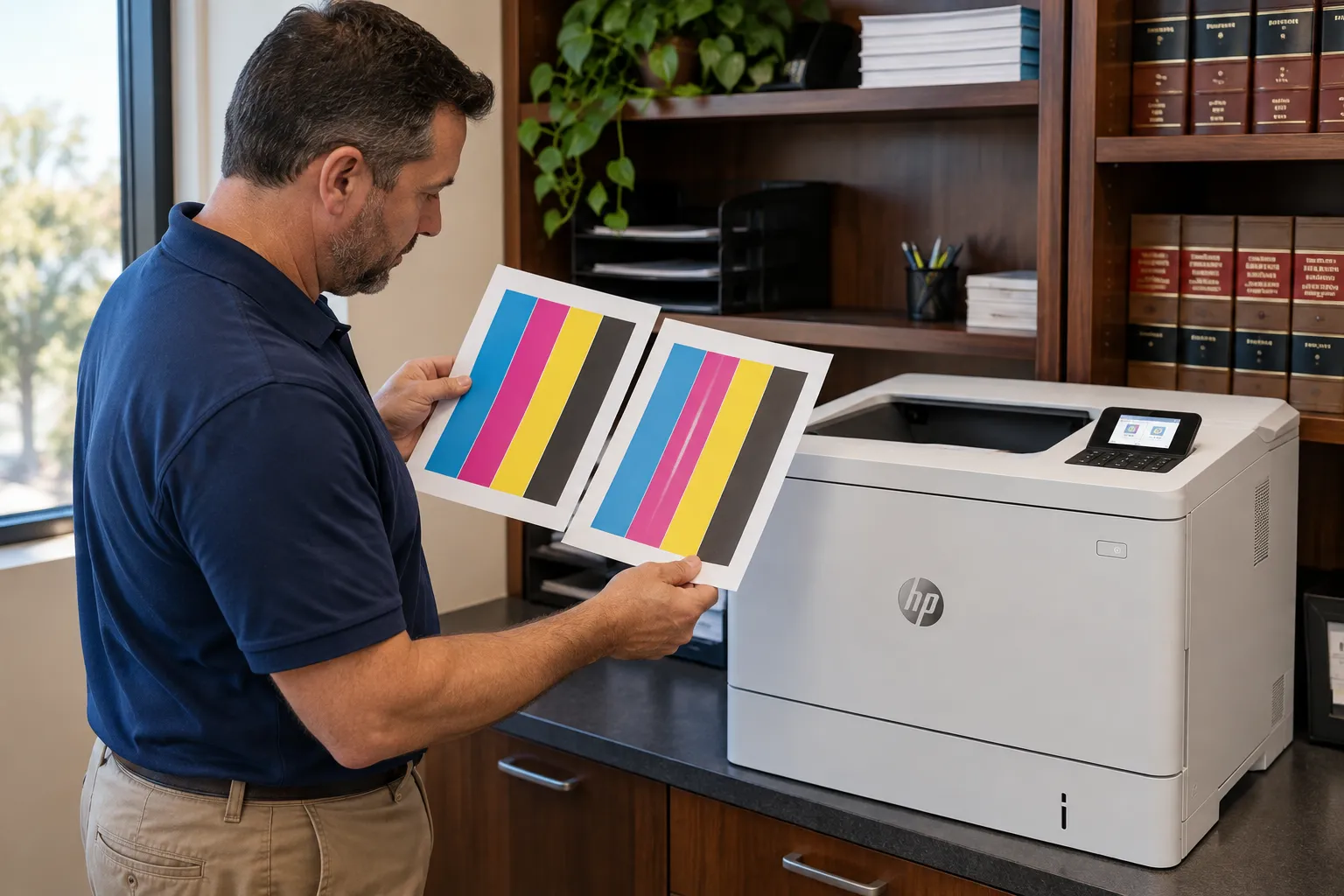
HP Color LaserJet M552 M553 M554 Print Quality Problems are easier to solve when someone saves the bad pages. The defect’s color, direction, and spacing carry most of the diagnostic information we need.
| What the page shows | Where we look first | Likely remedy |
|---|---|---|
| Streak or band in a single color | That color’s toner cartridge | Replace the cartridge |
| Marks repeating at even spacing | Measured against HP’s repetitive-defect ruler | Replace the identified cartridge, transfer kit, or fuser |
| Colors misaligned or fringed | Calibration | Run a full calibration from the control panel |
| Toner specks or dust on pages | Paper path and toner-collection area | Cleaning page, then inspection |
| Toner rubs off or image shadows | Fuser and paper-type settings | Correct settings or replace the fuser |
HP builds several tools into the firmware for this work, including print-quality troubleshooting pages, a cleaning page, and color calibration. Our HP Color LaserJet M552 M553 M554 Troubleshooting routine starts with those pages because they isolate each color on its own sheet. A defect that survives calibration, cleaning, and a cartridge swap is a sound reason to schedule HP Color LaserJet M552, M553, M554 Printer Repair.
Toner matters too. Poorly made cartridges can mimic hardware faults, so we ask what is installed before drawing conclusions. We supply high-quality toner for these models and during HP Color LaserJet M552, M553, M554 Printer Repair we can rule the cartridge in or out quickly.
20+ Years of Experience, 180 Days of Warranty
We bring HP Parts and High Quality Parts to every HP Color LaserJet M552, M553, M554 Printer Repair call in Orange County and approved portions of Los Angeles County. Every repair carries our 6-month / 180-day warranty. Same-day service may be available. Reach us at (888) 657-0021 or info@printer-repair-experts.net.
8. When HP Color LaserJet M552, M553, M554 Printer Repair Is Not a Hardware Job: Messages, Firmware, and a Printer That Will Not Print
Some calls involve no jam and no bad page. The M553 simply sits there, or the control panel shows a message nobody recognizes. Write the message down exactly, including every digit after the decimal points, because those digits separate one condition from another.
Our first questions are basic on purpose. Does the printer reach Ready? Will it print a configuration page from its own control panel?
A printer that prints internal pages but ignores jobs from computers has a driver, queue, or network issue, not a mechanical one, and we say so before scheduling a hardware visit. Honest HP Color LaserJet M552, M553, M554 Printer Repair includes telling a customer when the printer itself is fine.
Firmware occasionally plays a part. HP publishes updates for the M552, M553, and M554 that address specific behaviors, and we check the installed version when symptoms match a documented issue. Firmware, driver, and network work falls outside the $69.99 promotion, so we discuss that labor separately and in advance.
9. Is HP Color LaserJet M552, M553, M554 Printer Repair Worth It? Our Closing Advice
For most owners, yes. These are HP Color LaserJet Enterprise printers with replaceable fusers, transfer kits, and rollers, and one failed assembly rarely justifies retiring the whole machine. We say so with a caveat: when several major assemblies are due at once on a high-page-count unit, we lay out the total so you can compare it against replacement.
Routine care extends the interval between repairs. Replacing rollers and the fuser as they wear, instead of after they fail, is the core of sensible HP printer maintenance, and it reduces how often HP Color LaserJet M552, M553, M554 Printer Repair is needed across a group of these printers.
If you have been wondering where to get an HP printer fixed, or searching for printer repair near me, our answer for this platform is that the technician comes to you. Onsite HP Color LaserJet Repair spares you from moving a printer that weighs roughly 60 pounds, and it lets us test on your network with your paper. We also handle monochrome models under our broader HP LaserJet printer repair service.
We provide HP Color LaserJet M552, M553, M554 Printer Repair in Orange County cities including Anaheim, Fullerton, Irvine, Santa Ana, Orange, and Huntington Beach, along with approved portions of Los Angeles County. Details are on our pages for HP LaserJet printer repair in Orange County and HP LaserJet printer repair in Los Angeles. Same-day service may be available, depending on the schedule and the parts involved.
To arrange HP Color LaserJet M552, M553, M554 Printer Repair, call (888) 657-0021 or write to info@printer-repair-experts.net with the model, the exact message or symptom, and the number of trays installed. We install HP Parts and Premium Parts, and our work carries a 6-month / 180-day warranty. Broader questions are answered in our HP printer repair questions resource.
FAQ's - Frequently Asked Questions - HP Color LaserJet M552, M553, M554 Printer Repair
Yes. The M553x shares its print engine with the M552dn, M553n, M553dn, and M554dn, so the fuser, transfer, and paper-feed work is the same. Only the control panel and tray configuration differ, and HP Color LaserJet M552, M553, M554 Printer Repair covers every one of these models.
HP sells the fuser as a kit, and some owners do install it. The harder part is being certain the fuser is the cause, since paper settings and feed timing can produce similar symptoms. With HP Color LaserJet M552, M553, M554 Printer Repair, we confirm the diagnosis first and warrant the installed part for 180 days.
It depends on the fault and whether the needed part is on hand. Roller sets and toner-collection units are quick to install; a fuser or transfer kit takes longer. If a part must be ordered, the promotion does not add a second labor charge for the applicable return visit.
Age alone is not the deciding factor. If the printer needs a single assembly such as a fuser or roller set, HP Color LaserJet M552, M553, M554 Printer Repair is normally the economical choice. We advise replacement only when several major assemblies are due together.
No. For HP Color LaserJet M552, M553, M554 Printer Repair we install and warrant parts that we supply, which lets us stand behind both the component and the labor for the full 6-month / 180-day period.
Remove the unit and reseat it firmly, then close the rear door completely. If the message remains, stop there and call us about HP Color LaserJet M552, M553, M554 Printer Repair; the cause may be the unit’s seating or detection, and forcing the door can create a second problem.
They do. Each feeder has its own pickup, feed, and separation rollers, and those wear according to how heavily that tray is used. A feeder that holds your everyday letter stock will need rollers sooner than one reserved for occasional media. We check each installed feeder during HP Color LaserJet M552, M553, M554 Printer Repair.
No. The promotion covers one printer per onsite visit and does not include parts. When two or more printers need service during the same visit, our Standard Flat Labor Rate applies instead, and we explain that before the appointment.
