
Do HP Printers Need Regular Maintenance?
A Practical HP LaserJet Maintenance Guide
Do HP Printers Need Regular Maintenance? For the HP LaserJet and HP Color LaserJet models that carry an office’s daily print volume, the answer is yes. These printers are built around parts that wear by design — rubber paper-feed rollers and a heated fuser — and those parts are meant to be replaced during the working life of the machine.
What that maintenance looks like is a separate question. Requirements shift with the model, the configuration, the page count, the monthly print volume, the paper being run, and the physical condition of the parts inside. An HP LaserJet M604 sitting in a back office and an HP LaserJet MFP M632 feeding a mailroom will not arrive at the same point at the same time.
Below we explain what HP printer maintenance actually involves, how to read the signals a printer gives you, and where the line falls between maintenance and repair.
Preview Snapshot
- Regular printer maintenance on an HP LaserJet is mostly paper-path work: pickup, feed, and separation rollers, plus the fuser.
- There is no universal printer maintenance schedule. Intervals follow the model, the page count, the print volume, and the operating environment.
- A maintenance kit bundles the components that wear together, and kit contents vary from model to model.
- A maintenance warning means a counter has been reached. That is not the same thing as a failure.
- Recurring jams, misfeeds, faded printing, and repeating defects are what we see most often when maintenance is overdue.
- Maintenance and repair overlap, but they are not interchangeable, and the difference changes how a service visit goes.
1. Do HP Printers Need Regular Maintenance? Here Is the Direct Answer
Yes. HP LaserJet and HP Color LaserJet printers benefit from regular maintenance, and the heavier the workload, the sooner that benefit shows up on the page. Laser printing is a mechanical process before it is anything else.
Sheets are lifted from a tray by rubber rollers, separated so only one moves at a time, squared up at a registration point, and then passed through a fuser that bonds toner to paper with heat and pressure. Every one of those steps depends on a part that changes with use.
Rollers glaze and lose grip. Fuser surfaces wear. Paper dust and loose toner settle along the paper path. None of that is a defect; it is the expected result of running paper through a machine tens of thousands of times.
What HP printer maintenance requirements actually depend on
HP printer maintenance requirements are not identical across the LaserJet line, and we would not want anyone budgeting as though they were. A desktop HP LaserJet and a floor-standing HP LaserJet MFP have different paper paths, different tray counts, and different service parts. The correct interval for any given machine comes from that model’s documentation and from its own supplies status, not from a rule of thumb.
The principle stays constant even when the numbers do not. HP printer preventive maintenance replaces wear parts on a planned schedule so the printer does not fail on an unplanned one.
2. Routine Care, Preventive Maintenance, and Repair Are Not the Same Work
Office managers often use a single word — maintenance — for six different jobs. Separating them makes budgeting easier, and it changes the conversation we have when a technician arrives on site.
| Type of work | What it involves | What usually triggers it |
|---|---|---|
| Routine printer care | Correct media, dry paper storage, keeping accessible paper-path areas clear of dust and debris | Ongoing, handled by your own staff |
| Preventive maintenance | Inspecting and replacing wear parts before they cause visible problems | Print volume, observed wear, service history |
| Scheduled maintenance | The work the printer itself asks for through a counter or supplies status | A maintenance message on the control panel |
| Maintenance-kit replacement | Installing the model’s kit, commonly a fuser plus paper-feed components | Kit life reached, or confirmed wear |
| Component replacement | Replacing one worn assembly, such as a single set of tray rollers | One part confirmed worn or damaged |
| Repair | Correcting an actual malfunction or failure | A hard error, a broken part, or damage |
Routine care is the part your staff can own. Loading trays with the correct media, storing paper somewhere dry, and keeping accessible areas of the paper path free of dust and shredded paper prevents a surprising number of service calls. Each model’s documentation defines which areas are user-accessible, and we stay inside those boundaries when we advise customers.
HP LaserJet preventive maintenance is the planned replacement of wear parts before they cause visible problems. Scheduled maintenance is narrower. It is the work the printer requests once a maintenance counter or supplies status reaches its threshold, which may or may not line up with what a technician sees when the covers come off.
Repair sits at the far end. HP LaserJet printer maintenance is planned and predictable; repair is what happens when a component fails outright, when a foreign object damages the paper path, or when an error condition stops the machine. Confusing the two is how offices end up with a printer down on a Monday morning.

Start With Our $69.99 Onsite Printer Repair Promotion
One printer, one onsite visit, one flat promotional service charge. Parts are separate, and the promotion does not cover customer-supplied parts. Call (888) 657-0021 or email info@printer-repair-experts.net to book an onsite maintenance evaluation. Limitations may apply.
3. How Often Do HP Printers Need Maintenance?
The follow-up to “Do HP Printers Need Regular Maintenance?” is always the same: how often? The honest answer frustrates people who want one number. How often do HP printers need maintenance depends on variables that differ from one machine to the next, even between two identical models on the same floor.
How often should an HP printer be serviced?
How often should an HP printer be serviced is best answered by the printer itself, backed by what a technician observes. The factors that move the interval are consistent even though the resulting schedule is not:
- Model and configuration, including how many trays and optional feeders are installed.
- Page count since the last maintenance work was performed.
- Monthly print volume measured against the model’s designed workload.
- Paper type, weight, and quality, including recycled and heavily textured stock.
- Operating environment, particularly dust, paper debris, and humidity.
- Job mix, since short jobs and heavy duplexing cycle the paper path more than page counts alone suggest.
- The physical condition of the rollers and fuser when they are actually inspected.
That last point matters more than most people expect. Two printers with matching page counts can be in very different condition if one lives in a clean administrative office and the other sits next to a loading door.
Building a workable printer maintenance schedule
A practical printer maintenance schedule combines three inputs: the counter and supplies status the printer reports, the page counts on your configuration or usage report, and a periodic physical inspection. For a fleet, we suggest recording page counts on a fixed cycle so the trend is visible before a machine starts jamming.
We do not publish a single interval for every HP printer, because a single interval would be wrong for most of them. Model documentation and the printer’s own supplies status page carry the authority here.
4. What Is an HP LaserJet Maintenance Kit, and What Does It Do?
An HP LaserJet maintenance kit is a bundle of the paper-path components that reach the end of their service life at roughly the same time. Instead of chasing one worn part at a time, a printer maintenance kit lets a technician refresh the whole group in a single visit.
Kit contents are model-specific. According to HP’s guide to LaserJet maintenance kits, the components most commonly included are a fuser assembly, pickup rollers, separation rollers, and a transfer roller, with the exact contents varying by printer model. Some kits include feed rollers for multiple trays; some include an installation tool. Others are far simpler.
What each component in the kit actually does
- Fuser assembly — applies heat and pressure to bond toner to the sheet. Wear here shows up as smearing, poor adhesion, or wrinkled output.
- Printer pickup rollers — lift the top sheet out of the tray. When they glaze, the printer reaches for paper and comes up empty.
- Printer feed rollers — move the sheet along the path once it has been picked. Slippage here produces mis-registration and jams mid-path.
- Printer separation rollers — hold back the sheets underneath so only one advances. Worn separation components are the classic cause of multi-sheet feeding.
- Transfer roller — carries the charge that moves toner onto the page on models where the kit includes one. Wear can appear as faded or uneven density.
When should an HP LaserJet maintenance kit be replaced?
HP LaserJet maintenance kit replacement is normally driven by the printer’s maintenance counter or supplies status, confirmed by the condition of the parts. We treat the message as the prompt and the inspection as the decision. If the rollers still have good surface texture and the fuser output is clean, there may be room to wait.
The reverse also happens. HP printer maintenance kit replacement is sometimes the right call before any message appears, because a printer in a dusty room with a heavy short-job mix can wear its rollers well ahead of the counter. This is one of the more common findings on our first visit to a new customer’s fleet.
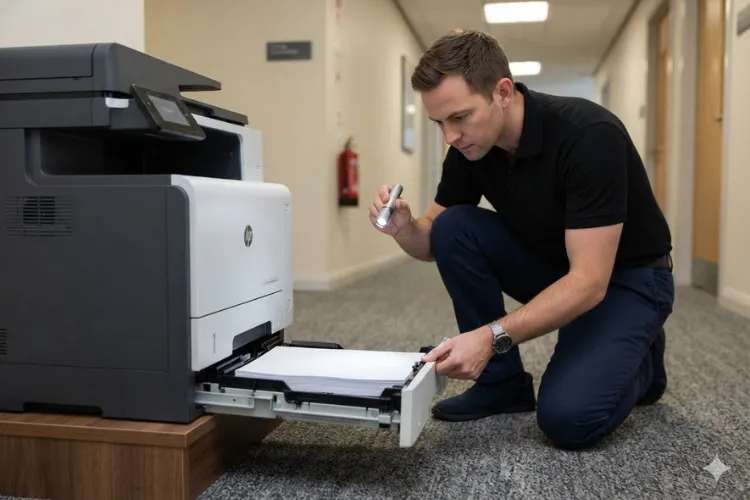
Worn Rollers or a Failing Fuser? Let's Find Out Onsite
Recurring jams and repeating print defects point at different components, and guessing gets expensive. Our technicians diagnose the paper path onsite and tell you exactly which part is worn before anything is replaced. Same-day service may be available.
5. What Does a Perform Maintenance Message Mean on an HP LaserJet?
A Perform Maintenance message is the printer telling you it has reached the usage threshold set for its maintenance components. It is a scheduling prompt, not a fault. The printer is still working, and in most cases it will keep working, but it is asking for planned attention rather than emergency attention.
Wording varies by model and firmware. An HP printer maintenance warning may appear as a maintenance-kit low or very low notice on the control panel, while an older HP LaserJet maintenance message may use different phrasing entirely. What they share is the underlying logic: a counter has crossed a line.
Why the message sometimes stays after the work is done
This catches people out regularly. On many HP LaserJet models the maintenance counter has to be reset after new components go in, or the printer keeps displaying the same warning with brand-new parts installed. HP notes this directly in its maintenance-kit guidance.
The reset procedure is model-specific, and we do not recommend guessing at it. We have written separate walkthroughs for the families we service most, including HP Laserjet M604 Perform Printer Maintenance, HP Laserjet M608 Perform Maintenance, and HP Laserjet M612 Perform Maintenance.
What we do when the message appears
We read the message, pull the supplies status and configuration information the printer will give us, and then look at the parts. That order matters. The message tells us what the counter believes; the inspection tells us what is actually true inside the machine.
6. Signs an HP LaserJet Printer Is Due for Maintenance
Most offices notice the symptoms long before anyone reads a counter. Below are the patterns we see most often, walked through the way a technician would work them.
Recurring paper jams and misfeeds
Symptom. The same tray jams repeatedly, or a sheet stops in the same part of the path. Staff start avoiding one tray, which is usually the first clue we get from a customer.
Root cause. Glazed or worn pickup and feed rollers lose the friction needed to move paper consistently. Worn separation components let a second sheet ride along with the first. Paper dust on the path makes both worse.
Diagnosis. We identify where the sheet stops, inspect the rollers for glazing and flat spots, check the media against the tray settings, and review the printer’s own jam history and page counts.
Remedy. Cleaning accessible paper-path areas where the documentation supports it, correcting media handling, and replacing the worn feed components. An HP printer paper jam that returns after every clearance is a wear problem, not a technique problem.
Repair component. Pickup, feed, and separation rollers, supplied individually or within the model’s maintenance kit.
When we recommend service. When an HP LaserJet paper jam pattern repeats after basic clearing, or when more than one tray shows the same behavior, an onsite inspection is the efficient next step.
Faded printing, lines, splotches, and repeating defects
Symptom. Output goes light, picks up streaks or splotches, or shows the same defect at a regular interval down the page.
Root cause. HP printer print quality problems can come from the cartridge, from transfer components, or from a worn fuser. Repeating defects in particular tend to point at a rotating component with a damaged surface.
Diagnosis. We print the model’s diagnostic pages, measure the spacing of any repeating defect, swap or reseat the cartridge to rule it out, and inspect the transfer and fusing components.
Remedy. Replace the component the evidence points to rather than replacing everything. Where the fault sits inside a group of parts already near end of life, installing the maintenance kit is usually the better value.
Repair component. Toner cartridge, transfer roller, or fuser assembly, depending on what the diagnostic work isolates.
When we recommend service. When a new cartridge does not resolve the defect, the problem is mechanical and worth an onsite look.
Unusual noise from the paper path
Symptom. Grinding, squeaking, or rattling that was not there before, often loudest at the start of a job.
Root cause. Worn or failing rollers, gears, or fusing components can all change how a printer sounds under load.
Diagnosis. We locate the noise by section of the paper path, run the printer with covers open where it is safe and documented to do so, and inspect the components in that area.
Remedy and repair component. Replace the worn assembly identified during inspection. Noise is one of the few symptoms we treat as a reason to look sooner rather than later, because a failing drive component can damage neighboring parts.
When we recommend service. Promptly. Noise plus jams on the same machine is a combination we prefer to see before it becomes a repair.
20+ Years Inside HP LaserJet Paper Paths
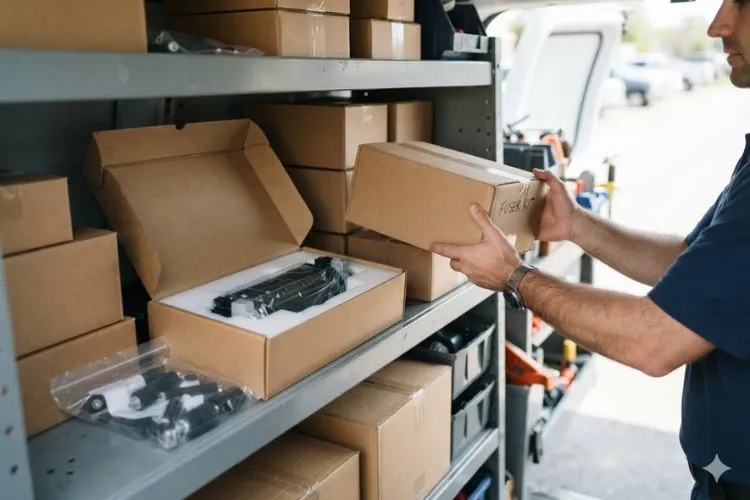
We stock HP LaserJet fusers and maintenance kits and install HP parts and other high-quality parts. Service and installed parts carry a 6-month, 180-day warranty across Orange County and approved areas of Los Angeles County. Call (888) 657-0021 or email info@printer-repair-experts.net.
7. Can Regular Maintenance Prevent Paper Jams and Improve Print Quality?
For most offices, the reason to ask “Do HP Printers Need Regular Maintenance?” comes down to two problems: jams and print quality. In our experience the answer is yes for both, with one caveat.
Maintenance prevents the failures that come from wear. It does not prevent the ones that come from damp paper, an overfilled tray, the wrong media setting, or a staple that went through the feeder.
That distinction is worth holding onto, because it tells you what to expect from a maintenance visit. When jams trace back to glazed rollers and a dusty path, replacing those components usually settles the problem. When they trace back to paper stored next to an exterior door, new rollers buy you a few weeks.
Print quality follows the same logic
Print quality improves after maintenance when the defect was caused by a worn component in the imaging or fusing path. A tired fuser that smears toner will produce clean output again once it is replaced. A cartridge problem will not.
This is also why we resist blanket recommendations. Detailed model-specific guidance lives on our HP Laserjet Printer Repair and HP Color Laserjet Printer Repair pages, where the components and behaviors differ enough to deserve their own treatment.
8. When Is It Maintenance, and When Is It an Actual Repair?
The practical test we use is simple. If the printer is working and asking for planned attention, it is maintenance. If the printer has stopped, thrown an error it will not clear, or lost a function entirely, it is repair.
Fuser conditions sit on the boundary
Fusers are the clearest example. A fuser that has reached the end of its expected life and is producing marginal output is a maintenance item. A fuser throwing an error the printer will not clear is a failure, and HP printer fuser replacement becomes a repair rather than a scheduled task.
The exact error wording and codes differ by model and firmware, which is why we diagnose against the documentation for the specific family in front of us rather than working from a generic list. What does not change is the outcome: HP LaserJet fuser replacement means the assembly is replaced. We do not rebuild fusers on site.
Repair, maintain, or replace
For a machine with moderate page counts, a healthy chassis, and one worn group of components, maintenance is almost always the better economics. The calculation shifts when a printer has high accumulated page counts, several failing assemblies at once, and a history of repeat visits.
We give customers the page counts and the component condition so the decision is theirs. Family-specific detail is available on our HP LaserJet M607 M608 M609 Printer Repair, HP Laserjet M610 M611 M612 Printer Repair, and HP Laserjet MFP M631 M632 M633 Printer Repair pages, and general HP LaserJet printer repair questions are welcome by phone.
9. Building a Maintenance Plan for Your HP LaserJet Fleet — and When to Bring Us In
So, do HP printers need regular maintenance in a way that justifies planning around it? For any HP LaserJet or HP Color LaserJet carrying real volume, yes. The offices that have the fewest printer emergencies are the ones tracking page counts, watching for the early symptoms, and treating a maintenance message as a calendar item rather than an interruption.
A workable plan has four parts:
- Record page counts on a set cycle so trends are visible early.
- Note which machines are producing symptoms, and which tray or function is affected.
- Keep the model documentation for each printer somewhere your team can reach it.
- Decide in advance who installs parts when the time comes.
Where our HP printer maintenance service fits
We have spent more than 20 years in the office equipment industry, and HP LaserJet maintenance service is a large part of what we do onsite. We stock HP LaserJet fusers and maintenance kits, install HP parts and other high-quality parts, and back our service and installed parts with a 6-month, 180-day warranty. Our third-party toner carries a 1-year, 365-day warranty.
We work throughout Orange County and approved portions of Los Angeles County, including Printer Repair Anaheim CA, Printer Repair Santa Ana CA, and Printer Repair City of Industry CA, along with Brea, Fullerton, Irvine, Huntington Beach, and Tustin. Same-day service may be available depending on the schedule.
If a printer in your fleet is showing a maintenance message, jamming on the same tray every morning, or producing output your team has quietly given up on, tell us the model and the symptom. We will tell you whether it is a maintenance visit or a repair before a technician is dispatched.
FAQ's - Frequently Asked Questions - HP Printer Maintenance
It needs less of it, but not none. Low-volume machines still accumulate paper dust, and roller surfaces can harden with age even when page counts stay low. We usually suggest a physical inspection on a longer cycle rather than parts replacement on a fixed schedule.
Our 6-month, 180-day warranty applies to the service we perform and the parts we install. It does not extend to customer-supplied parts, which we do not install or guarantee. Third-party toner we supply carries a separate 1-year, 365-day warranty.
Some components are designed for user replacement and some are not, and it varies by model. The two places we see problems are incorrect seating of the fuser and skipping the counter reset afterward. If your team is comfortable with the documentation for that model, it is workable; if not, we handle it onsite.
Not always. On many HP LaserJet models the maintenance counter has to be reset before the message stops appearing, and the procedure differs by family. That is why a printer can display the same warning with brand-new components installed.
It depends on the model, the number of trays, and what we find once the covers are off. Straightforward kit installation on a familiar family is often quick; a printer with several worn assemblies takes longer. We give you a realistic estimate once the machine has been assessed.
Yes. We service HP LaserJet printers, HP Color LaserJet printers, HP LaserJet MFP models, and HP Color LaserJet MFP models. Color and multifunction machines have additional components and their own service considerations, so we ask for the exact model when you call.
Often, yes, but it has to be diagnosed rather than assumed. Frequent jams caused by worn feed components respond well to parts replacement. Jams caused by damaged path guides, a sensor fault, or damp paper will not, and we would rather identify that before quoting parts.
We look at accumulated page counts, the condition of the chassis and paper path, how many assemblies are near end of life, and the machine’s recent service history. A structurally sound printer with one worn group of components is usually worth maintaining. Several simultaneous failures on a high-count machine change the math.
