
Printer Repair Alhambra CA:
Onsite HP LaserJet and Color LaserJet Service
Printer Repair Alhambra CA service from Printer Repair Experts brings a technician to your workplace to diagnose and repair HP LaserJet, HP LaserJet Enterprise, HP Color LaserJet, HP Color LaserJet Enterprise, and HP LaserJet or HP Color LaserJet MFP equipment. If one of those names appears on the front of your shared printer, it falls within the work we perform on site.
This page is built around one practical point: what your staff notice before the visit often shortens the path to the correct repair. Anyone comparing Printer Repair Alhambra CA options should leave knowing what to watch for, what to write down, and when a technician should take over.
Preview Snapshot
- Printer Repair Alhambra CA service covers HP LaserJet, LaserJet Enterprise, Color LaserJet, Color LaserJet Enterprise, and LaserJet or Color LaserJet MFPs, not inkjets or copiers.
- Recurring jams are sorted into three types (no pickup, multiple sheets, or a stop after pickup) because each one points to different parts.
- Toner that rubs off is checked against paper and media settings before any fuser assembly is replaced.
- On an MFP, comparing a copy with a computer print separates a scanner problem from a print-engine problem.
- When you call, have the exact model, the full control-panel message, the affected tray, and a sample page ready.
1. Printer Repair Alhambra CA: Which HP Printers We Service On Site
We work on HP laser equipment designed for shared workplace printing. Find the model name on the front panel or the configuration page, then match it to one of the categories below.
HP LaserJet and HP LaserJet Enterprise Monochrome Printers
These black-and-white printers carry most of the daily load in professional offices: invoices, patient forms, contracts, and correspondence. Our HP LaserJet printer repair page covers the family in more depth. For HP LaserJet repair in Alhambra, the same paper-feed, fuser, and print-quality work takes place at your location.
HP Color LaserJet and HP Color LaserJet Enterprise Printers
Color models add four toner cartridges and a transfer system that carries each color image to the page. A missing color, a streak in one color, or colors that no longer line up are common reasons offices request HP Color LaserJet service in Alhambra. Our HP Color LaserJet printer repair page explains recurring color print defects in more detail.
HP LaserJet and HP Color LaserJet MFPs
Multifunction models pair the print engine with a flatbed scanner and, on most workplace configurations, an automatic document feeder. HP multifunction laser printer repair in Alhambra therefore covers both halves of the machine, because a defect can start in the scanner path, the print engine, or both.
Equipment Outside Our Service Scope
We do not repair HP OfficeJet, DeskJet, ENVY, Smart Tank, DesignJet, or PageWide models, other inkjet printers, or copiers. Keeping a narrow scope lets our Printer Repair Alhambra CA work stay focused on HP laser platforms.
2. What Happens During an Onsite Visit in Alhambra?
Our onsite printer repair service brings diagnosis and repair to the room where the printer already sits. The technician begins with the problem as your staff describe it, then reproduces it with the trays, media, and job types your office actually uses.
That matters for intermittent faults. A jam that appears only from Tray 3 during a long run can be missed when a printer is tested with a few sheets somewhere else.
A typical Printer Repair Alhambra CA visit moves through these steps:
- Confirm the exact model and record the control-panel messages, along with the event log on models that provide one.
- Reproduce the symptom with your paper, trays, and print settings.
- Inspect the components linked to that symptom.
- Explain the finding and the recommended part or adjustment before work continues.
- Install the approved HP Parts, High Quality Parts, or Premium Parts, then run test pages to confirm the result.
Fuser assemblies are replaced rather than rebuilt on site. Service and installed parts from every Printer Repair Alhambra CA visit carry our 6-month / 180-day warranty.
Onsite printer repair in Alhambra also spares your staff from unplugging, packing, and transporting a heavy laser printer.
3. Three Alhambra Workplace Scenarios and What to Report for Each
Most requests for office printer repair in Alhambra begin with a short description such as “it keeps jamming” or “the copies have a line.” The examples below are illustrative, not case histories. Each one shows how a specific observation from staff can steer a Printer Repair Alhambra CA diagnosis.
Scenario 1: A Shared Printer That Jams From One Tray During Batch Printing
An accounting office prints a large batch of client statements from Tray 2 on an HP LaserJet Enterprise printer. Single pages print fine, but the batch jams every few dozen sheets. For a Printer Repair Alhambra CA request, report which tray is involved, roughly how many pages print before the stop, and where the sheet sits when you open the doors.
Scenario 2: A Color MFP That Streaks on Copies Only
A dental practice notices a thin vertical line on copied insurance cards and intake forms from its HP Color LaserJet MFP. Computer prints look clean. Tell us whether the line appears on copies made through the document feeder, on copies from the flatbed glass, or on both, because that detail separates a scanner-path issue from a print-engine issue.
Scenario 3: Toner That Wipes Off Labels or Heavy Stock
A medical office prints specimen labels or card stock and finds toner that smears under a fingertip. Note the media type, the tray used, and the paper type selected in the print driver or at the control panel. Those settings are checked before anyone concludes that the fuser has failed.
Onsite HP LaserJet Promotion for Alhambra Offices
Our $69.99 Onsite Printer Repair Promotion covers Printer Repair Alhambra CA labor for one HP LaserJet per visit; parts are extra. Call (888) 657-0021 or email info@printer-repair-experts.net. Limitations may apply.
4. Why Does the Same Tray Keep Jamming?
Recurring jams usually trace back to one of three different failures, and each one points to a different part of the paper path. Sorting them out is the first diagnostic step. A single jam caused by a wrinkled sheet is another matter; our article on why an HP printer keeps jamming explains how to tell a one-time incident from a fault that keeps returning to the same tray or paper path.
HP LaserJet Tray Pickup and Multi-Feed Problems
| What staff see | What it usually indicates | What we inspect |
|---|---|---|
| The printer fails to pick up paper from a loaded tray | The sheet is not starting into the paper path | Pickup and feed rollers for that tray, tray guides, and paper condition |
| Two or more sheets feed together | Extra sheets are not being held back | Separation roller or pad, paper condition, and tray loading |
| The sheet picks up, then stops inside the printer | A transport, registration, duplex, or exit problem | Registration components and the paper path where the sheet stops |
Check the paper first. Curled, damp, or dusty stock, a tray loaded past its fill mark, or guides that are not set against the stack can all cause jams that look mechanical. Confirm that the paper size and type set for the tray match the paper actually loaded.
How we isolate the cause. We run the affected tray with fresh paper, compare it with another tray, and note where each sheet stops. If Tray 2 jams while Tray 1 feeds normally with the same paper, attention moves to the Tray 2 pickup, feed, and separation components rather than the shared path.
Remedy and repair components. Rollers that have worn smooth lose their grip and are replaced, using the roller parts appropriate to the specific model. When the sheet picks up and then stops, we inspect registration components, the duplex path, or the fuser exit area, depending on where the jam occurs.
When we recommend service. Schedule Printer Repair Alhambra CA service when jams keep returning to the same tray after paper, guides, and tray settings have been confirmed. At that point the rollers or another paper-path component need hands-on inspection.
5. Fuser Messages and Toner That Rubs Off: Symptom First, Diagnosis Second
The fuser bonds toner to paper with heat and pressure. When it is not doing that job, toner can smear or wipe away, and the control panel may report a fuser error. Neither symptom on its own proves that the fuser assembly has failed.
When Toner Rubs Off the Page
Loose toner often traces back to a media mismatch. Labels, card stock, or other heavy media printed with a plain-paper setting may not receive the fusing they need, and paper outside the printer’s supported weight range can produce the same result. We confirm the paper type setting, the media itself, and whether the problem appears on standard paper before turning to the fuser.
When a Fuser Message Comes Back
Write down the full message and any code exactly as shown, and note whether it appears at power-on, during a job, or after the printer warms up. A message that clears after one restart is different from one that returns before the printer can finish a job. Our page on HP printer fuser errors describes what to record when the message keeps returning.
The meaning of a fuser code depends on the model, so we check it against HP documentation for that printer rather than relying on a general list. When diagnosis confirms a fuser fault, we replace the applicable fuser assembly.
When we recommend service. Request a Printer Repair Alhambra CA visit when the same fuser message returns, when toner rubs off standard paper printed at the correct setting, or when pages leave the printer wrinkled despite correct media. Those conditions call for model-specific diagnosis, not repeated restarts.
Jams From One Tray? We Find the Worn Part
We test the pickup, feed, and separation rollers, check fuser behavior, and compare prints with copies so the repair targets the component actually at fault. Email the full control-panel message and model to info@printer-repair-experts.net before your Printer Repair Alhambra CA visit.
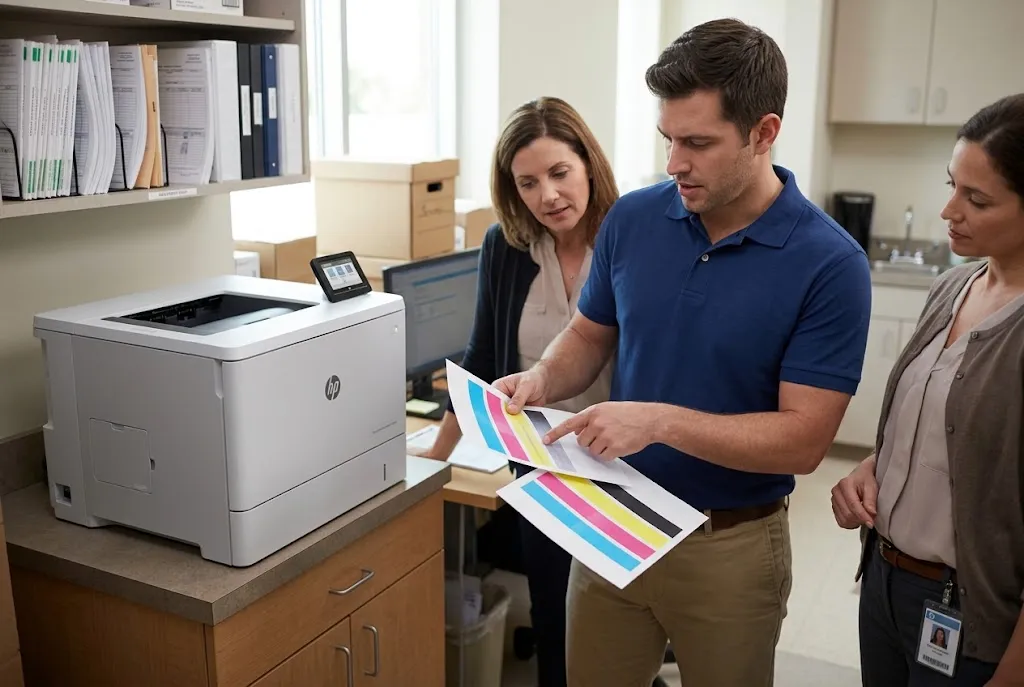
6. Streaks, Repeating Marks, Smudges, and Missing Color
Print defects carry clues in their shape, direction, and spacing. The fastest way to read those clues is an internal test page, which takes the computer, the driver, and the original document out of the picture.
HP LaserJet Enterprise and HP Color LaserJet Enterprise models can print print-quality troubleshooting pages from the control panel, although the menu path varies by model. A defect that appears on the internal page is inside the printer. A clean internal page shifts attention to the application, the driver, or the original.
HP Color LaserJet Print Quality Troubleshooting
On color models, the troubleshooting pages show each color separately. A streak in only one color points toward that color’s toner cartridge, while a defect running through every color suggests a shared component such as the transfer system or the fuser. A color missing entirely is checked at the cartridge first, then at the transfer components on applicable models.
Repeating Marks and the Distance Between Them
A mark that repeats down the page at a regular interval usually comes from a rotating part. HP’s troubleshooting guidance asks you to measure the space between two neighboring marks, and that measurement is compared with HP’s model-specific repetitive-defect information. Keep the sample page; the spacing tells a technician more than a description.
HP LaserJet Enterprise MFP Automatic Document Feeder Repair
When an MFP produces a vertical streak on copies while computer prints stay clean, the scanner path is the first suspect. HP’s guidance for document-feeder streaks identifies contamination on the narrow ADF glass strip beside the flatbed glass as a likely cause, and cleaning that strip is the first remedy. If the streak continues after cleaning, or the feeder also misfeeds originals, we inspect the document-feeder rollers and separation pad.
HP’s own Print/Copy Quality Troubleshooting Tool for the HP Color LaserJet Enterprise Flow M880 MFP shows this method in practice. Internal test pages evaluate the print engine, while copies of a gray test page made from the glass and from the feeder evaluate the scanner.
When we recommend service. Book Printer Repair Alhambra CA service when a defect stays on internal test pages after a fresh toner cartridge has been tried, when marks repeat at a fixed spacing, or when an MFP streak survives a cleaned ADF glass strip. Keep the sample pages for the technician.
7. Maintenance Prompt or Active Breakdown? Matching Parts to Your Model
A maintenance message and a breakdown are different events. Many HP LaserJet Enterprise models track usage and display a maintenance-related message when a kit reaches its expected service interval, often while the printer keeps printing normally. A breakdown shows itself through jams, error messages, or defects on the page.
That difference shapes a Printer Repair Alhambra CA visit. A printer showing a maintenance prompt but printing cleanly can be scheduled for planned work. A printer showing the prompt along with feed trouble or fuser-related defects tells us which wear parts deserve attention first.
Kit contents and part numbers vary by model, so we confirm that a kit applies to your exact printer before specifying parts. Our guide to HP LaserJet printer maintenance kits explains how the model, the maintenance message, and the symptoms you see work together.
For HP LaserJet maintenance in Alhambra, that can mean inspecting individual rollers when only one tray misbehaves, or installing a complete kit when the model, the prompt, and the symptoms point that way. We also supply high-quality third-party toner backed by a 1-year / 365-day warranty.
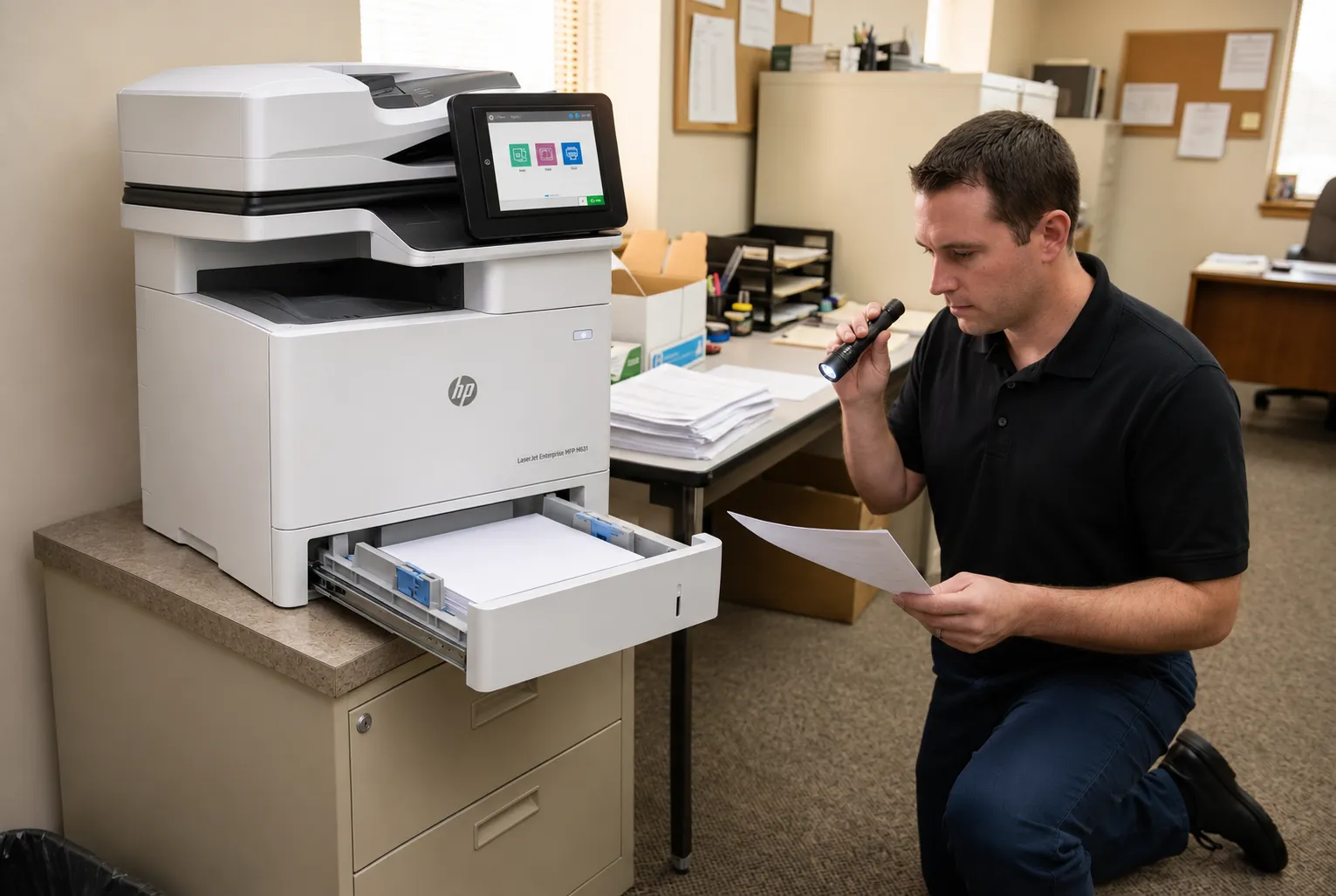
20+ Years Servicing HP LaserJets On Site
Printer Repair Alhambra CA visits use HP Parts, High Quality Parts, or Premium Parts, backed by a 6-month / 180-day warranty on service and installed parts. Same-day service may be available. Call (888) 657-0021.
8. What to Have Ready Before You Request Service
A few minutes of preparation gives your Printer Repair Alhambra CA technician a head start. Gather these details before you call or email:
- The exact model name and number, from the front panel or the configuration page.
- The full control-panel message, including any numeric code, written exactly as shown.
- The affected tray and the type of paper loaded in it.
- A sample print that shows the defect, plus an internal test page if the printer can produce one.
- For an MFP, whether the defect appears on computer print jobs, copies, or both.
- The number of printers that need attention during the visit.
About the onsite promotion. The offer shown in the first highlighted box on this page is a promotion covering Printer Repair Alhambra CA labor for one printer per onsite visit. Parts are not included, so the total depends on what the diagnosis finds. When two or more printers need service during the same visit, our Standard Flat Labor Rate applies instead.
If you decide not to proceed after diagnosis, the promotional service charge still applies. A return visit needed to install approved parts does not carry a second labor charge. We do not install customer-supplied parts.
If you have general questions before scheduling, our page of common HP printer repair questions covers topics that apply across HP laser models.
9. Printer Repair Alhambra CA and Nearby Service Areas
Printer Repair Alhambra CA requests come down to three questions: is the printer an HP laser model we support, what exactly is it doing, and which component does that behavior point to? A model number, a full message, the affected tray, and a sample page answer most of the second question before we arrive.
Beyond Printer Repair Alhambra CA service, our page on HP LaserJet repair in the Los Angeles area describes regional coverage for organizations with other locations. Separate pages cover onsite printer repair in South El Monte and onsite printer repair in Commerce for businesses with offices in those cities.
To schedule Printer Repair Alhambra CA service, call (888) 657-0021 or email info@printer-repair-experts.net with the details from the checklist above. Same-day service may be available, depending on the schedule. Either way, the technician arrives knowing what your staff have observed.
FAQ's - Frequently Asked Questions - Printer Repair Alhambra CA
No. Our Printer Repair Alhambra CA service covers HP LaserJet, HP LaserJet Enterprise, HP Color LaserJet, HP Color LaserJet Enterprise, and HP LaserJet or Color LaserJet MFP models. We do not service OfficeJet, DeskJet, ENVY, Smart Tank, DesignJet, PageWide, other inkjet printers, or copiers.
Yes. Clean the narrow ADF glass strip next to the flatbed glass, following the cleaning steps in your model’s HP documentation, then make another copy. If the line remains, or appears on flatbed copies too, schedule a Printer Repair Alhambra CA visit so the scanner path can be inspected.
Yes. Let us know how many printers need attention when you call. The onsite promotion applies to one printer per visit; when two or more printers need service, the Standard Flat Labor Rate applies.
We identify the part, confirm it applies to your exact model, and return to complete the Printer Repair Alhambra CA job once it is approved. Under the onsite promotion, that return visit does not carry a second labor charge.
No. We do not install customer-supplied parts. We supply HP Parts, High Quality Parts, or Premium Parts so the installed part is covered by our 6-month / 180-day warranty.
Yes. Service and installed parts carry a 6-month / 180-day warranty. The high-quality third-party toner we supply is backed by a 1-year / 365-day warranty.
Often, yes. On many HP LaserJet Enterprise models, a maintenance prompt signals that a service interval has been reached rather than a failure. If the prompt appears alongside jams, smudging, or error messages, schedule Printer Repair Alhambra CA service rather than waiting.
You receive our Printer Repair Alhambra CA findings and the recommended repair. The promotional service charge still applies to the diagnostic visit, even when you choose not to proceed.