
HP Color LaserJet M552 M553 M554 Fuser Error
How to Troubleshoot
An HP Color LaserJet M552 M553 M554 fuser error is a 50-series message, written 50.WX.YZ, that tells you which fuser fault family tripped and under what conditions it happened. The first character after “50.” identifies the fault family, and HP’s troubleshooting manual gives each family its own repair order, so the full code decides what gets checked and what gets replaced.
This page is built as a lookup reference. Find your code in the table, record the evidence, run the safe checks, and then follow the sequence for that family. Every HP Color LaserJet M552 M553 M554 fuser error sequence below marks where office staff should stop and where a technician takes over.
Preview Snapshot
- A model-and-code lookup table for each 50-series family in HP’s M552/M553 troubleshooting manual, with the M554 verification status stated plainly.
- How to read W, X, Y, and Z, including HP’s fuser-mode and sleep-state values.
- Safe operator checks, a clear stopping point, and separate technician procedures for each code family.
- What to verify first when the error appears after a new fuser is installed, including HP’s 110 V and 220 V fuser part numbers.
- How 13.B2, 13.B4, and 13.B9 right-door and fuser-area jams differ from a true 50-series fuser fault.
HP Color LaserJet M552 M553 M554 Fuser Error Codes at a Glance
Scan the first column for the family shown on your control panel. The descriptions come from HP’s troubleshooting manual for the Color LaserJet Enterprise M552 and M553. The last column shows where each sequence ends if the code survives every earlier step.
| Displayed code | HP description | Models documented | Final documented remedy |
|---|---|---|---|
| 50.1X.YZ | Low fuser temperature failure | M552dn, M553n, M553dn, M553x | Fuser power supply assembly |
| 50.2X.YZ | Fuser warm-up error | M552dn, M553n, M553dn, M553x | Low-voltage power supply assembly |
| 50.3X.YZ | High fuser temperature | M552dn, M553n, M553dn, M553x | Fuser power supply assembly |
| 50.4X.YZ | Drive circuit fault | M552dn, M553n, M553dn, M553x | Fuser power supply assembly |
| 50.6X.YZ | Open fuser circuit (heating element failure) | M552dn, M553n, M553dn, M553x | Fuser power supply assembly |
| 50.7X.YZ | Fuser pressure-release mechanism failure | M552dn, M553n, M553dn, M553x | Fuser |
| 50.8X.YZ | Low fuser temperature 2 | M552dn, M553n, M553dn, M553x | Fuser power supply assembly |
| 50.9X.YZ | High fuser temperature 2 | M552dn, M553n, M553dn, M553x | Fuser PCA assembly |
| 50.AX.YZ | Low fuser temperature 3 | M552dn, M553n, M553dn, M553x | Fuser power supply assembly |
| 50.BX.YZ | High fuser temperature 3 | M552dn, M553n, M553dn, M553x | Fuser PCA assembly |
| Any 50.xx.yz | Code families above not yet confirmed in M554-specific HP code documentation | M554dn | See the M554 note below |
HP’s fuser removal and replacement procedure covers all three models, so fuser handling and part selection are shared. The code meanings above are a different matter.
Where the M554 Stands
For HP M554 fuser error troubleshooting, we hold the M554 to its own documentation. We could not obtain an M554-specific HP code list, or an HP code document that names the M554, to confirm that every family above carries the same meaning and repair order on that printer. Until that check is complete, we do not present the M552/M553 sequences as verified for the M554.
What does apply to the M554dn today is HP’s shared fuser procedure: power down, unplug, let the fuser cool, confirm it is fully seated, and confirm the installed fuser matches the model and line voltage. If the code returns after those checks, record it in full and treat the rest as technician diagnosis.
Reading W, X, Y, and Z Before Anything Gets Replaced
For an HP Color LaserJet Enterprise 50.xx.yz fuser error, HP defines the format this way: W is the fuser error code, X is the fuser mode, Y is the previous printer sleep state, and Z is the next sleep state. Two printers can both show a 50.2 fault and still be telling different stories. One may have failed while leaving standby, the other in the middle of a job on heavy stock.
Keep the whole string. A note that says “50 error” throws away the fuser mode and the power state, which are often the most useful clues on a printer that fails only some of the time. That level of detail also separates this model-specific reference from our general guide, How to troubleshoot an HP printer fuser error, which covers 50-series behavior across many HP LaserJet generations.
Fuser Mode Values (X)
- 0 = Photo Media 1, 2, 3; 1 = Normal (Auto Sense); 2 = Normal; 3 = Light 1
- 4 = Heavy 1; 5 = Heavy 2; 6 = Heavy 3
- 7 = Glossy 1; 8 = Glossy 2; 9 = Glossy 3; A = Glossy Film
- B = Transparency; C = Label; D = Envelope 1; E = Rough
Printer Sleep States (Y and Z)
- 0 = Printing
- 1 = Standby level 1, no temperature control
- 2 = Standby level 2, high temperature control
- 3 = Standby level 3, middle temperature control
- 4 = Standby with low temperature control
Evidence to Capture First
- The full displayed code, character for character.
- The exact model: M552dn, M553n, M553dn, M553x, or M554dn.
- When it happened: at power-on, on wake from sleep, during a job, or right after a fuser was installed.
- The media loaded and the paper type selected for that job.
- Recent event-log entries, if your administrator can reach them.
HP Color LaserJet fuser event log codes are reached from the control panel under Administration, then Troubleshooting, then Event Log on touchscreen models, or Print Event Log on keypad models. HP notes that this administrator view shows only a subset of events. The complete log sits in the Service menu, which is technician territory.
50-Series Code Back After Every Restart?
Our $69.99 Onsite Printer Repair Promotion brings a technician to one M552, M553, or M554 to trace the fuser fault to the failing part. Parts are extra. Limitations may apply.
Call (888) 657-0021 or email info@printer-repair-experts.net.
Safe Operator Checks and the Point Where Office Staff Should Stop
These steps follow HP’s general 50.WX.YZ guidance and the shared fuser procedure. Anyone responsible for the printer can do them. Nothing here involves opening covers beyond the right door or touching wiring.
- Restart. Turn the printer off and back on. If the code clears and stays away, log it and keep watching.
- Remove the middleman. If it returns, turn the printer off and plug it directly into a wall outlet. HP specifically calls for removing any surge protector or UPS.
- Try another circuit. If possible, use a different outlet, preferably on a dedicated circuit. HP’s M552/M553 manual says the printer should be the only device using the circuit.
- Match the media. Confirm the paper type in the print driver and on the control panel both match the stock actually loaded.
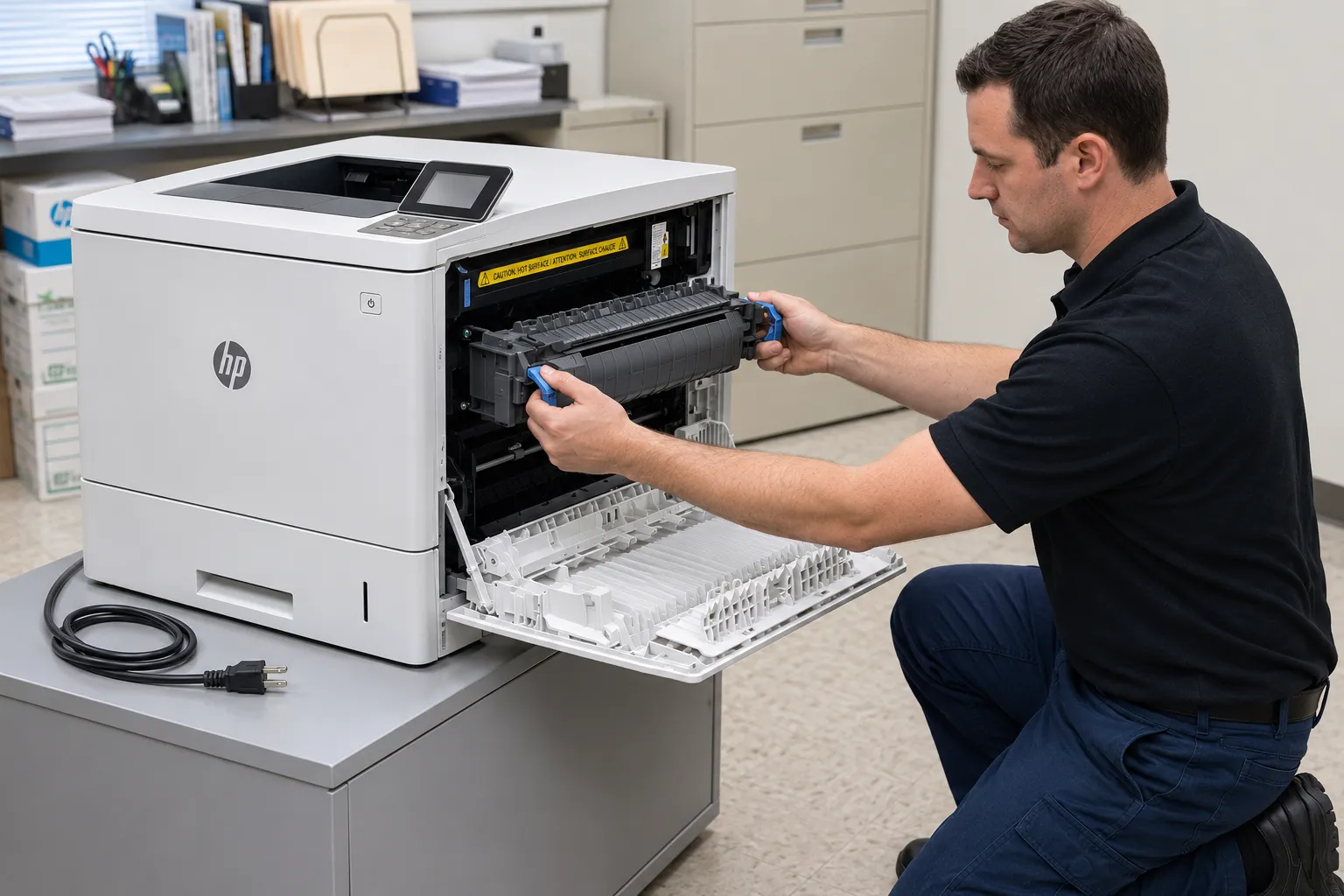
- Cool, then reseat. Turn the printer off, wait 30 seconds, and unplug it. HP’s procedure says to let the fuser cool for at least 30 minutes, then open the right door, squeeze the two blue triggers, slide the fuser out, look for trapped paper, and push it back in until both triggers click.
Stop here. If the same family returns after the steps above, the remaining work involves connectors, circuit boards, power supplies, or service-mode tests. Those are technician procedures, and guessing at them can mean buying a fuser the printer did not need.
Low-Temperature and Warm-Up Faults: 50.1X, 50.2X, 50.8X, and 50.AX
These four families mean the fuser did not reach or hold the temperature the DC controller expected. The causes overlap, but HP’s repair order is different for each. A technician should follow the sequence for the exact code.
50.1X.YZ: Low Fuser Temperature Failure
Symptom: the printer stops and displays 50.1X.YZ. Likely cause: a seating, residual-paper, connection, fuser, or fuser power supply problem.
- Operator: reseat the fuser and check it for residual paper, as above.
- Technician: inspect connector J50 between the fuser and the printer. If it is damaged, replace the fuser drive assembly or the fuser.
- Technician: reconnect J2603 on the fuser control PCA and J116 on the DC controller PCA.
- Technician: if the code persists, replace the fuser.
- Technician: if it still remains, replace the fuser power supply assembly (HP part RM2-7125-000CN).
HP’s manual also lists a shorter “50.1X” entry that references different connectors (J1901, J303, J305, and J107). Our technicians follow the entry that matches the exact format on the display.
50.2X.YZ: Fuser Warm-Up Error
An HP M552 fuser warm-up error and an HP M553 50.2X fuser error follow the same HP sequence. Symptom: the code appears while the fuser is coming up to temperature. Likely cause: seating, residual paper, supply power, a connection, the fuser, or one of two power supply assemblies.
- Operator: reseat the fuser, check for residual paper, and confirm the wall-outlet and dedicated-circuit steps.
- Technician: inspect J50. If damaged, replace the connector assembly or the fuser.
- Technician: reconnect J128 on the DC controller PCA, J600 on the low-voltage power supply assembly, and J6002 and J6003 on the fuser power supply assembly.
- Technician: replace the fuser if the code persists.
- Technician: if it remains, replace the fuser power supply assembly (RM2-7125-000CN), and then the low-voltage power supply assembly.
The Y and Z digits matter here. If the fault appears only when the printer leaves a particular standby state, the technician reproduces that same state when testing each step.
50.8X.YZ: Low Fuser Temperature 2
Symptom: a second low-temperature condition is flagged. Likely cause: seating, residual paper, J50, the fuser, the fuser control PCA, or the fuser power supply.
- Operator: reseat the fuser and check for residual paper.
- Technician: inspect J50. If damaged, replace the fuser drive assembly or the fuser.
- Technician: reconnect J2603 on the fuser control PCA and J116 on the DC controller PCA.
- Technician: replace the fuser if the code persists.
- Technician: next, replace the fuser control PCA (HP calls it the Fuser PCA assembly), and finally the fuser power supply assembly (RM2-7125-000CN).
50.AX.YZ: Low Fuser Temperature 3
Symptom: a third low-temperature condition is flagged. HP gives it the same repair order as 50.8X.YZ: reseat and clear residual paper, inspect J50, reconnect J2603 and J116, then replace the fuser, the Fuser PCA assembly, and the fuser power supply assembly in that order. Repair component: whichever assembly the step-by-step test isolates, not all three.
Overheat Faults: 50.3X, 50.9X, and 50.BX
High-temperature codes add one check the low-temperature families do not have: matching the paper-type setting to the actual media. The paper-type setting selects the fuser mode, so a mismatch with the loaded stock matters, and HP puts this check before any part replacement.
50.3X.YZ: High Fuser Temperature
- Operator: reseat the fuser and check for residual paper.
- Operator: confirm the paper type in the control panel menus and in the print driver match each other and the media in use.
- Technician: inspect J50. If damaged, replace the connector assembly or the fuser.
- Technician: replace the fuser if the code persists.
- Technician: if it still remains, replace the fuser power supply assembly (RM2-7125-000CN).
50.9X.YZ: High Fuser Temperature 2
- Operator: reseat the fuser, check for residual paper, and match the paper-type settings to the media.
- Technician: inspect J50. If damaged, replace the connector assembly or the fuser.
- Technician: replace the fuser if the code persists.
- Technician: if it remains, replace the Fuser PCA assembly.
50.BX.YZ: High Fuser Temperature 3
HP’s order for 50.BX.YZ mirrors 50.9X.YZ: reseat, clear residual paper, match the paper type, inspect J50, replace the fuser, and then replace the Fuser PCA assembly if the fault remains. Check the X digit before anything else. It shows which media mode was active when the overheat was detected.
Fuser, Board, or Power Supply?
The same 50-series code can trace back to the fuser, the fuser control PCA, or a power supply assembly. We test in HP’s documented order before replacing anything, so you pay for the part the fault calls for. Call (888) 657-0021.
Drive Circuit, Open Heater, and Pressure-Release Faults: 50.4X, 50.6X, and 50.7X
These three families are not about temperature drift. They involve the circuit that drives the fuser, the heating element circuit itself, and the mechanism that releases pressure between the fuser rollers. Each one has a distinct HP sequence.
50.4X.YZ: Drive Circuit Fault
Symptom: the printer reports a drive circuit fault. Root cause to rule out first: the power source. HP notes that if the supply does not meet the 43 to 67 Hz frequency requirement, fuser temperature control does not work properly.
- Operator: reseat the fuser and move the printer to a direct wall outlet on a circuit it does not share.
- Technician: reconnect J128 on the DC controller PCA.
- Technician: replace the fuser power supply assembly.
50.6X.YZ: Open Fuser Circuit
HP describes this as a heating element failure. The order is fuser seating, then the fuser-to-printer connection at J50, then the fuser itself, and finally the fuser power supply assembly (RM2-7125-000CN). If J50 is damaged, the connector assembly or the fuser is replaced. Repair component: the fuser, or the fuser power supply assembly when a correctly seated, verified fuser does not clear the code.
50.7X.YZ: Pressure-Release Mechanism Failure
An HP M553 fuser pressure-release failure is mechanical before it is electrical. The printer moves the fuser rollers apart and back together, and a sensor confirms the movement. If it does not see the expected result, 50.7X.YZ appears.
- Operator: reseat the fuser.
- Technician: inspect the pressure-release gear on the fuser. If it is damaged, replace the fuser.
- Technician: inspect the pressure-release gear on the printer side. If it is damaged, replace the fuser drive assembly.
- Technician: run the sensor test in sensor monitor mode. If the fuser pressure release sensor fails, replace the sensor.
- Technician: run the fuser depressurization drive test in actuator drive mode. If depressurization fails, replace the fuser motor.
- Technician: reconnect J79 at the pressure release sensor and J115 on the DC controller PCA, then replace the fuser if the fault remains.
HP’s component tests require defeating door interlocks and, for some tests, removing the ITB and toner cartridges. That is one reason we keep them out of the operator list. When the escalation steps above do not clear the code, Onsite printer repair lets a technician run those tests at the printer instead of shipping it anywhere.
HP Color LaserJet Fuser Error After Replacement: Verify the Part Before the Printer
An HP Color LaserJet fuser error after replacement is a common source of confusion. Before anyone suspects a connector or a board, confirm the replacement is correct for the printer model, the product number on the rear label, and the line voltage.
HP Color LaserJet M552 M553 M554 Fuser Replacement
HP’s M552/M553 troubleshooting manual lists the fuser kit as B5L35-67901 for 110 V and B5L36-67901 for 220 V. HP’s shared fuser document for the M552, M553, and M554 lists the service part as B5L35-67902 (110 V) and B5L36-67902 (220 V), each with an instruction guide. Either way, the voltage must match the printer, and HP warns against converting operating voltage.
For HP M552 M553 M554 fuser replacement, HP’s fuser removal and replacement procedure for the M552, M553, and M554 is the reference we follow. It rates the job as basic service with no special tools, but the cooling time, the audible click of both blue triggers, and the right door being fully closed all matter.
- Confirm model, product number, and voltage against the fuser label.
- Confirm all shipping tape and packing material is removed from the new fuser.
- Confirm the fuser is fully seated and the right door is fully closed.
- On printers with FutureSmart 3 firmware, reset the fuser counter under Administration, Manage Supplies, Reset Supplies, New Fuser Kit.
- Power on and print a configuration page, which is HP’s post-service test.
- Then repeat the original trigger: the same tray, media, and wake-from-sleep pattern that produced the first code.
If the same family returns with a verified, correctly seated fuser, the fuser is unlikely to be the root cause. The sequences above then point to J50, the fuser control PCA, or a power supply assembly, depending on the code. A fuser swap is also different from scheduled service; HP LaserJet maintenance kits explains how planned maintenance-kit work differs from replacing a fuser because a fault was diagnosed.
Fuser Work Warranted for 180 Days
With more than 20 years in the office equipment industry, we repair the M552, M553, and M554 onsite using HP Parts or High Quality Parts, backed by our 6-month / 180-day warranty. Same-day service may be available. Email info@printer-repair-experts.net to schedule.
Jam Codes and Print Symptoms That Look Like a Fuser Fault
The right door on these printers gives access to both the fuser and the jam-clearing path, so jam codes and fuser codes often get mixed up in help-desk tickets. The prefix settles it. A 13 code is a paper-movement event; a 50 code is a fuser fault.
HP Color LaserJet M552 M553 M554 Paper Jam in the Right Door and Fuser Area
- 13.B2: HP describes residual media in the image area, with paper detected at the top-of-page or media-width sensors at power-on or after a jam is cleared.
- 13.B4: residual media at the image area, with paper present at the fuser loop sensor (PS1) or the fuser delivery sensor (SR9).
- 13.B9: HP calls this a fuser delivery stay. Paper remained at SR9 past the allowed time, which can come from an accordion jam at the fuser exit or a sticky fuser exit flag.
A 13.B9 can still end in a fuser replacement if the fuser sleeve, pressure roller, or delivery roller is damaged. It is diagnosed as a jam first, though. When the same output-area jam keeps returning, Why a printer keeps jamming covers the paper-path side of the problem.
HP Color LaserJet M552 M553 M554 Toner Rubs Off the Page
Loose or smearing toner with no code on the screen is a print-quality symptom, not a 50-series fault. It can help steer diagnosis toward fusing, along with media and paper-type settings. The full error code, or its absence, and the model-specific checks are what confirm the cause.
When a 50-Series Fault Calls for Onsite HP Color LaserJet Fuser Diagnosis
We recommend service when an HP Color LaserJet M552 M553 M554 fuser error returns after the restart, wall-outlet, paper-type, and reseat checks, or whenever the next step in HP’s sequence is a connector, a board, a sensor test, or a power supply. Onsite HP Color LaserJet fuser diagnosis also makes sense when the code comes and goes. An intermittent fault is easiest to confirm where it happens, on the same circuit, media, and sleep pattern.
At the printer, our technician reads the full code and the event log, matches the family to the correct HP sequence, and stops at the step that isolates the failed part. Printer Repair Experts replaces fuser assemblies rather than rebuilding them onsite. We install HP Parts or High Quality Parts, and the work carries our 6-month / 180-day warranty on service and installed parts.
Cost follows the diagnosis. A reseated connector and a replaced power supply assembly are very different repairs, and What affects the cost of printer repair explains how labor and parts shape a quote. If the M552, M553, or M554 also has faults outside the fuser, our HP Color LaserJet M552, M553, and M554 printer repair page covers the whole platform. For other models in the family, see HP Color LaserJet printer repair.
We serve Orange County, including Anaheim, Irvine, Santa Ana, Fullerton, and Huntington Beach, along with approved portions of Los Angeles County. See HP LaserJet printer repair in Los Angeles or HP LaserJet printer repair in Orange County for area details. Same-day service may be available.
Have questions before booking? HP printer repair questions answers the common ones, or call (888) 657-0021 with the full 50-series code and your model ready.
FAQ's - Frequently Asked Questions - HP M552, M553, and M554 Fuser Errors
Yes, if it does not come back. Write down the full code first, including all four characters after “50.”, and watch for a repeat. A code that returns, especially under the same media or wake-from-sleep pattern, should be diagnosed rather than restarted again and again.
The X digit records the media mode, such as Heavy 1 or Label, that was active when the fault occurred. On overheat codes, it shows whether the paper-type setting may have played a part. It also helps a technician reproduce an intermittent fault.
HP’s shared fuser document covers all three models and lists B5L35-67902 for 110 V and B5L36-67902 for 220 V. The M552/M553 manual also lists the B5L35-67901 and B5L36-67901 fuser kits. The voltage must match the printer.
It can contribute. HP’s 50-series guidance says to remove any surge protector or UPS and plug the printer directly into a wall outlet, preferably on a dedicated circuit. It is one of the first checks we ask offices to try.
Removing and reseating it is a basic HP procedure, but only after powering off, unplugging, and letting the fuser cool for at least 30 minutes. Connector checks, sensor tests, and board or power supply work belong to a technician.
No. The reset tells the printer a new fuser kit was installed so it can track fuser life. It is not one of HP’s corrective steps for any 50-series family.
We do not install customer-supplied parts. We supply HP Parts or High Quality Parts matched to the printer and voltage, so the installed part is covered by our warranty.
Service and the parts we install carry our 6-month / 180-day warranty. If the original fault comes back within that period, contact us at (888) 657-0021 or info@printer-repair-experts.net.