
HP LaserJet 4000 4050 4100 Printer Repair in Orange County
HP LaserJet 4000 4050 4100 Printer Repair is one of the most common service calls we take from Orange County offices still running these dependable monochrome workhorses. Many of these units have been printing invoices, contracts, and reports for well over a decade, and a properly diagnosed repair usually costs far less than replacing a printer that still has useful life left.
We treat the HP LaserJet 4000, 4050, and 4100 as one closely related repair family because they share the same paper path, fuser design, and sensor layout with only minor differences between models. That shared design is why our HP LaserJet printer repair technicians can usually pinpoint a 4000, 4050, or 4100 problem quickly once we’re onsite.
This page focuses specifically on the HP LaserJet 4000 4050 4100 repair service issues we see most: paper jams, fuser errors, worn rollers, and print-quality defects. HP LaserJet 4000 4050 4100 Printer Repair covers all of it below, from the exact error codes to what a typical onsite visit looks like.
Here’s a quick snapshot of what’s covered on this page:
- Every HP LaserJet 4000 4050 4100 13.xx paper jam code, explained in plain language
- The correct HP-documented sequence for 50.1, 50.2, and 50.3 fuser errors — and why 50.4 is different
- What’s inside a 200,000-page maintenance kit and when roller replacement makes sense
- Common print-quality problems on aging units and what typically causes them
- What to expect when you request onsite HP LaserJet printer repair
- Our $69.99 Onsite Printer Repair Promotion and 6-month warranty on service and installed parts
$69.99 Gets Your HP LaserJet 4000, 4050, or 4100 Diagnosed Onsite
Our $69.99 Onsite Printer Repair Promotion covers one printer per visit and includes a full onsite diagnosis from an experienced technician. Call (888) 657-0021 or email info@printer-repair-experts.net to schedule service for your HP LaserJet 4000, 4050, or 4100. Limitations may apply.
1. HP LaserJet 4000 4050 4100 Printer Repair: What We See Most Often in Orange County Offices
Most of the service calls we take for the HP LaserJet 4000, 4050, and 4100 fall into a handful of categories. Paper jams and fuser errors are the two most frequent, followed by worn pickup and feed rollers, and print-quality complaints like faded pages or toner smearing. We see these printers most often in accounting firms, law offices, schools, and warehouses that have relied on the same dependable HP LaserJet hardware for years.
Network connectivity, driver, and firmware issues come up occasionally, but we only address those when they’re directly relevant to a specific service call — they aren’t covered by the $69.99 promotion. Our HP LaserJet 4000 4050 4100 printer technician team focuses primarily on the mechanical and paper-path problems that actually take these printers offline.
Because the 4000, 4050, and 4100 series share so much of the same paper-handling design, we also support related established monochrome families such as HP LaserJet 4240 4250 4350 printer repair for offices running a mix of model years.
If your fleet includes several generations of HP LaserJet hardware, one onsite visit can often address more than one machine — though the $69.99 promotion applies to a single printer per visit, and our standard flat labor rate applies whenever a second unit needs service during the same visit.
2. HP LaserJet 4000 4050 4100 13.xx Paper Jam Codes Explained
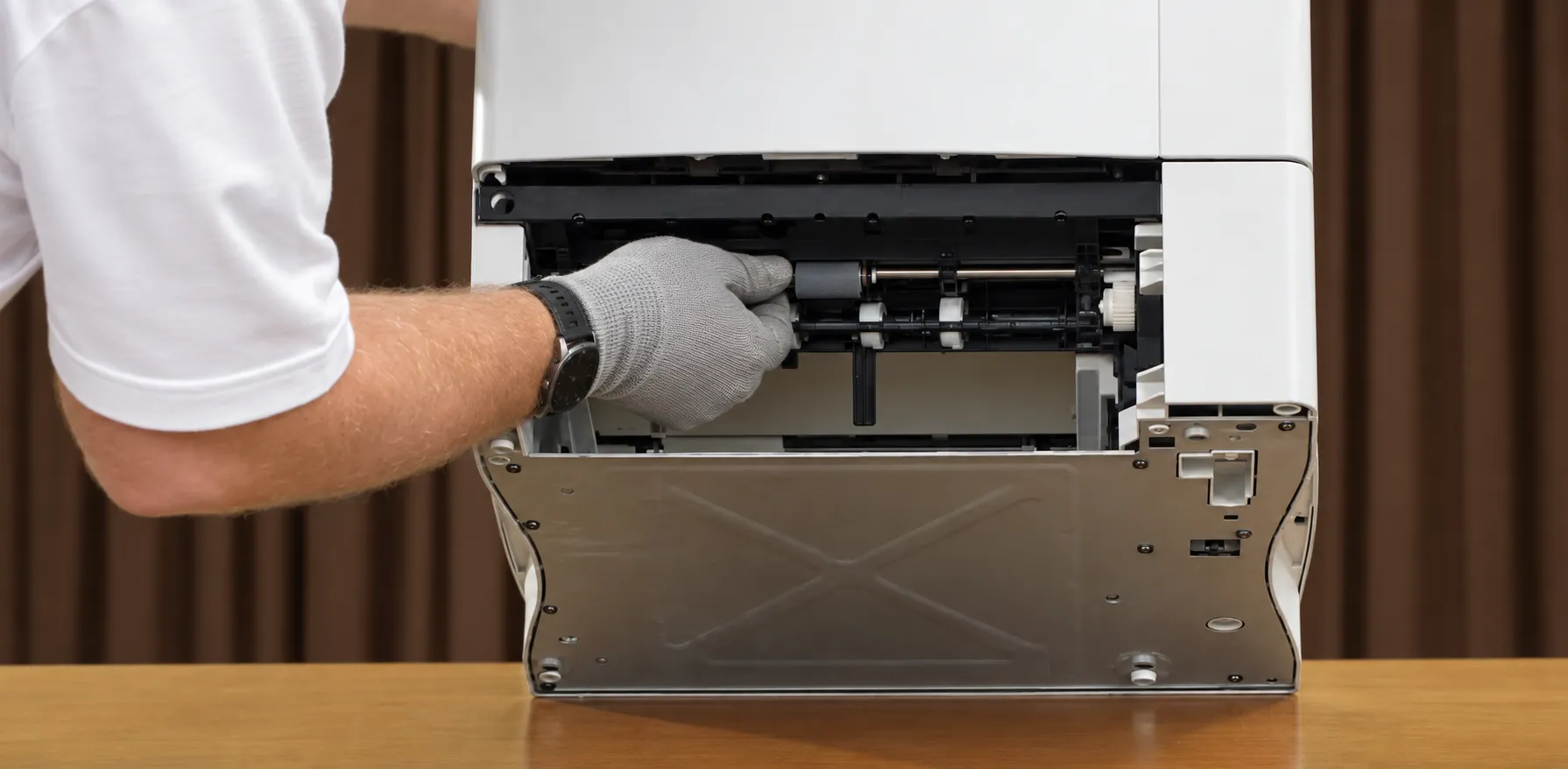
Most HP LaserJet 4000 4050 4100 paper jam repair calls start with reading the exact 13.xx code on the control panel rather than just clearing the media and hoping the printer doesn’t jam again. Each number points to a different physical area of the paper path, so the fastest repairs begin with the code itself.
| Code | What It Means | What We Check First |
|---|---|---|
| 13.0 PAPER JAM | Non-specific jam anywhere in the path | Remove jammed media, confirm the tray is fully seated, inspect feed and separation rollers, open and close the top cover |
| 13.1 PAPER JAM | Paper-delay jam at the feed area | Tray loading and media specs, PS102/PS103 sensors and flags, pickup/feed/separation roller wear |
| 13.2 PAPER JAM | Paper-stopped jam at the feed area | Obstructions and registration assembly seating, PS102/PS103 sensors, fuser installation |
| 13.5 PAPER JAM | Paper-delay jam near the fuser | Transfer roller and media belt, PS107/PS108 sensors, obstructions near the toner cartridge and fuser |
| 13.6 PAPER JAM | Paper-stopped jam near the fuser | Fuser and output-area obstructions, PS107/PS108 sensors |
| 13.10 PAPER JAM | Jam in the optional duplexer | Duplexer and rear-area damage, PS701/PS703 sensors, duplexer replacement if a sensor has failed |
| 13.20 PAPER JAM | Media stopped at power-on or after closing the top cover | Remove all media, cycle the top cover, PS102/PS103/PS107/PS108 sensors |
| 13.21 DOOR OPEN JAM | Top cover opened while printing | Close the top cover; check the SW101 top-door switch if the message continues |
| 13.99 PAPER JAM | Non-specific jam, same category as 13.0 | Same full paper-path, roller, and sensor check used for 13.0 |
HP LaserJet 4000 4050 4100 13.1 Paper Jam
A 13.1 code means the printer picked up a sheet, but it never reached the top-of-page sensor in time. This usually points to an overloaded tray, guides that aren’t set correctly, or pickup and feed rollers that have worn smooth from years of use.
We start by checking how the tray is loaded and confirming the media meets HP’s supported weight and size specifications. From there we test the PS102 and PS103 sensors and flags, since a bent flag or a failed sensor produces the exact same code as a worn roller.
When the pickup, feed, or separation rollers show visible wear, we replace them as part of the visit. If the 13.1 message keeps returning after rollers and sensors check out, the registration assembly usually needs a closer onsite inspection.
HP LaserJet 4000 4050 4100 13.5 Paper Jam
A 13.5 code shows up when a sheet is delayed reaching the fuser area. It’s most common on printers with a worn transfer roller or a paper path that’s picking up debris near the toner cartridge.
Diagnosis involves checking the transfer roller and small media belt for proper operation, then inspecting the PS107 and PS108 sensors and flags near the fuser entrance for damage.
If a sensor or flag has failed, we replace it during the same visit. When the transfer roller has reached the end of its expected service life, we typically recommend replacing it along with the fuser as part of a full maintenance kit rather than as an isolated part.
HP LaserJet 4000 4050 4100 13.6 Paper Jam
A 13.6 code means a sheet stopped somewhere between the fuser and the output area rather than simply being delayed. It often follows a 13.5 code on the same printer once components in that area start to wear.
We check the fuser and delivery area for obstructions first, then test the same PS107 and PS108 sensors and flags used for the 13.5 diagnosis.
A printer that produces 13.5 and 13.6 codes together is usually telling us the fuser assembly is due for replacement rather than a simple sensor issue, especially once the unit has printed several hundred thousand pages.
HP LaserJet 4000 4050 4100 Paper Jam: Other Codes Worth Knowing
13.2 jams behave like 13.1 jams, except the sheet stops rather than being delayed, and the same registration and sensor checks usually apply. 13.10 jams only occur with the optional duplexer installed and typically point to a damaged duplex sensor or, less often, a defective duplexer unit.
13.20 and 13.21 both relate to the top cover — 13.20 appears when leftover media is detected during power-on, and 13.21 simply means the cover was open while a job was printing. Checking the SW101 top-door switch usually resolves a 13.21 code that won’t clear.
The same underlying issues explain why a printer keeps jamming instead of clearing up after one fix: worn rollers, damaged sensor flags, or a paper path that’s accumulating dust and toner residue over time. We check all of these areas whenever a jam code keeps coming back after the first fix.
3. Why These Printers Keep Jamming Even After You Clear the Message
Clearing a jam message and reprinting the page fixes the immediate symptom, but it doesn’t fix the printer if a component is actually wearing out. We regularly find offices that have been manually clearing the same jam message for weeks before calling for service.
The most common underlying causes are worn pickup, feed, or separation rollers; a damaged sensor flag in the paper path; a registration assembly that’s slipped out of alignment; or media that doesn’t match the tray’s stored size and weight settings.
Rear delivery-path obstructions and a transfer roller nearing the end of its service life can produce the same symptoms as a simple paper jam, which is why we inspect the whole path rather than just clearing the message and moving on.
We recommend professional onsite diagnosis whenever a jam code returns more than once or twice after clearing it, since repeated jams typically point to a worn or damaged component rather than a one-time paper issue.
A 13.xx Code Doesn’t Always Mean a New Printer
Recurring paper jams and fuser errors on an HP LaserJet 4000, 4050, or 4100 usually trace back to one or two worn components — not a printer that needs to be replaced. Our technicians diagnose the actual cause onsite before recommending any repair. Call (888) 657-0021 to describe what your printer is doing.
4. HP LaserJet 4000 4050 4100 Fuser Error Codes: 50.1, 50.2, and 50.3
A 50.X fuser error means the printer’s internal temperature sensors detected a problem with the fuser assembly. Every HP LaserJet 4000 4050 4100 50.x fuser error we cover below follows the same documented remedy sequence from HP, and the number after the decimal identifies exactly what went wrong.
HP LaserJet 4000 4050 4100 50.1 Low Fuser Temperature Error
A 50.1 code means the fuser didn’t reach its normal operating temperature within the expected time. This can be a temporary issue, but it can also mean the fuser assembly itself has failed.
The documented first step is to turn the printer off, let it sit for about 20 minutes to cool completely, and then power it back on. If the message returns, reseating the fuser is the next step.
When the error persists after reseating, the fuser assembly typically needs to be replaced. On rare occasions the failure sits with an engine-control component instead, which our technicians confirm onsite before ordering parts.
HP LaserJet 4000 4050 4100 50.2 Fuser Warm-Up Error
A 50.2 code means the fuser is failing to warm up correctly during startup rather than simply running cold. The symptom looks similar to a 50.1 error from the control panel, but it points to a different stage of the fuser’s warm-up cycle.
The same cool-down, power-cycle, and reseat sequence applies here first. If the warm-up error keeps returning after that, we treat it the same way as a 50.1 failure and inspect the fuser assembly directly.
A fuser that’s printed close to or beyond its expected 200,000-page service life is the most likely explanation once basic troubleshooting doesn’t resolve a 50.2 message.
HP LaserJet 4000 4050 4100 50.3 High Fuser Temperature Error
A 50.3 code is the opposite problem — the fuser is running hotter than it should. Left unaddressed, an overheating fuser can affect print quality and, in some cases, become a safety concern.
We follow the same documented sequence: power down, allow a full 20-minute cooldown, restart, and reseat the fuser if the message returns.
If a 50.3 error continues after reseating, the fuser assembly is the most likely failed component, and we recommend having it professionally replaced rather than continuing to run the printer in that condition.
If you want more general background on this category of failure, our guide on how to fix a fuser error on an HP printer covers the warning signs across several HP LaserJet families in more depth.
5. 50.4 Printer Error: A Line-Voltage Problem, Not a Fuser Failure
A 50.4 message looks similar to the 50.X fuser errors, but HP documentation identifies it as a line-voltage issue rather than a fuser problem. Treating it like a fuser failure usually wastes time and money on the wrong repair.
The first step is removing the printer from any UPS device, additional power supply, or power strip, since these are common sources of the problem. Plugging directly into a wall outlet often resolves the error immediately.
If the printer is already on a dedicated wall outlet, testing a different, independent circuit in the building is the next step. When the error continues across multiple outlets, the building’s electrical supply may need to be inspected by a qualified electrician.
We call this out specifically because 50.4 is easy to mistake for a fuser problem, and replacing a fuser won’t fix an electrical supply issue.
6. HP LaserJet 4000 4050 4100 Perform Printer Maintenance: 200,000-Page Kits and Roller Wear
A properly installed HP LaserJet 4000 4050 4100 maintenance kit is one of the most effective ways to prevent jams and fuser errors before they start. HP built these printers around a 200,000-page maintenance interval, and the control panel displays a PERFORM PRINTER MAINTENANCE message once a printer reaches that count. It’s a scheduled service reminder, not a failure.
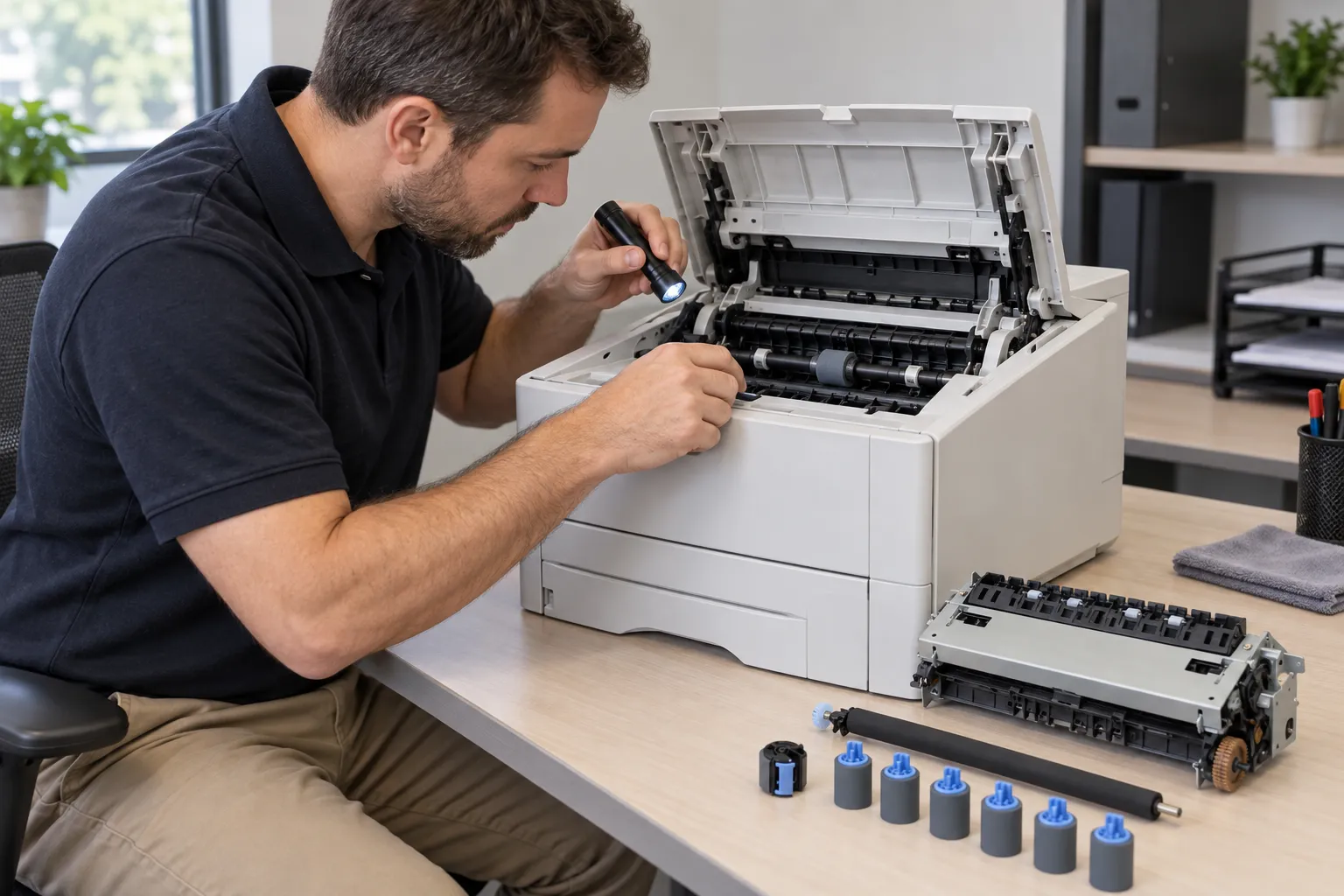
The maintenance kit for this printer family typically includes a new fuser, a transfer roller, the tray 1 pickup roller, and the feed and separation rollers used in trays 2 through 4. Installing the full kit at the recommended interval is usually more cost-effective than replacing individual worn parts one at a time as they fail.
HP LaserJet 4000 4050 4100 pickup roller replacement and HP LaserJet 4000 4050 4100 feed roller replacement are two of the most requested services we perform outside of a full kit, especially on printers running heavier volumes of media like cardstock or labels.
HP’s official support documentation for the LaserJet 4100 printer series still lists these same maintenance intervals and parts, which is the standard we follow when a printer is due for service.
Over 20 Years Keeping HP LaserJet Printers Running
We’ve serviced HP LaserJet printers for more than 20 years, and every onsite repair on your 4000, 4050, or 4100 is backed by a 6-month warranty on service and installed parts. Same-day service may be available depending on scheduling. Email info@printer-repair-experts.net or call (888) 657-0021 to get on the schedule.
7. Print Quality Problems on Aging HP LaserJet 4000, 4050, and 4100 Units
Paper jams and fuser errors aren’t the only issues that show up as these printers age. Faded pages, vertical lines, splotches, streaking, and toner smearing are common complaints on units that have printed heavy volumes over many years.
A worn fuser can cause smearing or a dull, uneven finish on the page, while a failing transfer roller often produces consistent vertical lines or repetitive marks spaced evenly down the page. Toner cartridge condition and print-density settings can also contribute.
We diagnose print-quality complaints the same way we diagnose error codes: identify exactly what the defect looks like, isolate which component in the paper or imaging path is causing it, and recommend the specific fix rather than guessing.
Reliable output also depends on the toner installed. We use high-quality third-party toner backed by a 1-year, 365-day warranty, which gives offices consistent print quality without the added cost of premium-branded cartridges.
8. What Happens During an Onsite HP LaserJet 4000 4050 4100 Service Visit
Onsite HP LaserJet printer repair means a technician comes to your office, diagnoses the HP LaserJet 4000, 4050, or 4100 in person, and explains what’s wrong before any work begins. We don’t guess over the phone what a printer needs.
Our onsite printer repair process typically covers diagnosis, any needed component replacement, and functional testing before we consider the job complete. We use HP Parts and other high-quality, premium parts appropriate to the repair rather than mismatched aftermarket substitutes.
We serve businesses throughout Orange County, including Anaheim, Santa Ana, Irvine, Fullerton, Huntington Beach, and Garden Grove, along with approved portions of Los Angeles County. Same-day service may be available depending on the day and location, though we can’t guarantee it for every request.
Office managers, IT staff, and administrative teams are usually the ones coordinating these visits, so we keep communication straightforward: what we found, what it takes to fix, and what it costs before we do the work.
9. Repair or Replace? Getting the Most from Your HP LaserJet 4000, 4050, or 4100
An older HP LaserJet is often still worth repairing, especially when the failure is a single worn component like a fuser, roller, or sensor rather than a widespread electronic failure. These printers were built for heavy-duty, high-volume printing, and that durability is exactly why so many are still in service today.
Replacement usually makes more sense when a printer needs several major components at once, when parts availability becomes a genuine problem, or when your printing needs have outgrown what a 4000, 4050, or 4100 series printer was designed to handle.
For most of the paper jam, fuser error, and roller-wear issues covered on this page, repair is the more cost-effective option, and it’s why we lead with diagnosis rather than an automatic replacement recommendation.
If your HP LaserJet 4000, 4050, or 4100 is jamming, throwing a fuser code, or just overdue for maintenance, request onsite service and we’ll tell you honestly whether repair or replacement makes more sense for your office. That’s what HP LaserJet 4000 4050 4100 Printer Repair means at Printer Repair Experts — diagnose first, then recommend the repair that actually makes sense.
FAQ's - Frequently Asked Questions -
Onsite diagnosis is covered by our $69.99 Onsite Printer Repair Promotion for a single printer per visit. Repair costs beyond diagnosis depend on which parts are needed, and we always confirm pricing with you before starting any work. Limitations may apply.
No. We don’t install or guarantee customer-supplied parts. We use HP Parts and other high-quality, premium parts appropriate to each repair, which keeps the work covered under our 6-month warranty.
Same-day service may be available depending on scheduling and location, but we can’t guarantee it for every request. We’ll always give you an honest estimate of when a technician can get to your office.
We provide onsite service throughout Orange County — including cities like Anaheim, Santa Ana, Irvine, and Huntington Beach — along with approved portions of Los Angeles County.
Most jam, fuser, and roller repairs are completed in a single onsite visit once the printer has been diagnosed. If specialty parts have to be ordered, we’ll let you know before scheduling a return trip.
Yes. Our 6-month, 180-day warranty covers both the service performed and any parts we install during that visit, including maintenance kit components.
No. We specialize in HP LaserJet and HP Color LaserJet printers, including LaserJet MFP models. We don’t service HP OfficeJet, DeskJet, ENVY, Smart Tank, DesignJet, or PageWide printers, or consumer inkjet printers.
Leave the printer powered on if it’s safe to do so, and try to have a general description ready of what the control panel is showing. That helps our technician arrive with the right parts on hand for common issues like fuser errors or roller wear.
