
HP LaserJet P3005 M3027 M3035 Printer Repair for Orange County and Approved Los Angeles County Offices
We provide HP LaserJet P3005 M3027 M3035 Printer Repair for offices, medical practices, legal offices, and other organizations across Orange County and approved Los Angeles County areas that depend on this printer platform every day. When a paper jam keeps returning or a fuser error takes a printer offline, our technicians identify the failed component before recommending a repair.
HP LaserJet P3005 Printer series manuals
Office managers, IT staff, and business owners rely on the HP LaserJet P3005 single-function printer, the HP LaserJet M3027 MFP, and the HP LaserJet M3035 MFP for daily print volume that a smaller printer cannot handle. These three models share a common paper path, fuser design, and maintenance-kit platform, which is why we treat them as one repair category.
What This Page Covers
- Where HP LaserJet 13.xx jam errors occur on the P3005, M3027, and M3035, from Tray 1 through the duplexer and rear door.
- What each HP LaserJet 50.x fuser error code, 50.0 through 50.9, generally indicates.
- When pickup roller, separation pad, and maintenance kit service resolve recurring jams.
- How print-quality problems such as streaking, splotches, faded prints, and toner smearing are diagnosed.
- Onsite diagnosis and repair availability throughout Orange County and approved Los Angeles County service areas.
- Details on the $69.99 Onsite Printer Repair Promotion and our 6-month, 180-day warranty.
1. HP LaserJet P3005, M3027, and M3035 Printer Repair Overview
HP LaserJet P3005 M3027 M3035 Printer Repair begins with an accurate diagnosis rather than a guess. The P3005 is a single-function printer built for high-volume desktop printing, while the M3027 MFP and M3035 MFP add scanning and copying on a closely related engine, paper path, and fuser platform. Because these models share so much of that platform, the paper jam, fuser, and print-quality issues covered below generally apply to all three unless noted otherwise.
We provide HP LaserJet printer repair for this entire printer family, and our HP LaserJet P3005 repair service, HP LaserJet M3027 MFP repair, and HP LaserJet M3035 MFP repair follow the same documented troubleshooting progression: confirm the symptom, verify the likely cause, diagnose the actual condition, apply the correct remedy, and identify the repair component when documentation supports one.
Businesses running the related HP LaserJet P3015 printer repair platform will notice similar jam and fuser behavior, since HP used comparable engine designs across several LaserJet generations. This page, however, is written specifically for the P3005, M3027, and M3035 platform and the error conditions documented for it.
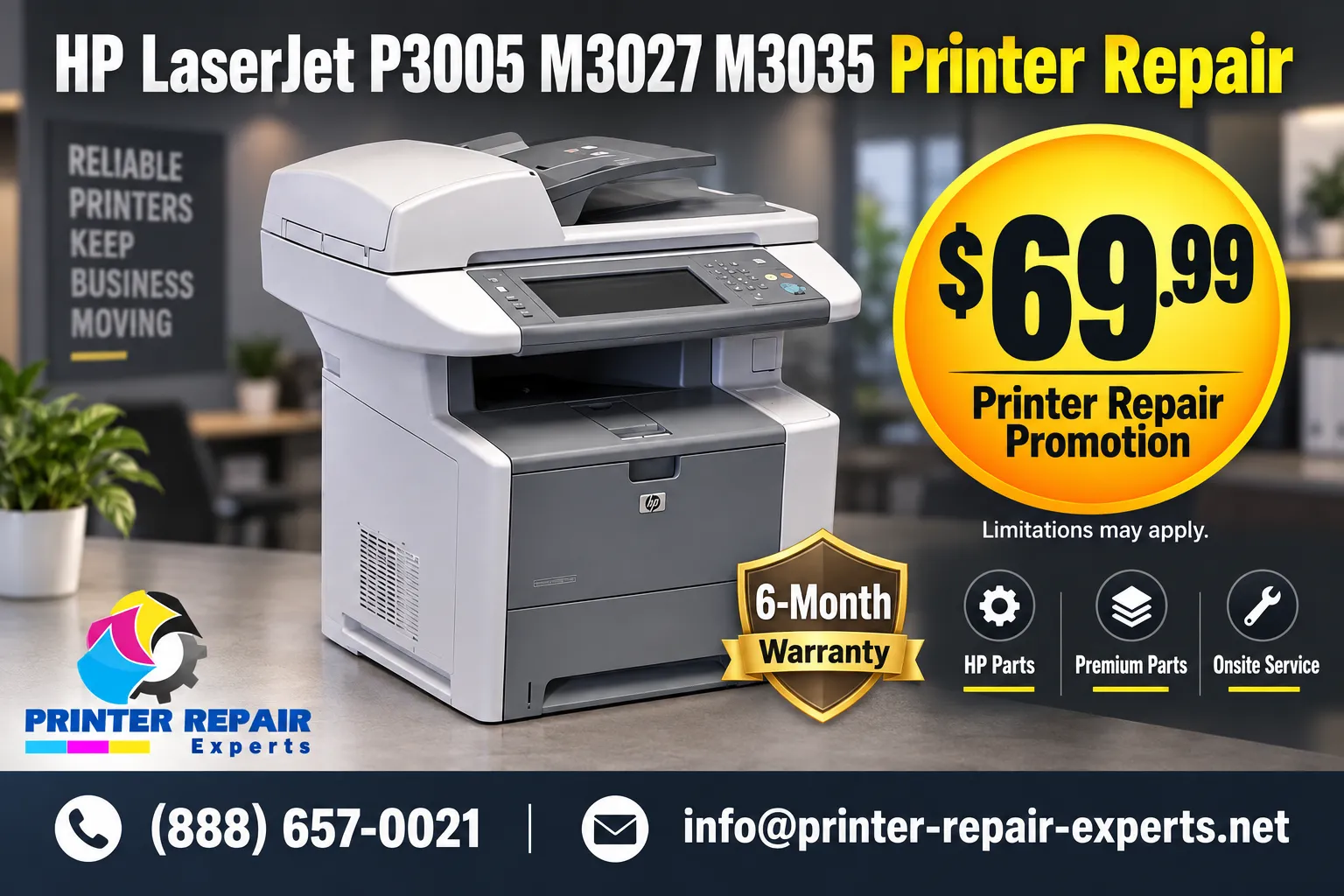
$69.99 Onsite Repair for the HP LaserJet P3005, M3027, and M3035
We offer the $69.99 Onsite Printer Repair Promotion for one HP LaserJet P3005, M3027, or M3035 requiring onsite diagnosis at a single visit. Limitations may apply. Call (888) 657-0021 or email info@printer-repair-experts.net to request service.
2. Paper Jam Symptoms on the HP LaserJet P3005, M3027, and M3035
A HP P3005 paper jam repair call usually starts with one of a few recognizable symptoms: paper stopping partway through the path, a jam message that will not clear after removing visible media, or a printer that jams repeatedly from the same tray. On the M3027 and M3035 MFP, an HP M3027 M3035 paper jam repair visit can also involve jams inside the duplexer or the automatic document feeder during copy jobs.
Media condition matters more than most offices expect, since curled, humid, or out-of-spec paper stock is a common cause behind jams that otherwise look mechanical. Before assuming a worn part is responsible, we confirm the loaded media is supported and properly seated against the tray guides, since incorrect guide adjustment alone can trigger repeated tray jams. Read more about why an HP printer keeps jamming when the cause is not immediately obvious.
If you also operate the related HP LaserJet P3015 platform, jam patterns are often similar; see our HP LaserJet P3015 paper jam repair page for that specific model.
3. Diagnosing HP LaserJet 13.xx Jam Errors by Location
HP LaserJet 13.xx jam errors are organized by the physical location where the paper stopped, not by a single universal cause. The table below summarizes the jam locations documented for this platform and the verification steps involved in each one.
| Error Code | Jam Location | Verification Steps |
|---|---|---|
| 13.00.02 / 13.01.00 | Tray 1 | Verify supported media type and condition, correct loading and guide adjustment, tray 1 or tray 2 pickup roller and separation pad installation, pickup-roller movement, and the tray-feed solenoid connection. |
| 13.05.00 | Inside Top Cover | Check the paper path for obstructions, verify the fuser motor connection, and confirm the output rollers rotate at startup. |
| 13.31.00 | Inside Front Door | Remove paper-path obstructions and check the face-up tray sensor and ECU connection. |
| 13.65.00 / 13.67.00 | Inside Rear Door | Remove obstructions and verify the rear fuser sensor connection, the high-voltage power-supply flat-ribbon cable connection, and the applicable ECU connection. |
| 13.XX.YY (Fuser Jam) | Inside Top Cover, Fuser Area | Remove the print cartridge, clear accessible media from the fuser area, reinstall the cartridge, and close the cartridge door. |
| 13.XX.YY | Tray 2 or Tray X | Check media, loading, guides, and the indicated tray’s pickup roller and separation pad; heavier media may need tray 1 and the rear output bin. |
| 13.XX.YY | Duplexer | Remove the duplexer, clear accessible media from both the duplex area and duplexer, and reinstall it. |
| 13.XX.YY | Registration Area | Remove the print cartridge, clear paper from the registration area, and verify the applicable ECU ribbon-cable connection if the message persists. |
Clearing an accessible jam and reopening the correct door resolves most isolated events. When the same HP LaserJet 13.xx jam errors return after clearing, the cause is typically a worn pickup roller, separation pad, sensor, or connector rather than the media itself, and that condition calls for professional diagnosis.
4. Pickup Roller, Separation Pad, and Feed-Path Wear
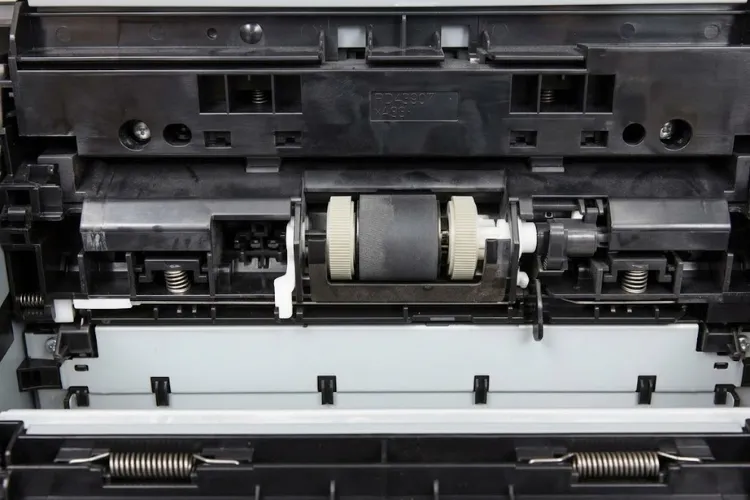
HP LaserJet pickup roller replacement and HP LaserJet separation pad replacement are among the most common repairs on high-volume P3005, M3027, and M3035 units. These parts physically grip and separate sheets of paper thousands of times per month, and normal friction wear eventually causes multi-feeds, misfeeds, or a tray that will not pick up paper at all.
Diagnosis starts by isolating which tray is affected and testing pickup-roller movement and the tray-feed solenoid connection for that tray, consistent with the verification steps for the 13.00.02, 13.01.00, and tray-specific 13.XX.YY jam codes. When the rollers or pad show visible wear or glazing, we replace them with HP Parts, High Quality Parts, or Premium Parts appropriate to the confirmed condition.
We recommend professional onsite service when a tray jams repeatedly across multiple print jobs, when a fresh ream of supported paper does not resolve the pattern, or when pickup performance has clearly declined over time rather than failing suddenly.
Recurring HP LaserJet Jams Deserve a Trained Diagnosis
Worn pickup rollers, separation pads, and fuser assemblies can look similar from the outside. We perform onsite HP LaserJet printer diagnosis on the P3005, M3027, and M3035 to identify the actual failed component before recommending a repair.
5. HP LaserJet P3005 M3027 M3035 Fuser Error Codes 50.0-50.9
An HP LaserJet P3005 fuser error or HP LaserJet M3027 M3035 fuser error displays as a numbered 50.x message on the control panel, and each number points to a different area of the fuser system. HP LaserJet 50.x fuser errors are diagnosed by verifying power delivery, connections, and fuser operation before a fuser assembly is replaced.
| Code | Condition | What We Verify |
|---|---|---|
| 50.0 | General fuser error | Fuser assembly, connections, and power path; replace the failed fuser assembly when confirmed. |
| 50.1 | Fuser error | Fuser power cable and ECU seating; replace the fuser assembly if the error persists. |
| 50.2 | Slow warm-up / warm-up timeout | Power delivery and fuser operation; replace the fuser assembly when confirmed. |
| 50.3 | Abnormally high temperature | Temperature feedback and fuser temperature control; replace the fuser assembly when confirmed. |
| 50.4 | Fuser drive/motor error | Fuser drive, motor, and mechanical operation; replace the fuser assembly or related failed component. |
| 50.5 | Incompatible fuser | Confirm a correctly rated, model-compatible fuser assembly is installed; replace an incorrect or failed unit. |
| 50.6 | Fuser error | Fuser connectors, ECU connection, AC power delivery, and fuser circuit; replace the fuser assembly if the error persists. |
| 50.7 | Fuser pressure-release error | Fuser pressure-release operation; replace the fuser assembly or relevant failed component when confirmed. |
| 50.8 | Low-voltage / sub-thermistor error | Low-voltage power supply and sub-thermistor tracking; repair the confirmed fault or replace the fuser assembly as appropriate. |
| 50.9 | High-temperature / tracking anomaly | High-temperature or environmental tracking, fuser feedback, and related electrical conditions; replace the fuser assembly when confirmed. |
We diagnose assembly, connection, and power-path conditions using professional replacement terminology, and we do not perform onsite fuser rebuilding. When the diagnosis confirms a failed fuser assembly, we install a replacement rather than attempting unsafe disassembly. Read how to fix a fuser error on an HP printer for a broader look at fuser-error diagnosis across HP LaserJet models, or see our HP LaserJet P3015 fuser error repair page if you also operate that related platform.
6. Print-Quality Problems: Streaking, Splotches, Fading, and Toner Smearing
HP LaserJet print-quality repair addresses defects that do not stop the printer but make output unusable: lines, splotches, streaking, faded prints, toner smearing, and repetitive image defects that repeat at a consistent interval down the page. These symptoms typically point to a toner cartridge, fuser, or feed-path condition rather than a numbered fuser error code. These defects can affect invoices, contracts, and other business documents where consistent print quality matters, so identifying the correct root cause protects both output quality and printer uptime.
Repetitive marks spaced at the same distance on every page often trace back to a roller in the paper or fusing path, while faded or inconsistent print density can point to a cartridge nearing end of life or an internal contact issue. We use high-quality third-party toner backed by a 1-year, 365-day warranty when a cartridge is the confirmed cause.
Diagnosis compares the defect pattern against known print-quality causes for this platform before any component is replaced, since a fuser-related smear and a cartridge-related smear can look similar without a technician inspecting the printer directly.
7. Maintenance Kit Service and Preventing Repeat Failures
HP LaserJet maintenance kit service addresses the wear items most responsible for recurring jams and feed problems on high-volume P3005, M3027, and M3035 units: pickup rollers, separation pads, feed rollers, and related paper-path components. Replacing these items together, rather than one at a time, generally produces more consistent results on a printer with heavy monthly print volume.
Our HP LaserJet printer maintenance kit service is appropriate once a printer has accumulated enough pages that several feed-path components show wear, rather than a single isolated part. For general HP printer maintenance guidance on scheduling service before a failure interrupts printing, our technicians can review actual page counts and jam history during an onsite visit.
Repair-versus-replacement decisions on the P3005, M3027, and M3035 typically favor repair, since maintenance kits, fuser assemblies, and feed-path components remain available and these printers handle demanding office volume reliably once worn parts are addressed. When a printer sits down during business hours, the resulting downtime affects everyone who depends on it, which is why accurate diagnosis matters more than repeated part-swapping.
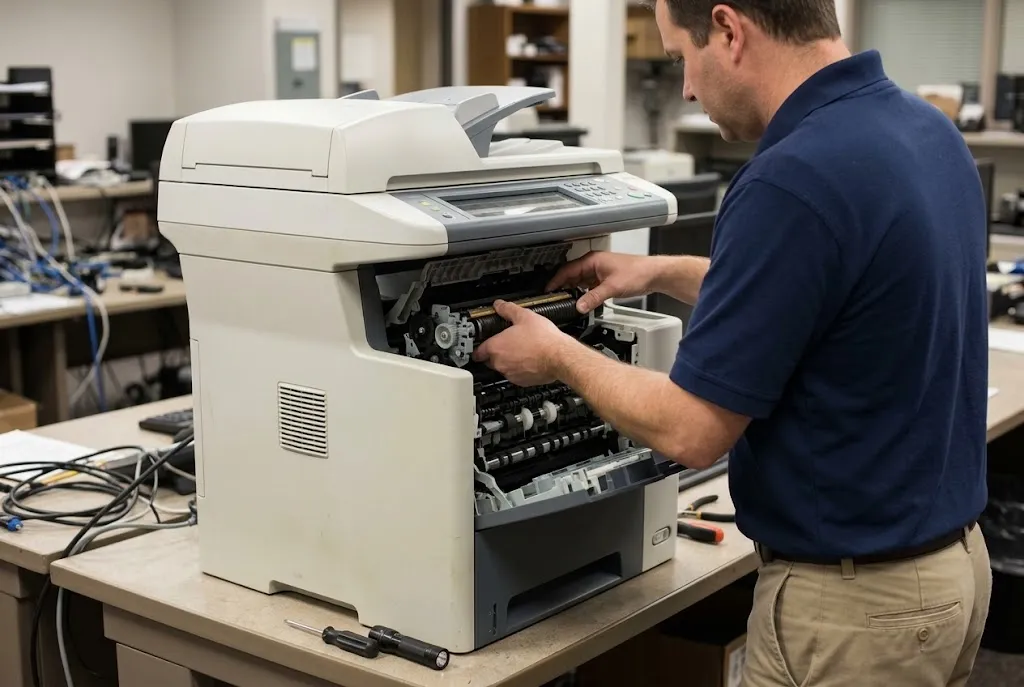
20+ Years of HP LaserJet Experience Backs Every Repair
Our technicians bring more than 20 years of office equipment experience to every HP LaserJet P3005, M3027, and M3035 repair. Onsite service throughout Orange County and approved Los Angeles County areas is backed by our 6-month, 180-day warranty on service and installed parts.
8. Onsite Diagnosis and Repair Throughout Orange County and Approved Los Angeles County Areas
We provide onsite HP LaserJet printer diagnosis and repair throughout Orange County, including Anaheim, Santa Ana, Irvine, Fullerton, Huntington Beach, Garden Grove, Orange, Tustin, and other nearby cities, along with approved portions of Los Angeles County. Same-day service may be available depending on scheduling and location, though we never guarantee same-day availability.
An onsite visit lets our technician test the actual printer under normal operating conditions rather than relying on a phone description alone, which matters for intermittent jams and fuser conditions that do not reproduce on demand. Learn more about our onsite printer repair option, or review printer repair service options if you are comparing service approaches for a P3005, M3027, or M3035 fleet.
9. Requesting HP LaserJet P3005 M3027 M3035 Printer Repair Service
Whether the issue is a returning HP LaserJet 13.xx jam error, a numbered fuser code, or a print-quality defect that will not clear, professional diagnosis identifies the actual cause before parts are replaced. Our technicians bring more than 20 years of office equipment experience to every P3005, M3027, and M3035 repair visit, using HP Parts, High Quality Parts, or Premium Parts and backing the work with a 6-month, 180-day warranty.
To request onsite diagnosis or repair, call (888) 657-0021 or email info@printer-repair-experts.net. If you have general questions before scheduling, our HP printer repair questions page answers many of the concerns offices raise before their first service call, and our HP LaserJet printer repair near me page can help confirm coverage for your location.
FAQ's - Frequently Asked Questions -
No. The $69.99 Onsite Printer Repair Promotion applies to labor for one HP LaserJet printer per onsite visit and does not include parts. Limitations may apply, and the promotion does not apply when two or more printers require service during the same visit.
The HP LaserJet M3027 and M3035 MFP share the same core scanning, copying, and paper-handling platform. Differences between specific variants generally involve print speed and available accessory options rather than the core paper path or fuser design.
We back onsite service and installed parts with a 6-month, 180-day warranty. High-quality third-party toner we supply carries a separate 1-year, 365-day warranty.
We use HP Parts, High Quality Parts, or Premium Parts appropriate to the confirmed failure. Customer-supplied parts are not installed or guaranteed.
Sometimes. A fuser error can trace back to a connector, cable, or power-path condition rather than the fuser assembly itself. When diagnosis confirms the fuser assembly has actually failed, we replace it rather than attempting onsite fuser rebuilding.
Same-day onsite service may be available depending on scheduling and location. We do not guarantee same-day availability, so please call (888) 657-0021 to check current scheduling for your area.
We service the HP LaserJet M3027 and M3035 MFP platform generally, including units equipped with common accessory options. Mention any installed accessory when requesting service so we can prepare appropriately for your visit.
Verify the loaded media is supported and in good condition, confirm it is loaded correctly with tray guides properly adjusted, and clear any accessible jammed media from the door indicated on the control panel. If jams continue after these checks, professional diagnosis of the pickup rollers, separation pad, or feed path is appropriate.
