
HP LaserJet 2410 2420 2430 Printer Repair
HP LaserJet 2410 2420 2430 printer repair starts at your printer, not on our bench: we diagnose onsite, confirm the exact model and installed options, and then repair the fault the printer is actually reporting. That model-first approach matters because every HP LaserJet 2410 2420 2430 printer repair decision shifts with the suffix, the tray that misfeeds and the message on the two-line display.
This page is for office managers, administrative staff and IT support teams who keep these monochrome printers in daily service. It explains how we separate a worn Tray 2 roller from a duplex-path jam, a 50.x fuser fault from a media setting, and a sensible repair from one that no longer makes sense.
Preview Snapshot
- The model label and suffix (2420dn, 2430tn, 2430dtn and others) decide which trays, duplex parts and HP LaserJet 2410 2420 2430 printer repair steps apply.
- 13.xx jam messages are diagnosed by where the sheet stops, which separates pickup and separation wear from registration, fuser, output and duplexer faults.
- 50.x fuser messages carry a sub-code, and we work through power, cooling, fuser type and voltage before replacing the fuser assembly.
- Toner that rubs off, smears or repeats can come from media settings, the print cartridge or the transfer roller, not only the fuser.
- Repair is practical when the printer is in sound condition and verified parts are available for its exact configuration.
What an HP LaserJet 2410 2420 2430 Printer Repair Visit Covers
Our HP LaserJet 2400 series repair service is built around onsite diagnosis. During HP LaserJet 2410 2420 2430 printer repair, the technician reproduces the problem from the affected tray, reads the control-panel message and explains what failed before any part is replaced.
The visit focuses on the faults that actually stop these printers: recurring paper jams, pickup failures, 50.x fuser errors and print defects such as smearing or repeating marks. Roller and separation pad service, fuser assembly replacement and maintenance kit installation are all handled at the printer. We replace fuser assemblies; we do not rebuild fusers onsite.
Our HP LaserJet printer repair page covers the wider range of LaserJet models we support. If your office has not had a technician work on site before, our onsite printer repair overview explains how a visit is arranged and what we need from your team.
Onsite HP LaserJet 2420dn repair shows why the work happens where the printer lives. The duplexer, network connection and tray setup are all part of the fault picture, and testing them in place shows how the printer handles your media and jobs.
Read the Label First: How the 2410, 2420 and 2430 Configurations Change the Repair
HP built the 2400 series as one platform with three speed tiers and several option bundles. The letters after the model number tell us which parts are present, so the label shapes both the HP LaserJet 2410 2420 2430 printer repair diagnosis and the parts we order.
| Model | Rated speed (letter) | Trays as shipped | Auto duplex | Built-in network |
|---|---|---|---|---|
| 2410 | 25 ppm | Tray 1 (100 sheets), Tray 2 (250 sheets); optional 500-sheet Tray 3 | No | No |
| 2420 / 2420n | 30 ppm | Tray 1, Tray 2; optional Tray 3 | No | 2420n only |
| 2420d / 2420dn | 30 ppm | Tray 1, Tray 2; optional Tray 3 | Yes | 2420dn only |
| 2430t / 2430tn | 35 ppm | Tray 1, Tray 2 and 500-sheet Tray 3 | No | 2430tn only |
| 2430dtn | 35 ppm | Tray 1, Tray 2 and Tray 3 | Yes | Yes |
Two configuration details change how we read a fault during HP LaserJet 2410 2420 2430 printer repair. A model without a “d” has no automatic duplexer, so a jam on a manually duplexed job from a 2420n points somewhere other than duplexer hardware. A 2430tn always has Tray 3 installed, which adds a third pickup point to check when sheets fail to feed.
Output matters too. Each model can deliver to the 250-sheet top bin or the 100-sheet rear bin, and a sheet caught at the rear door is a different diagnosis from one trapped under the top cover. HP’s own user guides and documentation for these models are available on the HP LaserJet 2400 printer series support page.
A Quick Model-Identification Note
Some offices find a different model name when they check the label before scheduling HP LaserJet 2410 2420 2430 printer repair. If yours reads P3005, M3027 or M3035, our HP LaserJet P3005, M3027 and M3035 repair page covers that family. Older monochrome units marked 4000, 4050 or 4100 are covered on our HP LaserJet 4000, 4050 and 4100 repair page.
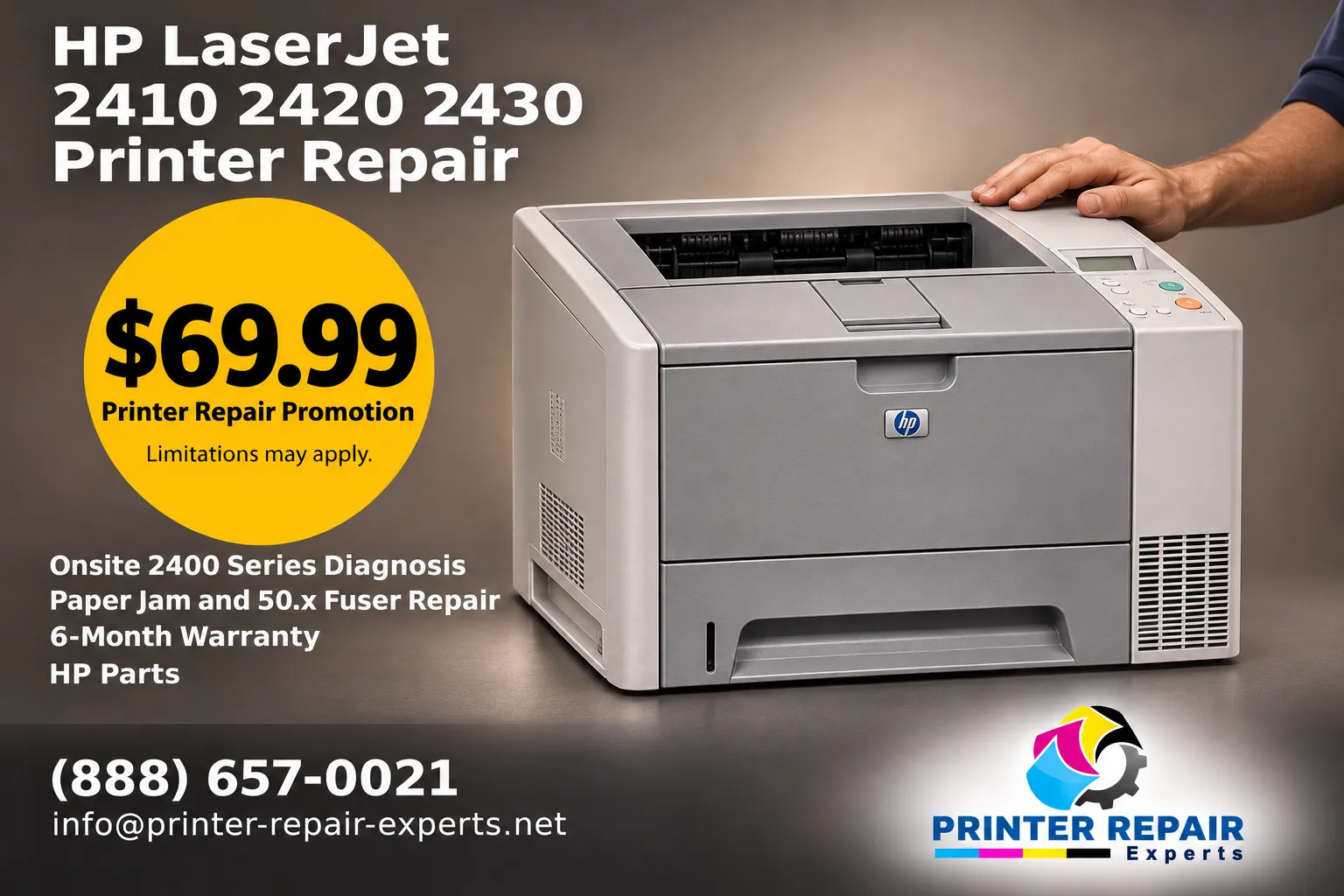
Onsite Promotional Visit for Your LaserJet 2400 Series
The $69.99 Onsite Printer Repair Promotion applies to HP LaserJet 2410 2420 2430 printer repair for one printer per onsite visit, and parts are quoted separately. Call (888) 657-0021 or email info@printer-repair-experts.net. Limitations may apply.
Where Does the Sheet Stop? Reading 13.xx Jams on the 2400 Series
On these printers a jam appears as a 13.xx message that names a location. HP groups jam areas into the print-cartridge area, the input trays, the output areas and, on duplex models, the duplexer. That location, together with the tray the job pulled from, is where HP LaserJet 2410 paper feed repair begins.
A single jam right after someone reloads a tray is usually a handling issue. HP lists overfilled or poorly loaded trays, pulling Tray 2 or Tray 3 out mid-job, opening the top cover during printing and out-of-specification media as common causes. A message that keeps returning at the same point is different and usually calls for HP LaserJet 2410 2420 2430 printer repair. Our article on why your printer keeps jamming explains the distinction in more depth.
Tray 1 and Tray 2 Pickup and Separation Failures
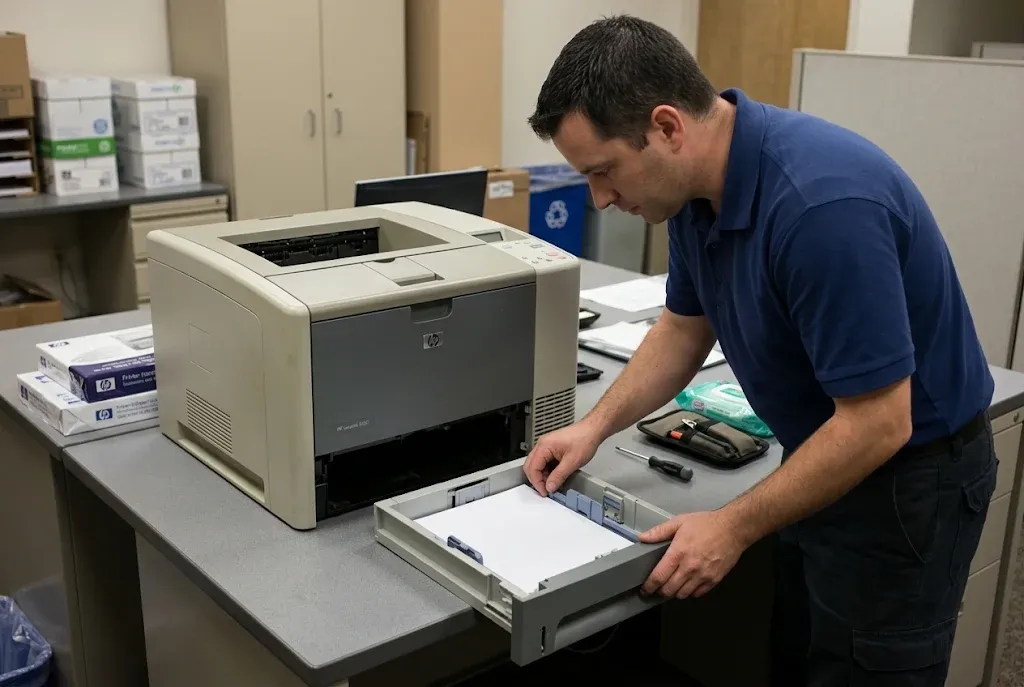
When nothing feeds, or two or three sheets arrive together, the trouble sits at the very start of the paper path. Tray 1 is the 100-sheet multipurpose tray, and Tray 2 is the 250-sheet drawer at the bottom front. Each tray has its own pickup roller and separation pad, so we test each one separately during HP LaserJet 2410 2420 2430 printer repair to see which fails.
Registration, Fuser and Output-Area Stops
If the sheet is picked cleanly but stops partway, the cause lies further along. A page stalled under the print cartridge, wrapped near the fuser or creased at the exit points toward registration, fuser or output components rather than tray rollers. HP also notes that a jam message that stays after all paper is cleared can mean a sensor is stuck or broken, which we check before ordering parts.
Two-Sided Jams on 2420d, 2420dn and 2430dtn Printers
Duplex models send the sheet back through an internal duplexer, reached by removing Tray 2. A jam that appears only on two-sided jobs, while one-sided printing runs cleanly from the same tray, focuses HP LaserJet 2410 2420 2430 printer repair on the duplex path instead of the tray.
How a recurring jam is worked through to a fix
| Symptom | The same 13.xx message returns from one tray or at one point in the paper path, or sheets feed in multiples. |
|---|---|
| Root cause | A worn pickup roller or separation pad, a fault further along the path (registration, fuser, output or duplexer), a sensor that no longer reads correctly, or media and tray-loading problems. |
| Diagnosis | Test pages from each installed tray, one-sided and two-sided where equipped, noting where the sheet stops and inspecting the parts at that point. |
| Remedy | Clear trapped fragments, correct media or tray settings, then replace the part that matches the failure. |
| Repair component | Tray-specific pickup roller or separation pad; fuser assembly or duplex-path parts when the stop point shows them to be the cause. |
| When we recommend service | When the same jam returns after paper is cleared and the tray is loaded correctly, or when the printer pulls double sheets. |
Pickup Rollers and Separation Pads: Replacing Only What the Fault Shows
Pickup and separation parts wear gradually. A glazed pickup roller slips and fails to lift a sheet, while a worn separation pad lets more than one sheet through. Because each tray has its own parts, the tray that misbehaves tells us which ones to replace during HP LaserJet 2410 2420 2430 printer repair.
HP LaserJet 2420 Tray 2 pickup roller replacement is the targeted repair when the 250-sheet drawer misfeeds and Tray 1 still works. If that drawer also pulls double sheets, its separation pad is replaced at the same visit. Tray 1 faults are handled the same way, using Tray 1’s own roller and pad.
HP LaserJet 2400 series separation pad replacement on its own makes sense when sheets lift reliably but arrive in pairs or groups. On a 2430, or a 2420 fitted with the optional 500-sheet Tray 3, that lower drawer has its own feed parts and is tested separately.
After any feed repair, we run a stack of paper from the affected tray. On duplex models, a two-sided test follows to confirm the full path is clear before the HP LaserJet 2410 2420 2430 printer repair is closed out.
Same Tray, Same Spot, Same 13.xx Jam?
A jam that keeps returning to one point usually traces back to one worn part. We test each tray on your 2410, 2420 or 2430 and confirm the failed roller, pad or fuser before anything is replaced. Call (888) 657-0021 to arrange a diagnosis.
HP LaserJet 2430 50.x Fuser Error Repair and What Each Sub-Code Means
A 50.x message means the printer has detected a fuser fault. The digit after the decimal narrows it down, and HP’s service documentation for the 2400 series defines the sub-codes as follows.
| Message | HP description |
|---|---|
| 50.1 | Low fuser temperature |
| 50.2 | Fuser warm-up service |
| 50.3 | Fuser over-temperature |
| 50.4 | Faulty fuser |
| 50.5 | Incorrect fuser installed |
| 50.6 | Open fuser circuit |
HP LaserJet 2430 50.x fuser error repair follows HP’s documented order. A power cycle comes first, then letting the printer cool if the message persists. Next we confirm that the installed fuser is the correct type and voltage for the series, reseat it and inspect its connector.
When the message survives those checks, the fuser assembly is replaced. HP’s guidance does not stop at the fuser: if the error remains with a known-good fuser installed, the engine control unit and then the power supply are the next suspects. That is why HP LaserJet 2410 2420 2430 printer repair treats a 50.x message as a diagnosis, not an automatic fuser order.
A 50.5 message deserves a closer look. HP defines it as an incorrect fuser, which is one reason we verify model fit and fuser voltage on every 2400 series replacement. For general guidance on persistent codes across HP models, see our HP printer fuser error troubleshooting article.
When we recommend service: if a 50.x message returns after a power cycle and cool-down, or appears alongside a burning smell, scorched paper or visible damage, turn the printer off and schedule a technician.
Toner That Rubs Off, Smears or Repeats: Is the Fuser Really to Blame?
Poor fusing does produce loose toner and smears, but it is not the only cause, and HP LaserJet 2410 2420 2430 printer repair should not start with a new fuser by default. HP LaserJet 2430 print quality troubleshooting rules out the simpler explanations before a fuser is condemned.
- Media and settings. The 2400 series sets its fuser mode from the media type assigned to the tray. Heavy, rough or specialty stock set as plain paper can leave toner that wipes away.
- Print cartridge. The cartridge on these printers includes the imaging drum, so a damaged cartridge can cause streaks or repeating marks. A test with a known-good cartridge separates the two.
- Transfer roller. Faded or uneven areas that do not follow the cartridge can point to the transfer roller.
- Fuser contamination or wear. Specks can come from toner or paper particles on the fuser. HP’s cleaning page is the first step, and damage that remains calls for a new fuser assembly.
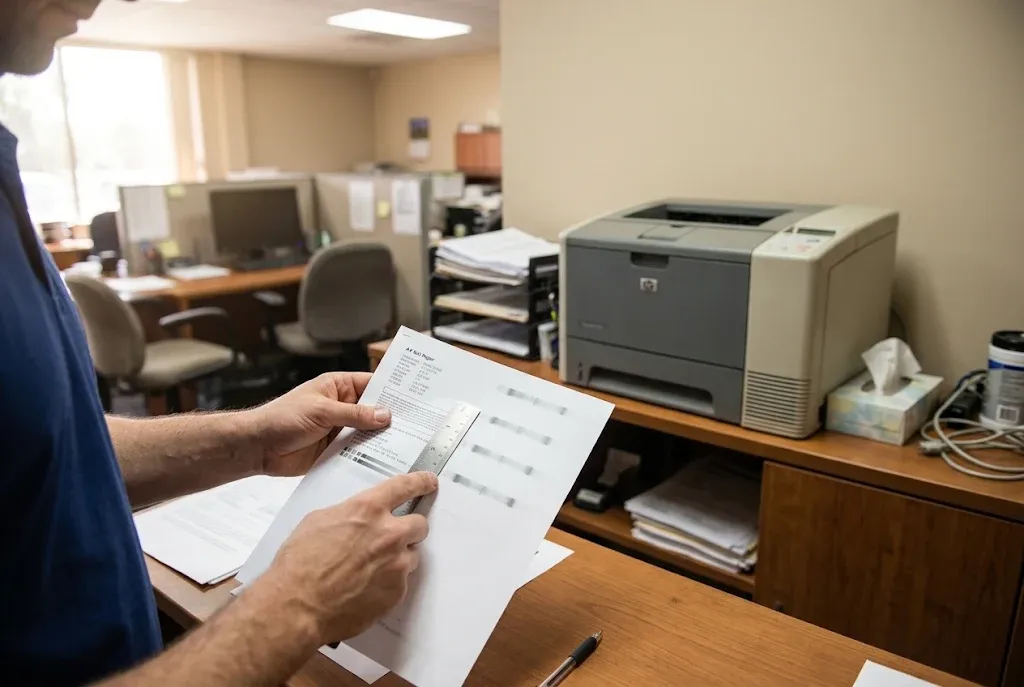
Repeating marks get measured during HP LaserJet 2410 2420 2430 printer repair. We compare the spacing between repeats with HP’s repeating-defect reference for the series, which ties the mark to a specific roller or to the cartridge. A printed sample of the defect lets that comparison start as soon as we arrive.
When we recommend service: when smearing or rub-off continues on correctly set media with a known-good cartridge, or when the cleaning page does not remove recurring specks. At that stage HP LaserJet 2410 2420 2430 printer repair usually means replacing the fuser assembly or the transfer roller, depending on what testing shows.
When a Maintenance Kit Makes More Sense Than Individual Parts
Not every HP LaserJet 2410 2420 2430 printer repair calls for a full kit. If one tray roller is worn and the rest of the printer is healthy, a single targeted part is the more economical repair. A kit becomes the better choice when several wear items are failing together, or when the fuser and feed parts are aging at the same rate.
HP LaserJet 2400 series maintenance kit installation generally replaces the fuser assembly, the transfer roller and tray pickup and separation parts in one visit. Kit contents differ between suppliers, so we confirm what a kit includes, that it matches the exact 2410, 2420 or 2430 configuration and that its fuser is the correct voltage before we specify it.
Our page on HP LaserJet printer maintenance kits explains how kits are matched to models and voltages. After a kit goes in, we print from every installed tray and run a two-sided test on duplex models before the HP LaserJet 2410 2420 2430 printer repair visit ends.
Repairs Matched to Your Exact 2400 Series Suffix
Every HP LaserJet 2410 2420 2430 printer repair we complete draws on more than 20 years in the office equipment industry, HP Parts or Premium Parts verified for your model and fuser voltage, and a 6-month / 180-day warranty on service and installed parts. Same-day service may be available. Email info@printer-repair-experts.net or call (888) 657-0021.
Is HP LaserJet 2410 2420 2430 Printer Repair Still Worth It?
It can be, and the answer depends on the printer in front of us. HP replaced the 2400 series with the LaserJet P3005 family years ago, so the decision rests on two things: the condition of the printer and whether verified parts are available for its exact configuration.
Condition covers more than the reported fault. Cracked covers, broken tray guides, damaged drive gears or several failing assemblies at once all change the math. A 2430tn with one worn Tray 2 roller is a very different job from one with a failing fuser, a worn transfer roller and a damaged duplexer.
Parts availability is the other half of any HP LaserJet 2410 2420 2430 printer repair decision. Many 2400 series parts are still offered as HP Parts or Premium Parts, while others depend on remaining supplier stock. We confirm availability for the specific part before recommending HP LaserJet 2410 2420 2430 printer repair, rather than promising something we cannot source.
Cost follows from what the diagnosis finds and which parts are needed. Our article on repair costs and what affects them explains how those factors combine. If a repair no longer makes sense for your printer, we tell you after the diagnosis.
Booking Your HP LaserJet 2410 2420 2430 Printer Repair: What to Have Ready and Where We Work
A few details shorten the diagnosis and help us bring the right parts to your HP LaserJet 2410 2420 2430 printer repair:
- The exact model and suffix, such as 2420dn or 2430tn.
- The full display message, including the digits after 13. or 50.
- The affected tray and the paper or media loaded in it.
- Whether the fault happens on one-sided jobs, two-sided jobs or both.
- A printed sample of any smear, streak or repeating mark.
If your team has questions before booking, our page of common HP printer repair questions collects the answers in one place.
Service Area
We provide onsite service throughout Orange County, California and in approved portions of Los Angeles County. Offices checking local availability can review HP LaserJet repair in Los Angeles and HP LaserJet repair in Orange County.
After the Repair
Before an HP LaserJet 2410 2420 2430 printer repair visit ends, the printer feeds from the affected tray and completes a two-sided test where a duplexer is installed. Our work carries a 6-month / 180-day warranty on service and installed parts. Same-day service may be available when the schedule allows.
When your printer is ready for a technician, call (888) 657-0021 or email info@printer-repair-experts.net with the model, suffix and displayed message. With those three details in hand, HP LaserJet 2410 2420 2430 printer repair can be planned around the parts your printer actually needs.
FAQ's - Frequently Asked Questions - HP LaserJet 2410 2420 2430 Printer Repair
No. The fuser must match the 2400 series and your printer’s line voltage. HP’s own message list includes 50.5, incorrect fuser installed, so we confirm fit and voltage before any fuser goes in.
The printer may run normally for a while, but a fuser error that returns is telling you something. If it reappears, let the printer cool, note the full code and schedule a diagnosis rather than cycling power repeatedly.
It is diagnosed separately, because Tray 3 has its own feed parts and its own HP LaserJet 2410 2420 2430 printer repair path. We test Trays 1, 2 and 3 independently so only the drawer that fails receives new parts.
Yes. Our 6-month / 180-day warranty covers HP LaserJet 2410 2420 2430 printer repair service and the parts we install, including a replacement fuser assembly.
No. Jams and fuser errors are mechanical and electrical faults we diagnose at the printer. Network, driver or firmware work is separate and is not part of the onsite repair promotion.
Check the model name on the printer itself, or print a configuration page from the control panel’s Information menu. It lists the model and installed options, such as a duplexer or Tray 3, which helps us plan HP LaserJet 2410 2420 2430 printer repair parts.
The promotion applies to one printer per onsite visit. When two or more printers need service during the same visit, the visit is billed at our standard flat labor rate instead, and parts are separate either way.
The promotional service charge still applies to the diagnostic visit. If you approve the repair and we need to return to install parts, that return visit does not carry a second labor charge.