
HP Laserjet P4014 P4015 P4515 Fuser Error:
What the Code and Its Timing Reveal
An HP LaserJet P4014 P4015 P4515 fuser error is the printer telling you its fusing system failed a self-check, and the printer will not print again until that condition clears. The decimal after the 50 narrows the fault, but the moment the code appears (cold start, mid-job, or right after a new fuser went in) is often just as useful to the technician who has to fix it.
This page covers the P4014, P4015 and P4515 only. We explain each 50.X subcode HP documents for these models, what your staff can safely check, and how we confirm the cause onsite before any part is replaced.
Preview Snapshot
- An HP LaserJet P4014 P4015 P4515 fuser error means the printer detected a fusing-system fault and stopped printing to protect itself.
- HP’s service documentation for this family lists 50.1 (low temperature), 50.2 (warm-up), 50.3 (high temperature), 50.4 (faulty fuser), 50.5 (inconsistent fuser), 50.6 (open fuser) and 50.7 (pressure-release mechanism failure).
- Write down the full code and exact model, note any recent service, and try one normal power cycle. Leave hot parts and connectors to a technician.
- A code that appears right after a fuser swap points first to model, voltage, seating and connections.
- Perform Printer Maintenance is a scheduled reminder, not a 50.X fault.
- A repair is complete only after a clean warm-up and successful test printing.
Heat, Pressure and the Lockout: Why the Printer Stops
Toner leaves the cartridge as loose powder sitting on the page. The fuser assembly, at the rear of the paper path, melts that powder and presses it into the paper fibers with heat and pressure, which is why a finished page comes out warm.
The printer watches fuser temperature through a sensor and expects it to rise, hold and stay within limits. When it reads too little heat, too much heat, no circuit, the wrong fuser, or a stuck pressure mechanism, it posts a 50.X message and refuses to print.
That lockout is deliberate. Printing through an underheated fuser leaves toner that smears or falls off, and an overheating fuser is a safety concern. An HP LaserJet P4014 P4015 P4515 fuser error is a stop sign, not a suggestion, and repeatedly restarting a printer that keeps failing warm-up rarely changes the outcome.
Reading an HP Laserjet P4014 P4015 P4515 Fuser Error by Its Subcode
HP’s message for this family reads “50.X FUSER ERROR,” with the digit after the decimal identifying the condition. The table below decodes each HP LaserJet P4014 P4015 P4515 fuser error subcode using HP’s service documentation for the P4010 and P4510 series. The display may show slightly different wording depending on firmware, so record exactly what your panel says.
| Code | HP description | What it usually points a technician toward |
|---|---|---|
| 50.1 | Low fuser temperature | Fuser not holding target heat during operation |
| 50.2 | Fuser warm-up service | Fuser did not reach temperature within the allowed warm-up time |
| 50.3 | High fuser temperature | Temperature reading above the allowed limit |
| 50.4 | Faulty fuser | Fuser or fuser power circuit fault |
| 50.5 | Inconsistent fuser (verify voltage/model) | Wrong model or wrong-voltage fuser, or poor connector contact |
| 50.6 | Open fuser | Open circuit in the fuser or its connection |
| 50.7 | Pressure-release mechanism failure | Mechanism that releases fuser pressure not operating as expected |
The same service table also lists 50.8 (lower fuser temperature) and 50.9 (high fuser temperature). We do not claim this list is complete for every firmware revision.
Temperature codes behind an HP Laserjet P4014 P4015 P4515 Fuser Error: 50.1, 50.2 and 50.3
Symptom: An HP LaserJet P4014 50.1 low fuser temperature message, or an HP LaserJet P4015 50.2 fuser warm-up error, can show up during startup or partway through a run. A 50.3 means the reading went too high.
Root cause and diagnosis: The printer compares what the fuser’s temperature sensor reports with what it expects. A worn fuser, a seating or connector problem, or a fault in the circuit that powers the heater can all produce the same reading, so the code alone does not name the failed part.
Remedy and component: We confirm the fuser model, voltage and seating, inspect the connections, and replace the fuser assembly when the evidence points to it. If the fault survives a verified compatible fuser, the printer-side power circuitry comes next.
When we recommend service: Any temperature code that returns after one power cycle, or that appears every morning on a cold start.
Assembly and identity codes: 50.4, 50.5 and 50.6
Symptom: This group of HP LaserJet P4014 P4015 P4515 fuser error codes often appears immediately at power-on. An HP LaserJet P4515 50.5 fuser compatibility error is the one most likely to follow a recent fuser swap.
Root cause and diagnosis: HP’s own description of 50.5 says to verify voltage and model, so we check that the installed assembly matches the printer and the building’s line voltage (110V and 220V fusers are different parts) before anything else. For 50.4 and 50.6, we check seating and inspect the fuser and power-supply connectors for bent pins or debris.
Remedy and component: A mismatched or failed fuser assembly is replaced with the correct-voltage part. When the code persists with a verified fuser, HP’s service sequence moves to the power supply on the printer side.
When we recommend service: Immediately for 50.4 or 50.6, and for any 50.5 that does not clear once the correct, fully seated fuser is confirmed.
The mechanical HP Laserjet P4014 P4015 P4515 Fuser Error: 50.7
Symptom: 50.7 reports that the pressure-release mechanism did not operate as expected. Jams in the rear exit area may or may not accompany it.
Diagnosis, remedy and service: This is a mechanical check inside a hot assembly, so it belongs with a technician. We confirm seating first, then replace the fuser assembly if the fault follows it.
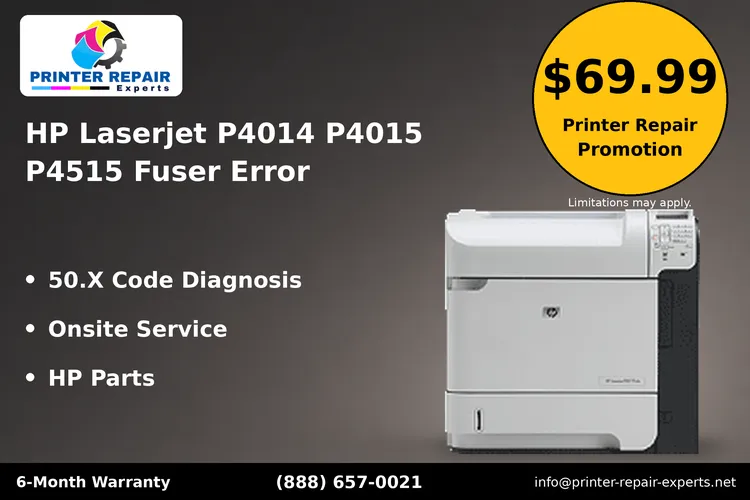
A 50.X Code on Your P4015?
Our $69.99 Onsite Printer Repair Promotion covers the onsite visit and diagnosis for one HP LaserJet P4014, P4015 or P4515; parts are additional. Call (888) 657-0021 or email info@printer-repair-experts.net. Limitations may apply.
When the Error Shows Up Matters as Much as the Number
Two printers can show the same 50.2 for different reasons. Timing helps a technician choose where to look first, so tell us when the message appeared, not only what it said.
On a cold startup
An HP LaserJet P4515 fuser error on startup, before a single page prints, means the fuser failed warm-up or failed its identity and circuit checks. Codes such as 50.2, 50.4, 50.5 and 50.6 fit this timing, and seating, connector condition and compatibility move to the top of the list.
Partway through a print job
An HP LaserJet P4014 P4015 P4515 fuser error that appears after the printer has been running suggests the fuser reached temperature but could not hold it, or overshot. That pattern fits 50.1 or 50.3 and makes the fuser’s condition and the heater’s power supply the likely areas to examine.
Right after a fuser was replaced
If the HP LaserJet P4014 P4015 P4515 fuser error appeared the first time the printer powered up with a new assembly, the part itself is suspect before the printer is. Model, voltage, full seating and connector engagement are the first checks, and we cover them in more detail below.
Clues on the page
Loose or smudged toner before an HP LaserJet P4014 P4015 P4515 fuser error suggests the fuser was running cool before it failed outright.
If you have been dealing with HP LaserJet P4014 P4015 P4515 Toner Rubs Off the Page complaints, mention it. A jam at the rear exit can also point at the fuser area, though it can just as easily come from rollers, paper or the exit path, which is a separate topic from HP LaserJet P4014 P4015 P4515 Paper Jam Repair.
Is It a Fuser Fault or a Maintenance Reminder?
These two messages look related, but they ask for different work. A 50.X code stops the printer because a fault was detected. The Perform Printer Maintenance message is a page-count reminder that the scheduled maintenance interval has arrived, and the printer generally keeps printing.
Treat the reminder and an HP LaserJet P4014 P4015 P4515 fuser error as separate events. Our page on how to Perform Printer Maintenance on the P4014, P4015 and P4515 explains that reminder and how it is handled. HP rates its 110V user maintenance kit for these models (CB388A) at an average of 225,000 pages, and the kit contains a fuser assembly, a transfer roller and tray pickup rollers.
That overlap is why the decision matters:
- Active HP LaserJet P4014 P4015 P4515 fuser error, printer otherwise healthy: a targeted HP LaserJet P4014 P4015 P4515 fuser assembly replacement addresses the failed part without replacing rollers that still have life left.
- Fault near or past the maintenance interval: a complete kit may make more sense, since the rollers and transfer roller are due anyway.
- Reminder with no error: scheduled kit service, with no fuser diagnosis needed.
Our overview of HP LaserJet maintenance kits covers the scope of scheduled kit service in more depth.
Verify the Fuser Before You Buy One
An HP LaserJet P4014 P4015 P4515 fuser error such as 50.5, or a 50.2 that returns after a swap, can point to model, voltage, seating or connector problems rather than a failed part. We check those first and replace the fuser assembly only when the evidence calls for it. Call (888) 657-0021 to arrange a diagnosis.
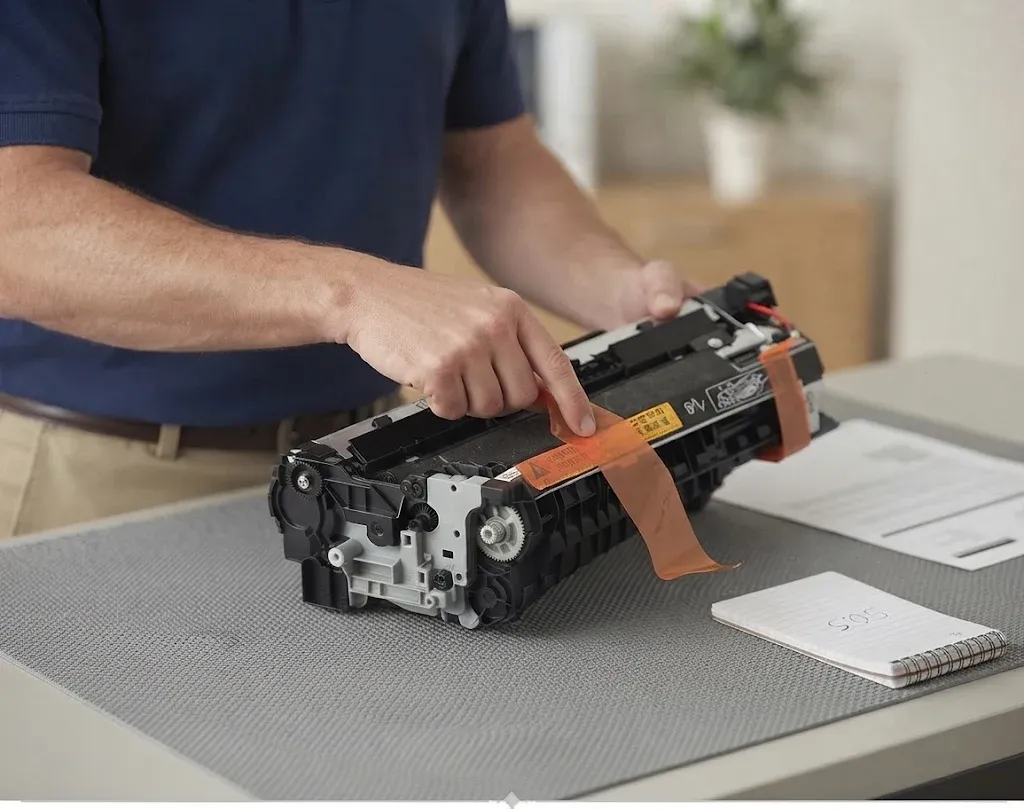
What Your Staff Can Safely Check Before Calling
Customer checks for an HP LaserJet P4014 P4015 P4515 fuser error should stay short. The fuser runs hot enough to burn, its connectors carry line voltage, and a forced removal can damage the assembly or its connector.
- Record the full code and the exact model. Write down every character on the display. Check the model label, or the configuration page if one will print; P4014, P4015 and P4515 parts and codes are not interchangeable with every look-alike LaserJet.
- Note recent service. Tell us if a fuser, maintenance kit or other part was installed recently, and by whom.
- Try one normal power cycle. Turn the printer off with its power switch, wait a minute, and turn it on. HP lists this as the first step for determining whether the error is persistent.
If the HP LaserJet P4014 P4015 P4515 fuser error returns after that single restart, stop there and arrange diagnosis. Readers who want broader background can read our guide on how to troubleshoot an HP printer fuser error, but internal electrical and hot-component checks are technician work.
Confirm the model before using any guide
Several monochrome LaserJets look alike from across a room, and a guide or part written for one family may not fit another. Before treating the message as an HP LaserJet P4014 P4015 P4515 fuser error, check the label against this quick lookup:
- LaserJet 4240, 4250 or 4350 in the fleet: see HP LaserJet 4240, 4250 and 4350 fuser errors.
- LaserJet Enterprise 600-series printer: see HP LaserJet M601, M602 and M603 fuser errors.
- Label reads P3015 rather than P4015: see the HP LaserJet P3015 fuser error guide.
- Other faults on a P4014, P4015 or P4515: see our HP LaserJet P4014, P4015 and P4515 printer repair page.
Why an HP Laserjet P4014 P4015 P4515 Fuser Error Can Follow a New Fuser
An HP LaserJet P4015 fuser error after replacement is frustrating, because the part everyone suspected is now new. In our approach, a code that follows a swap is evidence about the installation before it is evidence about the printer.
Start with identity, because a new part does not rule out an HP LaserJet P4014 P4015 P4515 fuser error caused by the wrong part. HP sells 110V and 220V versions of the fuser and the maintenance kit for this family, and a wrong-voltage or wrong-model assembly can trigger 50.5. Physical fit does not prove compatibility.
Next is seating. The assembly has to be pushed fully home so its connector mates completely. A fuser that is close but not fully seated can pass a visual check and still fail the printer’s circuit test.
Last comes the connector itself. Bent pins or debris on the fuser side or the printer side can produce 50.4, 50.5 or 50.6. If all three checks pass and the code remains with a verified compatible assembly, the printer-side wiring and power circuitry need attention.
One related policy: we do not install customer-supplied fusers or kits, because we cannot verify or warrant their condition. We supply HP Parts or High Quality Parts appropriate to the model.
The Tray 2 “Processing Job…” Hang Is a Separate Problem
Some printers in this family never display an HP LaserJet P4014 P4015 P4515 fuser error at all. Instead, a job sent to Tray 2 sits at “Processing Job…”, the printer ramps up and down, and it eventually returns to Ready without an error, or occasionally prints.
HP’s support article on the Tray 2 “Processing Job…” hang for the P4014, P4015 and P4510 series (the P4515 belongs to the P4510 series) attributes this to the fuser not reaching proper fusing temperature. HP’s stated solution is to replace the fuser and upgrade the firmware, checking that the configuration page shows DC Controller firmware 16 or higher, or upgrading to firmware 04.060.7 or later when it does not.
That firmware guidance applies to this specific hang. It is not a general cure for a displayed HP LaserJet P4014 P4015 P4515 fuser error, which should be diagnosed on its own terms.
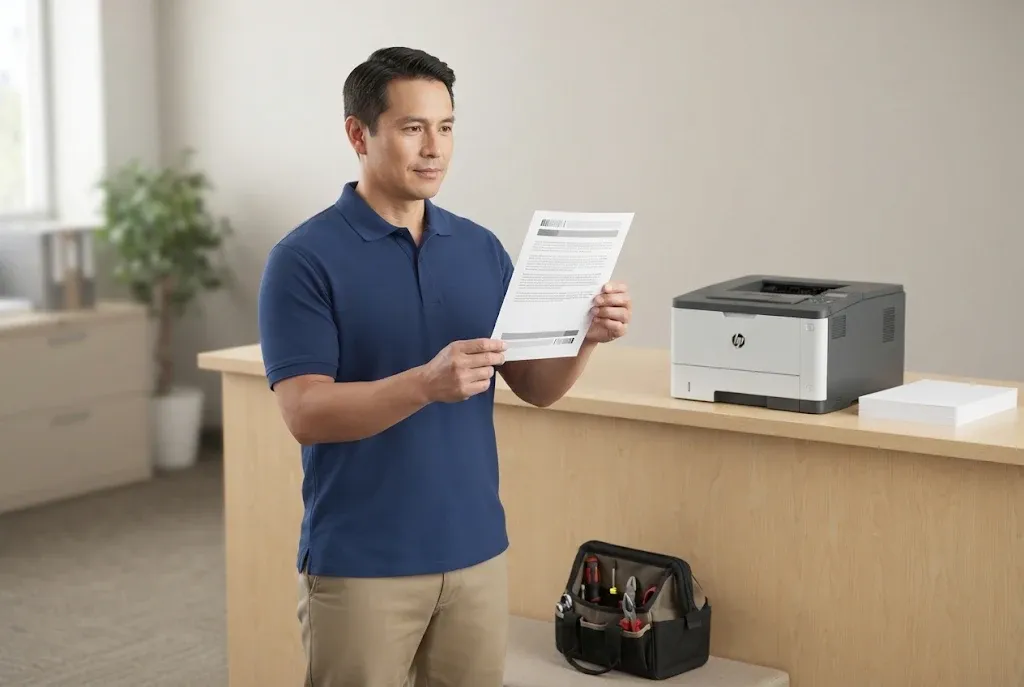
Warm-Up Verified, Test Pages Printed
We close out every P4014, P4015 and P4515 fuser repair with a full warm-up and test printing, backed by our 6-month / 180-day warranty on service and installed HP Parts. Same-day service may be available. Call (888) 657-0021 or email info@printer-repair-experts.net.
How We Diagnose a Persistent 50.X Fault Onsite
When an HP LaserJet P4014 P4015 P4515 fuser error keeps returning, an onsite HP LaserJet P4015 fuser repair, or one on a P4014 or P4515, follows a set order. Each step rules something out before money goes into a part.
- Confirm the code and the printer. We read the full message, confirm the exact model and configuration, and ask about recent service and when the code appears.
- Verify the installed fuser. Model and voltage are checked against the printer and the outlet before anything is removed.
- Check seating and connectors. Once the assembly has cooled, we reseat it and inspect both sides of the connection for bent pins, debris or damage.
- Replace the fuser assembly when indicated. If the fault follows the fuser, we install a correct-voltage assembly.
- Move to the printer side if needed. When the code persists with a verified compatible fuser, we investigate printer-side connections and the power circuitry that HP’s sequence names next.
- Validate the repair. The printer must complete a normal warm-up and produce clean test prints, including from the trays your office uses, before we call the HP LaserJet P4014 P4015 P4515 fuser error resolved.
The diagnosis of an HP LaserJet P4014 P4015 P4515 fuser error and any parts it calls for determine the final quote; our article on how much printer repair costs explains how those pieces fit together. Our onsite printer repair page describes what a visit can cover beyond the fuser itself.
For offices running several models, our HP LaserJet printer repair service covers the rest of the fleet as well.
Getting a P4014, P4015 or P4515 Back to Work in Orange County
A single HP LaserJet P4014 P4015 P4515 fuser error rarely justifies replacing the printer. On a printer that is otherwise in good condition, a fault that traces to the fuser assembly, a seating problem or a connector is a contained repair once it is confirmed.
The HP LaserJet P4014 P4015 P4515 fuser error cases worth a call are the ones that repeat: a code that survives one power cycle, a 50.5 after a new fuser, a warm-up failure every morning, or the Tray 2 hang on a printer people depend on. Those are the situations where an onsite diagnosis saves the cost of guessing at parts.
We have more than 20 years in the office equipment industry and serve offices in Irvine, Santa Ana, Anaheim, Huntington Beach, Fullerton, Tustin and other Orange County cities, plus approved parts of Los Angeles County. Same-day service may be available. Our service and installed parts carry a 6-month / 180-day warranty.
When an HP LaserJet P4014 P4015 P4515 fuser error interrupts your office, call (888) 657-0021 or email info@printer-repair-experts.net with the full code, the model and when the error appears, and we will take it from there.
FAQ's - Frequently Asked Questions -
The suffix describes configuration options such as networking, duplexing and extra trays. Fuser selection depends on the model family and your line voltage, so tell us the full model and whether the printer runs on 110V or 220V. A wrong-voltage assembly can itself cause an HP LaserJet P4014 P4015 P4515 fuser error.
If the printer reaches Ready, print one from the Information menu on the control panel. It shows firmware levels and page counts, which help us diagnose an HP LaserJet P4014 P4015 P4515 fuser error and judge whether a fuser replacement or a full maintenance kit is the better fit.
It can be. The fuser may stay hot for some time after an HP LaserJet P4014 P4015 P4515 fuser error and power-off, so do not reach into the rear of the printer or try to pull the assembly. Leave removal and connector checks to a technician.
They are separate messages, but the timing is worth noting. A printer at its maintenance interval has a fuser with considerable wear, so we weigh a full kit against a single assembly when we diagnose the 50.2.
If a new HP LaserJet P4014 P4015 P4515 fuser error appears, contact us with the code. Our service and the parts we install carry a 6-month / 180-day warranty, and we will evaluate whether the new code relates to that work.
No. We do not install customer-supplied parts because we cannot verify their condition or stand behind them. We supply HP Parts or High Quality Parts matched to your model and voltage.
HP rates the CB388A maintenance kit, which includes the fuser, at an average of 225,000 pages. Actual life varies with paper, page coverage and duty cycle.
Yes. When two or more printers need service during the same visit, labor is billed at our Standard Flat Labor Rate rather than the single-printer promotion. Mention the count when you call so we can plan parts.