
HP LaserJet E60155 E60165 E60175 Fuser Error
Diagnosis and Repair
An HP LaserJet E60155 E60165 E60175 Fuser Error means the printer has stopped because its fusing system reported a condition the firmware will not accept. On the HP LaserJet Managed E60155, E60165, and E60175, that report arrives as a 50.xx control-panel code, and the characters after the “50.” narrow the fault far more than the word “fuser” suggests.
What matters most with an HP LaserJet E60155 E60165 E60175 Fuser Error is when the code appears, what happened just before it, and the order in which HP’s March 2020 Control Panel Messages Document rules causes in or out. The fuser assembly is only one of the parts in that sequence. For the wider service picture on this model family, see our HP LaserJet E60155, E60165, and E60175 printer repair page.
Preview Snapshot
- A 50.xx code on these Managed printers identifies a fusing-system fault; the complete code, not just “50,” points toward the likely cause.
- HP documents separate code groups for low temperature, warm-up, high temperature, drive circuit, open circuit, and pressure-release faults.
- Office staff should record the message, try one normal power cycle, and request service if the code returns.
- 50.7F.00 involves the pressure-relief sensor, the fuser flags, and the pressure-relief motor, so a new fuser does not always cure it.
- The same code after a fuser replacement points toward seating, compatibility, connectors, or the power and control circuits.
- Clearing a maintenance count never corrects an active fuser fault.
What an HP LaserJet E60155 E60165 E60175 Fuser Error Is Telling You
The fuser bonds toner to paper with heat and pressure. On these single-function printers it sits behind the rear door, and the printer watches its temperature and mechanical position while it warms up, prints, and drops into sleep. When a reading falls outside the expected range, the firmware halts the print engine instead of risking damage or poorly fused pages.
That protective stop is why an HP LaserJet Managed E60155 fuser error blocks every job in the queue, not just the one printing. An HP LaserJet Managed E60165 fuser error or an HP LaserJet Managed E60175 fuser error behaves the same way, and HP covers all three models with one fuser removal procedure and one set of control-panel message documentation.
Readers who want broader background across other HP LaserJet lines can start with our guide to understanding HP printer fuser errors. The rest of this page stays with the E601 family.
Fuser Error, Fuser-Area Jam, or Maintenance Message?
Three different kinds of messages can send someone to the same rear door, and each leads to different work:
- A 50.xx fuser error reports a temperature, circuit, or mechanical fault in the fusing system. Printing stays stopped until the cause is resolved.
- A 13.B9, 13.B2, or 13.FF jam reports paper stopped in the rear door and fuser area. HP treats these as jam codes, and our E60155, E60165, and E60175 paper jam troubleshooting page covers clearing them.
- A fuser kit message, such as 10.23.60 Fuser Kit low or 10.23.70 Replace Fuser Kit, reports supply life. It is a planning notice, not evidence of a failure.
The categories do touch. HP’s 50.xx procedures include confirming that no paper remains in the fuser area, so a recent jam in the rear door is worth mentioning when you call.
Four Details to Record Before the Message Disappears
A restart can clear the screen and, with it, the best evidence available. Before anyone presses the power button, capture these four facts:
- The exact model. E60155, E60165, or E60175, taken from the printer label or the control panel. Other HP families show similar 50.xx messages with different procedures.
- The complete code. Write every character, such as 50.2F.00 rather than “50.2.” Older shorthand codes from other HP models do not translate directly into E601 messages.
- When it appears. At power-on, when the printer wakes from sleep, partway through a job, or only with certain paper.
- What happened just before. A fuser or maintenance kit replacement, a jam in the rear door, a move, or a power interruption.
Timing is more than a convenience. For the low-temperature group, HP defines the variable positions in the code as the fuser mode and the printer’s previous and next sleep states. A code that only appears coming out of sleep is telling a technician something specific.
A phone photo of the panel is the easiest record. Note also whether the printer plugs straight into a wall outlet or into a power strip, UPS, or shared circuit, because several of HP’s procedures start with the power source.
A 50.xx Code? Start With One Onsite Visit
Our $69.99 Onsite Printer Repair Promotion covers onsite labor for one E60155, E60165, or E60175 per visit; parts are separate. Call (888) 657-0021 or email info@printer-repair-experts.net with the full code on the panel. Limitations may apply.
Which 50.xx Code Group Is on the Screen?
HP E60155 E60165 E60175 50.xx fuser errors are documented in groups. In HP’s notation, X, Y, and Z mark variable positions; they are placeholders in the documentation, not characters the printer displays. A real message fills those positions with specific digits or letters, as in 50.2F.00.
| Code group | HP’s description | Where the documented procedure goes after a reseat |
|---|---|---|
| 50.1X.YZ | Low fuser temperature failure | Fuser connections, DC controller connectors J401 and J402, the fuser, then the low-voltage power supply |
| 50.2X.YZ, including 50.2F.00 | Fuser warm-up error | Same path as the low-temperature group |
| 50.3X.YZ | High fuser temperature | Fuser connections, the paper-type setting, then the low-voltage power supply |
| 50.4X.YZ | Drive circuit fault | Power source and circuit, J401 and J402, the fuser, then the low-voltage power supply |
| 50.6X.YZ | Open fuser circuit (heating element failure) | Fuser connections, the fuser, then the low-voltage power supply |
| 50.7F.00 | Fuser pressure-release mechanism failure | Pressure-relief sensor, fuser flags, and the pressure-relief motor test |
| 50.8X.YZ and 50.AX.YZ | Low fuser temperature 2 and 3 | Power source and circuit, J401 and J402, the fuser, then the low-voltage power supply |
| 50.9X.YZ and 50.BX.YZ | High fuser temperature 2 and 3 | Same path as 50.8X.YZ |
The table follows the order HP lists for these printers. It is a guide to the documented 50.xx groups, not a complete list of every message an E601-series printer can display.
Seven of these groups describe an HP LaserJet Managed fuser temperature failure of some kind: too cool, too slow to warm, or too hot. That is why power quality and connections appear so often in the procedures, ahead of any parts order.
50.2F.00 and the Warm-Up Branch
The HP E60155 E60165 E60175 50.2F.00 error is HP’s documented example of the warm-up group. HP E60155 E60165 E60175 fuser warm-up error procedures follow the same branch as the low-temperature group: reseat, inspect connections, replace the fuser if it has not already been replaced, and move to the low-voltage power supply if the code persists.
A single 50.2F.00 after a building power interruption is worth logging. One that repeats on a stable outlet is worth a service visit.
What Office Staff Can Safely Do Before Calling
HP’s customer instruction for 50.xx codes is short: turn the printer off and on, and contact support if the error persists. We recommend staying inside that boundary.
- Record the full message and the details from the previous section.
- Turn the printer off with its power button, then turn it back on one time.
- If the same code returns, stop and request service. Repeated restarts are not a repair; they only postpone the diagnosis.
Hot-surface caution: HP warns that the fuser might be hot. Leave the rear door closed unless the panel is walking you through a jam, and keep hands away from the fuser after the printer has been running.
Connector checks, sensor tests, component tests, and panel removal are technician work. They involve diagnostic menus, internal wiring, and the low-voltage power supply, and a mistake there can turn a fuser problem into a larger repair.
Sensor, Connector, or Fuser? We Test First
A fuser code does not prove the fuser failed. Our technicians check seating, connectors, power quality, and the 50.7F.00 pressure-release parts before recommending a replacement. Call (888) 657-0021 to schedule onsite diagnosis.
How We Isolate the Cause Onsite
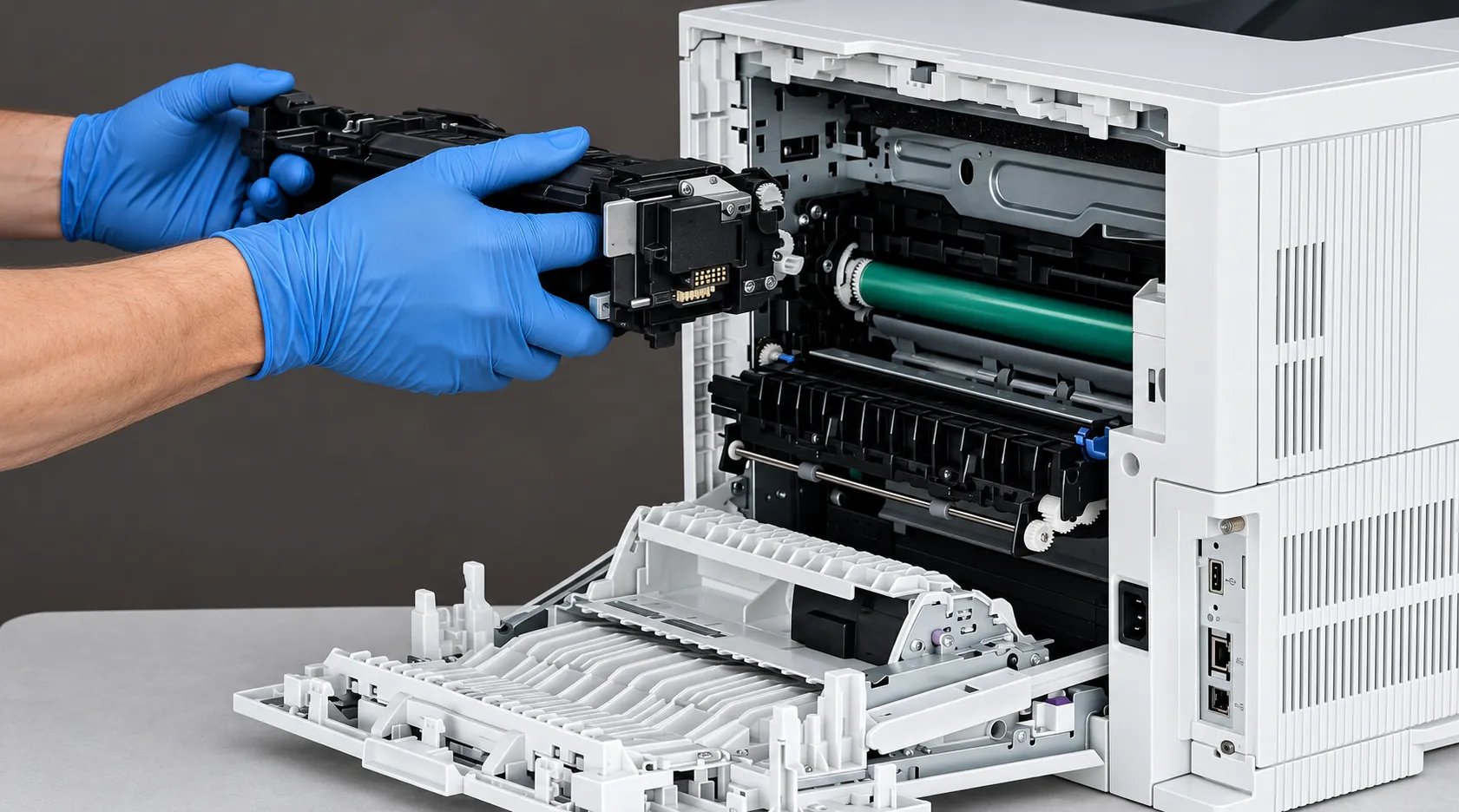
A displayed fuser error does not prove that the fuser assembly alone has failed. HP’s procedures for this family list the fuser alongside connectors, power quality, the low-voltage power supply, and, for 50.7F.00, mechanical drive parts. When a code survives a restart, our onsite printer diagnosis and repair follows that documented order instead of guessing.
Seating, Damage, and Obstructions
With the printer off and the fuser cool, the technician removes the assembly by its blue side handles and inspects the housing, rollers, and connector for damage. The fuser cavity is checked for paper or debris, and the assembly is reseated fully. A damaged fuser connector means fuser replacement; a damaged connector inside the printer is a larger repair.
Connections and the Correct Assembly
HP’s procedures direct technicians to the fuser connections and to connectors J401 and J402 on the DC controller. We also confirm the installed fuser is the correct assembly for the printer’s line voltage and configuration, since HP lists separate 110-volt and 220-volt fusers. A part that looks right is not always the right part.
Power Quality and the Low-Voltage Power Supply
For the drive-circuit group and the secondary temperature groups, HP calls for confirming that the power source meets the printer’s requirements and that the printer is the only device on its circuit. HP notes that fuser temperature control fails when line frequency falls outside 43 to 67 Hz. If a code persists after the fuser has been replaced, the low-voltage power supply is HP’s next listed component.
When the Report Is High Temperature
A 50.3X.YZ code adds one check that is easy to overlook: the paper-type setting on the control panel and in the print driver must match the paper actually loaded. HP lists the low-voltage power supply, not the fuser, as the replacement step for this group if the error persists.
Summary for temperature and circuit codes:
- Symptom: a 50.1X, 50.2X, 50.3X, 50.4X, 50.6X, 50.8X, 50.9X, 50.AX, or 50.BX code that returns after one restart.
- Root cause: seating, connector damage, power-source problems, a failed fuser heating circuit, or a low-voltage power supply fault.
- Diagnosis: reseat and inspect, check connections and J401/J402, confirm power source and paper settings.
- Remedy and component: replace the fuser assembly when the evidence points there, or the low-voltage power supply when a known-correct fuser still faults.
- When we recommend service: any time the code returns after a single restart.
50.7F.00 and the Pressure-Release Mechanism
An HP E60155 E60165 E60175 50.7F.00 fuser error is a different kind of fault. HP describes it as an HP LaserJet fuser pressure-release mechanism failure, meaning the printer could not confirm that the mechanism relieving fuser pressure moved as expected. Temperature is not the issue here; movement and sensing are.
HP’s own support document for the 50.7F.00 fuser error message names the E60155, E60165, and E60175 among the affected models. The Control Panel Messages Document adds the technician steps below.
- Symptom: 50.7F.00 on the panel, often after the fuser has been removed and reinstalled, and still present after a restart.
- Root cause: an unseated fuser, a damaged, missing, or mispositioned pressure-relief sensor, a damaged fuser flag, a damaged fuser alienation flag, or a pressure-relief motor that is not running.
- Diagnosis: the technician reseats the fuser, checks the pressure-relief sensor’s condition and position, and inspects the fuser flag and the alienation flag on the left side of the fuser.
- Motor test: from Support Tools, Troubleshooting, Diagnostic Tests, and Components Test, the technician runs the fuser pressure relief motor test on repeat and listens for the clicking that indicates the motor is working.
- Remedy and component: replace the fuser assembly if a flag or the sensor is damaged or missing; replace the fuser drive motor assembly if the motor test fails.
- When we recommend service: any 50.7F.00 that survives one restart.
That last branch explains a common frustration. If the drive motor assembly has failed, a brand-new fuser will post the same code, because the fuser was never the cause.
Related Resources for M607, M608, and M609 Owners
If the printer on your floor is actually an Enterprise M607, M608, or M609, our M607, M608, and M609 fuser error repair page and our M607, M608, and M609 50.7F troubleshooting guide cover that family separately. HP groups these models on some shared documents, but we verify procedures per family and do not treat assemblies as interchangeable.
Same Code After a New Fuser? Call Us
With more than 20 years of HP LaserJet work, we trace persistent E601 fuser codes to the failed part and install HP Parts or High Quality Parts under a 6-month / 180-day warranty. We serve Orange County and approved areas of Los Angeles County, and same-day service may be available. Email info@printer-repair-experts.net or call (888) 657-0021.
When the Code Returns After a New Fuser
An HP LaserJet fuser error after replacement is frustrating, but it is also informative. Replacement is not proof that the original fault was resolved; it only removes one variable from the list.
- Incomplete seating. A fuser that is not fully engaged on both sides can produce connection or pressure-release codes.
- Incorrect or incompatible assembly. A fuser for the wrong voltage or configuration will not behave like the correct part.
- Connector damage. A bent or damaged contact on the fuser or inside the printer can interrupt the circuit the new fuser depends on.
- An unresolved pressure-release fault. A 50.7F.00 caused by the drive motor assembly survives any number of fuser swaps.
- A power or control problem. The power source, the DC controller connections, or the low-voltage power supply can keep a temperature or circuit code active.
Diagnosis starts by comparing the code before and after the swap. The same code on a correctly seated, correct-voltage fuser shifts attention away from the fuser. Once an HP E60155 E60165 E60175 fuser replacement has already been done, HP’s procedures for most temperature and circuit groups move to the low-voltage power supply.
A changed code is useful too. It can mean the original fault was corrected and a second, separate condition is now visible, which calls for its own diagnosis.
Print Defects and Maintenance Counts: What Neither Proves
Loose Toner, Smearing, and Repeating Marks
Toner that rubs off, smears, or leaves marks at regular intervals can justify inspecting the fuser. These defects do not independently confirm a failed fuser, though. The toner cartridge, transfer components, media, and a mismatched paper-type setting can produce similar results, so we test before recommending parts.
Maintenance Counts Versus Fault Correction
The fuser kit messages track supply life. Resetting or clearing a count does not repair a sensor, connector, motor, or power supply, and we do not clear maintenance counts to suppress an unresolved 50.xx error. If the count is reset while the fault remains, the code simply returns.
Scheduled replacement through our HP LaserJet maintenance kit service is a separate decision from diagnosing an active fault, and not every 50.xx error calls for a complete maintenance kit. After a repair, an inspection and supply plan helps a high-volume Managed printer avoid running parts to failure; our article on why HP printers need regular maintenance explains the reasoning.
Fuser Repair Decisions and Onsite Service in Orange County and Los Angeles County
When diagnosis identifies the failed part, we replace the appropriate assembly or component: the fuser assembly, the fuser drive motor assembly, or the low-voltage power supply, as the evidence indicates. We install HP Parts, High Quality Parts, or Premium Parts, and we do not rebuild fusers onsite. Every repair ends with readiness checks and test prints.
Onsite HP LaserJet Managed fuser error repair is part of our broader HP LaserJet printer repair service, built on more than 20 years in the office equipment industry. Our work and installed parts carry a 6-month / 180-day warranty.
Cost questions are reasonable, and our page on printer repair cost considerations walks through them. The $69.99 Onsite Printer Repair Promotion covers onsite labor for one printer per visit; parts such as a fuser assembly are separate, so it is not a fuser replacement price. Limitations may apply.
We serve offices throughout Orange County, including Anaheim, Irvine, Santa Ana, and Fullerton; see HP LaserJet repair in Orange County for details. Approved portions of Los Angeles County are covered as well, and HP LaserJet repair in Los Angeles explains that coverage. Same-day service may be available.
If an E60155, E60165, or E60175 shows the same 50.xx code after one restart, call (888) 657-0021 or email info@printer-repair-experts.net with the model and the complete code. That message is where our diagnosis begins.
FAQ's - Frequently Asked Questions - HP LaserJet E60155, E60165 & E60175 Fuser Errors
Not by itself. Each code reflects a condition in that printer’s fusing system, power source, or wiring. If several units share a circuit or show similar usage, though, it is worth noting their page counts and power arrangements when we visit.
Log the date, the full code, and the outage. A single warm-up error after a power event that never returns may not need a visit. If it appears again on stable power, request service so the cause can be traced.
It can be part of the picture. HP’s procedures for several 50.xx groups ask technicians to confirm that the power source meets the printer’s requirements and that the printer is the only device on its circuit. Tell us how the printer is plugged in when you call.
HP LaserJet Managed printers keep an event log that a technician can review during the visit. It helps, but a photo of the panel at the time of the error is still the most direct record.
For the 50.3X.YZ group, HP specifically directs a check that the paper type set on the control panel and in the print driver matches the paper loaded. A mismatch is one of the documented checks before parts are replaced.
HP classifies 13.B9, 13.B2, and 13.FF as jams in the rear door and fuser area. The paper stopped near the fuser, but the code is a jam message rather than a fuser fault, and it is cleared and diagnosed differently.
No. We do not install or guarantee customer-supplied parts. We diagnose the fault and, when a fuser is the failed part, install an assembly we supply so the part and the work are covered together.
Contact us with the code. Our service and installed parts carry a 6-month / 180-day warranty, and we will evaluate whether the returning code relates to the work and parts we provided.