
HP LaserJet Printer Repair Stanton CA
for Monochrome Enterprise and MFP Equipment
HP LaserJet printer repair Stanton CA service from Printer Repair Experts means a technician comes to your printer, reads what the machine has already recorded about the fault, and repairs monochrome HP LaserJet, HP LaserJet Enterprise, and HP LaserJet MFP equipment where it sits. We bring more than 20 years in the office equipment industry to that work, and Stanton visits are scheduled through the same onsite service we run across Orange County.
This page is organized around evidence. A jam code, a fuser message, a streaked page, or a copy that only looks wrong when the original goes through the document feeder each says something specific, and each can also be over-read. Below, we explain what those clues can and cannot prove, so your service request is accurate and the visit starts in the right place.
Preview Snapshot
- What HP LaserJet printer repair Stanton CA visits cover: onsite diagnosis and repair of monochrome HP LaserJet, HP LaserJet Enterprise, and HP LaserJet MFP equipment at your location.
- The complete control-panel message, the event log, internal report pages, and one saved sample page usually narrow a fault faster than a verbal description.
- A 13.xx jam message points to a region of the paper path on a specific model family. It does not name a failed part by itself.
- Fuser messages and loose toner justify a professional check, yet neither one proves the fuser assembly has failed.
- On M527 and M528 MFP equipment, a defect limited to copies made through the document feeder points toward the scanning side rather than the print engine.
- Same-day service may be available, never guaranteed, and repairs carry our 6-month / 180-day warranty.
What an Onsite HP LaserJet Visit in Stanton Actually Resolves
An onsite visit is meant to settle two questions at the printer: what failed, and what it will take to correct it. Our technician checks the reported symptom against the printer’s own records, confirms it at the machine, and identifies the condition or component involved before recommending work. Nothing is boxed up, and the printer keeps its network connection and settings throughout.
That order of work is what separates real HP LaserJet printer repair from a reset that only clears a message for a day. It is also why onsite printer repair suits equipment that a front desk, a billing team, or a retail back office relies on: the diagnosis happens where the printer, its paper supply, and its daily workload actually are.
Stanton customers are served by the same onsite operation that covers the rest of Orange County. We do not run a storefront or branch in Stanton, and we do not claim a technician is stationed there; we schedule a visit to your address and confirm timing when you call. Onsite HP LaserJet printer repair Stanton requests go fastest when they include the details listed later on this page.
Most business HP LaserJet repair Stanton CA calls involve one of five situations: paper that will not feed cleanly, jam messages that keep returning, fuser messages or loose toner, visible print defects, or a maintenance message on the control panel. The sections below take them one at a time.
Monochrome HP LaserJet Families We Work On in Stanton
Our Stanton work centers on monochrome HP LaserJet Enterprise printers and HP LaserJet Enterprise MFP models. Three families illustrate the range well. They are examples, not a complete compatibility list, and configurations within a family are not identical.
- HP LaserJet Pro M501 and HP LaserJet Enterprise M506 and M507. Compact single-function printers. The M507dn, for example, pairs a 100-sheet multipurpose Tray 1 with a 550-sheet Tray 2, a 250-sheet output bin on top, and automatic two-sided printing. Our page on HP LaserJet M501, M506, and M507 repair covers the family in more depth.
- HP LaserJet Enterprise M607, M608, and M609. Larger single-function workgroup printers built around a 100-sheet Tray 1, a 550-sheet Tray 2, and a 500-sheet output bin. HP documents jam and error messages for this platform by model family, which makes the exact model and the full displayed message essential; see HP LaserJet M607, M608, and M609 repair.
- HP LaserJet Enterprise MFP M527 and M528. Multifunction models that add a flatbed scanner and a 100-sheet automatic document feeder to the print engine. On these machines a paper-path symptom and a document-feeder symptom are separate problems, as our page on HP LaserJet M527 and M528 MFP repair explains.
We use these families throughout this page to illustrate HP LaserJet Enterprise repair Stanton scenarios. HP Color LaserJet equipment is supported as well, but it has its own service topic and is not the focus here.
We do not service HP OfficeJet, DeskJet, ENVY, Smart Tank, DesignJet, or PageWide equipment, inkjet printers of any brand, or copiers.
Onsite Promotion for Your Stanton LaserJet
Use the $69.99 Onsite Printer Repair Promotion for one HP LaserJet at your Stanton location. Limitations may apply. Call (888) 657-0021 or email info@printer-repair-experts.net to schedule.
Evidence the Printer Already Holds: Messages, Event Log, and Report Pages
Before anyone opens a door, the printer can usually tell us more than a verbal description can. HP LaserJet Enterprise models keep an event log of recent errors, and HP’s support document on 13.A1 jam messages for the M607 through M612 notes that a residual jam detected at power-on is listed in the event log rather than shown on the screen. That is one reason a jam that seemed to clear itself after a restart is still worth reporting.
When you request service, the most useful record includes:
- The exact model, such as M607dn or MFP M528f, taken from the label or the configuration page.
- The complete message as displayed, including every character after the first two digits.
- The tray that was selected, plus the paper type, size, and weight loaded in it.
- How often it happens: every job, after a run of pages, or only now and then.
- Whether it occurs on one-sided printing, two-sided printing, or only when originals go through the document feeder.
- One defective sample page, kept rather than thrown away.
Pages the printer generates itself belong to the same record. A configuration page confirms the model, firmware level, and installed accessories, while the supplies status page reports toner condition and, on many Enterprise models, the estimated life of the maintenance kit. HP has moved several monochrome Enterprise families, including the M607, M608, and M609, away from listing a page-count maintenance interval on the configuration page.
This is the practical core of office laser printer diagnosis in Stanton: begin with what the machine recorded, then confirm it at the printer before any part is recommended.
Pickup Failures, Double Feeds, and Skewed Sheets
Three feeding faults look alike from the front of the printer but come from different places. A sheet that never leaves the tray, two or more sheets pulled through together, and a page that enters at an angle are the most familiar HP LaserJet paper feeding problems, and any of them can end in a jam message.
Paper condition comes first. Damp, curled, or dusty stock, or media outside the tray’s supported type and weight, can defeat rollers that are otherwise healthy. Tray loading and guide position come next, since a loose guide or a stack above the fill mark lets sheets shift; only after those are ruled out does roller wear become the likely explanation.
We isolate the fault tray by tray. If Tray 2 misfeeds while Tray 1 feeds the same paper cleanly, the problem lies in Tray 2’s pickup path rather than in the paper or further along the engine. We also inspect roller surfaces and compare behavior with fresh paper from a sealed ream.
The remedy follows the finding. Paper and setup problems are corrected during the visit, and worn pickup, feed, or separation rollers for the affected tray are replaced with the assembly specified for that model; HP publishes separate roller replacement procedures for Tray 1 and for Trays 2 and up on the M607 through M612.
Call us when misfeeds return after you have loaded fresh paper and reset the guides, or when one tray fails consistently. Recurring feed trouble is also the moment to review regular HP printer maintenance for that printer, matched to its model, condition, and usage rather than a generic schedule.
Reading a 13.xx Jam Message Without Over-Reading It
A 13.xx message is the printer reporting where, inside its paper path, a sheet arrived late, stopped, or stayed behind. The location meaning is assigned by model family. On the M607 through M612, HP documents 13.A1 messages at the Tray 1 feed sensor, 13.D3 messages in the duplexer, and 13.E1 messages at the output bin.
Those labels describe a region, not a failed part. The same characters can carry a different meaning on another family, so a code copied from a discussion about a different model can send a repair in the wrong direction. HP LaserJet paper jam repair Stanton visits therefore begin by reading the code against documentation for the exact printer.
| Paper-path region | What you tend to see | What we check first |
|---|---|---|
| Tray feeding | The sheet stops at or just past one tray, and the jam repeats from that tray | Paper condition, guides, tray seating, and that tray’s pickup, feed, and separation rollers |
| Internal transport | The sheet stops inside the printer, sometimes creased or skewed | The transport path, the toner-cartridge area, and any torn scrap or foreign object |
| Fuser and output | The sheet wrinkles, folds, or stops near the exit | The fuser area once cooled, the exit path, and the output bin |
| Duplex path | Jams occur only on two-sided jobs | The duplexer and the rear-door path on models built with one |
A recurring jam calls for a different response than a single obstruction. A scrap left behind after clearing can cause the next jam in the same spot, while a jam that returns to one region on clean, correctly loaded paper points to wear or misalignment along that section. Our article on why your printer keeps jamming covers that distinction in more detail.
Clear jams only through the doors the control-panel animation shows. HP cautions that the fuser is hot while the printer is in use, so let it cool before reaching into the fuser or rear-door area.
A Jam Code Is a Clue, Not a Diagnosis
We read 13.xx and fuser messages against your exact model, check the event log, and compare your sample page with internal test pages before recommending any repair. Call (888) 657-0021 to arrange an onsite diagnosis in Stanton.
Fuser Messages and Loose Toner: A Symptom Is Not a Verdict
Fuser-related trouble shows up in two ways: a 50.xx fuser message on the control panel, or output where toner rubs off, smears, or looks poorly bonded to the page. Either one is a sound reason to schedule a professional check.
Neither one proves the fuser assembly has failed. HP’s print-quality guidance lists the paper-type setting among the causes of loose or smeared toner, and fuser messages can involve the power reaching the printer as well as the assembly itself.
We confirm the exact message, look through the event log for repeats, compare the paper-type setting with the media actually loaded, and inspect the fuser area after it has cooled. If the message persists once power and settings are ruled out, the evidence points to the assembly.
When testing implicates it, the remedy is replacement of the fuser assembly specified for that model; on some families, HP supplies the fuser inside a maintenance kit. HP LaserJet fuser error repair Stanton requests make sense as soon as a message returns after a restart. For background on the message types themselves, see understanding HP printer fuser errors.
Streaks, Fading, and Repeating Marks: Engine, Cartridge, or Scanner?
Print defects are where a saved sample page matters most. Streaks, fading, smudging, and marks that repeat down the page each narrow the search differently, so HP LaserJet print quality troubleshooting starts by deciding which part of the machine could produce the pattern you see.
We begin with pages the printer generates itself, such as the configuration page or HP’s print-quality troubleshooting pages on models that offer them. If an internally generated page shows the defect, the cause lies in the print engine or the toner cartridge. If internal pages are clean but jobs from one program look wrong, the file, driver, or print settings become the focus.
Repeating marks are especially informative. When the same mark recurs at a fixed spacing, HP’s troubleshooting method is to measure the interval, because it corresponds to a rotating part and helps separate the toner cartridge from rollers elsewhere in the image path.
Light or faded print often traces to toner condition or a cartridge near the end of its life, while smudging can involve the fuser, the paper-type setting, or toner adhesion. When a cartridge is the cause, we can supply high-quality third-party toner backed by a 1-year / 365-day warranty.
Copy-Only Defects on the M527 and M528
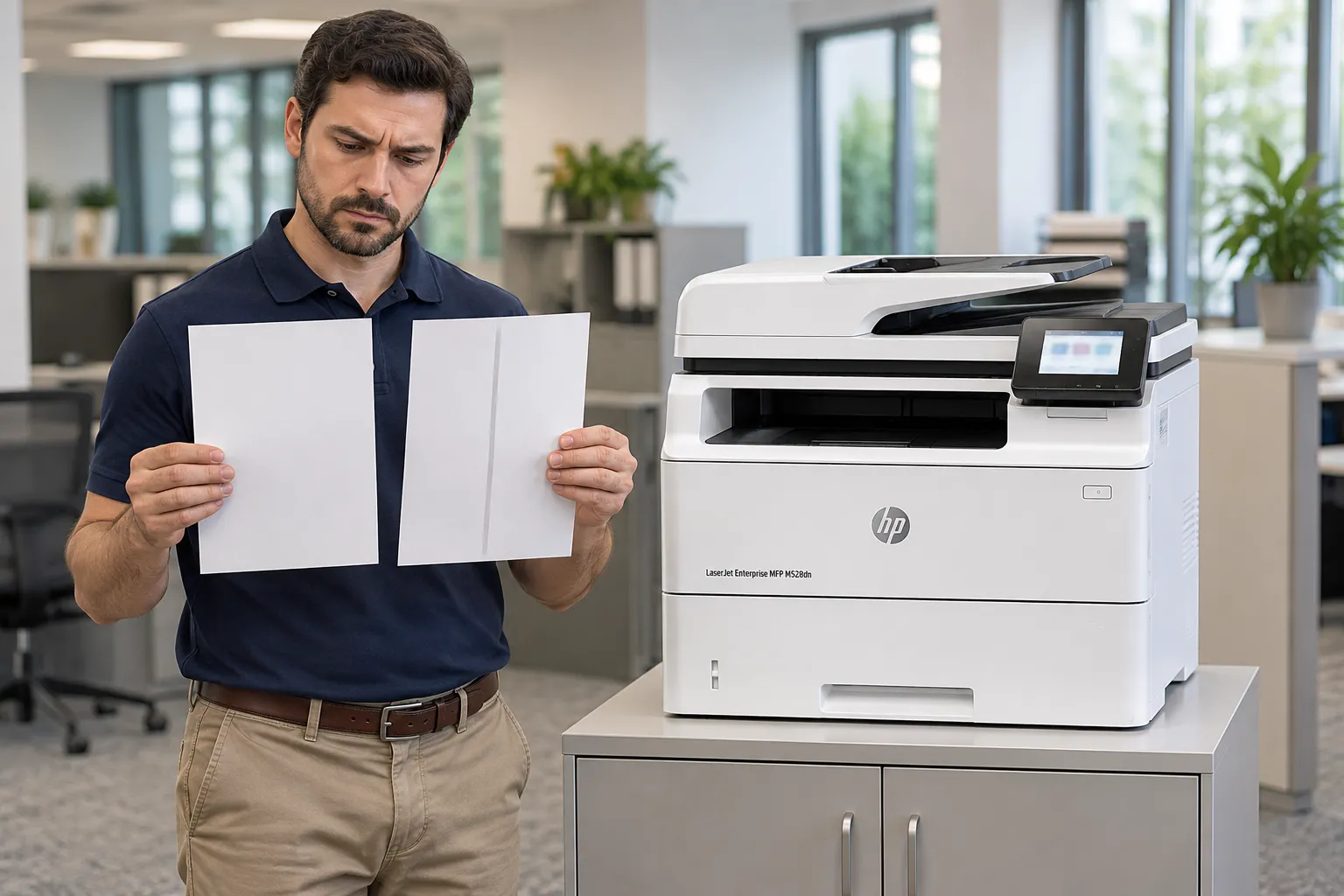
MFP equipment adds a second source of image defects: the scanner. If lines appear only on copies made through the automatic document feeder, while printed pages and flatbed copies look normal, the feeder’s scanning glass is the first suspect, not the print engine. HP reports that debris on that glass causes the great majority of these lines.
Feeding problems split the same way. An original that skews or double-feeds in the document feeder involves the feeder’s own rollers, which HP sells as a separate ADF roller replacement kit for the M528 series. HP LaserJet MFP repair Stanton calls move faster when you tell us whether a problem follows the printer’s paper path or the document feeder.
Maintenance Messages and the Repair-or-Replace Decision
A maintenance message means the printer estimates that a kit or component is nearing the end of its expected life. It is a prompt to inspect and plan, not an instruction to clear the message. Resetting a counter without doing the work only silences the reminder while the worn rollers or fuser stay in place.
Maintenance is model-specific. HP sells a maintenance kit matched to the M607 through M612, other families use different kits or replaceable components, and newer Enterprise firmware estimates remaining kit life instead of relying on a fixed page interval. HP LaserJet maintenance Stanton CA visits therefore start with the supplies status page and the printer’s actual condition, not a calendar.
Repair decisions follow the same evidence. We weigh the exact model, the confirmed fault, the printer’s overall condition, and how much your work depends on it, and we say plainly when repair is not the sensible choice. We do not promise that every fault can be repaired or that one remedy fits every family.
Cost is a fair question before any visit. Our onsite promotion covers one printer per visit, does not include parts, and reverts to our Standard Flat Labor Rate when two or more printers need service during the same visit. It does not apply to network, driver, firmware, or software work; see printer repair cost and the onsite promotion for the details and limitations.

Monochrome LaserJet Repair, Backed for 180 Days
From compact M507 printers to M528 MFP equipment, we diagnose and repair HP LaserJet models onsite in Stanton with more than 20 years of industry experience behind the work. Repairs carry a 6-month / 180-day warranty, and same-day service may be available. Email info@printer-repair-experts.net to schedule.
Scheduling HP LaserJet Printer Repair Stanton CA and Nearby Coverage
Getting a visit on the calendar takes one call or email. Send the model, the full message, the tray and paper details, and a photo of the defective page if you have one, and let us know where the printer sits. Same-day service may be available; whether it is depends on the fault and the day’s schedule, so we confirm timing instead of promising it.
Until the technician arrives, a few precautions keep the printer safe and the evidence intact:
- Write down the message and keep the sample page before clearing anything.
- Clear jams only through the access points the control panel shows, after the printer has cooled.
- Do not remove covers, reach toward exposed electrical parts, or handle hot internal assemblies.
- Leave clear access to the printer and its trays.
Many Stanton organizations also have equipment at another address. Our HP LaserJet printer repair throughout Orange County follows the same evidence-first approach, and we also provide printer repair in Anaheim and HP LaserJet printer repair in Garden Grove when a second location needs attention. HP LaserJet repair near Stanton extends to those cities and the rest of our Orange County service area, along with approved portions of Los Angeles County.
When you are ready to book HP LaserJet printer repair Stanton CA service, call (888) 657-0021 or email info@printer-repair-experts.net with the details above. Every repair carries our 6-month / 180-day warranty, and the record you bring is where our diagnosis begins.
FAQ's - Frequently Asked Questions - HP LaserJet Printer Repair Stanton CA
It tells us the region, not the cause. The code narrows where the sheet stopped on that model family; confirming why means checking the paper, the tray, and that section of the path at the printer. Sending the full code ahead of time helps us prepare for the visit.
If the printer returns to Ready it may keep printing, but schedule service rather than restarting it repeatedly. Note each time the message appears and keep any pages with loose or smeared toner, because that pattern helps separate a settings or power issue from a failing fuser assembly.
Probably not. When printed pages and flatbed copies look normal, lines on copies made through the document feeder usually come from debris on the feeder’s scanning glass. Cleaning that glass as HP’s user guide describes is a safe first step; if lines remain, we examine the scan path.
We advise against clearing it without doing the work. The message reflects estimated wear on rollers, the fuser, or a kit specified for that model, and resetting it removes the reminder while the worn components stay in service.
Our 6-month / 180-day warranty covers the service we perform and the parts we install. Parts supplied by the customer are not installed or covered.
Yes. HP Color LaserJet and Color LaserJet MFP models are part of our supported equipment. This page concentrates on monochrome HP LaserJet models, and color equipment has its own service topic.
Not for most mechanical repairs. If a firmware, driver, or network setting turns out to be relevant, we discuss it with your IT contact first, and that work is separate from the onsite promotion.
Yes. The onsite promotion applies to one printer per visit; when two or more printers need service during the same visit, our Standard Flat Labor Rate applies instead. Equipment at another address is scheduled for that address.