
Printer Repair South El Monte CA
Onsite HP LaserJet Service by Printer Repair Experts
Printer repair in South El Monte usually becomes urgent the moment an HP LaserJet throws a fuser error in the middle of a billing run. Printer Repair Experts answers that call with onsite service: our technicians drive to your building in the 91733 ZIP code, diagnose the machine where it sits, and usually repair it on the spot. You never drop a printer off anywhere, because we do not operate a walk-in counter — everything happens at your location.
Same-day help is available for many HP LaserJet and HP Color LaserJet failures across the city. Here is a quick snapshot of what local businesses can expect when they call us:
- Onsite South El Monte printer repair covering all of ZIP 91733
- HP LaserJet, HP Color LaserJet, and HP LaserJet MFP printers serviced at your location
- Same-day dispatch available for many fuser errors, paper jams, and maintenance kit installations
- $69.99 new client onsite special for qualifying HP LaserJet repairs — limitations apply
- 6-month warranty on labor and installed parts, plus a 1-year warranty on toner we supply
- Over 20 years of hands-on field experience with HP LaserJet office equipment
Need Fast HP LaserJet Printer Repair in South El Monte?
Printer Repair South El Monte CA: What Does Onsite Service Include?
Every onsite visit starts with a full diagnosis, not a guess. Most printer repair calls in South El Monte end in a single visit because our vehicles carry the fusers, rollers, and maintenance kits that fail most often. Before touching anything, a technician from Printer Repair Experts reviews the machine’s error history and runs test pages, because replacing a fuser to cure a problem caused by a worn transfer roller wastes your money and our time.
Our core service is HP Laserjet Printer Repair, and the day-to-day work behind that phrase is broad. It covers fuser error repair, paper jam repair, HP maintenance kit installation, network connectivity problems, driver installation, and firmware upgrades. We also resolve print-quality complaints — lines, splotches, streaking, faded pages, toner smearing, and repetitive image defects.
General office printer repair and commercial printer repair requests come in daily, and in this city those machines are almost always HP LaserJet or HP Color LaserJet units. If your equipment is an OfficeJet, DeskJet, Envy, or another consumer inkjet, we will say so upfront — those families fall outside our HP LaserJet specialization. HP printer repair for laser-class machines is where two decades of field time pays off.
Which HP LaserJet Models Do We Service in the 91733 ZIP Code?
We service the full monochrome and color LaserJet range throughout ZIP code 91733, which covers all of South El Monte. That includes the veteran workhorses: HP LaserJet 4240, 4250, and 4350 printer repair still makes up a surprising share of our schedule, because those machines simply refuse to die when they are maintained.
The M600 family sits at the heart of most local fleets. We handle HP LaserJet M601, M602, M603, M604, M605, and M606 printer repair, along with the newer M607, M608, M609, M610, M611, and M612 series. HP Laserjet M601 Printer Repair and HP Laserjet M607 Printer Repair are two of the most requested jobs on that list.
Multifunction fleets are covered too. HP LaserJet MFP printer repair extends to the Enterprise MFP M631dn, M632, M633, M634, M635, and M636, plus the Managed MFP E62555 and E62655. Most of the HP LaserJet MFP printer repair South El Monte businesses request involves document-feeder jams or fuser wear from heavy copy volume.
Color work gets equal attention. Businesses that need HP Color LaserJet repair in South El Monte usually call about registration shifts, repetitive defects, or transfer components nearing end of life, and we stock parts for the common Enterprise color models.
How Fast Can a Technician Reach Your South El Monte Business?
Same-day service is realistic for most of the city because it is compact and our dispatch area surrounds it. Same day printer repair South El Monte calls that reach us before mid-morning are usually resolved that same afternoon. Later calls are scheduled for the next business day at the latest.
The city’s industrial core keeps us moving. Our mobile technicians travel to commercial properties throughout the manufacturing blocks along Rush St and Santa Anita Ave, and businesses operating within the warehouse rows on Troy Ave and Potrero Ave can request onsite HP LaserJet service with same-day availability in many cases.
Office suites and light-industrial units near Lee Ave, Chico Ave, Tyler Ave, and Seaman Ave sit inside the same South El Monte printer repair coverage footprint. Onsite printer repair in South El Monte means the machine never leaves your building — which matters when that machine holds your shipping or invoicing workflow together.
Search phrases like local HP printer repair certified technicians all boil down to one question: can someone qualified get here today? For printer repair in South El Monte, the honest answer is yes.
Why Do Fuser Errors and Paper Jams Keep Coming Back on HP LaserJet Printers?
Recurring failures almost always trace back to worn wear-items, not bad luck. A 50-series fuser error that clears on restart and returns days later usually means the fuser is at end of life, while repeated 13-series jams typically point to glazed pickup, feed, and separation rollers. Clearing the jam fixes the symptom; replacing the worn roller fixes the printer.
Our technicians frequently encounter this pattern during onsite service calls at distribution and manufacturing offices, where paper dust accelerates roller wear. South El Monte printer repair calls about recurring jams are, more often than not, maintenance-kit conversations in disguise. Fuser error repair and paper jam repair are two jobs where guessing gets expensive, so Printer Repair Experts verifies the failed component with test prints and the event log before installing anything.
Environment matters more than most owners expect. Overfilled trays, damp or curl-prone paper, and skipped printer maintenance all shorten fuser and roller life. Small habit changes often cut jam frequency dramatically.
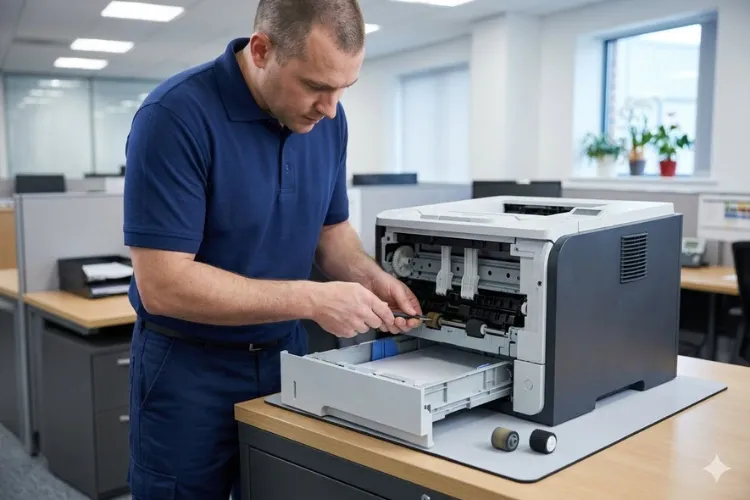
Keep Your Office Printer Running at Peak Performance
When Should You Replace the Maintenance Kit on an HP LaserJet?
Replace the maintenance kit when the printer asks for it — or sooner, if feed problems and print defects start stacking up. On many HP LaserJet Enterprise models the recommended interval falls in the low-hundreds-of-thousands of pages, but the figure varies by model, so the control panel supplies status and HP’s own documentation for your machine give the number that counts.
An HP LaserJet maintenance kit bundles the parts that wear together: the fuser plus tray pickup, feed, and separation rollers, and on some models a transfer roller. Installing the full HP maintenance kit at once restores feed reliability across every tray instead of chasing jams tray by tray.
HP maintenance kit installation takes our technicians well under an hour on most models, and we stock kits for common HP LaserJet printers for same-day installation. Many printer repair South El Monte appointments turn into kit installations once we see the page count. Ongoing printer maintenance service on a schedule — cleaning, roller checks, firmware review — is the cheapest insurance a busy office can buy.
Official HP Reference: If you would like to see HP’s official service documentation for removing and replacing the fuser on HP LaserJet Enterprise M607, M608, M609, M610, M611, and M612 printers, HP provides detailed manufacturer instructions here:
Should You Repair or Replace an Aging HP LaserJet Fleet?
Repair usually wins on enterprise-class LaserJets, and the math is simple. A maintenance kit plus a service visit costs a fraction of a new enterprise printer, and a well-maintained M604 or M608 can run for years past its warranty. Replacement makes sense when parts availability dries up, firmware no longer meets security policy, or monthly volume has outgrown the engine.
Downtime is the hidden cost either way. When the one printer that produces pick tickets or intake forms goes down, the loss is measured in idle staff, not toner. That is why many local operations pair repair with scheduled maintenance instead of waiting for failures — business printer repair in South El Monte is cheapest when it is planned.
Fleet reliability improves fastest when the oldest machines get attention first. Based on our field experience, we recommend standardizing on one or two LaserJet models across departments; shared toner and shared maintenance kits sim
What Does Onsite Printer Repair Cost in South El Monte and Nearby Areas?
Printer repair in South El Monte starts with a diagnosis, because cost depends on the failed component — not on a flat quote guessed over the phone. New clients can use our $69.99 flat labor rate for one qualifying HP LaserJet or HP Color LaserJet onsite repair visit. That promotion is subject to limitations: it excludes OfficeJet, DeskJet, Envy, Smart Tank, DesignJet, and non-HP LaserJet models, and it applies to new customers only.
We hear the same budgeting questions across the region — how much does office printer repair cost in Pico Rivera, or where to get enterprise printers serviced in 90660 — and the variables are identical in every city: parts, labor time, and machine condition. Office printer repair South El Monte pricing follows the same logic, with HP Parts, Premium Parts, or High Quality Parts quoted transparently before any work begins.
Every South El Monte printer repair carries a 6-month warranty on labor and installed parts. Toner we supply is high-quality and backed by a full 1-year warranty, which removes one of the most common sources of print-quality disputes.
Search behavior tells the same story everywhere. When someone types printer repair near me, HP printer repair near me, or laser printer repair near me from a local office, they want a person onsite today, not a mail-in shipping label. Office printer repair near me and commercial printer repair near me searches spike on Monday mornings for a reason — weekend dust and Monday volume are a rough combination for a tired fuser.
Looking for Reliable HP Printer Repair in South El Monte?
How Do We Keep Print Quality Sharp on HP Color LaserJet Printers?
Sharp color output depends on clean consumable paths and honest parts. HP Color Laserjet Printer Repair calls usually start with a symptom photo: vertical lines, splotches, streaking, faded panels, toner smearing, or an image defect that repeats down the page. Each symptom maps to a component, and the repeat interval of a defect often identifies the exact roller or drum at fault.
Parts quality decides whether the fix lasts. HP Color LaserJet printer repair in South El Monte print rooms gets the same standard as everywhere else we work: HP Parts, High Quality Parts, or Premium Parts, selected for the machine’s volume and your budget, and named before we install them. Cheap toner is the false economy we see most; the high-quality third-party toner we supply carries a 1-year warranty precisely because we trust it in the machines we service.
Color models reward routine care doubly, since four toner stations mean four times the opportunity for contamination. A brief quarterly cleaning visit keeps registration tight and defect calls rare.
irmware can also play a role in print quality. While most print-quality problems are caused by worn consumables, dirty components, or failing hardware, HP periodically releases firmware updates that improve printer performance, reliability, and compatibility. If your HP LaserJet is experiencing persistent print-quality issues, verify that it is running the latest firmware before assuming a hardware failure. You can download the latest firmware for your printer directly from HP Customer Support.
Which Nearby Cities Can Book the Same Onsite HP LaserJet Service?
South El Monte sits in the middle of our Los Angeles County coverage, so the same technicians handle printer repair in South El Monte, Rosemead, El Monte, Whittier, Montebello, and Pico Rivera, along with South San Gabriel and the industrial parks of the City of Industry. Businesses searching printer repair near South El Monte from any of those cities are inside our normal dispatch radius.
Dedicated city pages cover several neighbors in more detail. Printer Repair Pico Rivera CA, Printer Repair City of Industry CA, and Printer Repair Commerce CA serve the warehouse-heavy corridors to the south and west, while Printer Repair Santa Ana CA anchors our Orange County coverage.
Cross-boundary work is routine here. We regularly handle onsite Laserjet printer service in El Monte one hour and a South El Monte MFP call the next, because the two cities share business parks and, in many cases, the same office managers.
Keep Your South El Monte Office Printing
Printer repair in South El Monte works best when it happens at your machine, the same day, with the right part already on the truck. That is the service Printer Repair Experts has built over 20-plus years: onsite HP LaserJet, HP Color LaserJet, and HP LaserJet MFP repair backed by a 6-month warranty and straight answers.
Call (888) 657-0021 or email info@printer-repair-experts.net to schedule the kind of printer repair service South El Monte businesses can plan a workday around. New clients are welcome to ask about the $69.99 onsite special — limitations apply — when booking.
Commercial Areas We Provide Onsite Printer Repair Services - South El Monte CA
Lee Avenue Area
2599-2417 Lee Ave
South El Monte, CA 91733
Chico Avenue Corridor
2404-2410 Chico Ave
South El Monte, CA 91733
Troy Avenue Vicinity
2000-2268 Troy Ave
South El Monte, CA 91733
Potrero Avenue Region
1999-1959 Potrero Ave
South El Monte, CA 91733
Rush Street Co
10617-10601 Rush St
South El Monte, CA 91733
Santa Anita Avenue Vicinity
1599-1553 Santa Anita Ave
South El Monte, CA 91733
Tyler Avenue Area
1600-1710 Tyler Ave
South El Monte, CA 91733
Seaman Avenue Area
2400-2432 Seaman Ave
South El Monte, CA 91733
FAQ's - Frequently Asked Questions -
Yes, for many HP LaserJet and HP Color LaserJet issues. Calls received before mid-morning are frequently completed the same afternoon, since we stock common fusers and maintenance kits for same-day installation. Later calls are typically scheduled for the next business day.
We cover ZIP 91733, which spans the entire city, including its industrial and warehouse districts. Neighboring communities such as El Monte, Rosemead, Whittier, Montebello, and Pico Rivera are inside the same dispatch area.
No. We operate entirely onsite — a technician comes to your business, diagnoses the machine where it sits, and performs the repair there. Enterprise LaserJets are heavy, networked, and disruptive to move, so bringing the service to the printer is the whole point of our model.
It applies to one qualifying onsite repair visit for HP LaserJet or HP Color LaserJet commercial printers, for new customers only, and is subject to limitations. OfficeJet, DeskJet, Envy, Smart Tank, DesignJet, and non-HP LaserJet models are excluded. Ask when booking and we will confirm eligibility for your specific model.
Service and installed parts carry a 6-month (180-day) warranty. Toner we supply is separately backed by a 1-year (365-day) warranty.
Both. We set up printers on company networks, resolve connectivity drops, install drivers, and apply firmware upgrades, in addition to mechanical repairs like fusers, rollers, and maintenance kits. Many “broken printer” calls turn out to be configuration issues we can resolve in one visit.
Usually, yes — a jam that keeps returning is a wear symptom, not an operator problem. Glazed pickup and separation rollers or an aging fuser are the typical causes, and a maintenance kit installation generally resolves the pattern in a single visit.
