
HP LaserJet P3015 Fuser Error:
Complete 50.1–50.9 Code Guide
An HP LaserJet P3015 Fuser Error appears on the control panel as a 50.X code, and it means the printer has detected a fault in the fusing system — the heated assembly that bonds toner permanently to the page. Until the fault clears, the engine locks itself out of printing to prevent damage. This guide explains every 50.1 through 50.9 sub-code, why each one is produced, and the exact steps for diagnosing and fixing it.

What this guide covers:
- What each 50.1–50.9 sub-code means on the HP LaserJet P3015
- Step-by-step diagnostics you can safely perform before calling a technician
- Which failures actually require a new fuser — and which do not
- Repair-versus-replace guidance for offices still running P3015 fleets
- Preventative maintenance that stops repeat fuser failures
- How to arrange same-day onsite service in Orange County and Los Angeles County
HP LaserJet P3015 Showing a 50.x Fuser Error?
What Does an HP LaserJet P3015 Fuser Error Actually Mean?
Any HP Printer Fuser Error in the 50.X family means the printer’s engine controller has lost confidence in the fuser — either the temperature it reports, the speed it warms up, or the circuit that drives it. On the HP LaserJet P3015, the DC controller reads fuser temperature through two thermistors, TH1 and TH2. When a reading falls outside the expected window, the engine halts and posts a 50 code.
The digit after the decimal is the real diagnostic clue. A generic HP Printer 50 Error tells you the fusing system failed a self-check; the sub-code tells you how it failed. Search results and forums label the same fault an HP LaserJet P3015 50 Error or, in older service references, an HP LaserJet P3015 50 Service Error — all of these describe one fusing-system self-check. Not every code means the fuser itself is dead.
Printer Repair Experts routinely diagnoses this failure family during onsite service calls, and one pattern repeats: offices replace a fuser, the code returns, and the actual culprit was a connector, a power source, or the engine control unit. Reading the sub-code first prevents paying for the same visit twice.
AWhy Is Your Printer Stuck Initializing or Not Heating?
If the P3015 hangs at start-up, the usual reason is that the fuser never reached its target temperature, so the engine keeps waiting. Users describe it as a Printer Stuck Initializing condition, a Printer Warm Up Error, or simply a Printer Not Heating complaint. All three symptoms point at the same fusing system that the 50.X codes monitor.
Before assuming hardware failure, rule out power delivery. A fuser draws a heavy surge of current at warm-up, and surge protectors, UPS units, and shared circuits can starve it. Plug the printer directly into a wall outlet on its own circuit and power-cycle it.
If the message persists, note the exact sub-code and match it to the sections below. Every HP LaserJet P3015 Fuser Error resolves faster when you start with the code, not the part swap — that is the heart of sound HP LaserJet P3015 Troubleshooting. Basic HP LaserJet P3015 Diagnostics — power-cycle, direct wall power, reseat the fuser, verify the correct fuser model and voltage — resolve a meaningful share of calls without any parts at all. HP Customer Support
How Do You Fix the 50.1, 50.2, and 50.3 Fuser Errors?
These three codes cover the temperature faults we see most often in the field. Each has a distinct cause and remedy.
HP LaserJet P3015 50.1 Fuser Error — low fuser temperature (thermistor TH1). The main thermistor reports the fuser is running colder than commanded. Reason: a failing heating element, a degraded thermistor, or poor power delivery.
- Power the printer off, wait 30 seconds, and power it back on.
- Connect the printer directly to a wall outlet — no surge strip or UPS.
- Remove the fuser, inspect for damage, and reseat it firmly.
- Verify connectors J18 and J1608 are fully seated on the engine control unit (ECU).
- If the error returns, replace the fuser; if it survives a fuser swap, the ECU is suspect.
HP LaserJet P3015 50.2 Fuser Error — fuser warm-up failure. The fuser did not reach operating temperature within the allowed time. Reason: a weak heating element, low line voltage, or a loose connection between the fuser and the ECU.
- Power-cycle and move the printer to a dedicated wall outlet.
- Confirm connectors J8002 and J1505 are seated on the ECU, and connector J18 is seated on the fuser.
- Verify the correct fuser model and correct voltage version are installed.
- If warm-up still times out, replace the fuser; a persistent failure afterward points to the low-voltage power supply or ECU.
HP LaserJet P3015 50.3 Fuser Error — high fuser temperature (thermistor TH1). The fuser ran hotter than specification. Reason: a runaway heater circuit, a drifted thermistor, or — a P3015 quirk our technicians know well — a stuck swing (pendulum) gear in the fuser drive that stops the fuser film from turning, so heat builds in one spot.
- Power off and allow the fuser to cool for at least 10 minutes.
- Check connectors J18 and J1608 on the ECU.
- Open the rear output door, power up, and watch the fuser output rollers; if they do not rotate, the drive gear is the problem, not the heater.
- If overheating repeats, replace the fuser assembly.
What Causes the 50.4 and 50.5 Fuser Errors, and What Is the Remedy?
HP LaserJet P3015 50.4 Fuser Error — faulty fuser drive circuit. The engine detected a fault in the circuit that powers and controls the fuser. Reason: line power outside the printer’s specification is the classic trigger; when supplied power is out of spec, the fuser temperature control circuit cannot regulate correctly.
- Move the printer to a known-good, dedicated wall outlet; remove any power strip, UPS, or extension cord.
- Confirm connectors J1002 and J1505 are fully seated on the ECU.
- If the error persists on clean power, replace the fuser; if it continues after that, replace the ECU.
HP LaserJet P3015 50.5 Fuser Error — incorrect fuser installed. The engine believes the installed fuser does not match the printer — most commonly a 220-volt fuser in a 110-volt machine, or a fuser from a different engine family. This code appears across the HP LaserJet line more often than on the P3015 specifically, so treat this as general HP guidance.
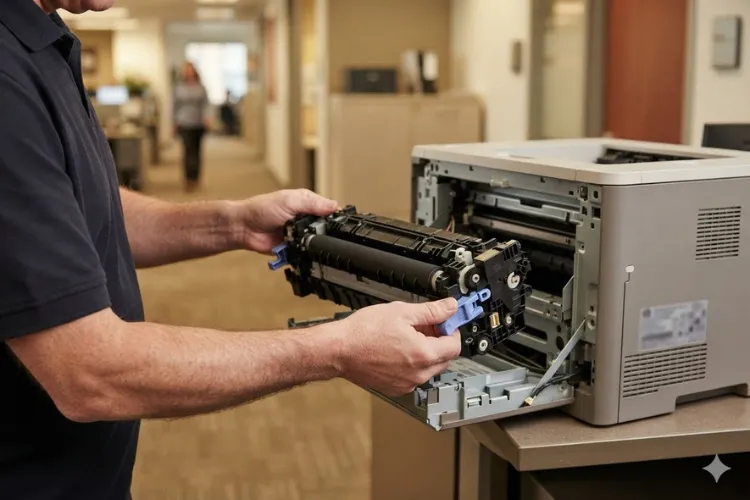
- Remove the fuser and read its label; confirm it is the correct part and voltage for your serial number.
- Reinstall, making sure it latches fully on both sides.
- If the correct fuser still triggers the code, the fuser’s internal identification circuit has failed — replace the fuser.
Minimize Downtime with Professional HP LaserJet P3015 Fuser Repair
How Do You Diagnose the 50.6 and 50.7 Fuser Errors?
HP LaserJet P3015 50.6 Fuser Error — open fuser circuit. The heater circuit reads as open, meaning current cannot flow through the heating element. Reason: a blown thermal fuse or thermoswitch inside the fuser, usually after an overheat event, or a failed heater lamp/element. This sub-code is defined across the HP LaserJet family and is rarely logged by the P3015 engine, so treat it as general guidance.
- Power off, let the unit cool, then remove and reseat the fuser.
- Inspect the fuser’s contact blades for burning or pitting.
- An open heater circuit is not field-repairable — replace the fuser assembly.
HP LaserJet P3015 50.7 Fuser Error — fuser pressure release malfunction. The mechanism that opens and closes the fuser pressure rollers did not move as commanded. Reason: a worn drive gear, a jammed pressure-release lever, or debris in the mechanism. This is also a family-level HP code; on the P3015 the equivalent symptom usually shows up as grinding from the fuser drive area.
- Power off and remove the fuser; check that both pressure-release levers move freely.
- Clear any torn paper or label adhesive from the rollers and levers.
- Rotate the fuser drive gear by hand and feel for binding.
- If movement is stiff or the code returns, replace the fuser; persistent failure implicates the main drive assembly.
What Do the 50.8 and 50.9 Fuser Errors Tell You About the Fuser?
HP LaserJet P3015 50.8 Fuser Error — low temperature at sub-thermistor TH2. The secondary thermistor, which watches the edge of the fuser, reports low heat. Reason: toner or paper-dust buildup insulating the sensor is a documented cause, alongside a genuinely failing fuser.
- Power-cycle the printer on direct wall power.
- Remove the fuser and clean off residual toner or media buildup — this step is specific to 50.8 in HP’s service procedure.
- Verify connectors J18 and J1608 on the ECU.
- If the code returns after cleaning, replace the fuser.
HP LaserJet P3015 50.9 Fuser Error — high temperature at sub-thermistor TH2. The edge of the fuser is running too hot. Reason: heavy runs of narrow media concentrate heat at the fuser ends, and an aging fuser loses the ability to shed it; a drifted TH2 sensor produces the same code.
- Power off and let the fuser cool completely.
- If the office prints envelopes or narrow stock in long runs, break jobs into smaller batches and mix in letter-size pages.
- Check connectors J18 and J1608 on the ECU.
- If the error persists under normal media, replace the fuser.
When Does an HP LaserJet P3015 Fuser Replacement Make Sense?
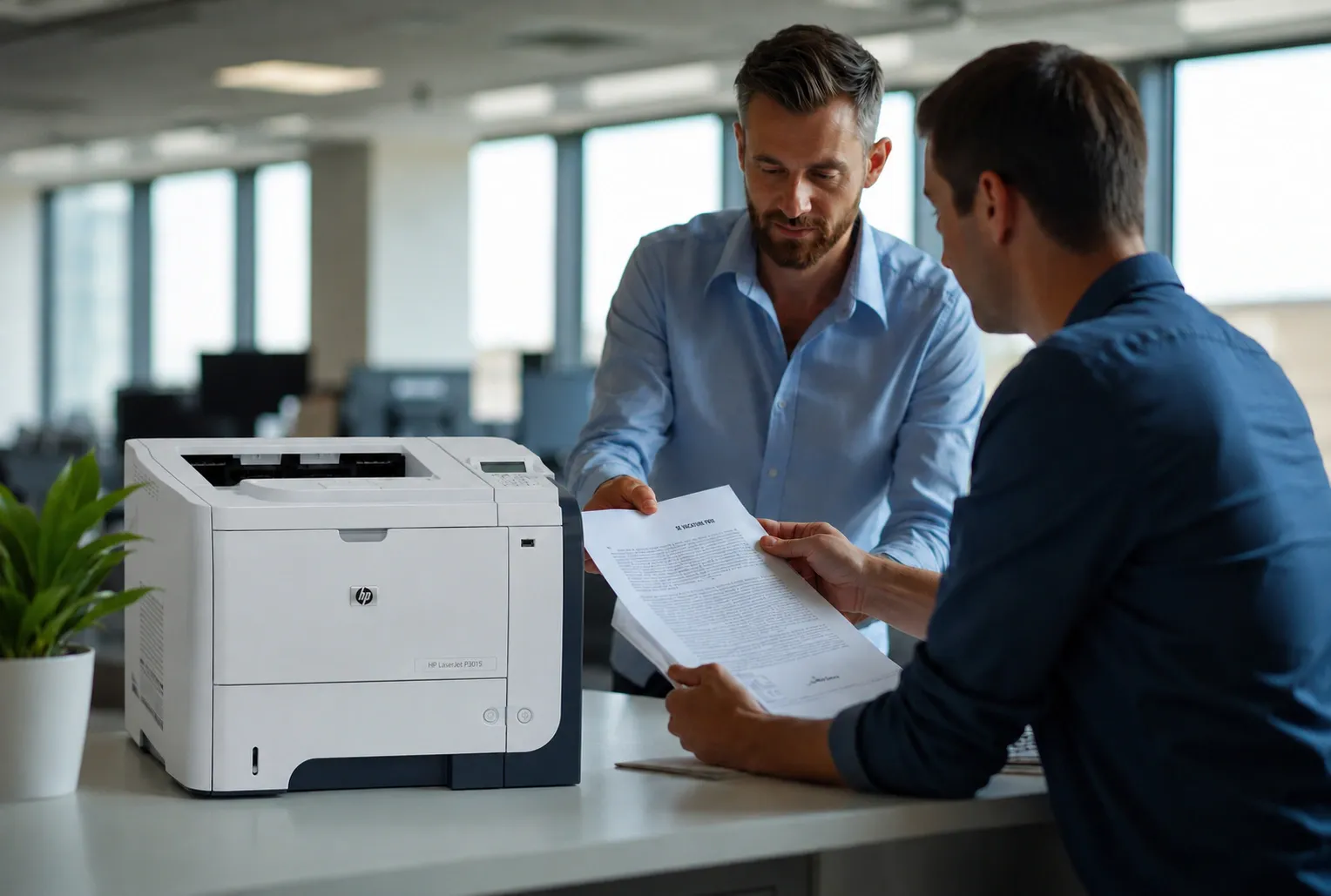
An HP LaserJet P3015 Fuser Replacement is the correct call when a temperature code survives the power and connector checks above, when print quality shows smearing or toner that rubs off, or when the fuser has simply reached the end of its service life. HP builds the fuser into the maintenance kit for this engine, with a service interval of roughly 200,000 pages.
Two buying paths exist. A standalone HP LaserJet P3015 Fuser Assembly solves an isolated fuser failure. A full HP LaserJet P3015 Fuser Kit — the maintenance kit with fuser, transfer roller, and pickup/feed rollers — is the better value when the machine is also misfeeding or jamming, because worn rollers fail on the same schedule as the fuser.
Before replacing expensive components, Printer Repair Experts performs a complete diagnosis to verify the actual cause of the failure. When it is time to Replace HP LaserJet P3015 Fuser hardware, we install HP Parts, Premium Parts, or High Quality Parts, and every repair is backed by our 6-month warranty on service and installed parts. Many fusers and maintenance kits are stocked for same-day installation.
Toner quality belongs in this conversation too. Low-grade cartridges shed excess toner that bakes onto fuser film and thermistors, shortening fuser life and triggering 50.8-style faults. Reliable toner — we back ours with a 1-year warranty — protects the very part you just paid to replace.
Experienced HP LaserJet P3015 Repair You Can Trust
Should You Keep Repairing an Aging P3015 or Retire It?
The honest answer depends on arithmetic, not sentiment. A P3015 with a fresh fuser and maintenance kit will typically run another 200,000 pages, and the repair costs a fraction of a comparable new HP LaserJet Enterprise machine. For an office printing moderate monthly volume, repair usually wins.
Retirement makes sense when multiple systems fail together — fuser, ECU, and feed assemblies — or when parts availability becomes the bottleneck. HP has discontinued some P3015 components, so lead times matter. Downtime is the hidden cost: an accounting team that cannot print checks, or a shipping desk that cannot print labels, loses productivity by the hour.
Fleet reliability is the other lens. If your inventory mixes the P3015 with newer machines, our team also handles HP Laserjet M603 Printer Repair, HP Laserjet M606 Printer Repair, HP Laserjet M609 Printer Repair, and HP Laserjet M612 Printer Repair, along with legacy workhorses through HP Laserjet 4350 Printer Repair. Standardizing service across the fleet keeps one fuser failure from becoming a company-wide printing outage.
How Can You Prevent Fuser Errors and Get Fast Onsite Help?
Prevention is unglamorous and effective. Keep the printer on dedicated wall power, install the maintenance kit on schedule instead of running it to failure, use quality toner, and avoid long uninterrupted runs of envelopes or narrow stock. Our technicians frequently encounter 50.X repeat offenders that trace back to nothing more than a shared circuit with a space heater.
When an HP LaserJet P3015 Fuser Error will not clear, professional HP LaserJet P3015 Printer Repair is faster than parts roulette. Printer Repair Experts provides Onsite Printer Repair and Same Day Printer Repair for many HP LaserJet failures throughout Orange County and parts of Los Angeles County, backed by over 20 years in the office equipment industry.
Our Commercial Printer Repair and Office Printer Repair services cover the full range of HP LaserJet P3015 Error Codes, from fuser faults to jams and print-quality defects.
We deliver HP Printer Repair and broader HP LaserJet Printer Repair across the region, including Printer Repair City of Industry CA, Printer Repair Pico Rivera CA, and Printer Repair South El Monte CA. Color fleets are covered as well through our HP Color Laserjet Printer Repair service, and single-function mono machines through general HP Laserjet Printer Repair. New customers qualify for our $69.99 flat labor rate promotion on a qualifying repair visit — limitations apply.
Conclusion
The HP LaserJet P3015 Fuser Error family looks intimidating on the control panel, but every sub-code narrows the diagnosis: 50.1–50.3 are temperature and warm-up faults, 50.4 implicates the drive circuit and line power, 50.5–50.7 involve fuser identity and mechanics, and 50.8–50.9 point at the sub-thermistor. Work the power and connector checks first, replace the fuser only when the evidence says so, and stay ahead of the maintenance-kit interval.
When you would rather have it handled, call Printer Repair Experts at (888) 657-0021 or email info@printer-repair-experts.net. We diagnose the actual fault, install warrantied parts onsite — often the same day — and get your office printing again.
FAQ's - Frequently Asked Questions -
Cost depends on the cause. If diagnosis shows a connector, power, or drive-gear issue, you may only pay labor. If the fuser itself has failed, you pay for the fuser or maintenance kit plus installation. Printer Repair Experts quotes the repair after a complete onsite diagnosis, and new customers qualify for our $69.99 flat labor rate promotion on a qualifying visit — limitations apply.
It is risky. Intermittent temperature faults usually worsen, and an overheating fuser can damage the fuser film or leave toner smeared across every job. Schedule service at the first repeat occurrence rather than waiting for a hard failure in the middle of a deadline.
The fuser is part of the maintenance kit, which HP schedules at roughly 100,000 pages. Heavy envelope or label printing, poor-quality toner, and unstable power can shorten that life considerably, while clean power and quality supplies help the fuser reach its full interval.
Yes. Printer Repair Experts backs service and installed parts with a 6-month (180-day) warranty, and the high-quality toner we supply carries a 1-year (365-day) warranty. If a warrantied repair acts up, we return and make it right.
Low-grade cartridges can. Excess or poorly formulated toner bakes onto the fuser film and can insulate the sub-thermistor, which is a documented contributor to 50.8-type faults. Quality toner — HP or reputable third-party — protects the fuser you just invested in.
The P3015 is a heavy machine, and most fuser repairs are completed onsite at your office. Our technicians arrive with commonly stocked fusers and maintenance kits, so many repairs in our service area are finished the same day they are called in.
Because the fuser was not the root cause. Line power outside specification, loose ECU connectors, a stuck fuser drive gear, or a failing engine control unit can all reproduce 50.X codes with a brand-new fuser installed. A full diagnosis before the part swap prevents this exact scenario.
