
HP LaserJet Printer Repair Orange County:
Onsite Diagnosis, Verified Components, Fleet Support
HP LaserJet Printer Repair Orange County service exists for a simple reason: a printer that stops feeding paper stops work that was already scheduled. Printer Repair Experts diagnoses and repairs HP LaserJet, HP LaserJet Enterprise, HP Color LaserJet, and applicable MFP equipment at your business location, with more than 20 years in the office equipment industry behind the work.
What follows is how that service actually runs across the county: what we find, how we isolate it, which component gets replaced, and when an onsite visit is the right call.
Preview Snapshot
- Onsite diagnosis and component-level repair for HP LaserJet, HP LaserJet Enterprise, HP Color LaserJet, and applicable MFP equipment. No drop-off counter, no shipping.
- Coverage of 13.xx jam errors, 50.xx fuser errors, maintenance-kit conditions, and print-quality defects, with the failed component identified before anything is quoted.
- Maintenance work built around HP’s engine-rotation measurement rather than a page-count field that no longer appears on newer Configuration Pages.
- HP Parts, High Quality Parts, or Premium Parts, and a 6-month (180-day) warranty on service and installed parts.
- Onsite HP LaserJet printer repair Orange County businesses schedule city by city, from Anaheim and Fullerton through Irvine and Huntington Beach.
1. What Does HP LaserJet Printer Repair Orange County Service Actually Include?
It includes onsite diagnosis, component-level repair, and parts replacement for HP LaserJet, HP LaserJet Enterprise, HP Color LaserJet, and the multifunction versions of both. The technician travels to the printer. Nothing is boxed up and nothing is dropped off.
In practice, calls fall into five families: paper-feeding and jam faults, fuser faults, maintenance-kit conditions, print-quality defects, and error messages that need to be interpreted rather than cleared. Those five account for most of the HP LaserJet service Orange County offices ask us about.
Our core HP LaserJet printer repair work is diagnostic before it is mechanical. We identify the failed component, explain what it does, and quote the work before touching it. That sequence is the entire argument for professional onsite printer repair, because the machine, the drivers, and the network settings all stay where they are.
Equipment scope matters here. We support the HP LaserJet and HP Color LaserJet families, including MFP variants. We do not service HP OfficeJet, DeskJet, ENVY, Smart Tank, DesignJet, PageWide, other inkjet equipment, or copiers. That focus is why HP LaserJet repair Orange County calls resolve in a single visit more often than not.
2. Why Do Orange County Offices See the Same HP LaserJet Failures Year After Year?
Because failures track usage patterns rather than luck. A law office in Santa Ana printing two-page documents all day puts very different wear on a machine than a distribution facility in Anaheim running long batch jobs twice a week.
HP’s long-life-consumables testing assumes a four-page job at 5% coverage on Letter or A4 stock. HP also states that print jobs smaller than four images mean more thermal cycling and more rotations, and that paper heavier than 75 g/m² creates higher stress on printer components.
Short jobs and heavy stock are ordinary in professional offices, and both shorten component life. That is why two identical HP LaserJet Enterprise M608dn units in the same county can need attention months apart. Volume alone does not predict wear; job shape and media do.
What this means for a mixed fleet
Medical offices, accounting firms, property-management offices, and schools tend to run many small jobs. Warehouses and distribution facilities run fewer and longer ones. When both patterns exist inside one company, the maintenance schedule has to follow the machine rather than the calendar.
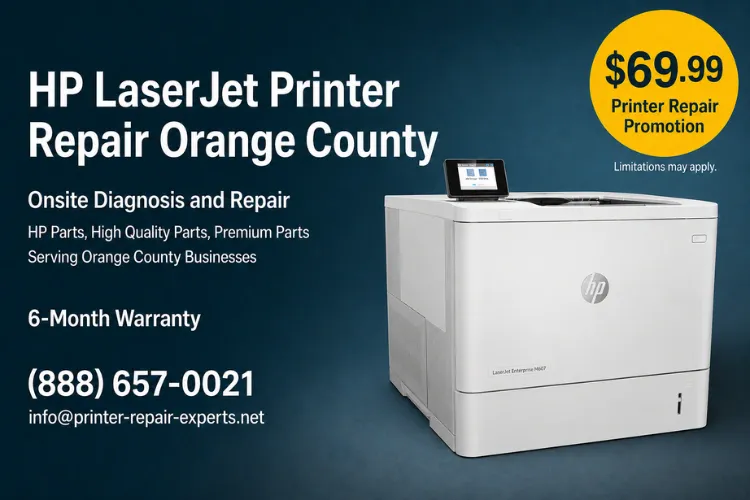
Flat-Rate Onsite Diagnosis for One Printer
The $69.99 Onsite Printer Repair Promotion covers the onsite labor rate for one printer during a single visit; parts are quoted separately. Limitations may apply. Call (888) 657-0021 or email info@printer-repair-experts.net to put a technician on the schedule.
3. Recurring Paper Jams and 13.xx Jam Codes on HP LaserJet Equipment
A repeating jam code is a location report, not a diagnosis. It names the sensor that failed to see paper when it expected to. It does not name the worn part that caused the delay.
Symptom and root cause
Offices describe it the same way: misfeeds, two sheets pulled at once, skewed pages, or a jam message with no paper visible anywhere.
On HP LaserJet Enterprise M607, M608, and M609 equipment, HP documents 13.A1 as a jam error in the Tray 1 feed sensor and 13.B2.D1 as a late-to-registration jam from Tray 1. A power-on residual jam is reported as 13.FF.FF, and 13.WX.EE indicates that a door was opened during printing.
Diagnosis
We read the event log rather than the last screen. A code that appeared once after a door was left open is not the same condition as a 13.B2.D1 that returns every eighty pages from the same tray. Repetition, tray consistency, and the point in the paper path where sheets stop are what separate a media problem from a worn feed component.
Remedy and repair component
Media and tray setup get ruled out first: correct size and type selected, guides touching the stack without bending it, and the stack below the tray-full indicator. When the pattern survives that, pickup, feed, and separation rollers are the usual failed components, followed by registration components and paper-path sensor flags.
Worn rollers are replaced rather than cleaned back into service, and HP LaserJet tray pickup roller repair is frequently the entire fix on a machine past its maintenance interval. Jams that appear only on two-sided work point somewhere else, which is why HP LaserJet duplex paper jam repair is treated as its own diagnostic path.
When we recommend onsite service
Call when the same code returns after the paper path has been cleared, when sheets stop where you cannot reach them, or when the printer reports jams that are not there. Running a machine in that state risks tearing fragments into the fuser area. HP LaserJet paper jam repair Orange County businesses schedule with us begins with that event-log review, not with a parts order.
4. Fuser Failures, 50.xx Errors, and When the Assembly Gets Replaced
A 50.xx message is a fusing-system fault and one of the better-documented failures in office printing. HP’s guidance for 50.xx conditions begins with a full power cycle and with removing any surge protector so the printer connects directly to a wall socket. If the message persists after restarting, the fuser needs to be replaced.
Symptoms that arrive before the code
Wrinkled pages, loose toner that smudges under a thumb, ghosting, and smearing usually appear first. Those are fusing symptoms. Toner is reaching the page but is not being bonded to it.
Diagnosis and remedy
We confirm the power situation first, because inadequate supply is a documented cause of slow-warm-up faults, then evaluate the assembly itself. Printer Repair Experts does not perform onsite fuser rebuilding. Applicable fuser assemblies are replaced, using HP Parts, High Quality Parts, or Premium Parts.
Repair component and related electronics
The fuser assembly is the component involved in most 50.xx cases. When documentation points past it, evaluation extends to power-supply components and the DC Controller PCA, with the formatter PCA ruled in or out separately on the platforms where that applies.
Because a fuser also sits inside the maintenance kit, a 50.xx event on a high-mileage machine is a scheduling conversation as much as a repair. HP LaserJet fuser repair Orange County customers approve gets quoted with that context, and HP LaserJet printer error code repair follows the same order every time: read the code, verify the condition, replace the assembly the documentation identifies.
Error messages are where the most money gets wasted in this trade, because a code that names a sensor is easy to mistake for a code that names a part. HP LaserJet error code repair Orange County offices request usually resolves into one of three things: a consumable at end of life, a worn mechanical component, or an actual electronic fault.
5. Maintenance Kits, Engine Rotations, and Early “Maintenance Kit Very Low” Messages
This is the section that surprises people. HP changed how maintenance-kit life is measured, and the number many offices used to track no longer appears where they look for it.
HP states that LaserJet Enterprise printers running firmware version 3.4 or newer no longer list the Maintenance Kit Interval on the Configuration Page, and that the Pages Since Last Maintenance field was removed in version 4.8. The estimate now comes from the Supplies Status Page, because engine rotations reflect available kit usage more accurately than a printed-page count.
That change has a practical consequence. HP notes that when average print jobs run four pages or fewer, the rotations required can exceed the number of pages printed, which triggers a “Maintenance Kit very low” message earlier than the kit’s stated page figure. An office running short documents all day is not seeing a fault. It is seeing rotations accumulate faster than pages.
HP’s own guidance is worth reading if you manage a fleet: HP’s documentation on obtaining maintenance kit status explains where the estimate now lives and why the measurement changed.
What the kit contains and when it goes in
HP describes a LaserJet maintenance kit as paper pickup rollers, paper feed and separation rollers, a transfer roller, and a fuser assembly. For the M607, M608, and M609 family HP lists a 110V maintenance kit with an estimated life of 225,000 pages, and the LaserJet Enterprise MFP M634, M635, and M636 family carries the same 225,000-page estimate.
Those are estimates measured under defined test conditions, and HP says plainly that they are not warranties. Real intervals move with media weight, media width, and job length.
Installing the kit resolves several complaints at once, which is why HP LaserJet printer maintenance kits are the most cost-effective visit we make. HP LaserJet maintenance kit installation Orange County companies schedule during a quiet hour costs less than the emergency call it prevents.
When we recommend service
When the message appears, when jam frequency climbs before it appears, or when a fuser fault arrives on a machine near its interval, the kit is the right call rather than a single-part repair. HP LaserJet maintenance Orange County offices plan in advance is the inexpensive version of this work. The unplanned version costs a working day.
A 13.xx Code Is a Starting Point, Not a Diagnosis
Jam codes name a sensor, not the worn part behind it. Our technicians verify the actual cause onsite before a roller, fuser, or maintenance kit is quoted. Call (888) 657-0021 to schedule a diagnosis.
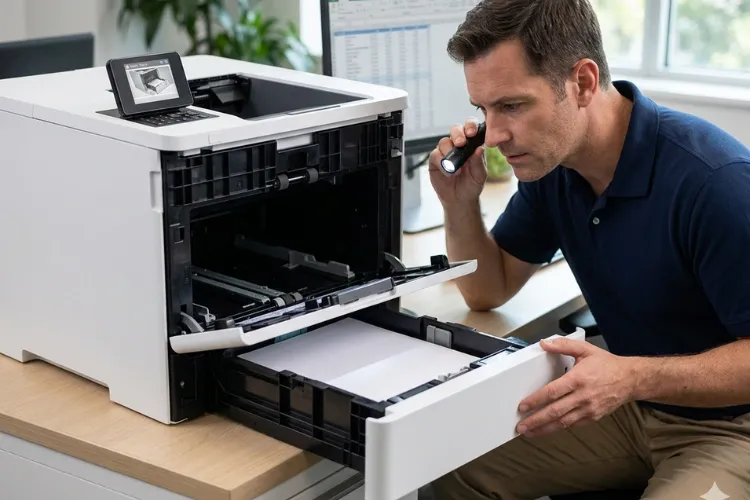
6. Print-Quality Problems That Are Not Caused by the Toner Cartridge
Most print-quality calls begin with a cartridge swap that did not help. That is useful information rather than wasted money, because it eliminates the cheapest variable first.
Reading the defect
Lines, streaks, fading, splotches, background shading, and repeating marks each point in a different direction. A defect that repeats at a fixed interval down the page is the most diagnostic of all, because the spacing corresponds to the circumference of a specific rotating component.
That is the basis of HP LaserJet repeating defect repair: measure the spacing, identify the component turning at that circumference, and replace the part that matches.
Diagnosis and remedy
HP’s documented sequence is worth following before anything is replaced. Check the paper-type setting against the media actually loaded, check toner-cartridge status, print a cleaning page, inspect the cartridge visually, verify the paper meets HP specifications, and check the operating environment. HP recommends 17° to 25°C and 30% to 70% relative humidity for these printers.
Paper stored in an unconditioned Orange County warehouse behaves differently from paper stored in a climate-controlled office, and that difference alone produces fading and poor toner adhesion.
Repair component and when to call
When the sequence does not resolve it, the failed component is typically the transfer roller, the fuser, or a drive or gear assembly on the affected side of the paper path. Color equipment adds its own variables, and HP Color LaserJet printer repair often turns on separating a toner-related symptom from a hardware fault no cartridge will fix.
Call when the defect survives a cartridge change and a cleaning page, when it repeats at a measurable interval, or when it appears from every tray. HP LaserJet print quality repair is worth doing properly once rather than guessing repeatedly at consumables. The same rule governs HP Color LaserJet printer repair Orange County fleets depend on: verify the component, then replace it.
7. Scanner and Document-Feeder Faults on HP LaserJet MFP Equipment
Multifunction equipment fails in two directions at once, and the print engine gets blamed for both. A page that scans with a black line down it and prints cleanly is a scanner problem, not a printer problem.
Document-feeder symptoms
HP documents document-feeder jams, skewing, and multiple-sheet pickup as a separate troubleshooting topic on the LaserJet Enterprise MFP M634, M635, and M636 family, with a document-feeder jam reported as 31.13.yz. The engine side carries its own codes, including 13.B2.D2 for a Tray 2 jam, 13.D3 for a duplexer jam in the right door, and 13.E1 for an output-bin jam.
Those distinctions decide where the visit goes. HP LaserJet MFP ADF paper jam repair addresses feed and separation components inside the document-feeder assembly, while an engine-side code sends us to an entirely different set of parts.
Scanner symptoms
Lines in scans, faxes, and copies that never appear on printed pages usually trace to the scanner glass, the scan strip, or the feeder’s glass path. HP’s documented first step is checking the scanner glass for dirt and smudges, followed by calibrating the scanner.
Repair component and service recommendation
HP lists a 300 ADF Roller Replacement Kit for this MFP family with an estimated life of 150,000 pages, and that component set sits behind most feeder misfeeds at volume. When cleaning and calibration do not resolve a scan defect, the scanner assembly itself is evaluated.
HP LaserJet MFP repair Orange County organizations request most often involves the feeder rather than the engine, particularly in medical and legal offices where scanning volume runs ahead of printing volume.
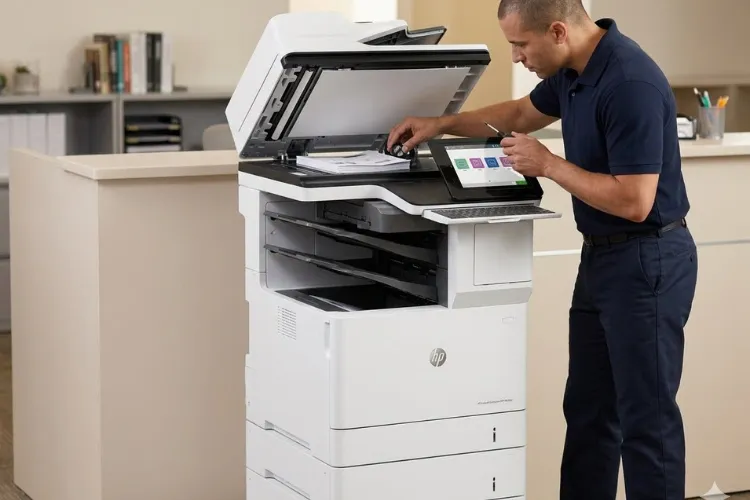
20+ Years on HP LaserJet Equipment, on Your Floor
We repair HP LaserJet, HP Color LaserJet, and MFP equipment onsite across Orange County using HP Parts, High Quality Parts, or Premium Parts, backed by a 6-month (180-day) warranty on service and installed parts. Same-day service may be available. Call (888) 657-0021 or email info@printer-repair-experts.net.
8. How Onsite HP LaserJet Service Reaches Businesses Across Orange County
Orange County is compact enough that a technician can cover several cities in a day and dense enough that routing matters more than distance. We schedule around that reality instead of promising a clock time we do not control.
Service runs throughout the county, including Anaheim, Brea, Buena Park, Cypress, Fountain Valley, Fullerton, Garden Grove, Huntington Beach, Irvine, La Habra, La Palma, Los Alamitos, Orange, Placentia, Santa Ana, Seal Beach, Stanton, Tustin, and Westminster, along with approved portions of Los Angeles County.
City-level detail matters when a company runs more than one site. A single service arrangement can cover printer repair in Anaheim, CA for a warehouse and printer repair in Santa Ana, CA for the corporate office without splitting vendors, parts, or warranty terms.
We do not operate a branch office or a walk-in counter in the cities we serve, and we do not claim one. HP LaserJet Printer Repair Orange County coverage is a dispatch model rather than a storefront: technicians travel to the equipment with common rollers, fusers, and maintenance kits already aboard.
What people are actually searching for
The phrasing varies more than the need. Searches for business printer repair Orange County, office printer repair Orange County, and commercial HP printer repair Orange County all describe one request: a technician who can fix an HP LaserJet where it sits. HP printer repair Orange County covers the same ground whenever the equipment is a LaserJet or Color LaserJet rather than an inkjet model we do not service.
Same-day availability
Same-day service may be available depending on the fault, the parts required, and the day’s routing. We do not guarantee it. Setting an honest expectation is better than missing a promised window.
9. Repair, Replace, or Standardize an Aging HP LaserJet Fleet?
Every printer reaches a point where the question stops being what failed and becomes what the machine is worth. The honest answer changes by unit, not by model year.
When repair is clearly right
A maintenance kit, a fuser, or a roller set on a chassis that still meets your monthly volume is a fraction of replacement cost, and the machine keeps its drivers, its print queues, and its network configuration. On well-supported HP LaserJet Enterprise platforms, parts availability is good and the repair holds.
When replacement earns the conversation
Replacement deserves a look when the repair cost approaches a meaningful share of an equivalent new unit, when the printer has run above its rated monthly volume for a long stretch, or when parts have become difficult to source. We say so when that is the case rather than selling a repair that will not last.
When standardizing beats both
Companies running five different HP LaserJet families carry five parts profiles, five driver sets, and five failure patterns. Consolidating onto fewer platforms lowers stocked-parts complexity and shortens every future service call. That is a fleet decision, and it is worth making deliberately rather than one emergency at a time.
Printer Repair Experts brings more than 20 years in the office equipment industry to the HP LaserJet Printer Repair Orange County companies depend on, with HP Parts, High Quality Parts, or Premium Parts and a 6-month, 180-day warranty on service and installed parts. High-quality third-party toner is available separately, backed by a 1-year, 365-day warranty.
If a printer in your office is jamming, throwing a code, or producing pages nobody wants to hand a client, call (888) 657-0021 or email info@printer-repair-experts.net and we will get a technician to the machine.
FAQ's - Frequently Asked Questions - HP LaserJet Repair in Orange County
Yes. Diagnosis is a service visit, and the applicable promotional service charge still applies if you elect not to move forward once we identify the fault. If you do approve the repair and a return visit is needed to install approved parts, that return visit does not carry a second labor charge. Limitations may apply.
Six months, which is 180 days, covering both the service and the parts we install. Toner purchased through us carries a separate 1-year, 365-day warranty. If a covered issue returns inside that window, the return visit is ours.
No. We install HP Parts, High Quality Parts, or Premium Parts that we source, because the warranty has to cover the component and the labor together. Customer-supplied parts are not installed and are not warranted.
HP OfficeJet, DeskJet, ENVY, Smart Tank, DesignJet, PageWide, other inkjet equipment, and copiers. Our parts inventory, technician training, and warranty are built around HP LaserJet, HP Color LaserJet, and their MFP variants, and that focus is what makes single-visit repairs realistic.
Probably not. HP measures kit life by engine rotations, and short print jobs generate more rotations per page than long ones, so the message can arrive before the kit’s stated page figure. We can read the Supplies Status Page and tell you whether the kit is actually due or whether the counter is simply reflecting your job mix.
We do, when it is relevant to the repair, because a printer that prints a test page but stays invisible to half the office is not actually fixed. That work is quoted separately and is not included in the $69.99 Onsite Printer Repair Promotion.
One visit can cover multiple machines at a single location, and multi-site companies can be scheduled under one arrangement. Note that the promotional rate applies to one printer per onsite visit; when two or more printers need service during the same visit, the visit moves to our standard flat labor rate.
Because the component is identified before it is quoted, using the event log, the printer’s documented diagnostics, and the defect pattern on the page itself. Where documentation for your specific printer family does not support a conclusion, we tell you that instead of presenting a guess as a finding.
