
HP LaserJet Printer Repair Garden Grove CA:
Onsite Diagnosis for Monochrome LaserJets and MFPs
HP LaserJet printer repair Garden Grove CA requests are handled at your business: a Printer Repair Experts technician comes to the office, recreates the print, copy, or scan job that failed, and repairs the monochrome LaserJet or LaserJet MFP where it sits. We do not keep a storefront in Garden Grove; the city is part of the Orange County service area our technicians travel to.
That approach suits the professional offices, medical and dental administrative teams, accounting practices, and other workgroups in Garden Grove that share one or two LaserJets across many desks. When a shared machine jams on every third invoice or prints a gray line down each chart note, the useful questions are which job, which tray, and which path.
This page shows how to answer those questions before the visit, what each symptom tends to point to, and how we prove a repair works. It is written for the office manager, administrator, or IT coordinator who fields the complaint and has to decide what HP LaserJet printer repair Garden Grove CA service should look like.
Preview Snapshot
- Repairs take place at your Garden Grove location and are organized around the exact job that failed.
- How to read the model label and suffix, and why single-function and MFP equipment start from different questions.
- A triage table that matches what staff were doing with the details a technician needs.
- Symptom-to-component explanations for feed faults, document-feeder problems, fuser symptoms, and image defects.
- How service history, repair verification, and scheduling fit together.
HP LaserJet Printer Repair Garden Grove CA, Organized Around the Job That Failed
A LaserJet rarely fails at everything at once. It fails at a particular job: a two-sided report from Tray 2, a stack of intake forms through the document feeder, or label stock fed from Tray 1. We build the visit around reproducing that job, because a fault the technician can watch happen is a fault that can be traced.
Our onsite printer repair service follows a fixed order: confirm the equipment, reproduce the reported fault, isolate the cause, repair it, and rerun the original job. That last step matters most to a busy front desk. A printer that passes a single test page can still fail on the work your staff actually send it, so the final test uses the affected tray, the same paper, and the one-sided, two-sided, or document-feeder job named in the original complaint.
Background on the families we work on, and on our services in general, is on our main HP LaserJet printer repair page. This page stays focused on business HP LaserJet printer repair for Garden Grove offices and on what you can prepare before the technician arrives.
Onsite HP LaserJet printer repair Garden Grove visits described here cover monochrome HP LaserJet printers, HP LaserJet Enterprise single-function printers, and HP LaserJet Enterprise MFP models. We service color equipment too, but color imaging raises different questions; that work belongs to a separate topic, HP Color LaserJet Printer Repair Garden Grove CA, and is left out of the diagnosis below.
What the Model Label Tells Us Before Anyone Opens a Door
The model name and its suffix decide which assemblies exist inside the machine. Find the label on the printer or print a configuration page, then record the full name, such as HP LaserJet Enterprise M607dn or HP LaserJet Enterprise MFP M528f. Within the M607 family, for example, the M607n lacks automatic two-sided printing while the M607dn includes it.
Single-function workgroup printers
Single-function models print only, so every complaint lives in the print engine, the trays, or the output path. Representative examples are the HP LaserJet Enterprise M506 and M507, along with the earlier HP LaserJet Pro M501; all three appear on our HP LaserJet M501, M506, and M507 repair page.
Higher-volume departments often run the HP LaserJet Enterprise M607, M608, or M609. These workgroup machines can add optional 550-sheet feeders, a 2,100-sheet high-capacity feeder, and a stand, so a jam may begin in a tray well below the engine. Family-specific detail is on our HP LaserJet M607, M608, and M609 repair page.
Multifunction (MFP) models
An MFP adds a scanner and an automatic document feeder above the print engine, which doubles the places a defect can come from. The HP LaserJet Enterprise MFP M527 and M528 are compact examples, described on our HP LaserJet M527 and M528 MFP repair page. Larger departments may use the HP LaserJet Enterprise MFP M631, M632, or M633; see HP LaserJet M631, M632, and M633 MFP repair for that family.
These families are representative, not a complete compatibility list. HP LaserJet Enterprise repair Garden Grove CA requests for other monochrome Enterprise models go through the same intake, which is why the exact model name is the first thing we ask for.

One Garden Grove LaserJet, One Promotional Visit
Ask for the $69.99 Onsite Printer Repair Promotion for one HP LaserJet at your Garden Grove business. Call (888) 657-0021 or email info@printer-repair-experts.net. Limitations may apply.
Where Did the Fault Show Up? A Triage Table for Office Staff
The person who reports a printer problem usually knows more than they realize. Match what the user was doing to a row below, then note the details in the right-hand column before calling. Office laser printer diagnosis Garden Grove visits move faster when this information is waiting for the technician.
| What staff were doing | Where we look first | What to write down |
|---|---|---|
| Printing from one tray | Pickup, feed, and separation rollers for that tray; tray guides | Tray number, paper size and type, how often it fails |
| Printing two-sided | The duplex path and the doors that open onto it, which differ by model | Whether one-sided jobs from the same tray run cleanly |
| Copying or scanning from the feeder (MFP) | Document-feeder rollers and the feeder’s scan glass | Whether copies made on the flatbed glass look normal |
| Any job that smears or wrinkles | Fuser assembly and the paper type setting | The paper stock loaded and whether toner wipes off |
| Any job with streaks or marks | Toner cartridge and imaging path | Whether an internal report shows the same mark |
| Reading a control-panel message | Depends on the message | The complete code and text, ideally with a photo of the screen |
Safe checks before the visit
A few checks are reasonable for staff to make. Confirm the paper is loaded correctly with the guides set to its size, remove a damaged or curled stack from the tray, and follow the control panel’s own jam instructions to take out sheets that come free easily.
Stop there. The fuser area can be hot, torn paper should not be pulled out by force, and covers that need tools are not user-access points. Electrical checks and any internal disassembly belong to the technician.
Why an internal report helps
Printing an internal page, such as a configuration page or the print-quality troubleshooting pages many LaserJet Enterprise models offer from the control panel, is one of the most useful tests an office can run. If that page prints cleanly while jobs from computers fail, the cause may be a driver, an application, or a connection rather than the print engine.
A clean internal page does not prove the hardware is sound, though. It may come from a different tray, print on one side only, and never exercise the document feeder, so we treat it as one clue among several.
Paper That Will Not Feed, Feeds Double, or Comes Out Crooked
Feed complaints tend to fall into a few patterns, and sorting them is the core of HP LaserJet paper-feed troubleshooting. HP’s own guidance on a printer that does not pick up paper or misfeeds lists loading errors, misset guides, humidity, static, and dirty or worn rollers among the possible conditions. That range is why the tray and paper details from the triage table matter.
Pickup failures and multiple sheets
- Symptom: The tray reports empty or the printer stalls with paper loaded, or two or more sheets travel together and jam.
- Root cause: Worn or glazed pickup, feed, or separation rollers for that tray, guides set to the wrong size, or paper affected by humidity or static.
- Diagnosis: We reload the tray with fresh paper set to the correct size and type, reproduce the job, and inspect the rollers serving that tray.
- Remedy: Correct the loading or settings when they are responsible; replace the worn roller set when the rollers are.
- Repair component: The pickup, feed, and separation rollers for the affected tray. Tray 1 and the cassette trays are served by separate roller assemblies.
- When we recommend service: When fresh, correctly loaded paper still misfeeds from the same tray.
Skewed pages and mid-path jams
- Symptom: Text prints at an angle, or pages stop partway through the printer.
- Root cause: Uneven roller wear, a registration problem, a torn fragment in the paper path, or paper outside the tray’s supported range.
- Diagnosis: The jam message narrows the location; on the M607 to M609 family, for instance, HP documents a 13.B2.D2 jam in the rear door. We then watch where the sheet stops.
- Remedy: Remove fragments, correct the paper settings, and service the worn feed or registration components.
- Repair component: Feed rollers, registration components, or other paper-path components the diagnosis identifies.
- When we recommend service: When jams return to the same location after the path has been cleared.
Two-sided jobs
HP LaserJet Duplex Printing Problems often surface only on long reports. If one-sided jobs from the same tray run cleanly, the duplex return path becomes the likelier suspect, and HP lists separate duplexer jam messages on families such as the MFP M527. We verify with a multi-page two-sided job, not a single sheet.
When the same tray jams day after day, an office needs HP LaserJet paper jam repair Garden Grove service rather than another cleared sheet. For a broader explanation of why a printer keeps jamming, see our dedicated article; the short version is that a repeated jam location is a clue, not a coincidence.
Recreate the Fault, Then Repair It
A jam code, a smear, or a line on copies points to an area, not a part. We rerun the job that failed, with the same tray, paper, and print or feed path, and confirm the cause before recommending a repair. Phone (888) 657-0021 and read us the message on the screen.
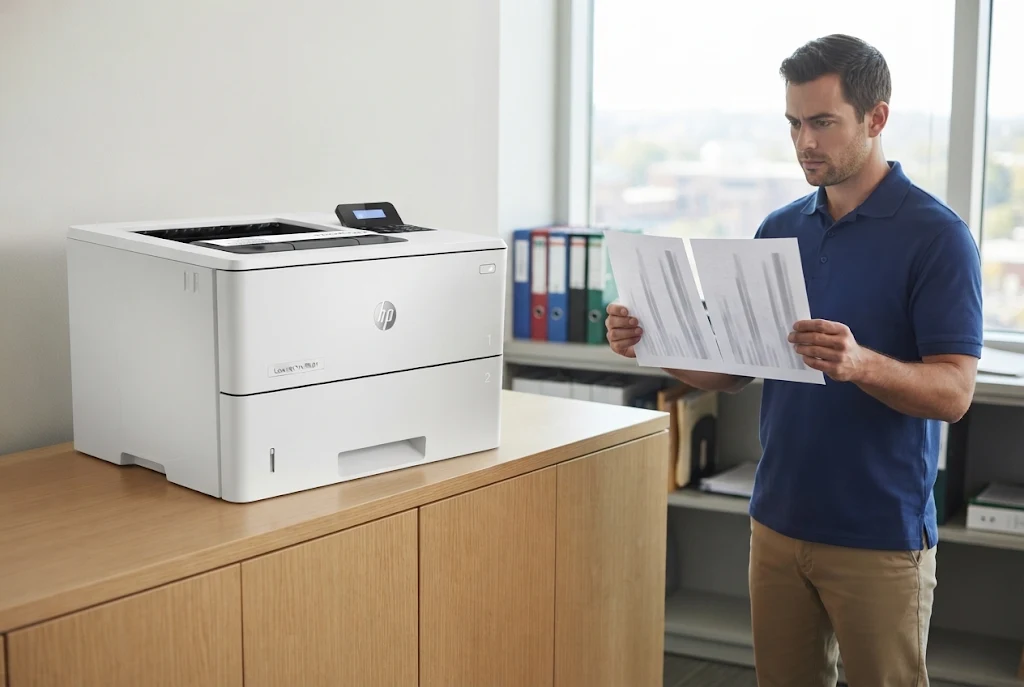
Copy and Scan Defects on LaserJet MFP Equipment
On an MFP, the first question is whether a defect appears on printed pages, on copies and scans, or on both. Print-engine jams and document-feeder jams are different events with different messages; HP lists 31.13 document-feeder jam errors separately on the MFP M527 and M631 families. HP LaserJet MFP repair Garden Grove visits begin by deciding which half of the machine is involved.
Lines on copies but not on prints
- Symptom: Streaks or lines appear on copies or scans fed through the document feeder, while printed pages look normal.
- Root cause: Contamination on the feeder’s narrow scan glass or the white strip opposite it, or a fault in the scanning path.
- Diagnosis: Make one blank copy from the feeder and another from the flatbed glass, as HP recommends. A line on the feeder copy alone points to the feeder’s scan path.
- Remedy: Clean the feeder glass and strip using HP’s procedure; if lines persist, the scan path is evaluated further.
- Repair component: The document feeder’s scanning glass area, or the scanner assembly when cleaning does not clear the defect.
- When we recommend service: When cleaned glass still produces lines, or when the same mark also appears on internal print pages.
Originals that skew or double-feed
Originals that skew, double-feed, or stall in the feeder usually involve the feeder’s own pickup and separation components. HP lists an ADF roller replacement kit for the MFP M528, a sign of how much wear those rollers see in scan-heavy work. We test with the kind of originals your staff really feed, including previously stapled or curled pages.
Toner That Smears, Wrinkles, or Wipes Off: Fuser Symptoms
The fuser uses heat and pressure to bond toner to paper, so its faults show up as output that looks or feels unfinished. These symptoms call for diagnosis, because several different conditions produce similar pages. HP LaserJet fuser error diagnosis also has to account for messages that differ from one family to the next.
- Symptom: Toner rubs off with a finger, prints smear, pages exit wrinkled or curled, or the control panel shows a fuser message.
- Root cause: A worn or damaged fuser assembly is one possibility; a paper type setting that does not match the stock, unsuitable media, or paper caught in the fuser area can produce similar results.
- Diagnosis: We record the exact message, compare the paper type setting with the loaded stock, and reproduce the fault from the affected tray. HP documents a 50.7F.00 fuser error on the M607 to M609 and MFP M631 to M633 families and a 13.B9 fuser jam on the M507.
- Remedy: Correct the settings or media when they are responsible; replace the fuser assembly when it has failed.
- Repair component: The fuser assembly. We do not rebuild fusers onsite; applicable fuser assemblies are replaced.
- When we recommend service: When a fuser message returns after the printer is restarted, or when smearing continues on correct paper with correct settings.
Please do not reach into the fuser area to retrieve paper. It runs hot during and after printing, and a sheet that tears there is easier for a technician to remove intact.
Streaks, Fading, and Repeating Marks on Printed Pages
Image defects are where an internal report earns its keep. HP LaserJet print-quality troubleshooting starts by printing the same internal page each time, so the defect can be judged without application or driver settings in the way.
- Symptom: Vertical streaks, faded or light print, a gray background, or a mark that repeats at regular intervals down the page.
- Root cause: The toner cartridge, a contaminated or worn component in the imaging path, the fuser, or paper and environment conditions. A repeating mark usually comes from a rotating component.
- Diagnosis: We compare internal pages with the customer’s output, check supply status, and measure the spacing of repeating marks to narrow down which rotating component is involved.
- Remedy: Replace the cartridge when it is the source; clean or replace the affected component when it is not.
- Repair component: The toner cartridge, transfer roller, fuser assembly, or another imaging component the measurements identify.
- When we recommend service: When the defect survives a known-good cartridge, or when it appears on internal pages from every tray.
On an MFP, compare an internal print page with a copy. If the mark appears only on copies or scans, the print engine is probably fine and the scanner path from the MFP section is the better lead. HP LaserJet Print Quality Troubleshooting is a broader subject than this page covers; here, the goal is to bring the right sample to the visit.
Verified on Your Workflow, Warranted for 180 Days
More than 20 years in office equipment, onsite service for monochrome HP LaserJet and LaserJet MFP equipment, and a 6-month / 180-day warranty. Same-day service may be available. Call (888) 657-0021 or email info@printer-repair-experts.net.
Maintenance Messages and the Value of a Service History
LaserJet Enterprise models track usage and can post a maintenance message as wear components near the end of their expected life. The wording, and the kit or components it refers to, varies by family, so we do not apply one interval across different printers. The exact message text tells us what the printer is asking for.
A service history is just as useful. Note when the printer was last serviced, what was replaced, and whether the current symptom has happened before. A jam that returns three weeks after a roller replacement points somewhere different from a first-time jam on a machine that has never been serviced.
Preventive care that fits the printer
HP LaserJet preventive maintenance Garden Grove visits work best when they are planned from actual use rather than the calendar. Repeated feed problems, slowly declining print quality, and maintenance messages are all good reasons to read our guidance on regular HP printer maintenance before the next breakdown.
Between visits, staff can keep paper wrapped until it is loaded, avoid overfilling trays, and report the first unusual jam rather than the tenth. Those habits do not replace maintenance, but they make each visit more informative.
Booking a Garden Grove Visit: Five Notes to Send First
The quickest visits begin before anyone drives anywhere. Send these five notes with your request, and the technician arrives already knowing which job to rerun:
- The Garden Grove service address and the room or suite where the printer sits.
- The full model name, including its suffix letters.
- The complete control-panel message, or a photo of it.
- The tray, paper size, and paper type involved.
- Whether the fault appears on one-sided, two-sided, or document-feeder jobs, and how often.
Garden Grove and nearby offices
Garden Grove is one of the cities in our HP LaserJet printer repair throughout Orange County coverage, which also extends into approved portions of Los Angeles County. Organizations with a second office can read about printer repair in neighboring Stanton, and requests for HP LaserJet Printer Repair Westminster CA or HP LaserJet Printer Repair Fountain Valley CA follow the same intake.
People who search for HP LaserJet repair near me in Garden Grove usually want one thing: a technician who comes to the printer. Same-day service may be available when scheduling allows, but we do not guarantee it.
Pricing and scheduling
Cost questions and the current onsite promotion are explained in our printer repair pricing and promotion details. The promotion covers one printer per onsite visit and is not a price for a completed repair.
When those notes are ready, contact Printer Repair Experts to schedule HP LaserJet printer repair Garden Grove CA service, giving your Garden Grove service address, the exact printer model, the full displayed message, and a short description of the symptoms. The same details work by phone at (888) 657-0021 or by email to info@printer-repair-experts.net.
Completed work carries a 6-month / 180-day warranty. A LaserJet that stops mid-report leaves evidence behind, and the notes your staff take today are the shortest route to the repair.
FAQ's - Frequently Asked Questions - HP LaserJet Service in Garden Grove
They identify the configuration within a family, and their meaning varies. In the M607 family, the n model lacks automatic two-sided printing and the dn includes it; in the M507 family, the x model adds a touchscreen and a third tray. The full name, letters included, tells us which assemblies to expect.
Often it is more useful. A clear photo captures the complete code and text, including characters that are easy to miscopy. Send it along with the tray and paper details when you request HP LaserJet printer repair Garden Grove CA service.
The promotional service charge still applies, because the diagnosis has been carried out. If you do proceed and a later trip is needed to install approved parts, that applicable return visit does not add a second labor charge.
When two or more printers require service during one visit, the promotion no longer applies and the visit reverts to our Standard Flat Labor Rate. Mention every affected printer when you call so the visit can be planned accurately.
Our work carries a 6-month / 180-day warranty on service and installed parts. If the repaired symptom returns within that period, contact us with the model and the message so we can review it.
Yes. A cartridge can produce streaks, light print, or spots that resemble an engine fault. Trying a known-good cartridge is one of the first comparisons we make, and it helps settle whether a repair is needed at all.
Yes. HP notes that paper can absorb moisture in humid conditions and that dry air builds static, which makes sheets stick together. Keep reams wrapped until use, and flex the stack instead of fanning it, since HP says fanning adds static.
Yes, we service HP Color LaserJet equipment as well. Color printers raise imaging questions this monochrome-focused page does not cover, so mention that the printer is a color model when you request service.