
HP Laserjet Printer Repair Whittier CA:
Tracing Shared-Printer Faults to the Source
When a shared printer in a Whittier office starts failing, the useful question is not only what broke but where and when it fails. Our HP LaserJet printer repair Whittier CA service is built around that question: we diagnose monochrome HP LaserJet, LaserJet Enterprise, and LaserJet MFP printers where they work, then repair what the evidence points to.
In accounting and legal offices, medical-office front desks, and other workplaces that run on black-and-white documents, one printer often serves an entire hallway. The person who hears about a misfeed first is usually an office manager or IT coordinator, not a technician. The sections below give that person a practical way to describe the problem and explain how HP LaserJet printer repair Whittier CA visits turn that description into a verified fix.
Preview Snapshot
- Four facts shape every visit: the exact model, the complete control-panel message, when the failure occurs, and whether it follows the printer or the print job.
- Equipment examples run from the compact LaserJet Enterprise M507 through the M607 to M612 workgroup printers and the MFP M527, M528, M631, M632, and M633.
- Intermittent faults can be documented with a short log and one saved defective page.
- Document-feeder jams on an MFP are diagnosed separately from jams in the printer’s paper path.
- Before the technician leaves, the tray that was failing prints cleanly again, along with the duplex path when it was involved; the work carries a 6-month / 180-day warranty.
HP Laserjet Printer Repair Whittier CA Starts With Four Questions
Onsite HP LaserJet printer repair Whittier visits begin before any cover is opened. Our technician works through four questions, because the answers decide whether the fault lives in the printer, the paper, or somewhere upstream such as a driver or network path.
| Question | Why it matters |
|---|---|
| Which exact model and configuration? | An M608 with an added 550-sheet feeder has different trays, rollers, and jam locations than an M507 at a reception desk. Procedures follow the model, not the family name. |
| What does the complete message say? | HP Enterprise jam and error codes carry additional characters after the first two digits, and those characters help identify the location and type of fault. |
| When does it happen? | First job after idle, one tray only, two-sided jobs only, or late in a long run: timing narrows the search quickly. |
| Does it follow the printer or the job? | A defect that shows up on the printer’s own test or configuration pages implicates the hardware. Trouble that appears from only one computer or one program makes the printer a less likely cause. |
That last question protects you from paying for the wrong repair. A job that never arrives, or a page that prints wrong from only one program, is usually a print-job or connection matter rather than a mechanical fault, and we say so when the evidence shows it.
Diagnosis takes place at your Whittier location as part of our onsite printer repair service, with the same paper, trays, and workload that produced the problem. Nothing is replaced until you have heard the findings and agreed to the recommended work.
From Front-Desk M507s to Departmental MFPs: Equipment We Work On
Our broader HP LaserJet printer repair service covers more equipment than this page discusses. Here the focus is monochrome HP LaserJet Enterprise printers and LaserJet MFPs. The families below illustrate the range; they are not an exhaustive list of the models we service.
- Compact single-function printers: the HP LaserJet Enterprise M501, M506, and M507 often sit at reception desks, billing stations, and private offices. Our page on HP LaserJet M501, M506, and M507 repair covers that family in more depth.
- Higher-volume workgroup printers: the M607, M608, and M609, along with the later M610, M611, and M612, handle shared departmental printing. Details on the newer family are on our HP LaserJet M610, M611, and M612 repair page.
- Multifunction printers: the MFP M527 and M528 and the larger MFP M631, M632, and M633 add a scanner and automatic document feeder, which changes how jams are diagnosed.
HP LaserJet Enterprise repair Whittier CA requests are matched to the exact model before any procedure is recommended. The M607dn and the M507dn both use a 100-sheet multipurpose Tray 1 and a 550-sheet Tray 2, yet they are different engines with different service procedures.
Color equipment deserves its own discussion. HP Color LaserJet Printer Repair Whittier CA brings in four toner colors and calibration questions a monochrome page cannot cover well, so it is left for separate treatment. We do not service inkjet printers or copiers.

A Promotional Visit for Your Whittier LaserJet
Our $69.99 Onsite Printer Repair Promotion brings a technician to your Whittier office for one HP LaserJet per visit. Call (888) 657-0021 or email info@printer-repair-experts.net to schedule HP LaserJet printer repair Whittier CA. Limitations may apply.
How Can You Document a Problem That Only Happens Sometimes?
Intermittent faults are the hardest kind to schedule around, because the printer often behaves perfectly once someone is watching. The most useful office HP LaserJet troubleshooting Whittier teams can do before a visit is careful recording, not disassembly.
A short log kept beside the printer turns a vague complaint into evidence. For each occurrence, note:
- The date and approximate time.
- The complete control-panel message, including every character after the first two digits.
- The tray or feeder in use, and whether the job was one-sided or two-sided.
- The paper type: letterhead, labels, envelopes, recycled stock, or a newly opened ream.
- What the printer was doing just before: the first job of the morning, a long run, or a job sent right after a door was closed.
Keep one representative defective page and mark the edge that left the printer first. For print-quality problems that page often says more than any description, because the position and spacing of a defect point toward the area responsible.
Enterprise models also keep an event log. HP notes that on the M607 through M612, a residual jam present at power-on may not appear on the control panel and is recorded in the event log instead, which is one reason the technician reviews that log during the visit.
Please stop at the steps the control panel shows. The fuser area can be hot, internal assemblies should not be removed to chase a jam, and door interlocks should never be bypassed to keep a job running.
Jams That Follow One Tray, One Door, or the Duplex Path
A jam that keeps returning to the same place is information. HP LaserJet paper feed problems Whittier offices report usually take one of a few forms: a tray that will not pick, sheets that arrive two at a time, pages that skew, or jams that appear only on two-sided jobs.
What you see. A recurring jam message, a sheet stopped partway out of a tray, a blank page pulled through with the one behind it, or a crooked page in the output bin. Readers who want background on why a printer keeps jamming can find it in our separate article.
What can cause it. Tray size and type settings that do not match the loaded paper, guides set too loose or too tight, an overfilled tray, curled or damp media, a torn scrap in the path, or worn pickup, feed, and separation rollers. Each cause calls for a different correction, which is why replacing rollers by reflex is not a diagnosis.
How we isolate it. We read the complete jam code and the event log, compare the failing tray with the others, check media and guides, and inspect the rollers and paper path. A feed test from the affected tray confirms whether the problem is pickup, separation, or something further along.
The M607 family shows why the full code matters. HP documents tray-feed jams separately from jams in the rear door and fuser area, yet 13.B2 codes appear in both documents, so reading only the first digits can send someone to the wrong door. HP has also described 13.B2.D2 or “Tray overfill” messages when printing from Tray 2, where the tray’s paper sensor flag is one of the items checked.
What fixes it, and which components are involved. Remedies range from correcting tray settings and replacing damaged media to replacing worn Tray 1 pickup and separation rollers or the Tray 2 and higher feed rollers, for which HP publishes removal procedures on this family. Our page on HP LaserJet M607, M608, and M609 repair covers these shared workgroup printers in more detail.
HP LaserJet duplex printing problems get their own check. When jams occur only on two-sided jobs, attention shifts from the input tray to the duplex path and rear-door area.
When we recommend service. Schedule HP LaserJet paper jam repair Whittier service when the same jam returns after paper and settings are confirmed, when a tray will not pick at all, or when jams cluster on two-sided jobs.
Bring Us the Log and the Marked Page
We read the complete code, the event log, and your saved page before recommending anything, so an intermittent fault is traced to the tray, roller, fuser area, or feeder actually involved. Call (888) 657-0021 with the model and what your log shows.
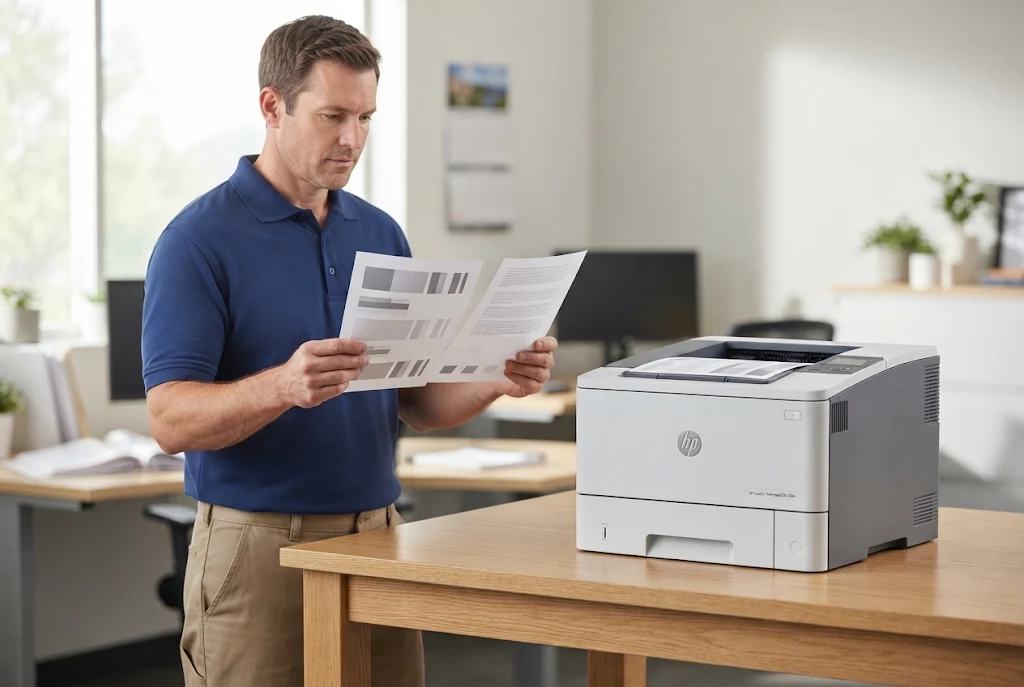
Is It the Document Feeder or the Printer? Sorting Out MFP Jams
On an MFP, originals and printed sheets travel different routes. The automatic document feeder carries originals across the scanner, while the print engine below moves blank paper from the trays through the fuser, so a jam in one says little about the other.
HP’s numbering reflects that split on the MFP M631 through M637. Document-feeder jams are documented under 31-series codes such as 31.13, while paper-path jams use 13-series codes, including 13.B9, 13.B2, and 13.FF in the right door and fuser area.
HP LaserJet MFP document feeder paper jams often start with the originals themselves: staples, sticky notes, creased or damp sheets, or mixed paper weights in one stack. Once the originals are ruled out, the feeder’s pick and separation rollers and its paper path are inspected.
Our HP LaserJet MFP repair Whittier work is limited to the LaserJet MFP functions we support: the print engine, the scanner, and the document feeder. Copier repair is not part of our service. The MFP M528dn, for example, pairs a 100-sheet document feeder with an 8-inch touchscreen, and our page on HP LaserJet M527 and M528 MFP repair explains how that family differs from single-function printers.
Larger departmental machines vary again. Trays, feeders, and finishing accessories differ by configuration, so HP LaserJet M631, M632, and M633 MFP repair starts with confirming exactly which model and options are on site.
When we recommend service: originals keep jamming after they are cleaned up, or the scanner works while the printer misfeeds, or the reverse.
Fuser Interruptions and Toner That Wipes Off the Page
The fuser bonds toner to paper with heat and pressure. When it has trouble, the printer may stop with a 50-series fuser message, or pages may come out with toner that smears or rubs off under a fingertip.
A fuser message does not, by itself, prove the fuser has failed. HP documentation for LaserJet fuser errors points to more than one possible origin, including inadequate power or line voltage as well as the fuser itself, and the digits after the 50 separate low-temperature, warm-up, high-temperature, and other conditions. Enterprise models add further characters, so the complete message matters.
Diagnosis starts with the full code and any repeat entries in the event log. We confirm how the printer is powered and compare the paper-type setting with the media in the tray, because toner that does not adhere can trace to a media-type mismatch or heavy stock as easily as to the fuser.
The remedy follows the finding: correcting power arrangements or paper-type settings when those are the cause, and replacing the fuser assembly when diagnosis shows it is at fault. We replace applicable fuser assemblies rather than rebuilding them onsite.
Our article on HP printer fuser errors explains the subject further. When a 50-series message returns after a power cycle, or toner keeps rubbing off with the correct paper type selected, it is time for HP LaserJet fuser error repair Whittier service rather than another restart.
Why the Defective Page Is the Best Clue for Print Quality Repairs
Print-quality symptoms are easy to describe loosely and hard to diagnose that way. A saved page shows a defect’s shape, direction, and spacing, and those details separate supply and media causes from faults elsewhere in the printing system.
| What the page shows | Often linked to | How we narrow it down |
|---|---|---|
| Light or faded output across the page | Toner supply condition, EconoMode, or media | Supply status page, EconoMode settings, reprint on known-good paper |
| Streaks running down the page | Supply condition, or contamination or wear in the imaging and transfer path | Compare with a known-good supply, then inspect the path |
| Smearing or loose toner | Fusing conditions or a paper-type mismatch | Paper-type settings first, then fuser checks |
| Marks repeating at regular intervals | A rotating component carrying a mark or wear | Measure the distance between repeats and match it to the component |
| Quality that changes from tray to tray | Media differences or a feed-path issue on one tray | Print the same page from each tray |
HP LaserJet printing faded pages is often settled without a repair. HP’s own steps for light print include checking the supply status page and making sure EconoMode is off at both the control panel and the print driver.
HP LaserJet repeating marks on printed pages call for a ruler. HP’s guidance is to measure the interval between the two nearest defects, because each rotating part repeats its mark at its own circumference.
HP’s print-quality troubleshooting guide for monochrome LaserJet Enterprise printers walks through these defect categories, and we follow the same logic onsite. When the cause sits outside the supply, the components involved can include the transfer roller or the fuser assembly, depending on what the page and the inspection show.
We do not promise a cause before inspecting the page and the printer. HP LaserJet print quality repair Whittier visits end by reprinting the page that showed the defect, so the improvement is visible rather than assumed.
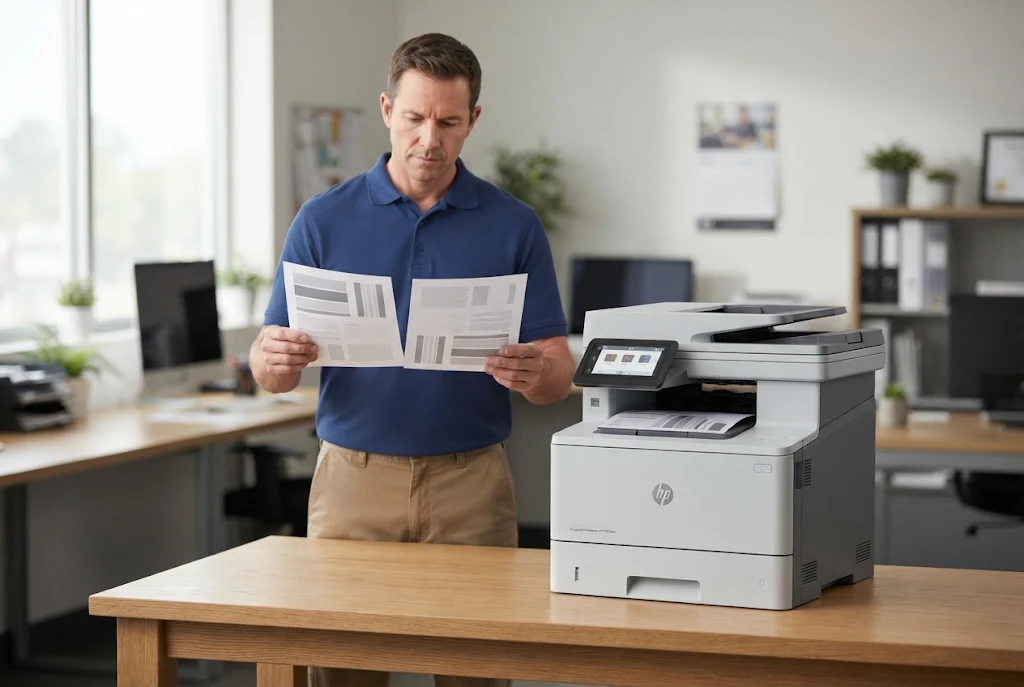
Repairs Verified From the Tray That Failed
More than 20 years in the office equipment industry, working knowledge of LaserJet Enterprise and MFP models, and a 6-month / 180-day warranty stand behind each repair at your Whittier location. Same-day service may be available. Email info@printer-repair-experts.net or call (888) 657-0021.
Maintenance Messages: Clearing a Prompt Is Not the Same as Repairing Wear
HP LaserJet Enterprise printers track usage and display maintenance messages as wear items approach the end of their expected life. The message is a reminder about wear, and silencing it does nothing for the components that triggered it.
Resetting a maintenance counter is not a repair. If the printer is also misfeeding or marking pages, a reset only removes the warning that matched the symptom.
Before recommending a maintenance kit, we identify the model and review its usage and maintenance history. On the M607, M608, and M609 running HP firmware 3.4 or newer, HP moved maintenance-kit life information from the configuration page to the Supplies Status Page, so that is where we look first.
The benefits of regular HP printer maintenance show up most on shared printers whose volume grows quietly as staff are added. HP LaserJet maintenance Whittier CA visits combine a kit installation, when the evidence supports one, with inspection of the paper path and the feed rollers the symptoms implicate.
When we recommend service: a maintenance message appears together with feed or print-quality symptoms, or the same message returns soon after someone cleared it.
Proof the Printer Is Fixed, and What to Send Us First
A repair is not finished when the error clears. We print test pages suited to the fault, run jobs from the tray that was failing, and send two-sided pages through the duplex path when two-sided printing was involved. On an MFP, originals go back through the document feeder as well.
Firmware is reviewed only when the exact model and a documented issue justify it. It is not a routine step in a hardware repair.
Diagnosis also informs the repair decision. If findings point to several failing assemblies on an older, heavily used printer, we explain that plainly so you can weigh repair against replacement with facts in hand. When business HP laser printer repair Whittier decisions involve a budget, that documented finding is often the most useful result of the visit.
When you contact Printer Repair Experts, include:
- The exact model, from the front label or a configuration page.
- The complete control-panel message, written down before it is cleared.
- The affected tray, door, or function, and your log if the problem comes and goes.
- Whether you have a saved defective page for the technician to review.
- Your Whittier service address and where the printer sits in the building.
Organizations with an additional location outside Whittier can find the same onsite process on our page about printer repair in Santa Fe Springs.
A marked page and a short log are the best starting point a technician can be handed. Call (888) 657-0021 or email info@printer-repair-experts.net to arrange HP LaserJet printer repair Whittier CA at your location; same-day service may be available, depending on the schedule.
FAQ's - Frequently Asked Questions - Whittier HP LaserJet Service
No. Diagnosis and repair take place at your Whittier business, with the printer in the spot where it normally works. That also lets the technician test it with your own paper and trays.
Yes. HP Color LaserJet printers and Color LaserJet MFPs are within our service scope. Mention the color model when you call so the technician can prepare for it; this page simply focuses on black-and-white LaserJets.
Our 6-month / 180-day warranty applies to the repair service we perform. If the repaired problem returns within that period, contact us with the model and the message so we can review it.
No. The promotion applies to onsite printer repair for one printer per visit. Software updates, network connectivity work, and firmware upgrades are handled separately when they are relevant.
The promotion covers one printer per onsite visit. When two or more printers require service during the same visit, pricing reverts to our Standard Flat Labor Rate, and we confirm that with you before work begins.
Yes. The applicable promotional service charge still applies to the onsite visit and diagnosis, even if you choose not to proceed with the repair.
It depends on the model and how many pages it prints. We check usage on the printer’s Supplies Status Page and recommend maintenance by condition and history rather than by calendar alone.
Trays differ in the paper types and weights HP supports, so the same stock can feed from the multipurpose Tray 1 and misfeed from Tray 2. Checking the tray’s supported media and its type setting is part of our diagnosis.